# Extract
Source: https://docs.parallel.ai/api-reference/extract-beta/extract
public-openapi.json post /v1beta/extract
Extracts relevant content from specific web URLs.
To access this endpoint, pass the `parallel-beta` header with the value
`search-extract-2025-10-10`.
# Add Enrichment to FindAll Run
Source: https://docs.parallel.ai/api-reference/findall-api-beta/add-enrichment-to-findall-run
public-openapi.json post /v1beta/findall/runs/{findall_id}/enrich
Add an enrichment to a FindAll run.
# Cancel FindAll Run
Source: https://docs.parallel.ai/api-reference/findall-api-beta/cancel-findall-run
public-openapi.json post /v1beta/findall/runs/{findall_id}/cancel
Cancel a FindAll run.
# Create FindAll Run
Source: https://docs.parallel.ai/api-reference/findall-api-beta/create-findall-run
public-openapi.json post /v1beta/findall/runs
Starts a FindAll run.
This endpoint immediately returns a FindAll run object with status set to 'queued'.
You can get the run result snapshot using the GET /v1beta/findall/runs/{findall_id}/result endpoint.
You can track the progress of the run by:
- Polling the status using the GET /v1beta/findall/runs/{findall_id} endpoint,
- Subscribing to real-time updates via the /v1beta/findall/runs/{findall_id}/events
endpoint,
- Or specifying a webhook with relevant event types during run creation to receive
notifications.
# Extend FindAll Run
Source: https://docs.parallel.ai/api-reference/findall-api-beta/extend-findall-run
public-openapi.json post /v1beta/findall/runs/{findall_id}/extend
Extend a FindAll run by adding additional matches to the current match limit.
# FindAll Run Result
Source: https://docs.parallel.ai/api-reference/findall-api-beta/findall-run-result
public-openapi.json get /v1beta/findall/runs/{findall_id}/result
Retrieve the FindAll run result at the time of the request.
# Get FindAll Run Schema
Source: https://docs.parallel.ai/api-reference/findall-api-beta/get-findall-run-schema
public-openapi.json get /v1beta/findall/runs/{findall_id}/schema
# Ingest FindAll Run
Source: https://docs.parallel.ai/api-reference/findall-api-beta/ingest-findall-run
public-openapi.json post /v1beta/findall/ingest
Transforms a natural language search objective into a structured FindAll spec.
Note: Access to this endpoint requires the parallel-beta header.
The generated specification serves as a suggested starting point and can be further
customized by the user.
# Retrieve FindAll Run Status
Source: https://docs.parallel.ai/api-reference/findall-api-beta/retrieve-findall-run-status
public-openapi.json get /v1beta/findall/runs/{findall_id}
Retrieve a FindAll run.
# Stream FindAll Events
Source: https://docs.parallel.ai/api-reference/findall-api-beta/stream-findall-events
public-openapi.json get /v1beta/findall/runs/{findall_id}/events
Stream events from a FindAll run.
Args:
request: The Shapi request
findall_id: The FindAll run ID
last_event_id: Optional event ID to resume from.
timeout: Optional timeout in seconds. If None, keep connection alive
as long as the run is going. If set, stop after specified duration.
# Create Monitor
Source: https://docs.parallel.ai/api-reference/monitor/create-monitor
public-openapi.json post /v1alpha/monitors
Create a web monitor.
Creates a monitor that periodically runs the specified query over the web at the
specified cadence (hourly, daily, or weekly). The monitor runs once at creation and
then continues according to the specified frequency.
Updates will be sent to the webhook if provided. Use the `executions` endpoint
to retrieve execution history for a monitor.
# Delete Monitor
Source: https://docs.parallel.ai/api-reference/monitor/delete-monitor
public-openapi.json delete /v1alpha/monitors/{monitor_id}
Delete a monitor.
Deletes a monitor, stopping all future executions. Deleted monitors can no
longer be updated or retrieved.
# List Events
Source: https://docs.parallel.ai/api-reference/monitor/list-events
public-openapi.json get /v1alpha/monitors/{monitor_id}/events
List events for a monitor from up to the last 300 event groups.
Retrieves events from the monitor, including events with errors and
material changes. The endpoint checks up to the specified lookback period or the
previous 300 event groups, whichever is less.
Events will be returned in reverse chronological order, with the most recent event groups
first. All events from an event group will be flattened out into individual entries
in the list.
# List Monitors
Source: https://docs.parallel.ai/api-reference/monitor/list-monitors
public-openapi.json get /v1alpha/monitors
List active monitors.
Returns all monitors for the user, regardless of status. Each list item
contains the monitor configuration and current status.
# Retrieve Event Group
Source: https://docs.parallel.ai/api-reference/monitor/retrieve-event-group
public-openapi.json get /v1alpha/monitors/{monitor_id}/event_groups/{event_group_id}
Retrieve an event group for a monitor.
Each list item in the response will have type `event`.
# Retrieve Monitor
Source: https://docs.parallel.ai/api-reference/monitor/retrieve-monitor
public-openapi.json get /v1alpha/monitors/{monitor_id}
Retrieve a monitor.
Retrieves a specific monitor by `monitor_id`. Returns the monitor
configuration including status, cadence, input, and webhook settings.
# Update Monitor
Source: https://docs.parallel.ai/api-reference/monitor/update-monitor
public-openapi.json post /v1alpha/monitors/{monitor_id}
Update a monitor.
At least one field must be non-null to apply an update.
# Search
Source: https://docs.parallel.ai/api-reference/search-beta/search
public-openapi.json post /v1beta/search
Searches the web.
To access this endpoint, pass the `parallel-beta` header with the value
`search-extract-2025-10-10`.
# Add Runs to Task Group
Source: https://docs.parallel.ai/api-reference/tasks-beta/add-runs-to-task-group
public-openapi.json post /v1beta/tasks/groups/{taskgroup_id}/runs
Initiates multiple task runs within a TaskGroup.
# Create Task Group
Source: https://docs.parallel.ai/api-reference/tasks-beta/create-task-group
public-openapi.json post /v1beta/tasks/groups
Initiates a TaskGroup to group and track multiple runs.
# Fetch Task Group Runs
Source: https://docs.parallel.ai/api-reference/tasks-beta/fetch-task-group-runs
public-openapi.json get /v1beta/tasks/groups/{taskgroup_id}/runs
Retrieves task runs in a TaskGroup and optionally their inputs and outputs.
All runs within a TaskGroup are returned as a stream. To get the inputs and/or
outputs back in the stream, set the corresponding `include_input` and
`include_output` parameters to `true`.
The stream is resumable using the `event_id` as the cursor. To resume a stream,
specify the `last_event_id` parameter with the `event_id` of the last event in the
stream. The stream will resume from the next event after the `last_event_id`.
# Retrieve Task Group
Source: https://docs.parallel.ai/api-reference/tasks-beta/retrieve-task-group
public-openapi.json get /v1beta/tasks/groups/{taskgroup_id}
Retrieves aggregated status across runs in a TaskGroup.
# Retrieve Task Group Run
Source: https://docs.parallel.ai/api-reference/tasks-beta/retrieve-task-group-run
public-openapi.json get /v1beta/tasks/groups/{taskgroup_id}/runs/{run_id}
Retrieves run status by run_id.
This endpiont is equivalent to fetching run status directly using the
`retrieve()` method or the `tasks/runs` GET endpoint.
The run result is available from the `/result` endpoint.
# Stream Task Group Events
Source: https://docs.parallel.ai/api-reference/tasks-beta/stream-task-group-events
public-openapi.json get /v1beta/tasks/groups/{taskgroup_id}/events
Streams events from a TaskGroup: status updates and run completions.
The connection will remain open for up to an hour as long as at least one run in the
group is still active.
# Create Task Run
Source: https://docs.parallel.ai/api-reference/tasks-v1/create-task-run
public-openapi.json post /v1/tasks/runs
Initiates a task run.
Returns immediately with a run object in status 'queued'.
Beta features can be enabled by setting the 'parallel-beta' header.
# Retrieve Task Run
Source: https://docs.parallel.ai/api-reference/tasks-v1/retrieve-task-run
public-openapi.json get /v1/tasks/runs/{run_id}
Retrieves run status by run_id.
The run result is available from the `/result` endpoint.
# Retrieve Task Run Input
Source: https://docs.parallel.ai/api-reference/tasks-v1/retrieve-task-run-input
public-openapi.json get /v1/tasks/runs/{run_id}/input
Retrieves the input of a run by run_id.
# Retrieve Task Run Result
Source: https://docs.parallel.ai/api-reference/tasks-v1/retrieve-task-run-result
public-openapi.json get /v1/tasks/runs/{run_id}/result
Retrieves a run result by run_id, blocking until the run is completed.
# Stream Task Run Events
Source: https://docs.parallel.ai/api-reference/tasks-v1/stream-task-run-events
public-openapi.json get /v1beta/tasks/runs/{run_id}/events
Streams events for a task run.
Returns a stream of events showing progress updates and state changes for the task
run.
For task runs that did not have enable_events set to true during creation, the
frequency of events will be reduced.
# Chat API Quickstart
Source: https://docs.parallel.ai/chat-api/chat-quickstart
Get started with Parallel Chat
Parallel Chat is a low latency web research API that returns OpenAI ChatCompletions compatible streaming text and JSON. The Chat API is designed for interactive workflows where speed is paramount.
{" "}
**Beta Notice**: Parallel Chat is in beta. We provide a rate limit of 300 requests
per minute for the Chat API out of the box. [Contact us](mailto:support@parallel.ai)
for production capacity.{" "}
While the Chat API optimizes for latency, we recommend using Parallel Tasks for more complex research queries.
## Getting Started with the OpenAI SDK
To use the OpenAI SDK compatibility feature, you'll need to:
1. Use an official OpenAI SDK
2. Make these changes:
* Update your base URL to point to Parallel's beta API endpoint
* Replace your API key with a Parallel API key
* Update your model name to "speed"
3. Review the documentation below for supported features
## Performance and Rate Limits
Speed is optimized for interactive applications requiring low latency responses:
* **Performance**: With `stream=true`, achieves 3 second p50 TTFT (median time to first token)
* **Default Rate Limit**: 300 requests per minute
* **Use Cases**: Chat interfaces, interactive tools
For production deployments requiring consistent performance at scale (reliable p99 latency) or higher throughput, [contact our team](https://www.parallel.ai).
## Example Execution
```bash cURL theme={"system"}
curl -N https://api.parallel.ai/chat/completions \
-H "Content-Type: application/json" \
-H "Authorization: Bearer $PARALLEL_API_KEY" \
-d '{
"model": "speed",
"messages": [
{ "role": "user", "content": "What does Parallel Web Systems do?" }
],
"stream": false,
"response_format": {
"type": "json_schema",
"json_schema": {
"name": "reasoning_schema",
"schema": {
"type": "object",
"properties": {
"reasoning": {
"type": "string",
"description": "Think step by step to arrive at the answer"
},
"answer": {
"type": "string",
"description": "The direct answer to the question"
},
"citations": {
"type": "array",
"items": { "type": "string" },
"description": "Sources cited to support the answer"
}
}
}
}
}
}'
```
```bash cURL (Streaming) theme={"system"}
curl -N https://api.parallel.ai/chat/completions \
-H "Content-Type: application/json" \
-H "Authorization: Bearer $PARALLEL_API_KEY" \
-d '{
"model": "speed",
"messages": [
{ "role": "user", "content": "What does Parallel Web Systems do?" }
],
"stream": true,
"response_format": {
"type": "json_schema",
"json_schema": {
"name": "reasoning_schema",
"schema": {
"type": "object",
"properties": {
"reasoning": {
"type": "string",
"description": "Think step by step to arrive at the answer"
},
"answer": {
"type": "string",
"description": "The direct answer to the question"
},
"citations": {
"type": "array",
"items": { "type": "string" },
"description": "Sources cited to support the answer"
}
}
}
}
}
}'
```
```python Python theme={"system"}
from openai import OpenAI
client = OpenAI(
api_key="PARALLEL_API_KEY", # Your Parallel API key
base_url="https://api.parallel.ai" # Parallel's API beta endpoint
)
response = client.chat.completions.create(
model="speed", # Parallel model name
messages=[
{"role": "user", "content": "What does Parallel Web Systems do?"}
],
response_format={
"type": "json_schema",
"json_schema": {
"name": "reasoning_schema",
"schema": {
"type": "object",
"properties": {
"reasoning": {
"type": "string",
"description": "Think step by step to arrive at the answer",
},
"answer": {
"type": "string",
"description": "The direct answer to the question",
},
"citations": {
"type": "array",
"items": {"type": "string"},
"description": "Sources cited to support the answer",
},
},
},
},
},
)
print(response.choices[0].message.content)
```
```typescript TypeScript theme={"system"}
import OpenAI from "openai";
const client = new OpenAI({
apiKey: "PARALLEL_API_KEY", // Your Parallel API key
baseURL: "https://api.parallel.ai", // Parallel's API beta endpoint
});
async function main() {
const response = await client.chat.completions.create({
model: "speed", // Parallel model name
messages: [{ role: "user", content: "What does Parallel Web Systems do?" }],
response_format: {
type: "json_schema",
json_schema: {
name: "reasoning_schema",
schema: {
type: "object",
properties: {
reasoning: {
type: "string",
description: "Think step by step to arrive at the answer",
},
answer: {
type: "string",
description: "The direct answer to the question",
},
citations: {
type: "array",
items: { type: "string" },
description: "Sources cited to support the answer",
},
},
},
},
},
});
console.log(response.choices[0].message.content);
}
main();
```
```python Python (Streaming) theme={"system"}
from openai import OpenAI
client = OpenAI(
api_key="PARALLEL_API_KEY", # Your Parallel API key
base_url="https://api.parallel.ai" # Parallel's API beta endpoint
)
stream = client.chat.completions.create(
model="speed", # Parallel model name
messages=[
{"role": "user", "content": "What does Parallel Web Systems do?"}
],
stream=True,
response_format={
"type": "json_schema",
"json_schema": {
"name": "reasoning_schema",
"schema": {
"type": "object",
"properties": {
"reasoning": {
"type": "string",
"description": "Think step by step to arrive at the answer",
},
"answer": {
"type": "string",
"description": "The direct answer to the question",
},
"citations": {
"type": "array",
"items": {"type": "string"},
"description": "Sources cited to support the answer",
},
},
},
},
},
)
for chunk in stream:
if chunk.choices[0].delta.content is not None:
print(chunk.choices[0].delta.content, end="", flush=True)
print()
```
```typescript TypeScript (Streaming) theme={"system"}
import OpenAI from "openai";
const client = new OpenAI({
apiKey: "PARALLEL_API_KEY", // Your Parallel API key
baseURL: "https://api.parallel.ai", // Parallel's API beta endpoint
});
async function main() {
const stream = await client.chat.completions.create({
model: "speed", // Parallel model name
messages: [{ role: "user", content: "What does Parallel Web Systems do?" }],
stream: true,
response_format: {
type: "json_schema",
json_schema: {
name: "reasoning_schema",
schema: {
type: "object",
properties: {
reasoning: {
type: "string",
description: "Think step by step to arrive at the answer",
},
answer: {
type: "string",
description: "The direct answer to the question",
},
citations: {
type: "array",
items: { type: "string" },
description: "Sources cited to support the answer",
},
},
},
},
},
});
for await (const chunk of stream) {
process.stdout.write(chunk.choices[0]?.delta?.content || "");
}
process.stdout.write("\\n");
}
main();
```
## System Prompt
Users can provide a custom system prompt to control the AI's behavior and response style. If no custom system prompt is specified in your request, the following default system prompt will be automatically applied:
```markdown [expandable] theme={"system"}
Today's date is {datetime.now(timezone(timedelta(hours=-7))).strftime("%A, %B %d, %Y")} and \
the current time is {datetime.now(timezone(timedelta(hours=-7))).strftime("%I:%M %p PT")} (California time).
You are a helpful assistant with access to web search results and page content.
Base your answers on the provided context. If the answer isn't in the context,
say you don't know rather than making up information.
# Guidelines for answering questions
Write your answer in markdown format, with well defined and numbered headers and subheaders. If possible, also summarize the answer at the end with a helpful table.
When answering questions, aim to give a thorough and informative answer, even if doing so requires expanding beyond the specific inquiry from the user.
If multiple possible answers are available in the sources, present all possible answers.
If the question has multiple parts or covers various aspects, ensure that you answer them all to the best of your ability.
If the question is time dependent, always reference the exact timestamp from the source and clearly indicate when the information was published or last updated. Format dates consistently as YYYY-MM-DD (e.g., "2024-05-15") or relative time references (e.g., "published 3 hours ago").
If you are asked a question in a language other than English, try to answer the question in that language.
ALWAYS cite all sources at the end of your answer. Every source used for the answer should be cited, along with the domain of the source. Add the timestamp to the citation if it is available.
Example:
# 1. London Bank sues UK Govt
[London Bank](londonbank.com) sues UK Govt as...
# Summary
| Date | Event | Details | Source |
| ---------- | ------------------- | ----------------------------------------------- | -------------- |
| 2024-05-15 | Initial Filing | London Bank files lawsuit against UK Government | londonbank.com |
| 2024-05-16 | Government Response | UK Government issues initial response | gov.uk |
| 2024-05-18 | Press Conference | London Bank CEO explains rationale for lawsuit | londonbank.com |
| 2024-05-20 | Court Hearing | Preliminary hearing scheduled | courts.gov.uk |
Sources:
1. [London Bank sues UK Govt -- londonbank.com](https://www.londonbank.com/sues-govt)
2. [UK Govt response -- gov.uk](https://www.gov.uk/response)
3. [UK Govt press release -- gov.uk, 2024-05-15](https://www.gov.uk/press-release/2024-05-15)
```
To use a custom system prompt, include it in the messages array with "role": "system" as the first message in your request.
# OpenAI SDK Compatibility
Source: https://docs.parallel.ai/chat-api/sdk-compatibility
OpenAI SDK compatibility features and limitations
## Important OpenAI Compatibility Limitations
### API Behavior
Here are the most substantial differences from using OpenAI:
* Multimodal input (images/audio) is not supported and will be ignored.
* Prompt caching is not supported.
* Most unsupported fields are silently ignored rather than producing errors. These are all documented below.
## Detailed OpenAI Compatible API Support
### Request Fields
#### Simple Fields
| Field | Support Status |
| ----------------------- | --------------- |
| model | Use "speed" |
| response\_format | Fully supported |
| stream | Fully supported |
| max\_tokens | Ignored |
| max\_completion\_tokens | Ignored |
| stream\_options | Ignored |
| top\_p | Ignored |
| parallel\_tool\_calls | Ignored |
| stop | Ignored |
| temperature | Ignored |
| n | Ignored |
| logprobs | Ignored |
| metadata | Ignored |
| prediction | Ignored |
| presence\_penalty | Ignored |
| frequency\_penalty | Ignored |
| seed | Ignored |
| service\_tier | Ignored |
| audio | Ignored |
| logit\_bias | Ignored |
| store | Ignored |
| user | Ignored |
| modalities | Ignored |
| top\_logprobs | Ignored |
| reasoning\_effort | Ignored |
#### Tools / Functions Fields
Tools are ignored.
#### Messages Array Fields
| Field | Support Status |
| -------------------------- | --------------- |
| messages\[].role | Fully supported |
| messages\[].content | String only |
| messages\[].name | Fully supported |
| messages\[].tool\_calls | Ignored |
| messages\[].tool\_call\_id | Ignored |
| messages\[].function\_call | Ignored |
| messages\[].audio | Ignored |
| messages\[].modalities | Ignored |
The `content` field only supports string values. Structured content arrays (e.g., for multimodal inputs with text and image parts) are not supported.
### Response Fields
| Field | Support Status |
| --------------------------------- | ------------------------------ |
| id | Always empty |
| choices\[] | Will always have a length of 1 |
| choices\[].finish\_reason | Always empty |
| choices\[].index | Fully supported |
| choices\[].message.role | Fully supported |
| choices\[].message.content | Fully supported |
| choices\[].message.tool\_calls | Always empty |
| object | Always empty |
| created | Fully supported |
| model | Always empty |
| finish\_reason | Always empty |
| content | Fully supported |
| usage.completion\_tokens | Always empty |
| usage.prompt\_tokens | Always empty |
| usage.total\_tokens | Always empty |
| usage.completion\_tokens\_details | Always empty |
| usage.prompt\_tokens\_details | Always empty |
| choices\[].message.refusal | Always empty |
| choices\[].message.audio | Always empty |
| logprobs | Always empty |
| service\_tier | Always empty |
| system\_fingerprint | Always empty |
### Error Message Compatibility
The compatibility layer maintains approximately the same error formats as the OpenAI API.
### Header Compatibility
While the OpenAI SDK automatically manages headers, here is the complete list of headers supported by Parallel's API for developers who need to work with them directly.
| Field | Support Status |
| ------------------------------ | --------------- |
| authorization | Fully supported |
| x-ratelimit-limit-requests | Ignored |
| x-ratelimit-limit-tokens | Ignored |
| x-ratelimit-remaining-requests | Ignored |
| x-ratelimit-remaining-tokens | Ignored |
| x-ratelimit-reset-requests | Ignored |
| x-ratelimit-reset-tokens | Ignored |
| retry-after | Ignored |
| x-request-id | Ignored |
| openai-version | Ignored |
| openai-processing-ms | Ignored |
# Extract API Best Practices
Source: https://docs.parallel.ai/extract/best-practices
Using the Parallel Extract API
The Extract API converts any public URL into clean, LLM-optimized markdown—handling
JavaScript-heavy pages and PDFs automatically. Extract focused excerpts aligned to your
objective or retrieve full page content as needed.
{" "} **Beta Notice**: This API is currently in beta and subject to change, and
requires the parallel-beta: search-extract-2025-10-10 header. Usage is
limited to 600 requests per minute; for production access or higher capacity, contact
[support@parallel.ai](mailto:support@parallel.ai).{" "}
## Key Benefits
* Search with Natural Language: Describe what you're looking for in plain language and
handle complex, multi-faceted queries in a single request—no need for multiple
overlapping keyword searches.
* Intelligent Token Efficiency: Automatically include only the tokens necessary for the
task at hand. Simple factual queries return concise excerpts; complex research
objectives return comprehensive content. No wasted tokens on irrelevant information.
* Advanced Content Extraction: Extract clean, structured markdown from any web page—even
those requiring JavaScript execution or PDF rendering. Focus extraction on your
specific objective to get only relevant content, or retrieve full page content when
needed.
* Speed: Reduce latency and improve quality by replacing multi-step pipelines with
fewer, smarter API calls.
* Quality: Powered by Parallel's web-scale index with advanced ranking that prioritizes
relevance, clarity, and source reliability.
## Request Fields
The Extract API accepts the following parameters. The `urls` field is required; all
other fields are optional. See the [API
Reference](https://docs.parallel.ai/api-reference/extract-beta/extract) for complete parameter
specifications and constraints.
| Field | Type | Default | Notes | Example |
| --------------- | -------------- | -------- | ----------------------------------------------------------------------------------------------------------------------------------------------------------------------------------------------- | ------------------------------------------------------------------------------------------------------------ |
| urls | string\[] | - | List of URLs to extract content from. Maximum 10 URLs per request. | \["[https://example.com/article](https://example.com/article)"] |
| objective | string | optional | Natural-language description of what information you're looking for, including broader task context. When provided, focuses extracted content on relevant information. Maximum 3000 characters. | "I'm researching React performance optimization. Find best practices for preventing unnecessary re-renders." |
| search\_queries | string\[] | optional | Optional keyword queries to focus extraction. Use with or without objective to emphasize specific terms. | \["React.memo", "useMemo", "useCallback"] |
| fetch\_policy | object | dynamic | Controls when to return indexed vs fresh content. If not provided, a dynamic policy will be used based on the search objective and url. See [Fetch Policy](#fetch-policy) below. | `{"max_age_seconds": 3600}` |
| excerpts | bool or object | true | Return focused excerpts relevant to objective/queries. Set to `false` to disable or pass settings object. | `true` or `{"max_chars_per_result": 5000, "max_chars_total": 25000}` |
| full\_content | bool or object | false | Return complete page content. Set to `true` to enable or pass settings object. | `false` or `{"max_chars_per_result": 50000}` |
## Fetch Policy
The `fetch_policy` parameter controls when to return indexed content (faster) or fetch
fresh content from the source (fresher). Fetching fresh content may take up to a minute
and is subject to rate limits to manage the load on source websites.
| Field | Type | Default | Notes |
| ------------------------ | ------ | ------- | ------------------------------------------------------------------------------------------------------------------------------------------------------------ |
| max\_age\_seconds | int | dynamic | Maximum age of indexed content in seconds. If older, fetches live. Minimum 600 (10 minutes). If unspecified, uses dynamic policy based on URL and objective. |
| timeout\_seconds | number | dynamic | Timeout for fetching live content. If unspecified, uses uses a dynamic timeout based on URL and content type (typically 15s-60s). |
| disable\_cache\_fallback | bool | false | If `true`, returns an error when live fetch fails. If `false`, falls back to older indexed content. |
## Excerpt and Full Content Settings
Both `excerpts` and `full_content` accept either a boolean or a settings object.
**Boolean usage:**
```json wrap theme={"system"}
{
"excerpts": true,
"full_content": false
}
```
**Settings object:**
```json wrap theme={"system"}
{
"excerpts": {
"max_chars_per_result": 5000
},
"full_content": {
"max_chars_per_result": 50000
}
}
```
**Notes:**
* When both `excerpts` and `full_content` are enabled, you'll receive both in the response
* Excerpts are always focused on relevance; full content always starts from the beginning
* Without `objective` or `search_queries`, excerpts will be redundant with full content
## Best Practices
See [Search Best Practices](/search/best-practices#best-practices) on using
objective and search queries effectively.
# Extract API Quickstart
Source: https://docs.parallel.ai/extract/extract-quickstart
Get started with Extract
The **Extract API** converts any public URL into clean markdown, including
JavaScript-heavy pages and PDFs. It returns focused excerpts aligned to your objective,
or full page content if requested.
{" "}
**Beta Notice**: The Search and Extract APIs are currently in beta and subject to change. Usage is
limited to 600 requests per minute.
## 1. Set up Prerequisites
Generate your API key on [Platform](https://platform.parallel.ai). Then, set up with the TypeScript SDK, Python SDK or with cURL:
```bash cURL theme={"system"}
echo "Install curl and jq via brew, apt, or your favorite package manager"
export PARALLEL_API_KEY="PARALLEL_API_KEY"
```
```bash Python theme={"system"}
pip install parallel-web
export PARALLEL_API_KEY="PARALLEL_API_KEY"
```
```bash TypeScript theme={"system"}
npm install parallel-web
export PARALLEL_API_KEY="PARALLEL_API_KEY"
```
## 2. Extract API Example
Extract clean markdown content from specific URLs. This example retrieves content from
the UN's history page with excerpts focused on the founding:
```bash cURL theme={"system"}
curl https://api.parallel.ai/v1beta/extract \
-H "Content-Type: application/json" \
-H "x-api-key: $PARALLEL_API_KEY" \
-H "parallel-beta: search-extract-2025-10-10" \
-d '{
"urls": ["https://www.un.org/en/about-us/history-of-the-un"],
"objective": "When was the United Nations established?",
"excerpts": true,
"full_content": false
}'
```
```python Python theme={"system"}
import os
from parallel import Parallel
client = Parallel(api_key=os.environ["PARALLEL_API_KEY"])
extract = client.beta.extract(
urls=["https://www.un.org/en/about-us/history-of-the-un"],
objective="When was the United Nations established?",
excerpts=True,
full_content=False,
)
print(extract.results)
```
```typescript TypeScript theme={"system"}
import Parallel from "parallel-web";
const client = new Parallel({ apiKey: process.env.PARALLEL_API_KEY });
const extract = await client.beta.extract({
urls: ["https://www.un.org/en/about-us/history-of-the-un"],
objective: "When was the United Nations established?",
excerpts: true,
fullContent: false,
});
console.log(extract.results);
```
## Sample Response
```json theme={"system"}
{
"extract_id": "extract_470002358ec147e8a40cb70d0d82627e",
"results": [
{
"url": "https://www.un.org/en/about-us/history-of-the-un",
"title": "History of the United Nations | United Nations",
"publish_date": "2001-01-01",
"excerpts": [
"[Skip to main content]()\nToggle navigation [Welcome to the United Nations](/)\n[العربية](/ar/about-us/history-of-the-un \"تاريخ الأمم المتحدة\")\n[中文](/zh/about-us/history-of-the-un \"联合国历史\")\nNederlands\n[English](/en/about-us/history-of-the-un \"History of the United Nations\")\n[Français](/fr/about-us/history-of-the-un \"L'histoire des Nations Unies\")\nKreyòl\nहिन्दी\nBahasa Indonesia\nPolski\nPortuguês\n[Русский](/ru/about-us/history-of-the-un \"История Организации Объединенных Наций\")\n[Español](/es/about-us/history-of-the-un \"Historia de las Naciones Unidas\")\nKiswahili\nTürkçe\nУкраїнська\n[](/en \"United Nations\") Peace, dignity and equality \non a healthy planet\n\nSection Title: History of the United Nations\nContent:\nThe UN Secretariat building (at left) under construction in New York City in 1949. At right, the Secretariat and General Assembly buildings four decades later in 1990. UN Photo: MB (L) ; UN Photo (R)\nAs World War II was about to end in 1945, nations were in ruins, and the world wanted peace. Representatives of 50 countries gathered at the United Nations Conference on International Organization in San Francisco, California from 25 April to 26 June 1945. For the next two months, they proceeded to draft and then sign the UN Charter, which created a new international organization, the United Nations, which, it was hoped, would prevent another world war like the one they had just lived through.\nFour months after the San Francisco Conference ended, the United Nations officially began, on 24 October 1945, when it came into existence after its Charter had been ratified by China, France, the Soviet Union, the United Kingdom, the United States and by a majority of other signatories.\nNow, more than 75 years later, the United Nations is still working to maintain international peace and security, give humanitarian assistance to those in need, protect human rights, and uphold international law.\n\nSection Title: History of the United Nations\nContent:\nAt the same time, the United Nations is doing new work not envisioned for it in 1945 by its founders. The United Nations has set [sustainable development goals](http://www.un.org/sustainabledevelopment/sustainable-development-goals/) for 2030, in order to achieve a better and more sustainable future for us all. UN Member States have also agreed to [climate action](http://www.un.org/en/climatechange) to limit global warming.\nWith many achievements now in its past, the United Nations is looking to the future, to new achievements.\nThe history of the United Nations is still being written.\n\nSection Title: History of the United Nations > [Milestones in UN History](https://www.un.org/en/about-us/history-of-the-un/1941-1950)\nContent:\n[](https://www.un.org/en/about-us/history-of-the-un/1941-1950)\nTimelines by decade highlighting key UN milestones\n\nSection Title: History of the United Nations > [The San Francisco Conference](https://www.un.org/en/about-us/history-of-the-un/san-francisco-conference)\nContent:\n[](https://www.un.org/en/about-us/history-of-the-un/san-francisco-conference)\nThe story of the 1945 San Francisco Conference\n\nSection Title: History of the United Nations > [Preparatory Years: UN Charter History](https://www.un.org/en/about-us/history-of-the-un/preparatory-years)\nContent:\n[](https://www.un.org/en/about-us/history-of-the-un/preparatory-years)\nThe steps that led to the signing of the UN Charter in 1945\n\nSection Title: History of the United Nations > [Predecessor: The League of Nations](https://www.un.org/en/about-us/history-of-the-un/predecessor)\nContent:\n[](https://www.un.org/en/about-us/history-of-the-un/predecessor)\nThe UN's predecessor and other earlier international organizations\n[](https://www.addtoany.com/share)\n"
],
"full_content": null
}
],
"errors": [],
"warnings": null,
"usage": [
{
"name": "sku_extract_excerpts",
"count": 1
}
]
}
```
# Candidates
Source: https://docs.parallel.ai/findall-api/core-concepts/findall-candidates
Understanding FindAll candidates, their structure, states, and how to exclude specific entities
## Overview
A **candidate** is an entity that FindAll discovers during the generation phase of a run. Each candidate represents a potential match that is evaluated against your match conditions.
### Candidate States
Candidates progress through these states during evaluation:
* **Generated**: Discovered from web data, queued for evaluation
* **Matched**: Successfully satisfied all match conditions
* **Unmatched**: Failed to satisfy one or more match conditions
**Post-Match Events**: When using [Streaming Events](/findall-api/features/findall-sse) or [Webhooks](/findall-api/features/findall-webhook), you may receive **`enriched`** events for matched candidates. These are event types (not `match_status` values) that indicate when additional data has been extracted via enrichments after a candidate has already matched.
## Candidate Object Structure
Every candidate in FindAll results, SSE events, and webhook payloads follows this structure:
| Property | Type | Description |
| -------------- | ------------------ | ------------------------------------------------------------------------------------------------------------------------------------------------------------ |
| `candidate_id` | string | Unique identifier for the candidate |
| `name` | string | Name of the entity |
| `url` | string | Primary URL for the entity |
| `description` | string | Brief description of the entity |
| `match_status` | enum | One of `generated`, `matched`, and `unmatched` |
| `output` | object | Key-value pairs showing evaluation results for each match condition and enrichment (see section below for more details) |
| `basis` | array\[FieldBasis] | Citations, reasoning, and confidence scores for each field. See [FieldBasis](/task-api/guides/access-research-basis#the-fieldbasis-object) for more details. |
### Understanding the `output` Field
The `output` field contains evaluation results where each key corresponds to a field name. Match conditions include an `is_matched` boolean, while enrichments do not:
```json theme={"system"}
{
"founded_after_2020_check": {
"value": "2021",
"type": "match_condition",
"is_matched": true // only match_condition contains boolean field is_match
},
"ceo_name": {
"value": "Ramin Hasani",
"type": "enrichment"
}
}
```
### Understanding the `basis` Field
The `basis` field provides citations, reasoning, and confidence scores for each field in `output`.
**For complete details on basis structure and usage**, see [Access Research Basis](/task-api/guides/access-research-basis).
## Excluding Candidates
**Use case**: Excluding candidates is useful when you already know certain entities match your criteria (such as results from previous runs or entities you've already identified), allowing you to focus on discovering new matches. By excluding these known entities, you won't be charged for generating or evaluating them again, making your searches more cost-effective.
FindAll uses intelligence to deduplicate and disambiguate candidates you provide in the exclude list, which handles aliases and entities with slightly different names or URL variations. However, using the most official and disambiguated name and URL is recommended for best results.
Provide an `exclude_list` to prevent specific entities from being generated or evaluated. Excluded entities won't incur evaluation costs or appear in results/events.
**Exclude list structure:** Array of objects with `name` (string) and `url` (string) fields.
```bash cURL theme={"system"}
curl -X POST "https://api.parallel.ai/v1beta/findall/runs" \
-H "x-api-key: $PARALLEL_API_KEY" \
-H "Content-Type: application/json" \
-d '{
"objective": "FindAll portfolio companies of Khosla Ventures",
"match_conditions": [...],
"exclude_list": [
{"name": "Figure AI", "url": "https://www.figure.ai"},
{"name": "Anthropic", "url": "https://www.anthropic.com"}
]
}'
```
```python Python theme={"system"}
from parallel import Parallel
client = Parallel(api_key="YOUR_API_KEY")
findall_run = client.beta.findall.create(
objective="FindAll portfolio companies of Khosla Ventures",
match_conditions=[...],
exclude_list=[
{"name": "Figure AI", "url": "https://www.figure.ai"},
{"name": "Anthropic", "url": "https://www.anthropic.com"}
]
)
```
```typescript TypeScript theme={"system"}
import Parallel from 'parallel-web';
const client = new Parallel({
apiKey: process.env.PARALLEL_API_KEY
});
const run = await client.beta.findall.create({
objective: "FindAll portfolio companies of Khosla Ventures",
match_conditions: [...],
exclude_list: [
{ name: "Figure AI", url: "https://www.figure.ai" },
{ name: "Anthropic", url: "https://www.anthropic.com" }
]
});
```
## Retrieving Candidates
Candidates can be accessed through multiple methods:
* **[`/result` endpoint](/findall-api/findall-quickstart#step-4-get-results)**: Retrieve all candidates (matched and unmatched) after run completion
* **[Streaming Events](/findall-api/features/findall-sse)**: Stream candidates in real-time as they're generated and evaluated
* **[Webhooks](/findall-api/features/findall-webhook)**: Receive HTTP callbacks for candidate events
## Related Topics
* **[FindAll Quickstart](/findall-api/findall-quickstart)**: Get started with FindAll API
* **[Generators and Pricing](/findall-api/core-concepts/findall-generator-pricing)**: Understand generator options and pricing
* **[Run Lifecycle](/findall-api/core-concepts/findall-lifecycle)**: Learn about run statuses and metrics
* **[Enrichments](/findall-api/features/findall-enrich)**: Extract additional data from matched candidates
* **[Streaming Events](/findall-api/features/findall-sse)**: Monitor candidates in real-time
* **[Webhooks](/findall-api/features/findall-webhook)**: Set up notifications for candidate events
* **[Access Research Basis](/task-api/guides/access-research-basis)**: Deep dive into citation and reasoning structure
# Generators and Pricing
Source: https://docs.parallel.ai/findall-api/core-concepts/findall-generator-pricing
FindAll API pricing structure and generators
FindAll offers different generators that determine both the quality and cost of FindAll run result.
## Generators
| Generator | Fixed Cost | Per Match | Best For |
| --------- | ---------- | --------- | --------------------------------------------------------- |
| `base` | \$0.25 | \$0.03 | Broad, common queries where you expect many matches |
| `core` | \$2.00 | \$0.15 | Specific queries with moderate expected matches |
| `pro` | \$10.00 | \$1.00 | Highly specific queries with rare or hard-to-find matches |
| `preview` | \$0.10 | \$0.00 | Testing queries (\~10 candidates) |
### Cost Formula
The total cost of a FindAll run includes the generator costs plus any enrichment costs:
**Where:**
* **Fixed cost** and **cost per match** come from your chosen generator (`base`, `core`, or `pro`)
* **Enrichment processor cost** is determined by the [Task API processor](/task-api/guides/choose-a-processor) you select for each [enrichment](/findall-api/features/findall-enrich)
* The enrichment sum applies across all enrichments you add (you can add multiple enrichments using different processors)
### Examples
All examples assume 50 matches:
| FindAll Generator | Enrichment Processors | Generator Cost | Enrichment Cost | Total Cost |
| ----------------- | --------------------- | ------------------------------- | --------------------------------------- | ----------- |
| `base` | None | \$0.25 + (50 × \$0.03) = \$1.75 | \$0.00 | **\$1.75** |
| `base` | 1 `lite` | \$0.25 + (50 × \$0.03) = \$1.75 | 50 × \$0.005 = \$0.25 | **\$2.00** |
| `core` | None | \$2 + (50 × \$0.15) = \$9.50 | \$0.00 | **\$9.50** |
| `core` | 1 `base`, 1 `lite` | \$2 + (50 × \$0.15) = \$9.50 | (50 × \$0.01) + (50 × \$0.005) = \$0.75 | **\$10.25** |
| `pro` | None | \$10 + (50 × \$1.00) = \$60.00 | \$0.00 | **\$60.00** |
| `pro` | 2 `core` | \$10 + (50 × \$1.00) = \$60.00 | 2 × (50 × \$0.025) = \$2.50 | **\$62.50** |
## How to Choose
### 1. Start with Preview
Always test your query with `preview` first to validate your approach and get a sense of how many matches to expect. See [Preview](/findall-api/features/findall-preview).
### 2. Choosing the Right Generator
Based on your preview results and query characteristics:
**Choose `base` when:**
* You expect many matches (e.g., "companies in healthcare")
* Your query has broad criteria that are common
* You're searching for fewer than 20 matches where the low fixed cost matters most
**Choose `core` when:**
* You expect a moderate number of matches (e.g., "healthcare companies using AI for diagnostics")
* Your query is fairly specific but not extremely rare
* You need between 20-50 matches
**Choose `pro` when:**
* You expect few matches or very specific criteria (e.g., "Series A healthcare AI companies with FDA-approved products")
* Your query requires the most thorough and comprehensive search
* The higher per-match cost is acceptable for your use case
**Note:** For match counts above 50, the per-match cost becomes more significant than the fixed cost in your total bill. When using enrichments, consider that enrichment costs also scale with the number of matches.
## Enrichment Pricing Considerations
When adding [enrichments](/findall-api/features/findall-enrich) to extract additional data from your matches, each enrichment adds its own per-match cost based on the [Task API processor](/task-api/guides/choose-a-processor) you choose:
* **`lite` processor**: \$0.005 per match (best for simple data extraction)
* **`base` processor**: \$0.01 per match (reliable for standard enrichments)
* **`core` processor**: \$0.025 per match (for cross-referenced data)
* **`core2x` processor**: \$0.05 per match (for high-complexity cross-referenced data)
* **`pro` processor**: \$0.10 per match (for exploratory research)
* **`ultra` processor**: \$0.30 per match (for deep research)
Since enrichments run on every match and you can add multiple enrichments, they can significantly impact your total costs for high-match queries. Choose enrichment processors based on the complexity of data extraction needed.
## Additional Notes
* **[Extend Runs](/findall-api/features/findall-extend)**: Fixed cost is not charged again, only per-match costs for new matches. If enrichments are present, they also run on new matches at the same enrichment processor cost.
* **[Enrichments](/findall-api/features/findall-enrich)**: Enrichments are charged based on [Task API processor pricing](/task-api/guides/choose-a-processor) × number of matches. You can add multiple enrichments using different processors, and each enrichment's cost is calculated separately.
* **[Run Lifecycle](/findall-api/core-concepts/findall-lifecycle)**: You're charged for work completed before cancellation, including any enrichments that finished.
**Tip:** If a run terminates early, consider using a more advanced generator (like `pro` instead of `base`) or refining your query criteria to be more achievable.
## Related Topics
* **[Preview](/findall-api/features/findall-preview)**: Test queries with \~10 candidates before running full searches
* **[Enrichments](/findall-api/features/findall-enrich)**: Extract additional structured data for matched candidates
* **[Task API Processors](/task-api/guides/choose-a-processor)**: Understand processor options and pricing for enrichments
* **[Extend Runs](/findall-api/features/findall-extend)**: Increase match limits without paying new fixed costs
* **[Streaming Events](/findall-api/features/findall-sse)**: Receive real-time updates via Server-Sent Events
* **[Webhooks](/findall-api/features/findall-webhook)**: Configure HTTP callbacks for run completion and matches
* **[Run Lifecycle](/findall-api/core-concepts/findall-lifecycle)**: Understand run statuses and how to cancel runs
* **[API Reference](https://docs.parallel.ai/api-reference/findall-api-beta/create-findall-run#body-generator)**: Complete endpoint documentation
# Run Lifecycle
Source: https://docs.parallel.ai/findall-api/core-concepts/findall-lifecycle
Understand FindAll run statuses, termination reasons, and how to cancel runs
## Run Statuses and Termination Reasons
FindAll runs progress from `queued` → `running` → terminal state (`completed`, `failed`, or `cancelled`).
A run is considered **active** when it has status `queued`, `running` and has active candidate generation, evaluation, and enrichments ongoing.
### Status Definitions
| Status | Description | Can Extend? | Can Enrich? |
| ----------- | -------------------------------------------- | ----------- | ----------- |
| `queued` | Run is waiting to start processing | N/A | N/A |
| `running` | Run is actively evaluating candidates | ❌ No | ✅ Yes |
| `completed` | Run finished (see termination reasons below) | Depends\* | ✅ Yes |
| `failed` | Run encountered an error | ❌ No | ❌ No |
| `cancelled` | Run was cancelled by user | ❌ No | ❌ No |
\* See termination reasons below for extendability
### Termination Reasons
When a run reaches a terminal state, it will have one of these termination reasons:
| Termination Reason | Description | Can Extend? |
| ---------------------- | -------------------------------------------------- | ------------------------------------ |
| `match_limit_met` | Successfully found the requested number of matches | ✅ Yes |
| `low_match_rate` | Match rate too low to continue efficiently | ❌ No - try a more powerful generator |
| `candidates_exhausted` | All available candidates have been processed | ❌ No - broaden query |
| `error_occurred` | Run encountered an error and cannot be continued | ❌ No |
| `timeout` | Run timed out and cannot be continued | ❌ No |
| `user_cancelled` | Run was cancelled by the user | ❌ No |
## Related Topics
* **[Generators and Pricing](/findall-api/core-concepts/findall-generator-pricing)**: Understand generator options and pricing
* **[Preview](/findall-api/features/findall-preview)**: Test queries with \~10 candidates before running full searches
* **[Enrichments](/findall-api/features/findall-enrich)**: Extract additional structured data for matched candidates
* **[Extend Runs](/findall-api/features/findall-extend)**: Increase match limits without paying new fixed costs
* **[Streaming Events](/findall-api/features/findall-sse)**: Receive real-time updates via Server-Sent Events
* **[Webhooks](/findall-api/features/findall-webhook)**: Configure HTTP callbacks for run completion and matches
* **[API Reference](https://docs.parallel.ai/api-reference/findall-api-beta/create-findall-run#response-status)**: Complete endpoint documentation
# Cancel
Source: https://docs.parallel.ai/findall-api/features/findall-cancel
Stop FindAll runs early to control costs
Stop a running FindAll search when you have enough matches or need to control costs. Results found before cancellation are preserved.
```bash cURL theme={"system"}
curl -X POST \
https://api.parallel.ai/v1beta/findall/runs/findall_40e0ab8c10754be0b7a16477abb38a2f/cancel \
-H "x-api-key: $PARALLEL_API_KEY" \
-H "parallel-beta: findall-2025-09-15" \
-H "Content-Type: application/json"
```
```python Python theme={"system"}
from parallel import Parallel
client = Parallel(api_key="YOUR_API_KEY")
client.beta.findall.cancel(
findall_id="findall_40e0ab8c10754be0b7a16477abb38a2f"
)
```
```typescript TypeScript theme={"system"}
import Parallel from 'parallel-web';
const client = new Parallel({
apiKey: process.env.PARALLEL_API_KEY,
});
await client.beta.findall.cancel({
findallId: "findall_40e0ab8c10754be0b7a16477abb38a2f"
});
```
## How Cancellation Works
Cancellation is a **signal**, not instant:
* Active work units finish gracefully, no new work is scheduled
* Matches found so far are preserved and accessible
* You're charged for work completed during cancellation
* After cancellation, the run transitions to `cancelled` status (see **[Run Lifecycle](/findall-api/core-concepts/findall-lifecycle)**)
Cancelled runs **cannot be extended or enriched**. Cancellation is irreversible—you'll need to create a new run to continue searching.
## Common Use Cases
* Control costs when a run takes longer than expected
* Stop after finding enough matches (monitor via [webhooks](/findall-api/features/findall-webhook) or [SSE](/findall-api/features/findall-sse))
* Iterate quickly with refined queries instead of waiting for completion
## Related Topics
* **[Generators and Pricing](/findall-api/core-concepts/findall-generator-pricing)**: Understand generator options and pricing
* **[Preview](/findall-api/features/findall-preview)**: Test queries with \~10 candidates before running full searches
* **[Enrichments](/findall-api/features/findall-enrich)**: Extract additional structured data for matched candidates
* **[Extend Runs](/findall-api/features/findall-extend)**: Increase match limits without paying new fixed costs
* **[Streaming Events](/findall-api/features/findall-sse)**: Receive real-time updates via Server-Sent Events
* **[Webhooks](/findall-api/features/findall-webhook)**: Configure HTTP callbacks for run completion and matches
* **[API Reference](https://docs.parallel.ai/api-reference/findall-api-beta/cancel-findall-run)**: Complete endpoint documentation
# Enrichments
Source: https://docs.parallel.ai/findall-api/features/findall-enrich
Add non-boolean enrichment data to FindAll candidates without affecting match conditions
**Built on Task API**: FindAll enrichments are powered by our [Task API](/task-api/task-quickstart). All Task API concepts—including [task specifications](/task-api/guides/specify-a-task), [processors](/task-api/guides/choose-a-processor), [output schemas](/task-api/guides/specify-a-task#output-schema), and pricing—apply directly to enrichments. We handle the orchestration automatically, running tasks on each matched candidate.
## Overview
FindAll enrichments allow you to extract additional non-boolean information about candidates that should not be used as filters for matches. For example, if you're finding companies, you might want to extract the CEO name as pure enrichment data—something you want to know about each match, but not something that should affect whether a candidate matches your criteria.
## Match Conditions vs. Enrichments
Understanding the distinction between match conditions and enrichments is fundamental to using FindAll effectively.
| | **Match Conditions** | **Enrichments** |
| --------------------- | -------------------------------------------------------------------------------------------------------------------------------------------- | ------------------------------------------------------------------------------------------------------------------ |
| **Purpose** | Required criteria that determine whether a candidate is a match | Additional data fields extracted only for matched candidates |
| **When Executed** | During FindAll generation and evaluation process | **Only on matched candidates** using the Task API |
| **Output format** | Boolean (yes/no) + extracted value | String values (by default) |
| **Type of Criteria** | Must be boolean/filterable (yes/no questions) | Can be any type of data extraction |
| **Affects Matching?** | ✅ Yes - determines which candidates reach `matched` status | ❌ No - does not affect which candidates match |
| **When to Add** | Must be defined when creating the run | Can be added when creating the run, or multiple times after |
| **Example Questions** | • "Is the company founded after 2020?" • "Has the company raised Series A funding?" • "Is the company in the healthcare industry?" | • "What is the CEO's name?" • "What is the company's revenue?" • "What products does the company offer?" |
### Why This Separation Matters
This two-stage approach is efficient and cost-effective:
1. **Filter first**: Match conditions quickly narrow down candidates to relevant matches
2. **Enrich selectively**: Extract detailed data only from the matches that matter
This means you don't pay to enrich hundreds of candidates that won't match your criteria.
## Adding Enrichments
Enrichments can be added anytime after a FindAll run is created, even for completed runs. Once added:
* Enrichments will run on **all matches** (both ones that exist when the request is made and all future matches)
* If enrichments are present, **extend** will also perform the same set of enrichments on all extended matches
## Creating Enrichments
**Task API Concepts Apply Here**: Enrichments use the same [task spec](/task-api/guides/specify-a-task) structure as Task API runs. You'll define:
* **[Processors](/task-api/guides/choose-a-processor)**: Choose from `base`, `advanced`, or `auto` (same as Task API)
* **[Output Schema](/task-api/guides/specify-a-task#output-schema)**: Define structured JSON output (same format as Task API)
* **[Pricing](/task-api/guides/execute-task-run#pricing)**: Charged according to Task API processor pricing
The only difference: you don't need to define `input_schema`—it's automatically set to the candidate's `name`, `url`, and `description`.
### Quick Example
```bash cURL theme={"system"}
curl -X POST "https://api.parallel.ai/v1beta/findall/runs/findall_40e0ab8c10754be0b7a16477abb38a2f/enrich" \
-H "x-api-key: $PARALLEL_API_KEY" \
-H "parallel-beta: findall-2025-09-15" \
-H "Content-Type: application/json" \
-d '{
"generator": "core",
"output_schema": {
"type": "json",
"json_schema": {
"type": "object",
"properties": {
"ceo_name": {
"type": "string",
"description": "Name of the CEO"
},
"founding_year": {
"type": "string",
"description": "Year the company was founded"
}
},
"required": ["ceo_name", "founding_year"],
"additionalProperties": false
}
}
}'
```
```python Python theme={"system"}
from parallel import Parallel
from pydantic import BaseModel, Field
client = Parallel(api_key="YOUR_API_KEY")
class CompanyEnrichment(BaseModel):
ceo_name: str = Field(
description="Name of the CEO"
)
founding_year: str = Field(
description="Year the company was founded"
)
client.beta.findall.enrich(
findall_id="findall_40e0ab8c10754be0b7a16477abb38a2f",
processor="core",
output_schema=CompanyEnrichment
)
```
```typescript TypeScript theme={"system"}
import Parallel from 'parallel-web';
const client = new Parallel({
apiKey: process.env.PARALLEL_API_KEY
});
await client.beta.findall.enrich({
findallId: "findall_40e0ab8c10754be0b7a16477abb38a2f",
processor: "core",
output_schema: {
type: "json",
json_schema: {
type: "object",
properties: {
ceo_name: {
type: "string",
description: "Name of the CEO"
},
founding_year: {
type: "string",
description: "Year the company was founded"
}
},
required: ["ceo_name", "founding_year"],
additionalProperties: false
}
}
});
```
## Retrieving Enrichment Results
You can access enrichment results through multiple methods:
* **[Streaming Events](/findall-api/features/findall-sse)** (`/events`): Enrichment results stream in real-time as they complete
* **[Webhooks](/findall-api/features/findall-webhook)**: Subscribe to `findall.candidate.enriched` events to receive enrichment results via HTTP callbacks
* **Result endpoint** (`/result`): Enrichment data is included when fetching the final results of a FindAll run
Enrichment data is added to the candidate's `output` object with `type: "enrichment"`. See [Candidates](/findall-api/core-concepts/findall-candidates) for details on how enrichments appear in the candidate structure.
## Related Topics
### Task API Foundation
Enrichments are built on Task API, so these guides will help you understand how they work:
* **[Task API Quickstart](/task-api/task-quickstart)**: Learn the Task API that powers enrichments
* **[Specify a Task](/task-api/guides/specify-a-task)**: Master task\_spec structure and best practices
* **[Choose a Task Processor](/task-api/guides/choose-a-processor)**: Understand Task API processor options
* **[Execute Task Runs](/task-api/guides/execute-task-run)**: Learn about pricing and execution patterns
### FindAll Features
* **[Preview](/findall-api/features/findall-preview)**: Test queries with \~10 candidates before running full searches
* **[Extend Runs](/findall-api/features/findall-extend)**: Increase match limits without paying new fixed costs
* **[Streaming Events](/findall-api/features/findall-sse)**: Receive real-time updates via Server-Sent Events
* **[Webhooks](/findall-api/features/findall-webhook)**: Configure HTTP callbacks for run completion and matches
* **[Run Lifecycle](/findall-api/core-concepts/findall-lifecycle)**: Understand run statuses and how to cancel runs
* **[API Reference](https://docs.parallel.ai/api-reference/findall-api-beta/add-enrichment-to-findall-run)**: Complete endpoint documentation
# Extend
Source: https://docs.parallel.ai/findall-api/features/findall-extend
Increase the match limit of existing FindAll runs to get more results without changing query criteria
## Overview
Extend allows you to increase the `match_limit` of an existing FindAll run to get more results using the same evaluation criteria—without paying the fixed cost again. Start with a small limit (10-20) to validate your criteria, then extend to get more matches.
```bash cURL theme={"system"}
curl -X POST "https://api.parallel.ai/v1beta/findall/runs/findall_40e0ab8c10754be0b7a16477abb38a2f/extend" \
-H "x-api-key: $PARALLEL_API_KEY" \
-H "parallel-beta: findall-2025-09-15" \
-H "Content-Type: application/json" \
-d '{ "additional_match_limit": 40 }'
```
```python Python theme={"system"}
from parallel import Parallel
client = Parallel(api_key="YOUR_API_KEY")
client.beta.findall.extend(
findall_id="findall_40e0ab8c10754be0b7a16477abb38a2f",
additional_match_limit=40
)
```
```typescript TypeScript theme={"system"}
import Parallel from 'parallel-web';
const client = new Parallel({
apiKey: process.env.PARALLEL_API_KEY
});
await client.beta.findall.extend({
findallId: "findall_40e0ab8c10754be0b7a16477abb38a2f",
additional_match_limit: 40
});
```
### How Extend Works
* **Increases match limit:** The `additional_match_limit` you set is the **incremental** number of matches to add (not the total). For example, to go from 10 to 50 matches, set `additional_match_limit: 40`, not `50`.
* **Continues the same evaluation:** All other parameters—**processor**, **filters**, **enrichments**, and **match conditions**—stay exactly the same as the original run.
* **Handles run status automatically:**
* If the run is *active*, it continues seamlessly up to the new match limit.
* If the run is *completed*, it automatically "respawns" and resumes until reaching the new limit.
* **Pricing:** Extending has **no fixed cost—you only pay for the additional matches beyond the original run**. For example, extending from 10 to 100 matches means paying for 90 additional matches (plus evaluation costs).
### Limitations
* **Preview runs:** Cannot be extended. Use a full generator (`base`, `core`, or `pro`) if you plan to extend.
* **Fixed parameters:** Cannot modify processor, filters, enrichments, or match conditions. Start a new run to change criteria.nerator
* **Candidate reuse:** May process previously evaluated candidates before finding new ones. Start a new run for time-sensitive searches.
## Related Topics
* **[Preview](/findall-api/features/findall-preview)**: Test queries with \~10 candidates before running full searches
* **[Generators and Pricing](/findall-api/core-concepts/findall-generator-pricing)**: Understand generator options and pricing
* **[Enrichments](/findall-api/features/findall-enrich)**: Extract additional structured data for matched candidates
* **[Streaming Events](/findall-api/features/findall-sse)**: Receive real-time updates via Server-Sent Events
* **[Webhooks](/findall-api/features/findall-webhook)**: Configure HTTP callbacks for run completion and matches
* **[Run Lifecycle](/findall-api/core-concepts/findall-lifecycle)**: Understand run statuses and how to cancel runs
* **[API Reference](https://docs.parallel.ai/api-reference/findall-api-beta/extend-findall-run)**: Complete endpoint documentation
# Preview
Source: https://docs.parallel.ai/findall-api/features/findall-preview
Preview mode lets you quickly and inexpensively test your FindAll queries with a small sample of candidates before committing to a full run. It's ideal for validating your match conditions and enrichments.
**When to use preview:**
* Test query structure before running on large datasets
* Validate match conditions work as expected
* Iterate quickly on FindAll schema and descriptions
## How Preview Works
Preview mode uses the same API endpoint as regular FindAll runs, but with `processor: preview`. It generates approximately 10 evaluated candidates (both matched and unmatched) to give you a representative sample of results.
## Preview vs. Full Run
| Feature | Preview Mode | Full Run |
| ------------------------ | -------------- | --------------------------------- |
| **Processor** | `preview` | `base`, `core`, `pro` |
| **Candidates Generated** | \~10 evaluated | Until `match_limit` matches found |
| **Match Limit** | Up to 10 | 5 to 1000 (inclusive) |
| **Speed** | Fast (minutes) | Slower (varies by generator) |
| **Cost** | Flat, cheap | Variable, higher |
| **Outputs** | Full | Full |
| **Enrichments** | ❌ No | ✅ Yes |
| **Can Extend** | ❌ No | ✅ Yes |
| **Can Cancel** | ❌ No | ✅ Yes |
### Key Characteristics
* **Fast & Cost-Effective**: Much faster and cheaper than full runs
* **Sample Size**: Generates \~10 evaluated candidates with no guarantee of match rate
* **Full Outputs**: Candidates include full match outputs, reasoning, and citations (just like regular runs)
* **Capped Limit**: `match_limit` is capped at 10 and interpreted as candidates to evaluate, not matches to find
* **No Modifications**: Cannot be extended or cancelled after creation
Preview candidates follow the same structure as full run candidates. See [Candidates](/findall-api/core-concepts/findall-candidates) for details on candidate object structure and fields.
## Quick Example
```bash cURL theme={"system"}
curl -X POST "https://api.parallel.ai/v1beta/findall/runs" \
-H "x-api-key: $PARALLEL_API_KEY" \
-H "parallel-beta: findall-2025-09-15" \
-H "Content-Type: application/json" \
-d '{
"objective": "FindAll portfolio companies of Khosla Ventures founded after 2020",
"entity_type": "companies",
"match_conditions": [
{
"name": "khosla_ventures_portfolio_check",
"description": "Company must be a portfolio company of Khosla Ventures."
},
{
"name": "founded_after_2020_check",
"description": "Company must have been founded after 2020."
}
],
"generator": "preview",
"match_limit": 10
}'
```
```python Python theme={"system"}
from parallel import Parallel
client = Parallel(api_key="YOUR_API_KEY")
findall_run = client.beta.findall.create(
objective="FindAll portfolio companies of Khosla Ventures founded after 2020",
entity_type="companies",
match_conditions=[
{
"name": "khosla_ventures_portfolio_check",
"description": "Company must be a portfolio company of Khosla Ventures."
},
{
"name": "founded_after_2020_check",
"description": "Company must have been founded after 2020."
}
],
generator="preview",
match_limit=10
)
```
```typescript TypeScript theme={"system"}
import Parallel from 'parallel-web';
const client = new Parallel({
apiKey: process.env.PARALLEL_API_KEY
});
const run = await client.beta.findall.create({
objective: "FindAll portfolio companies of Khosla Ventures founded after 2020",
entity_type: "companies",
match_conditions: [
{
name: "khosla_ventures_portfolio_check",
description: "Company must be a portfolio company of Khosla Ventures."
},
{
name: "founded_after_2020_check",
description: "Company must have been founded after 2020."
}
],
generator: "preview",
match_limit: 10
});
```
## Best Practices
1. **Always Preview First**: Run preview to validate match conditions before committing to full searches
2. **Review Both Results**: Check matched and unmatched candidates to refine your query logic
3. **Test Enrichments Early**: Validate enrichment outputs in preview before running at scale
4. **Examine Reasoning**: Review the `basis` field to understand how matches were determined
5. **Iterate Quickly**: Use preview's fast feedback loop to refine queries before full runs
## Related Topics
* **[Quickstart Guide](/findall-api/findall-quickstart)**: Get started with FindAll API
* **[Generators and Pricing](/findall-api/core-concepts/findall-generator-pricing)**: Understand generator options and pricing
* **[Enrichments](/findall-api/features/findall-enrich)**: Extract additional structured data for matched candidates
* **[Extend Runs](/findall-api/features/findall-extend)**: Increase match limits without paying new fixed costs
* **[Streaming Events](/findall-api/features/findall-sse)**: Receive real-time updates via Server-Sent Events
* **[Webhooks](/findall-api/features/findall-webhook)**: Configure HTTP callbacks for run completion and matches
* **[Run Lifecycle](/findall-api/core-concepts/findall-lifecycle)**: Understand run statuses and how to cancel runs
* **[API Reference](https://docs.parallel.ai/api-reference/findall-api-beta/create-findall-run)**: Complete endpoint documentation
# Refresh Runs
Source: https://docs.parallel.ai/findall-api/features/findall-refresh
Rerun the same FindAll query with exclude_list to discover net new entities over time
## Overview
Scheduled jobs allow you to run the same FindAll query on a regular basis to discover newly emerging entities and track changes to existing ones. This is ideal for ongoing monitoring use cases like market intelligence, lead generation, or competitive tracking.
Rather than manually re-running queries, you can programmatically create new FindAll runs using a previous run's schema, while excluding candidates you've already discovered.
## Use Cases
Scheduled FindAll jobs are particularly useful for:
* **Market monitoring**: Track new companies entering a market space over time
* **Lead generation**: Continuously discover new potential customers matching your criteria
* **Competitive intelligence**: Monitor emerging competitors and new funding announcements
* **Investment research**: Track new companies meeting specific investment criteria
* **Regulatory compliance**: Discover new entities that may require compliance review
## How It Works
Creating a scheduled FindAll job involves two steps:
1. **Retrieve the schema** from a previous successful run
2. **Create a new run** using that schema, with an exclude list of previously discovered candidates
This approach ensures:
* **Consistent criteria**: Use the exact same evaluation logic across runs
* **No duplicates**: Automatically exclude candidates from previous runs
* **Cost efficiency**: Only pay to evaluate net new candidates
## Step 1: Retrieve the Schema
Get the schema from a completed FindAll run to reuse its `entity_type`, `match_conditions`, and `enrichments`:
```bash cURL theme={"system"}
curl -X GET "https://api.parallel.ai/v1beta/findall/runs/findall_40e0ab8c10754be0b7a16477abb38a2f/schema" \
-H "x-api-key: $PARALLEL_API_KEY" \
-H "parallel-beta: findall-2025-09-15"
```
```python Python theme={"system"}
from parallel import Parallel
client = Parallel(api_key="YOUR_API_KEY")
schema = client.beta.findall.schema(
findall_id="findall_40e0ab8c10754be0b7a16477abb38a2f"
)
```
```typescript TypeScript theme={"system"}
import Parallel from 'parallel-web';
const client = new Parallel({
apiKey: process.env.PARALLEL_API_KEY
});
const schema = await client.beta.findall.schema({
findallId: "findall_40e0ab8c10754be0b7a16477abb38a2f"
});
```
**Response:**
```json theme={"system"}
{
"objective": "Find all portfolio companies of Khosla Ventures founded after 2020",
"entity_type": "companies",
"match_conditions": [
{
"name": "khosla_ventures_portfolio_check",
"description": "Company must be a portfolio company of Khosla Ventures."
},
{
"name": "founded_after_2020_check",
"description": "Company must have been founded after 2020."
}
],
"enrichments": [
{
"name": "funding_amount",
"description": "Total funding raised by the company in USD"
}
],
"generator": "core",
"match_limit": 50
}
```
## Step 2: Create a New Run with `exclude_list`
Use the retrieved schema to create a new FindAll run, adding an `exclude_list` parameter to skip candidates you've already discovered:
```bash cURL theme={"system"}
curl -X POST "https://api.parallel.ai/v1beta/findall/runs" \
-H "x-api-key: $PARALLEL_API_KEY" \
-H "parallel-beta: findall-2025-09-15" \
-H "Content-Type: application/json" \
-d '{
"objective": "Find all portfolio companies of Khosla Ventures founded after 2020",
"entity_type": "companies",
"match_conditions": [
{
"name": "khosla_ventures_portfolio_check",
"description": "Company must be a portfolio company of Khosla Ventures."
},
{
"name": "founded_after_2020_check",
"description": "Company must have been founded after 2020."
}
],
"enrichments": [
{
"name": "funding_amount",
"description": "Total funding raised by the company in USD"
}
],
"generator": "core",
"match_limit": 50,
"exclude_list": [
{
"name": "Anthropic",
"url": "https://www.anthropic.com/"
},
{
"name": "Adept AI",
"url": "https://adept.ai/"
},
{
"name": "Liquid AI",
"url": "https://www.liquid.ai/"
}
]
}'
```
```python Python theme={"system"}
from parallel import Parallel
client = Parallel(api_key="YOUR_API_KEY")
findall_run = client.beta.findall.create(
objective="Find all portfolio companies of Khosla Ventures founded after 2020",
entity_type="companies",
match_conditions=[
{
"name": "khosla_ventures_portfolio_check",
"description": "Company must be a portfolio company of Khosla Ventures."
},
{
"name": "founded_after_2020_check",
"description": "Company must have been founded after 2020."
}
],
enrichments=[
{
"name": "funding_amount",
"description": "Total funding raised by the company in USD"
}
],
generator="core",
match_limit=50,
exclude_list=[
{
"name": "Anthropic",
"url": "https://www.anthropic.com/"
},
{
"name": "Adept AI",
"url": "https://adept.ai/"
},
{
"name": "Liquid AI",
"url": "https://www.liquid.ai/"
}
]
)
```
```typescript TypeScript theme={"system"}
import Parallel from 'parallel-web';
const client = new Parallel({
apiKey: process.env.PARALLEL_API_KEY
});
const run = await client.beta.findall.create({
objective: "Find all portfolio companies of Khosla Ventures founded after 2020",
entity_type: "companies",
match_conditions: [
{
name: "khosla_ventures_portfolio_check",
description: "Company must be a portfolio company of Khosla Ventures."
},
{
name: "founded_after_2020_check",
description: "Company must have been founded after 2020."
}
],
enrichments: [
{
name: "funding_amount",
description: "Total funding raised by the company in USD"
}
],
generator: "core",
match_limit: 50,
exclude_list: [
{
name: "Anthropic",
url: "https://www.anthropic.com/"
},
{
name: "Adept AI",
url: "https://adept.ai/"
},
{
name: "Liquid AI",
url: "https://www.liquid.ai/"
}
]
});
```
### Exclude List Parameters
The `exclude_list` is an array of candidate objects to exclude. Each object contains:
| Parameter | Type | Required | Description |
| --------- | ------ | -------- | -------------------------------- |
| `name` | string | Yes | Name of the candidate to exclude |
| `url` | string | Yes | URL of the candidate to exclude |
**How exclusions work:**
* Candidates matching any entry in the `exclude_list` will be skipped during generation
* This prevents re-evaluating entities you've already processed
* Exclusions are matched by URL—ensure URLs are normalized consistently across runs
## Building Your Exclude List
To construct the `exclude_list` from previous runs, retrieve the matched candidates and extract their `name` and `url` fields:
```bash cURL theme={"system"}
curl -X GET "https://api.parallel.ai/v1beta/findall/runs/findall_40e0ab8c10754be0b7a16477abb38a2f/result" \
-H "x-api-key: $PARALLEL_API_KEY" \
-H "parallel-beta: findall-2025-09-15"
```
Extract the `name` and `url` fields from each matched candidate:
```json theme={"system"}
{
"findall_id": "findall_40e0ab8c10754be0b7a16477abb38a2f",
"matched_candidates": [
{
"candidate_id": "candidate_abc123",
"name": "Anthropic",
"url": "https://www.anthropic.com/",
"match_status": "matched",
...
},
{
"candidate_id": "candidate_def456",
"name": "Adept AI",
"url": "https://adept.ai/",
"match_status": "matched",
...
}
]
}
```
Store these candidates and pass them as the `exclude_list` array in subsequent runs.
## Example: Weekly Scheduled Job
Here's a complete example showing how to set up a weekly FindAll job:
```python Python theme={"system"}
import requests
import time
from datetime import datetime
PARALLEL_API_KEY = "your_api_key"
BASE_URL = "https://api.parallel.ai/v1beta"
HEADERS = {
"x-api-key": PARALLEL_API_KEY,
"parallel-beta": "findall-2025-09-15",
"Content-Type": "application/json"
}
# Store the original findall_id from your first run
ORIGINAL_FINDALL_ID = "findall_40e0ab8c10754be0b7a16477abb38a2f"
# Keep track of all discovered candidates across runs
all_discovered_candidates = []
def get_schema(findall_id):
"""Retrieve schema from a previous run"""
response = requests.get(
f"{BASE_URL}/findall/runs/{findall_id}/schema",
headers=HEADERS
)
response.raise_for_status()
return response.json()
def get_matched_candidates(findall_id):
"""Get all matched candidates from a run"""
response = requests.get(
f"{BASE_URL}/findall/runs/{findall_id}/result",
headers=HEADERS
)
response.raise_for_status()
return response.json().get("matched_candidates", [])
def create_scheduled_run(schema, exclude_candidates):
"""Create a new FindAll run with exclusions"""
payload = {
**schema,
"generator": "core",
"match_limit": 50,
"exclude_list": exclude_candidates
}
response = requests.post(
f"{BASE_URL}/findall/runs",
headers=HEADERS,
json=payload
)
response.raise_for_status()
return response.json()["findall_id"]
def run_weekly_job():
"""Execute a scheduled FindAll job"""
print(f"Starting scheduled job at {datetime.now()}")
# Step 1: Get schema from original run
schema = get_schema(ORIGINAL_FINDALL_ID)
print(f"Retrieved schema: {schema['objective']}")
# Step 2: Create new run with exclusions
new_findall_id = create_scheduled_run(schema, all_discovered_candidates)
print(f"Created new run: {new_findall_id}")
# Step 3: Poll for completion (simplified)
while True:
response = requests.get(
f"{BASE_URL}/findall/runs/{new_findall_id}",
headers=HEADERS
)
status = response.json()["status"]["status"]
if status in ["completed", "failed", "cancelled"]:
break
time.sleep(30) # Poll every 30 seconds
# Step 4: Get new matched candidates
new_candidates = get_matched_candidates(new_findall_id)
print(f"Found {len(new_candidates)} new candidates")
# Step 5: Update exclude list for next run
for candidate in new_candidates:
all_discovered_candidates.append({
"name": candidate["name"],
"url": candidate["url"]
})
return new_candidates
# Run the job
if __name__ == "__main__":
new_results = run_weekly_job()
```
```typescript TypeScript theme={"system"}
import axios from 'axios';
const PARALLEL_API_KEY = 'your_api_key';
const BASE_URL = 'https://api.parallel.ai/v1beta';
const HEADERS = {
'x-api-key': PARALLEL_API_KEY,
'parallel-beta': 'findall-2025-09-15',
'Content-Type': 'application/json',
};
// Store the original findall_id from your first run
const ORIGINAL_FINDALL_ID = 'findall_40e0ab8c10754be0b7a16477abb38a2f';
// Keep track of all discovered candidates across runs
let allDiscoveredCandidates: Array<{ name: string; url: string }> = [];
async function getSchema(findallId: string) {
const response = await axios.get(
`${BASE_URL}/findall/runs/${findallId}/schema`,
{ headers: HEADERS }
);
return response.data;
}
async function getMatchedCandidates(findallId: string) {
const response = await axios.get(
`${BASE_URL}/findall/runs/${findallId}/result`,
{ headers: HEADERS }
);
return response.data.matched_candidates || [];
}
async function createScheduledRun(
schema: any,
excludeCandidates: Array<{ name: string; url: string }>
) {
const payload = {
...schema,
generator: 'core',
match_limit: 50,
exclude_list: excludeCandidates,
};
const response = await axios.post(
`${BASE_URL}/findall/runs`,
payload,
{ headers: HEADERS }
);
return response.data.findall_id;
}
async function runWeeklyJob() {
console.log(`Starting scheduled job at ${new Date()}`);
// Step 1: Get schema from original run
const schema = await getSchema(ORIGINAL_FINDALL_ID);
console.log(`Retrieved schema: ${schema.objective}`);
// Step 2: Create new run with exclusions
const newFindallId = await createScheduledRun(schema, allDiscoveredCandidates);
console.log(`Created new run: ${newFindallId}`);
// Step 3: Poll for completion
let status = 'running';
while (!['completed', 'failed', 'cancelled'].includes(status)) {
await new Promise(resolve => setTimeout(resolve, 30000)); // Wait 30 seconds
const response = await axios.get(
`${BASE_URL}/findall/runs/${newFindallId}`,
{ headers: HEADERS }
);
status = response.data.status.status;
}
// Step 4: Get new matched candidates
const newCandidates = await getMatchedCandidates(newFindallId);
console.log(`Found ${newCandidates.length} new candidates`);
// Step 5: Update exclude list for next run
newCandidates.forEach((candidate: any) => {
allDiscoveredCandidates.push({
name: candidate.name,
url: candidate.url,
});
});
return newCandidates;
}
// Run the job
runWeeklyJob();
```
## Best Practices
### Schema Modifications
While you should keep `match_conditions` consistent across runs, you can adjust:
* **`objective`**: Update to reflect the current time period (e.g., "founded in 2024" → "founded in 2025")
* **`enrichments`**: Add new enrichment fields without affecting matching logic
* **`match_limit`**: Adjust based on expected growth rate
* **`generator`**: Change generators if needed (though this may affect result quality)
### Exclude List Management
* **Persist candidates**: Store discovered candidate objects (name and URL) in a database or file for long-term tracking
* **Normalize URLs**: Ensure consistent URL formatting (trailing slashes, protocols, etc.) across runs
* **Periodic resets**: Consider occasionally running without exclusions to catch entities that may have changed
* **Monitor list size**: Very large exclude lists (>10,000 candidates) may impact performance
### Scheduling
* **Frequency**: Choose intervals based on your domain's update rate (daily, weekly, monthly)
* **Off-peak hours**: Schedule jobs during low-traffic periods if possible
* **Webhooks**: Use [webhooks](/findall-api/features/findall-webhook) to get notified when jobs complete
* **Error handling**: Implement retry logic for failed runs
### Cost Optimization
* **Start small**: Use lower `match_limit` values initially, then [extend](/findall-api/features/findall-extend) if needed
* **Preview first**: Test schema changes with [preview](/findall-api/features/findall-preview) before running full jobs
* **Monitor metrics**: Track `generated_candidates_count` vs `matched_candidates_count` to optimize criteria
## Related Topics
* **[Preview](/findall-api/features/findall-preview)**: Test queries with \~10 candidates before running full searches
* **[Generators and Pricing](/findall-api/core-concepts/findall-generator-pricing)**: Understand generator options and pricing
* **[Enrichments](/findall-api/features/findall-enrich)**: Extract additional structured data for matched candidates
* **[Extend Runs](/findall-api/features/findall-extend)**: Increase match limits without paying new fixed costs
* **[Webhooks](/findall-api/features/findall-webhook)**: Configure HTTP callbacks for run completion and matches
* **[Streaming Events](/findall-api/features/findall-sse)**: Receive real-time updates via Server-Sent Events
* **[Run Lifecycle](/findall-api/core-concepts/findall-lifecycle)**: Understand run statuses and how to cancel runs
* **[API Reference](https://docs.parallel.ai/api-reference/findall-api-beta/get-findall-schema)**: Complete endpoint documentation
# Streaming Events
Source: https://docs.parallel.ai/findall-api/features/findall-sse
Receive real-time updates on FindAll runs using Server-Sent Events (SSE)
## Overview
The `/v1beta/findall/runs/{findall_id}/events` endpoint provides real-time updates on candidates as they are discovered and evaluated using Server-Sent Events (SSE). Events are delivered in chronological order, each including `event_id`, `timestamp`, `type`, and `data`.
**Resumability**: Use `last_event_id` query parameter to resume from any point after disconnections. The `last_event_id` is included in each event and in the `/result` endpoint response—if null, the stream starts from the beginning.
**Duration**: Streams remain open while the run is active or until an optional `timeout` (seconds) is reached. A `findall.status` heartbeat is sent every 10 seconds to keep connections alive.
## Accessing the Event Stream
```bash cURL theme={"system"}
curl -N -X GET "https://api.parallel.ai/v1beta/findall/runs/findall_40e0ab8c10754be0b7a16477abb38a2f/events" \
-H "x-api-key: ${PARALLEL_API_KEY}" \
-H "Accept: text/event-stream" \
-H "parallel-beta: findall-2025-09-10"
```
```python Python theme={"system"}
import requests
from sseclient import SSEClient
base_url = "https://api.parallel.ai"
findall_id = "findall_40e0ab8c10754be0b7a16477abb38a2f"
headers = {
"x-api-key": "${PARALLEL_API_KEY}",
"Accept": "text/event-stream",
"parallel-beta": "findall-2025-09-10"
}
events_url = f"{base_url}/v1beta/findall/runs/{findall_id}/events"
print(f"Streaming events for FindAll run {findall_id}:")
try:
response = requests.get(events_url, headers=headers, stream=True, timeout=None)
response.raise_for_status()
client = SSEClient(response.iter_content())
for event in client.events():
if event.data.strip():
print(f"Event [{event.event}]: {event.data}")
except Exception as e:
print(f"Streaming error: {e}")
```
```typescript TypeScript theme={"system"}
import Parallel from 'parallel-web';
const client = new Parallel({
apiKey: process.env.PARALLEL_API_KEY
});
const findallId = "findall_40e0ab8c10754be0b7a16477abb38a2f";
console.log(`Streaming events for FindAll run ${findallId}:`);
const stream = await client.beta.findall.events(findallId, {
// last_event_id: "some_previous_event_id",
// timeout: 30.0,
});
for await (const event of stream) {
// Events are already parsed JSON objects
if ('type' in event) {
console.log(`Event [${event.type}]: ${JSON.stringify(event)}`);
}
}
```
## Event Types
The SSE endpoint emits the following event types:
| Event Type | Description |
| ----------------------------- | ------------------------------------------------------------------------------- |
| `findall.status` | Heartbeat of FindAllRun object every 10 seconds, or when FindAll status changes |
| `findall.candidate.generated` | Emitted when a new candidate is discovered, before evaluation |
| `findall.candidate.matched` | Emitted when a candidate successfully matches all match conditions |
| `findall.candidate.unmatched` | Emitted when a candidate fails to match all conditions |
| `findall.candidate.enriched` | Emitted when enrichment data has been extracted for a candidate |
For a complete guide to candidate object structure, states, and fields, see [Candidates](/findall-api/core-concepts/findall-candidates).
## Event Payloads
**findall.status** — Heartbeat of FindAllRun object every 10 seconds, or when FindAll status changes.
```json theme={"system"}
{
"type": "findall.status",
"timestamp":"2025-11-04T18:45:43.223633Z",
"event_id": "641eebfb0d81f",
"data": {
"findall_id": "findall_40e0ab8c10754be0b7a16477abb38a2f",
"status": {
"status": "running",
"is_active": true,
"metrics": {
"generated_candidates_count": 4,
"matched_candidates_count": 0
},
"termination_reason": null
}
}
}
```
**findall.candidate.\*** — Emitted as candidates are generated and evaluated:
```json findall.candidate.generated [expandable] theme={"system"}
{
"type": "findall.candidate.generated",
"timestamp":"2025-11-04T18:46:52.952095Z",
"event_id": "641eebe8d11af",
"data": {
"candidate_id": "candidate_a062dd17-d77a-4b1b-ad0e-de113e82f838",
"name": "Adept AI",
"url": "https://adept.ai",
"description": "Adept AI is a company founded in 2021...",
"match_status": "generated",
"output": null,
"basis": null
}
}
```
```json findall.candidate.matched [expandable] theme={"system"}
{
"type": "findall.candidate.matched",
"timestamp":"2025-11-04T18:48:22.366975Z",
"event_id": "641eec0cb2ccf",
"data": {
"candidate_id": "candidate_ae13884c-dc93-4c62-81f2-1308a98e2621",
"name": "Traba",
"url": "https://traba.work/",
"description": "Traba is a company founded in 2021...",
"match_status": "matched",
"output": {
"founded_after_2020_check": {
"value": "2021",
"type": "match_condition",
"is_matched": true
}
},
"basis": [
{
"field": "founded_after_2020_check",
"citations": [
{
"title": "Report: Traba Business Breakdown & Founding Story",
"url": "https://research.contrary.com/company/traba",
"excerpts": ["Traba, a labor marketplace founded in 2021..."]
}
],
"reasoning": "Multiple sources state that Traba was founded in 2021...",
"confidence": "high"
}
]
}
}
```
```json findall.candidate.unmatched [expandable] theme={"system"}
{
"type": "findall.candidate.unmatched",
"timestamp":"2025-11-04T18:48:30.341999Z",
"event_id": "641eebefb327f",
"data": {
"candidate_id": "candidate_76489c89-956e-4b5d-8784-e84a0abf3cbe",
"name": "Twelve",
"url": "https://www.capitaly.vc/blog/khosla-ventures-investment...",
"description": "Twelve is a company that Khosla Ventures has invested in...",
"match_status": "unmatched",
"output": {
"founded_after_2020_check": {
"value": "2015",
"type": "match_condition",
"is_matched": false
}
},
"basis": [
{
"field": "founded_after_2020_check",
"citations": [...],
"reasoning": "The search results consistently indicate that Twelve was founded in 2015...",
"confidence": "high"
}
]
}
}
```
```json findall.candidate.enriched [expandable] theme={"system"}
{
"type": "findall.candidate.enriched",
"timestamp": "2025-11-04T18:49:14.474959Z",
"event_id": "642c949cfbdcf",
"data": {
"candidate_id": "candidate_5e30951e-435f-4785-b253-4b29f85ded9d",
"name": "Liquid AI",
"url": "https://www.liquid.ai/",
"description": "Liquid AI is an AI company that raised $250 million in a Series A funding round...",
"match_status": "matched",
"output": {
"ceo_name": {
"value": "Ramin Hasani",
"type": "enrichment"
},
"cto_name": {
"value": "Mathias Lechner",
"type": "enrichment"
}
},
"basis": [
{
"field": "ceo_name",
"citations": [
{
"title": "Ramin Hasani",
"url": "https://www.liquid.ai/team/ramin-hasani",
"excerpts": ["Ramin Hasani is the Co-founder and CEO of Liquid AI..."]
}
],
"reasoning": "The search results consistently identify Ramin Hasani as the CEO of Liquid AI...",
"confidence": "high"
},
{
"field": "cto_name",
"citations": [
{
"title": "Mathias Lechner",
"url": "https://www.liquid.ai/team/mathias-lechner",
"excerpts": ["Mathias Lechner", "Co-founder & CTO"]
}
],
"reasoning": "The search results consistently identify Mathias Lechner as the CTO of Liquid AI...",
"confidence": "high"
}
]
}
}
```
```json findall.schema.updated [expandable] theme={"system"}
{
"type": "findall.schema.updated",
"timestamp": "2025-11-04T18:50:00.123456Z",
"event_id": "642c94a12bcde",
"data": {
"enrichments": [],
"generator": "core",
"match_limit": 60,
"entity_type": "companies",
"objective": "Find all portfolio companies of Khosla Ventures",
"match_conditions": [
{
"name": "khosla_ventures_portfolio_check",
"description": "Company must be a portfolio company of Khosla Ventures."
}
]
}
}
```
## Related Topics
* **[Preview](/findall-api/features/findall-preview)**: Test queries with \~10 candidates before running full searches
* **[Generators and Pricing](/findall-api/core-concepts/findall-generator-pricing)**: Understand generator options and pricing
* **[Enrichments](/findall-api/features/findall-enrich)**: Extract additional structured data for matched candidates
* **[Extend Runs](/findall-api/features/findall-extend)**: Increase match limits without paying new fixed costs
* **[Webhooks](/findall-api/features/findall-webhook)**: Configure HTTP callbacks for run completion and matches
* **[Run Lifecycle](/findall-api/core-concepts/findall-lifecycle)**: Understand run statuses and how to cancel runs
* **[API Reference](https://docs.parallel.ai/api-reference/findall-api-beta/stream-findall-events)**: Complete endpoint documentation
# Webhooks
Source: https://docs.parallel.ai/findall-api/features/findall-webhook
Receive real-time notifications on FindAll runs and candidates using webhooks
**Prerequisites:** Before implementing FindAll webhooks, read **[Webhook Setup & Verification](/resources/webhook-setup)** for critical information on:
* Recording your webhook secret
* Verifying HMAC signatures
* Security best practices
* Retry policies
This guide focuses on FindAll-specific webhook events and payloads.
## Overview
Webhooks allow you to receive real-time notifications when candidates are discovered, evaluated, or when your FindAll runs complete, eliminating the need for constant polling—especially useful for long-running FindAll operations that may process many candidates over time.
## Setup
To register a webhook for a FindAll run, include a `webhook` parameter in your FindAll run creation request:
```bash cURL theme={"system"}
curl --request POST \
--url https://api.parallel.ai/v1beta/findall/runs \
--header "Content-Type: application/json" \
--header "x-api-key: $PARALLEL_API_KEY" \
--header "parallel-beta: findall-2025-09-15" \
--data '{
"objective": "Find all portfolio companies of Khosla Ventures",
"entity_type": "companies",
"match_conditions": [
{
"name": "khosla_ventures_portfolio_check",
"description": "Company must be a portfolio company of Khosla Ventures."
}
],
"generator": "core",
"match_limit": 100,
"webhook": {
"url": "https://your-domain.com/webhooks/findall",
"event_types": [
"findall.candidate.generated",
"findall.candidate.matched",
"findall.candidate.unmatched",
"findall.candidate.enriched",
"findall.run.completed",
"findall.run.cancelled",
"findall.run.failed"
]
}
}
```
```python Python theme={"system"}
from parallel import Parallel
client = Parallel(api_key="YOUR_API_KEY")
findall_run = client.beta.findall.create(
objective="Find all portfolio companies of Khosla Ventures",
entity_type="companies",
match_conditions=[
{
"name": "khosla_ventures_portfolio_check",
"description": "Company must be a portfolio company of Khosla Ventures."
}
],
generator="core",
match_limit=100,
webhook={
"url": "https://your-domain.com/webhooks/findall",
"event_types": [
"findall.candidate.generated",
"findall.candidate.matched",
"findall.candidate.unmatched",
"findall.candidate.enriched",
"findall.run.completed",
"findall.run.cancelled",
"findall.run.failed"
]
}
)
```
```typescript TypeScript theme={"system"}
import Parallel from 'parallel-web';
const client = new Parallel({
apiKey: process.env.PARALLEL_API_KEY
});
const run = await client.beta.findall.create({
objective: "Find all portfolio companies of Khosla Ventures",
entity_type: "companies",
match_conditions: [
{
name: "khosla_ventures_portfolio_check",
description: "Company must be a portfolio company of Khosla Ventures."
}
],
generator: "core",
match_limit: 100,
webhook: {
url: "https://your-domain.com/webhooks/findall",
event_types: [
"findall.candidate.generated",
"findall.candidate.matched",
"findall.candidate.unmatched",
"findall.candidate.enriched",
"findall.run.completed",
"findall.run.cancelled",
"findall.run.failed"
]
}
});
```
### Webhook Parameters
| Parameter | Type | Required | Description |
| ------------- | -------------- | -------- | ------------------------------------------------------------ |
| `url` | string | Yes | Your webhook endpoint URL. Can be any domain. |
| `event_types` | array\[string] | Yes | Array of event types to subscribe to. See Event Types below. |
## Event Types
FindAll supports the following webhook event types:
| Event Type | Description |
| ----------------------------- | ------------------------------------------------------------------- |
| `findall.candidate.generated` | Emitted when a new candidate is generated and queued for evaluation |
| `findall.candidate.matched` | Emitted when a candidate successfully matches all match conditions |
| `findall.candidate.unmatched` | Emitted when a candidate fails to match all conditions |
| `findall.candidate.enriched` | Emitted when enrichment data has been extracted for a candidate |
| `findall.run.completed` | Emitted when a FindAll run completes successfully |
| `findall.run.cancelled` | Emitted when a FindAll run is cancelled |
| `findall.run.failed` | Emitted when a FindAll run fails due to an error |
You can subscribe to any combination of these event types in your webhook configuration.
For a complete guide to candidate object structure, states, and fields, see [Candidates](/findall-api/core-concepts/findall-candidates).
## Webhook Payload Structure
Each webhook payload contains:
* `timestamp`: ISO 8601 timestamp of when the event occurred
* `type`: Event type
* `data`: Event-specific payload (FindAll Candidate or Run object)
### Candidate Events
```json findall.candidate.generated theme={"system"}
{
"type": "findall.candidate.generated",
"timestamp": "2025-10-27T14:56:05.619331Z",
"data": {
"candidate_id": "candidate_2edf2301-f80d-46b9-b17a-7b4a9d577296",
"name": "Anthropic",
"url": "https://www.anthropic.com/",
"description": "Anthropic is an AI safety and research company founded in 2021...",
"match_status": "generated",
"output": null,
"basis": null
}
}
```
```json findall.candidate.matched theme={"system"}
{
"type": "findall.candidate.matched",
"timestamp": "2025-10-27T14:57:15.421087Z",
"data": {
"candidate_id": "candidate_478fb5ca-4581-4411-9acb-6b78b4cb5bcf",
"name": "Vivodyne",
"url": "https://vivodyne.com/",
"description": "Vivodyne is a biotechnology company...",
"match_status": "matched",
"output": {
"founded_after_2020_check": {
"value": "2021",
"type": "match_condition",
"is_matched": true
}
},
"basis": [
{
"field": "founded_after_2020_check",
"citations": [
{
"title": "Vivodyne - Crunchbase Company Profile & Funding",
"url": "https://www.crunchbase.com/organization/vivodyne",
"excerpts": ["Founded in 2021"]
}
],
"reasoning": "Multiple sources indicate that Vivodyne was founded in 2021...",
"confidence": "high"
}
]
}
}
```
```json findall.candidate.unmatched theme={"system"}
{
"type": "findall.candidate.unmatched",
"timestamp": "2025-10-27T14:57:20.521203Z",
"data": {
"candidate_id": "candidate_abc123-def456-789",
"name": "Example Company",
"url": "https://example.com/",
"description": "Example Company description...",
"match_status": "unmatched",
"output": {
"founded_after_2020_check": {
"value": "2018",
"type": "match_condition",
"is_matched": false
}
},
"basis": [
{
"field": "founded_after_2020_check",
"citations": [...],
"reasoning": "The company was founded in 2018, which is before 2020...",
"confidence": "high"
}
]
}
}
```
### Run Events
```json findall.run.completed theme={"system"}
{
"type": "findall.run.completed",
"timestamp": "2025-10-27T14:58:39.421087Z",
"data": {
"findall_id": "findall_40e0ab8c10754be0b7a16477abb38a2f",
"status": {
"status": "completed",
"is_active": false,
"metrics": {
"generated_candidates_count": 5,
"matched_candidates_count": 1
},
"termination_reason": "match_limit_met"
},
"generator": "core",
"metadata": {},
"created_at": "2025-10-27T14:56:05.619331Z",
"modified_at": "2025-10-27T14:58:39.421087Z"
}
}
```
```json findall.run.cancelled theme={"system"}
{
"type": "findall.run.cancelled",
"timestamp": "2025-10-27T14:57:00.123456Z",
"data": {
"findall_id": "findall_40e0ab8c10754be0b7a16477abb38a2f",
"status": {
"status": "cancelled",
"is_active": false,
"metrics": {
"generated_candidates_count": 3,
"matched_candidates_count": 0
},
"termination_reason": "user_cancelled"
},
"generator": "core",
"metadata": {},
"created_at": "2025-10-27T14:56:05.619331Z",
"modified_at": "2025-10-27T14:57:00.123456Z"
}
}
```
```json findall.run.failed theme={"system"}
{
"type": "findall.run.failed",
"timestamp": "2025-10-27T14:57:30.789012Z",
"data": {
"findall_id": "findall_40e0ab8c10754be0b7a16477abb38a2f",
"status": {
"status": "failed",
"is_active": false,
"metrics": {
"generated_candidates_count": 2,
"matched_candidates_count": 0
},
"termination_reason": "error_occurred"
},
"generator": "core",
"metadata": {},
"created_at": "2025-10-27T14:56:05.619331Z",
"modified_at": "2025-10-27T14:57:30.789012Z"
}
}
```
## Security & Verification
For information on HMAC signature verification, including code examples in multiple languages, see the [Webhook Setup Guide - Security & Verification](/resources/webhook-setup#security--verification) section.
## Retry Policy
See the [Webhook Setup Guide - Retry Policy](/resources/webhook-setup#retry-policy) for details on webhook delivery retry configuration.
## Best Practices
For webhook implementation best practices, including signature verification, handling duplicates, and async processing, see the [Webhook Setup Guide - Best Practices](/resources/webhook-setup#best-practices) section.
## Related Topics
* **[Preview](/findall-api/features/findall-preview)**: Test queries with \~10 candidates before running full searches
* **[Generators and Pricing](/findall-api/core-concepts/findall-generator-pricing)**: Understand generator options and pricing
* **[Enrichments](/findall-api/features/findall-enrich)**: Extract additional structured data for matched candidates
* **[Extend Runs](/findall-api/features/findall-extend)**: Increase match limits without paying new fixed costs
* **[Streaming Events](/findall-api/features/findall-sse)**: Receive real-time updates via Server-Sent Events
* **[Run Lifecycle](/findall-api/core-concepts/findall-lifecycle)**: Understand run statuses and how to cancel runs
* **[API Reference](https://docs.parallel.ai/api-reference/findall-api-beta/create-findall-run#body-webhook)**: Complete endpoint documentation
# FindAll Migration Guide
Source: https://docs.parallel.ai/findall-api/findall-migration-guide
Guide for migrating from V0 to V1 FindAll API
**Timeline**: Both APIs are currently available. Include the `parallel-beta: "findall-2025-09-15"` header to use V1 API. Without this header, requests default to V0 API.
## Why Migrate to V1?
V1 delivers significant improvements across pricing, performance, and capabilities:
1. **[Pay-per-Match Pricing](/findall-api/core-concepts/findall-generator-pricing)**: Charges based on matches found, not candidates evaluated
2. **[Task-Powered Enrichments](/findall-api/features/findall-enrich)**: Flexible enrichments via Task API with expanded processor options
3. **Enhanced Capabilities:**
* [Extend](/findall-api/features/findall-extend), [Cancel](/findall-api/features/findall-cancel), and [Preview](/findall-api/features/findall-preview) endpoints
* [Real-time streaming](/findall-api/features/findall-sse) with incremental updates
* [Exclude candidates](/findall-api/core-concepts/findall-candidates) from evaluation
* Match conditions return both `value` and `is_matched` boolean
* Increased `match_limit` from 200 to 1,000
4. **Better Performance**: Improved latency and match quality across all stages
**Breaking Changes**: V1 is not backward compatible. V0 runs cannot be accessed via V1 endpoints. Parameter names, response schemas, and pricing have changed.
## Key Differences
### Request Structure
V0 used a nested `findall_spec` object. V1 flattens this structure:
| **Concept** | **V0 API** | **V1 API** |
| ------------------- | ---------------------------------------- | ------------------------------------- |
| **Required Header** | None | `parallel-beta: "findall-2025-09-15"` |
| **Search Goal** | `query` | `objective` |
| **Entity Type** | `findall_spec.name` | `entity_type` |
| **Filter Criteria** | `findall_spec.columns` (type=constraint) | `match_conditions` |
| **Model Selection** | `processor` | `generator` |
| **Max Results** | `result_limit` (max: 200) | `match_limit` (max: 1,000) |
### Response Structure
V0 included results in poll responses. V1 separates status and results:
| **Concept** | **V0 API** | **V1 API** |
| ------------------- | ------------------------------------------------------ | -------------------------------------- |
| **Status Check** | `is_active` + `are_enrichments_active` | `status.is_active` |
| **Get Results** | `GET /v1beta/findall/runs/{id}` (included in response) | `GET /v1beta/findall/runs/{id}/result` |
| **Results Array** | `results` | `candidates` |
| **Relevance Score** | `score` | `relevance_score` |
| **Match Data** | `filter_results` (array) | `output` (object) |
| **Field Access** | Loop through array to find key | Direct: `output[field_name]["value"]` |
### Enrichment Handling
V0 included enrichments in initial spec. V1 adds them via separate endpoint:
| **Aspect** | **V0 API** | **V1 API** |
| --------------------- | ----------------------------------------- | ----------------------------------------------------------- |
| **Definition** | Part of `columns` array (type=enrichment) | Separate `POST /v1beta/findall/runs/{id}/enrich` call |
| **Timing** | At run creation only | Anytime after run creation (multiple enrichments supported) |
| **Output Format** | Separate `enrichment_results` array | Merged into `output` object with type=enrichment |
| **Processor Options** | Limited to FindAll processors | All Task API processors available |
## End-to-End Migration Example
This example shows the complete workflow migration, including enrichments:
```python V0 API [expandable] theme={"system"}
import requests
import time
API_KEY = "your_api_key"
BASE_URL = "https://api.parallel.ai"
# Step 1: Ingest query
ingest_response = requests.post(
f"{BASE_URL}/v1beta/findall/ingest",
headers={"x-api-key": API_KEY},
json={"query": "Find AI companies that raised Series A in 2024 and get CEO names"}
)
findall_spec = ingest_response.json()
# Step 2: Create run (constraints + enrichments together)
run_response = requests.post(
f"{BASE_URL}/v1beta/findall/runs",
headers={"x-api-key": API_KEY},
json={
"findall_spec": findall_spec,
"processor": "core",
"result_limit": 100
}
)
findall_id = run_response.json()["findall_id"]
# Step 3: Poll until both flags are false
while True:
poll_response = requests.get(
f"{BASE_URL}/v1beta/findall/runs/{findall_id}",
headers={"x-api-key": API_KEY}
)
result = poll_response.json()
if not result["is_active"] and not result["are_enrichments_active"]:
break
time.sleep(15)
# Step 4: Access results from poll response
for entity in result["results"]:
print(f"{entity['name']}: Score {entity['score']}")
# Loop through arrays to find values
for filter_result in entity["filter_results"]:
print(f" {filter_result['key']}: {filter_result['value']}")
for enrichment in entity["enrichment_results"]:
print(f" {enrichment['key']}: {enrichment['value']}")
```
```python V1 API [expandable] theme={"system"}
import requests
import time
API_KEY = "your_api_key"
BASE_URL = "https://api.parallel.ai"
headers = {
"x-api-key": API_KEY,
"parallel-beta": "findall-2025-09-15"
}
# Step 1: Ingest objective
ingest_response = requests.post(
f"{BASE_URL}/v1beta/findall/ingest",
headers=headers,
json={"objective": "Find AI companies that raised Series A in 2024 and get CEO names"}
)
ingest_data = ingest_response.json()
# Step 2: Create run (constraints only, flattened)
run_response = requests.post(
f"{BASE_URL}/v1beta/findall/runs",
headers=headers,
json={
"objective": ingest_data["objective"],
"entity_type": ingest_data["entity_type"],
"match_conditions": ingest_data["match_conditions"],
"generator": "core",
"match_limit": 50
}
)
findall_id = run_response.json()["findall_id"]
# Step 3: Add enrichments (separate call)
time.sleep(5)
requests.post(
f"{BASE_URL}/v1beta/findall/runs/{findall_id}/enrich",
headers=headers,
json={
"generator": "core",
"output_schema": ingest_data.get("enrichments")[0]
}
)
# Step 4: Poll until completed
while True:
status_response = requests.get(
f"{BASE_URL}/v1beta/findall/runs/{findall_id}",
headers=headers
)
if status_response.json()["status"]["status"] == "completed":
break
time.sleep(10)
# Step 5: Fetch results from separate endpoint
result_response = requests.get(
f"{BASE_URL}/v1beta/findall/runs/{findall_id}/result",
headers=headers
)
result = result_response.json()
# Step 6: Access results with direct object access
for candidate in result["candidates"]:
if candidate["match_status"] == "matched":
print(f"{candidate['name']}: Score {candidate['relevance_score']}")
# Direct access to all fields (constraints + enrichments merged)
for field_name, field_data in candidate["output"].items():
print(f" {field_name}: {field_data['value']}")
```
## Migration Checklist
Complete these steps to migrate from V0 to V1:
### Core Changes
* Add `parallel-beta: "findall-2025-09-15"` header to all requests
* Change ingest parameter: `query` → `objective`
* Flatten run request: extract `objective`, `entity_type`, `match_conditions` from `findall_spec`
* Rename: `result_limit` → `match_limit`, `processor` → `generator`
* Update status check: `status.status == "completed"` instead of checking two flags
* Fetch results from separate `/result` endpoint
* Update result parsing: `results` → `candidates`, `score` → `relevance_score`
* Change field access: direct object access (`output[field]`) vs array iteration
### Enrichment Changes (if applicable)
* Move enrichments to separate `POST /enrich` call after run creation
* Convert enrichment columns to `output_schema` format (see [Task API](/task-api/guides/specify-a-task#output-schema))
* Update result access: enrichments now merged into `output` object
### Optional Enhancements
* Implement streaming via `/events` endpoint for real-time updates
* Add `exclude_list` to filter out specific candidates
* Use `preview: true` for testing queries before full runs
* Implement `/extend` endpoint to increase match limits dynamically
* Implement `/cancel` endpoint to stop runs early
### Testing
* Validate queries in development environment
* Review pricing impact with generator-based model
* Update error handling for new response schemas
* Monitor performance metrics
## Related Topics
### Core Concepts
* **[Quickstart](/findall-api/findall-quickstart)**: Get started with V1 FindAll API
* **[Candidates](/findall-api/core-concepts/findall-candidates)**: Understand candidate object structure and states
* **[Generators and Pricing](/findall-api/core-concepts/findall-generator-pricing)**: Understand generator options and pricing
* **[Run Lifecycle](/findall-api/core-concepts/findall-lifecycle)**: Understand run statuses and termination
### Features
* **[Preview](/findall-api/features/findall-preview)**: Test queries with \~10 candidates before running full searches
* **[Enrichments](/findall-api/features/findall-enrich)**: Extract additional structured data for matched candidates
* **[Extend Runs](/findall-api/features/findall-extend)**: Increase match limits without paying new fixed costs
* **[Cancel Runs](/findall-api/features/findall-cancel)**: Stop runs early to save costs
* **[Streaming Events](/findall-api/features/findall-sse)**: Receive real-time updates via Server-Sent Events
* **[Webhooks](/findall-api/features/findall-webhook)**: Configure HTTP callbacks for run completion and matches
# FindAll API Quickstart
Source: https://docs.parallel.ai/findall-api/findall-quickstart
Get Started with Parallel FindAll
**Beta Notice**: Parallel FindAll is currently in public beta. Endpoints and request/response formats are subject to change. We will provide 30 days notice before any breaking changes. For production access, contact [support@parallel.ai](mailto:support@parallel.ai).
## What is FindAll?
FindAll is a web-scale entity discovery system that turns natural language queries into structured, enriched databases. It answers questions like "FindAll AI companies that raised Series A funding in the last 3 months" by combining intelligent search, evaluation, and enrichment capabilities.
Unlike traditional search APIs that return a fixed set of results, FindAll generates candidates from web data, validates them against your criteria, and optionally enriches matches with additional structured information—all from a single natural language query.
## Key Features & Use Cases
FindAll excels at entity discovery and research tasks that require both breadth and depth:
* **Natural Language Input**: Express complex search criteria in plain English
* **Intelligent Entity Discovery**: Automatically generates and validates potential matches
* **Structured Enrichment**: Extract specific attributes for each discovered entity
* **Citation-backed Results**: Every data point includes reasoning and source citations
* **Asynchronous Processing**: Handle large-scale searches without blocking your application
### Common Use Cases
* **Market Mapping**: "FindAll fintech companies offering earned-wage access in Brazil."
* **Competitive Intelligence**: "FindAll AI infrastructure providers that raised Series B funding in the last 6 months."
* **Lead Generation**: "FindAll residential roofing companies in Charlotte, NC."
* **Financial Research**: "FindAll S\&P 500 stocks that dropped X% in last 30 days and listed tariffs as a key risk."
### What Happens During a Run
When you create a FindAll run, the system executes three key stages:
1. **Generate Candidates from Web Data**: FindAll searches across the web to identify potential entities that might match your query. Each candidate enters the `generated` status.
2. **Evaluate Candidates Based on Match Conditions**: Each generated candidate is evaluated against your match conditions. Candidates that satisfy all conditions reach `matched` status and are included in your results. Those that don't become `unmatched`.
3. **Extract Enrichments for Matched Candidates**: For candidates that matched, FindAll uses the Task API to extract any additional enrichment fields you specified. This enrichment is orchestrated automatically by FindAll.
This three-stage approach ensures efficiency: you only pay to enrich candidates that actually match your criteria.
## Quick Example
Here's a complete example that finds portfolio companies. The workflow consists of four steps: converting natural language to a schema, starting the run, polling for completion, and retrieving results.
### The Basic Workflow
The FindAll API follows a simple four-step workflow:
1. **Ingest**: Convert your natural language query into a structured schema
2. **Run**: Start the findall run to discover and match candidates
3. **Poll**: Check status and retrieve results as they become available
4. **Fetch**: Retrieve the final list of matched candidates with reasoning and citations
```text theme={"system"}
Natural Language Query → Structured Schema → findall_id → Matched Results
```
### Step 1: Ingest
**Purpose**: Converts your natural language query into a structured schema with `entity_type` and `match_conditions`.
The ingest endpoint automatically extracts:
* What type of entities to search for (companies, people, products, etc.)
* Match conditions that must be satisfied
* Optional enrichment suggestions
**Request:**
```bash cURL theme={"system"}
curl -X POST "https://api.parallel.ai/v1beta/findall/ingest" \
-H "x-api-key: $PARALLEL_API_KEY" \
-H "parallel-beta: findall-2025-09-15" \
-H "Content-Type: application/json" \
-d '{
"objective": "FindAll portfolio companies of Khosla Ventures founded after 2020"
}'
```
```python Python theme={"system"}
from parallel import Parallel
client = Parallel(api_key="YOUR_API_KEY")
findall_run = client.beta.findall.ingest(
objective="FindAll portfolio companies of Khosla Ventures founded after 2020"
)
```
```typescript TypeScript theme={"system"}
import Parallel from 'parallel-web';
const client = new Parallel({
apiKey: process.env.PARALLEL_API_KEY
});
const run = await client.beta.findall.ingest({
objective: "FindAll portfolio companies of Khosla Ventures founded after 2020"
});
```
**Response:**
```json theme={"system"}
{
"objective": "FindAll portfolio companies of Khosla Ventures founded after 2020",
"entity_type": "companies",
"match_conditions": [
{
"name": "khosla_ventures_portfolio_check",
"description": "Company must be a portfolio company of Khosla Ventures."
},
{
"name": "founded_after_2020_check",
"description": "Company must have been founded after 2020."
}
]
}
```
### Step 2: Create FindAll Run
**Purpose**: Starts the asynchronous findall process to generate and evaluate candidates.
You can use the schema from ingest or provide your own. Key parameters:
* `generator`: Choose `base`, `core`, or `pro` based on your needs (see [Generators and Pricing](/findall-api/core-concepts/findall-generator-pricing))
* `match_limit`: Maximum number of matched candidates to return
**Request:**
```bash cURL theme={"system"}
curl -X POST "https://api.parallel.ai/v1beta/findall/runs" \
-H "x-api-key: $PARALLEL_API_KEY" \
-H "parallel-beta: findall-2025-09-15" \
-H "Content-Type: application/json" \
-d '{
"objective": "FindAll portfolio companies of Khosla Ventures founded after 2020",
"entity_type": "companies",
"match_conditions": [
{
"name": "khosla_ventures_portfolio_check",
"description": "Company must be a portfolio company of Khosla Ventures."
},
{
"name": "founded_after_2020_check",
"description": "Company must have been founded after 2020."
}
],
"generator": "core",
"match_limit": 5
}'
```
```python Python theme={"system"}
from parallel import Parallel
client = Parallel(api_key="YOUR_API_KEY")
findall_run = client.beta.findall.create(
objective="FindAll portfolio companies of Khosla Ventures founded after 2020",
entity_type="companies",
match_conditions=[
{
"name": "khosla_ventures_portfolio_check",
"description": "Company must be a portfolio company of Khosla Ventures."
},
{
"name": "founded_after_2020_check",
"description": "Company must have been founded after 2020."
}
],
generator="core",
match_limit=5
)
```
```typescript TypeScript theme={"system"}
import Parallel from 'parallel-web';
const client = new Parallel({
apiKey: process.env.PARALLEL_API_KEY
});
const run = await client.beta.findall.create({
objective: "FindAll portfolio companies of Khosla Ventures founded after 2020",
entity_type: "companies",
match_conditions: [
{
name: "khosla_ventures_portfolio_check",
description: "Company must be a portfolio company of Khosla Ventures."
},
{
name: "founded_after_2020_check",
description: "Company must have been founded after 2020."
}
],
generator: "core",
match_limit: 5
});
```
**Response:**
```json theme={"system"}
{
"findall_id": "findall_40e0ab8c10754be0b7a16477abb38a2f"
}
```
### Step 3: Poll for Status
**Purpose**: Monitor progress and wait for completion.
**Request:**
```bash cURL theme={"system"}
curl -X GET "https://api.parallel.ai/v1beta/findall/runs/findall_40e0ab8c10754be0b7a16477abb38a2f" \
-H "x-api-key: $PARALLEL_API_KEY" \
-H "parallel-beta: findall-2025-09-15"
```
```python Python theme={"system"}
from parallel import Parallel
client = Parallel(api_key="YOUR_API_KEY")
run_status = client.beta.findall.retrieve(
findall_id="findall_40e0ab8c10754be0b7a16477abb38a2f"
)
```
```typescript TypeScript theme={"system"}
import Parallel from 'parallel-web';
const client = new Parallel({
apiKey: process.env.PARALLEL_API_KEY
});
const runStatus = await client.beta.findall.retrieve({
findallId: "findall_40e0ab8c10754be0b7a16477abb38a2f"
});
```
**Response:**
```json theme={"system"}
{
"findall_id": "findall_40e0ab8c10754be0b7a16477abb38a2f",
"status": {
"status": "running",
"is_active": true,
"metrics": {
"generated_candidates_count": 3,
"matched_candidates_count": 1
}
},
"generator": "core",
"metadata": {},
"created_at": "2025-11-03T20:47:21.580909Z",
"modified_at": "2025-11-03T20:47:22.024269Z"
}
```
### Step 4: Get Results
**Purpose**: Retrieve the final list of candidates with match details, reasoning, and citations.
To understand the complete candidate object structure, see [Candidates](/findall-api/core-concepts/findall-candidates).
**Request:**
```bash cURL theme={"system"}
curl -X GET "https://api.parallel.ai/v1beta/findall/runs/findall_40e0ab8c10754be0b7a16477abb38a2f/result" \
-H "x-api-key: $PARALLEL_API_KEY" \
-H "parallel-beta: findall-2025-09-15"
```
```python Python theme={"system"}
from parallel import Parallel
client = Parallel(api_key="YOUR_API_KEY")
result = client.beta.findall.result(
findall_id="findall_40e0ab8c10754be0b7a16477abb38a2f",
)
```
```typescript TypeScript theme={"system"}
import Parallel from 'parallel-web';
const client = new Parallel({
apiKey: process.env.PARALLEL_API_KEY
});
const result = await client.beta.findall.result({
findallId: "findall_40e0ab8c10754be0b7a16477abb38a2f"
});
```
**Response:**
```json [expandable] theme={"system"}
{
"findall_id": "findall_40e0ab8c10754be0b7a16477abb38a2f",
"status": {
"status": "completed",
"is_active": false,
"metrics": {
"generated_candidates_count": 8,
"matched_candidates_count": 5
}
},
"candidates": [
{
"candidate_id": "candidate_a062dd17-d77a-4b1b-ad0e-de113e82f838",
"name": "Figure AI",
"url": "https://www.figure.ai",
"description": "AI robotics company building general purpose humanoid robots",
"match_status": "matched",
"output": {
"khosla_ventures_portfolio_check": {
"value": "Khosla Ventures led the Series B round",
"type": "match_condition",
"is_matched": true
},
"founded_after_2020_check": {
"value": "2022",
"type": "match_condition",
"is_matched": true
}
},
"basis": [
{
"field": "khosla_ventures_portfolio_check",
"citations": [
{
"title": "Figure AI raises $675M",
"url": "https://techcrunch.com/2024/02/29/figure-ai-funding/",
"excerpts": ["Khosla Ventures led the Series B round..."]
}
],
"reasoning": "Figure AI is backed by Khosla Ventures as confirmed by multiple funding announcements.",
"confidence": "high"
},
{
"field": "founded_after_2020_check",
"citations": [
{
"title": "Figure AI - Company Profile",
"url": "https://www.figure.ai/about",
"excerpts": ["Founded in 2022 to build general purpose humanoid robots..."]
}
],
"reasoning": "Multiple sources confirm that Figure AI was founded in 2022, which is after 2020.",
"confidence": "high"
}
]
}
// ... additional candidates omitted for brevity ...
]
}
```
## Next Steps
* **[Candidates](/findall-api/core-concepts/findall-candidates)**: Understand candidate object structure, states, and exclusion
* **[Generators and Pricing](/findall-api/core-concepts/findall-generator-pricing)**: Understand generator options and pricing
* **[Preview](/findall-api/features/findall-preview)**: Test queries with \~10 candidates before running full searches
* **[Enrichments](/findall-api/features/findall-enrich)**: Extract additional structured data for matched candidates
* **[Extend Runs](/findall-api/features/findall-extend)**: Increase match limits without paying new fixed costs
* **[Streaming Events](/findall-api/features/findall-sse)**: Receive real-time updates via Server-Sent Events
* **[Webhooks](/findall-api/features/findall-webhook)**: Configure HTTP callbacks for run completion and matches
* **[API Reference](https://docs.parallel.ai/api-reference/findall-api-beta/create-findall-run)**: Complete endpoint documentation
## Rate Limits
See [Rate Limits](/resources/rate-limits) for default quotas and how to request higher limits.
# Parallel Documentation
Source: https://docs.parallel.ai/home
Explore Parallel's web API products for building intelligent applications.
export const ExampleButtons = () => {
const handleClick = (exampleId) => {
if (typeof document === 'undefined') return;
// Hide all panels using style.display
document.querySelectorAll('.example-panel').forEach(panel => {
panel.style.display = 'none';
});
// Show the active panel
const activePanel = document.getElementById(`panel-${exampleId}`);
if (activePanel) {
activePanel.style.display = 'block';
}
// Update button styling - reset all to default
document.querySelectorAll('.example-button').forEach(btn => {
btn.classList.remove('text-white', 'border-orange-600');
btn.classList.add('text-gray-600', 'dark:text-gray-400', 'border-gray-300');
btn.style.backgroundColor = '';
btn.style.color = '';
});
// Set active button to orange
const activeButton = document.getElementById(`btn-${exampleId}`);
if (activeButton) {
activeButton.classList.remove('text-gray-600', 'dark:text-gray-400', 'border-gray-300');
activeButton.classList.add('text-white', 'border-orange-600');
activeButton.style.backgroundColor = '#fb631b';
activeButton.style.color = 'white';
}
};
// Initialize first button as active on mount
if (typeof document !== 'undefined') {
setTimeout(() => {
const firstButton = document.getElementById('btn-search');
if (firstButton) {
firstButton.classList.remove('text-gray-600', 'dark:text-gray-400', 'border-gray-300');
firstButton.classList.add('text-white', 'border-orange-600');
firstButton.style.backgroundColor = '#fb631b';
firstButton.style.color = 'white';
}
}, 0);
}
const examples = [
{ id: 'search', title: 'SEARCH THE WEB' },
{ id: 'extract', title: 'EXTRACT WEB PAGE' },
{ id: 'research', title: 'START DEEP RESEARCH' },
{ id: 'chat', title: 'CHAT WITH THE WEB' },
{ id: 'enrich', title: 'ENRICH WITH WEB DATA' },
{ id: 'findall', title: 'GENERATE WEB DATASET' }
];
return (
{examples.map((ex, index) => (
))}
);
};
Build with Parallel
Get started with Parallel's Web Tools and Web Agents
```bash cURL theme={"system"}
curl https://api.parallel.ai/v1beta/search \
-H "Content-Type: application/json" \
-H "x-api-key: $PARALLEL_API_KEY" \
-H "parallel-beta: search-extract-2025-10-10" \
-d '{
"objective": "Find latest information about Parallel Web Systems. Focus on new product releases, benchmarks, or company announcements.",
"search_queries": [
"Parallel Web Systems products",
"Parallel Web Systems announcements"
],
"max_results": 10,
"excerpts": {
"max_chars_per_result": 10000
}
}'
```
```python Python theme={"system"}
import os
from parallel import Parallel
client = Parallel(api_key=os.environ["PARALLEL_API_KEY"])
search = client.beta.search(
objective="Find latest information about Parallel Web Systems. Focus on new product releases, benchmarks, or company announcements.",
search_queries=[
"Parallel Web Systems products",
"Parallel Web Systems announcements"
],
max_results=10,
max_chars_per_result=10000
)
print(search.results)
```
```typescript TypeScript theme={"system"}
import Parallel from "parallel-web";
const client = new Parallel({ apiKey: process.env.PARALLEL_API_KEY });
async function main() {
const search = await client.beta.search({
objective: "Find latest information about Parallel Web Systems. Focus on new product releases, benchmarks, or company announcements.",
search_queries: [
"Parallel Web Systems products",
"Parallel Web Systems announcements"
],
max_results: 10,
max_chars_per_result: 10000
});
console.log(search.results);
}
main().catch(console.error);
```
```bash cURL theme={"system"}
curl -X POST "https://api.parallel.ai/v1/tasks/runs" \
-H "x-api-key: $PARALLEL_API_KEY" \
-H 'Content-Type: application/json' \
--data-raw '{
"input": "Create a research report on the most recent academic research advancements in web search for LLMs.",
"processor": "ultra"
}'
```
```python Python theme={"system"}
import os
from parallel import Parallel
client = Parallel(api_key=os.environ["PARALLEL_API_KEY"])
task_run = client.task_run.create(
input="Create a research report the most recent academic research advancements in web search for LLMs.",
processor="ultra"
)
print(f"Task Created. Run ID: {task_run.run_id}")
run_result = client.task_run.result(task_run.run_id, api_timeout=3600)
print(run_result.output)
```
```typescript TypeScript theme={"system"}
import Parallel from "parallel-web";
const client = new Parallel({
apiKey: process.env.PARALLEL_API_KEY,
});
async function main() {
const taskRun = await client.taskRun.create({
input:
"Create a research report the most recent academic research advancements in web search for LLMs.",
processor: "ultra",
});
console.log(`Task Created. Run ID: ${taskRun.run_id}`);
// Poll for results
}
main().catch(console.error);
```
# AWS Marketplace
Source: https://docs.parallel.ai/integrations/aws-marketplace
Access Parallel's API through the AWS Marketplace
Parallel's APIs are available through the [Amazon Web Services (AWS) Marketplace](https://aws.amazon.com/marketplace/pp/prodview-zpw7j3ozjqlb4).
You can use your AWS account to access all of Parallel's features.
Signing up through AWS allows you to provision resources based on your requirements and pay through your existing AWS billing.
## How to Sign Up Through AWS Marketplace
1. Navigate to [AWS Marketplace](https://us-east-1.console.aws.amazon.com/marketplace/search) and search for
Parallel Web Systems, or go directly to our [product listing](https://aws.amazon.com/marketplace/pp/prodview-zpw7j3ozjqlb4).
2. Click on the product listing, then select `View purchase`.
3. Subscribe to our listing. You can review pricing for different processors
[here](/task-api/guides/choose-a-processor).
4. Click `Set up your account`. You will need to create a new organization linked to your AWS account,
even if you're already part of other organizations. See our
[FAQ](#frequently-asked-questions) for more details.
5. After creating your new organization, you can use our products as usual through our API or
platform interface.
Your usage charges will appear in the AWS Billing & Cloud Management dashboard with your other AWS services.
## Frequently Asked Questions
Yes, AWS Marketplace subscriptions provide billing and procurement benefits,
particularly for organizations with centralized cloud spending or AWS credits.
These are primarily financial and operational conveniences—Parallel's features, support, and performance remain identical.
No, accounts created directly through our platform cannot be connected to AWS Marketplace retroactively.
To use AWS Marketplace billing in the future, you would need to create a new
Parallel account through the Marketplace.
Yes. Parallel delivers identical platform capabilities to all customers—whether you sign up directly or through AWS Marketplace.
The difference is in billing and commercial arrangements, not technical functionality.
AWS account creation typically fails for two reasons:
i. Your AWS account is already linked to a Parallel account.
ii. Your signup token expired due to a delay between subscribing on AWS Marketplace and completing account setup.
You'll see a specific error message indicating which issue you're experiencing.
For expired tokens, try canceling and recreating your subscription. If problems persist,
[contact support](mailto:support@parallel.ai). For existing account conflicts, check with your organization about
joining their existing Parallel account.
For AWS, usages are aggregated hourly and sent to AWS for metering. For a more granular usage report, you
can use the Usage tab in the settings page in our platform.
# Google Sheets
Source: https://docs.parallel.ai/integrations/gsuite
Use Parallel directly in Google Sheets with the PARALLEL_QUERY function
Parallel’s Google Sheets integration brings AI-powered web research and retrieval into your spreadsheets.
Ask a natural‑language question, optionally specify the data to target, and add contextual guidance—all from a single formula.
The integration is designed for creating and enriching datasets in Sheets (e.g., enrichment, summaries, classifications, and quick insights).
## Prerequisites
* Get a Parallel API key from [Platform](https://platform.parallel.ai).
* Install the integration on Google Sheets directly from [here](https://workspace.google.com/marketplace/app/parallel_web_systems/528853648934)
or follow these steps:
* Go to `Extensions → Add-Ons → Get add-ons`
* Search for Parallel
* Click on the listing from Parallel Web Systems
* In Google Sheets, open `Extensions → Parallel → Open Sidebar → Paste your API Key → Click Save API Key`
## Function Reference
The integration exposes one function with the following signature:
```
=PARALLEL_QUERY(query, target_data, context)
```
It returns an answer to a query, with optional data targeting and contextual guidance.
* `query` (required): A question or instruction. Accepts either a plain query string or a JSON-encoded structured argument.
* `target_data` (optional, strongly recommended): A cell, range, or column reference to specify the extraction target.
* `context` (optional): Additional information—background, constraints, user intent, or preferences—to tailor the response.
Returns: A concise answer string. When provided, `target_data` and `context` are used to improve relevance and precision.
**For precise results, include `target_data` to extract a specific field corresponding to the input data.**
## Usage Patterns
### Basic
Use `PARALLEL_QUERY` for general questions:
```none theme={"system"}
=PARALLEL_QUERY("Trends in AI")
```
### Targeted data retrieval
Use `target_data` to power targeted enrichments in your sheet:
```bash Text theme={"system"}
=PARALLEL_QUERY("Parallel Web Systems", target_data="CEO")
```
```bash Cell Reference theme={"system"}
=PARALLEL_QUERY(A2, target_data=B1)
# where `A2` is the cell containing the entity you want to enrich and `B1` is the enrichment
column
```
Notes
* The function returns a single text value per call. Use `ARRAYFORMULA` to apply it over many rows.
* For long queries, narrow `target_data` to relevant cells/columns to improve speed and fidelity.
## Best Practices
1. Scope your query: Be explicit about the desired format and constraints.
2. Target the right data: Specify the exact data point you need to retrieve.
3. Provide context: If needed, add audience, tone, or decision criteria via `context`. Being verbose here is helpful.
4. Use cell references: Keep prompts and policies in cells for reuse and review.
5. Validate outputs: For downstream logic, pair insights with checks (e.g., thresholds).
## Troubleshooting
* API key issues
* Make sure your Parallel API key is saved in the sidebar and has not expired.
* Slow or incomplete responses
* Avoid volatile formulas that trigger frequent recalculation.
## FAQ
* Can I return multiple fields?
* No, each response is a single field. You can split one call with multiple output fields into multiple requests, each requesting one field.
`ARRAYFORMULA` is especially useful for this.
* How do I keep prompts consistent across a team?
* Store prompts and policies in reference cells or a “Prompts” sheet and reference them in formulas.
# LangChain
Source: https://docs.parallel.ai/integrations/langchain
LangChain integrations for Parallel, enabling real-time web research and AI capabilities
Add Parallel's search and extract tools and search-powered chat model to your LangChain applications.
View the complete repository for this integration [here](https://github.com/parallel-web/langchain-parallel)
## Features
* **Chat Models**: `ChatParallelWeb` - Real-time web research chat completions
* **Search Tools**: `ParallelWebSearchTool` - Direct access to Parallel's Search API
* **Extract Tools**: `ParallelExtractTool` - Clean content extraction from web pages
* **Streaming Support**: Real-time response streaming
* **Async/Await**: Full asynchronous operation support
* **OpenAI Compatible**: Uses familiar OpenAI SDK patterns
* **LangChain Integration**: Seamless integration with LangChain ecosystem
## Installation
```bash theme={"system"}
pip install langchain-parallel
```
## Setup
1. Get your API key from [Parallel](https://platform.parallel.ai)
2. Set your API key as an environment variable:
```bash theme={"system"}
export PARALLEL_API_KEY="your-api-key-here"
```
## Chat Models
### ChatParallelWeb
The `ChatParallelWeb` class provides access to Parallel's Chat API, which combines language models with real-time web research capabilities.
#### Basic Usage
```python theme={"system"}
from langchain_core.messages import HumanMessage, SystemMessage
from langchain_parallel.chat_models import ChatParallelWeb
# Initialize the chat model
chat = ChatParallelWeb(
model="speed", # Parallel's chat model
temperature=0.7, # Optional: ignored by Parallel
max_tokens=None, # Optional: ignored by Parallel
)
# Create messages
messages = [
SystemMessage(content="You are a helpful assistant with access to real-time web information."),
HumanMessage(content="What are the latest developments in artificial intelligence?")
]
# Get response
response = chat.invoke(messages)
print(response.content)
```
#### Streaming Responses
```python theme={"system"}
# Stream responses for real-time output
for chunk in chat.stream(messages):
if chunk.content:
print(chunk.content, end="", flush=True)
```
#### Async Operations
```python theme={"system"}
import asyncio
async def main():
# Async invoke
response = await chat.ainvoke(messages)
print(response.content)
# Async streaming
async for chunk in chat.astream(messages):
if chunk.content:
print(chunk.content, end="", flush=True)
asyncio.run(main())
```
#### Conversation Context
```python theme={"system"}
# Maintain conversation history
messages = [
SystemMessage(content="You are a helpful assistant.")
]
# First turn
messages.append(HumanMessage(content="What is machine learning?"))
response = chat.invoke(messages)
messages.append(response) # Add assistant response
# Second turn with context
messages.append(HumanMessage(content="How does it work?"))
response = chat.invoke(messages)
print(response.content)
```
#### Configuration Options
| Parameter | Type | Default | Description |
| ------------- | -------------------- | --------------------------- | --------------------------------------------------------- |
| `model` | str | `"speed"` | Parallel model name |
| `api_key` | Optional\[SecretStr] | None | API key (uses `PARALLEL_API_KEY` env var if not provided) |
| `base_url` | str | `"https://api.parallel.ai"` | API base URL |
| `temperature` | Optional\[float] | None | Sampling temperature (ignored by Parallel) |
| `max_tokens` | Optional\[int] | None | Max tokens (ignored by Parallel) |
| `timeout` | Optional\[float] | None | Request timeout |
| `max_retries` | int | 2 | Max retry attempts |
### Real-Time Web Research
Parallel's Chat API provides real-time access to web information, making it perfect for:
* **Current Events**: Get up-to-date information about recent events
* **Market Data**: Access current stock prices, market trends
* **Research**: Find the latest research papers, developments
* **Weather**: Get current weather conditions
* **News**: Access breaking news and recent articles
```python theme={"system"}
# Example: Current events
messages = [
SystemMessage(content="You are a research assistant with access to real-time web data."),
HumanMessage(content="What happened in the stock market today?")
]
response = chat.invoke(messages)
print(response.content) # Gets real-time market information
```
### Integration with LangChain
#### Chains
```python theme={"system"}
from langchain_core.prompts import ChatPromptTemplate
from langchain_core.output_parsers import StrOutputParser
# Create a chain
prompt = ChatPromptTemplate.from_messages([
("system", "You are a helpful research assistant with access to real-time web information."),
("human", "{question}")
])
chain = prompt | chat | StrOutputParser()
# Use the chain
result = chain.invoke({"question": "What are the latest AI breakthroughs?"})
print(result)
```
#### Agents
```python theme={"system"}
from langchain.agents import create_openai_functions_agent, AgentExecutor
from langchain_core.prompts import ChatPromptTemplate
# Create an agent with web research capabilities
prompt = ChatPromptTemplate.from_messages([
("system", "You are a helpful assistant with access to real-time web information."),
("human", "{input}"),
("placeholder", "{agent_scratchpad}"),
])
# Use with tools for additional capabilities
# agent = create_openai_functions_agent(chat, tools, prompt)
# agent_executor = AgentExecutor(agent=agent, tools=tools)
```
## Search API
The Search API provides direct access to Parallel's web search capabilities, returning structured, compressed excerpts optimized for LLM consumption.
### ParallelWebSearchTool
The search tool provides direct access to Parallel's Search API:
```python theme={"system"}
from langchain_parallel import ParallelWebSearchTool
# Initialize the search tool
search_tool = ParallelWebSearchTool()
# Search with an objective
result = search_tool.invoke({
"objective": "What are the latest developments in renewable energy?",
"max_results": 5
})
print(result)
# {
# "search_id": "search_123...",
# "results": [
# {
# "url": "https://example.com/renewable-energy",
# "title": "Latest Renewable Energy Developments",
# "excerpts": [
# "Solar energy has seen remarkable growth...",
# "Wind power capacity increased by 15%..."
# ]
# }
# ]
# }
```
#### Search API Configuration
| Parameter | Type | Default | Description |
| ---------------- | --------------------- | --------------------------- | --------------------------------------------------------------------------------------------- |
| `objective` | Optional\[str] | None | Natural-language description of research goal |
| `search_queries` | Optional\[List\[str]] | None | Specific search queries (max 5, 200 chars each) |
| `max_results` | int | 10 | Maximum results to return (1-40) |
| `excerpts` | Optional\[dict] | None | Excerpt settings (e.g., `{'max_chars_per_result': 1500}`) |
| `mode` | Optional\[str] | None | Search mode: 'one-shot' for comprehensive results, 'agentic' for token-efficient results |
| `fetch_policy` | Optional\[dict] | None | Policy for cached vs live content (e.g., `{'max_age_seconds': 86400, 'timeout_seconds': 60}`) |
| `api_key` | Optional\[SecretStr] | None | API key (uses env var if not provided) |
| `base_url` | str | `"https://api.parallel.ai"` | API base URL |
#### Search with Specific Queries
You can provide specific search queries instead of an objective:
```python theme={"system"}
# Search with specific queries
result = search_tool.invoke({
"search_queries": [
"renewable energy 2024",
"solar power developments",
"wind energy statistics"
],
"max_results": 8
})
```
#### Tool Usage in Agents
The search tool works seamlessly with LangChain agents:
```python theme={"system"}
from langchain.agents import create_openai_functions_agent, AgentExecutor
from langchain_core.prompts import ChatPromptTemplate
# Create agent with search capabilities
tools = [search_tool]
prompt = ChatPromptTemplate.from_messages([
("system", "You are a research assistant. Use the search tool to find current information."),
("human", "{input}"),
("placeholder", "{agent_scratchpad}"),
])
agent = create_openai_functions_agent(chat, tools, prompt)
agent_executor = AgentExecutor(agent=agent, tools=tools)
# Run the agent
result = agent_executor.invoke({
"input": "What are the latest developments in artificial intelligence?"
})
print(result["output"])
```
## Extract API
The Extract API provides clean content extraction from web pages, returning structured markdown-formatted content optimized for LLM consumption.
### ParallelExtractTool
The extract tool extracts clean, structured content from web pages:
```python theme={"system"}
from langchain_parallel import ParallelExtractTool
# Initialize the extract tool
extract_tool = ParallelExtractTool()
# Extract from a single URL
result = extract_tool.invoke({
"urls": ["https://en.wikipedia.org/wiki/Artificial_intelligence"]
})
print(result)
# [
# {
# "url": "https://en.wikipedia.org/wiki/Artificial_intelligence",
# "title": "Artificial intelligence - Wikipedia",
# "content": "# Artificial intelligence\n\nMain content in markdown...",
# "publish_date": "2024-01-15" # Optional
# }
# ]
```
#### Extract with Search Objective and Advanced Options
Focus extraction on specific topics using search objectives, with control over excerpts and fetch policy:
```python theme={"system"}
# Extract content focused on a specific objective with excerpt settings
result = extract_tool.invoke({
"urls": ["https://en.wikipedia.org/wiki/Artificial_intelligence"],
"search_objective": "What are the main applications and ethical concerns of AI?",
"excerpts": {"max_chars_per_result": 2000},
"full_content": False,
"fetch_policy": {
"max_age_seconds": 86400,
"timeout_seconds": 60,
"disable_cache_fallback": False
}
})
# Returns relevant excerpts focused on the objective
print(result[0]["excerpts"]) # List of relevant text excerpts
```
#### Extract with Search Queries
Extract content relevant to specific search queries:
```python theme={"system"}
# Extract content focused on specific queries
result = extract_tool.invoke({
"urls": [
"https://en.wikipedia.org/wiki/Machine_learning",
"https://en.wikipedia.org/wiki/Deep_learning"
],
"search_queries": ["neural networks", "training algorithms", "applications"],
"excerpts": True
})
for item in result:
print(f"Title: {item['title']}")
print(f"Relevant excerpts: {len(item['excerpts'])}")
print()
```
#### Content Length Control
```python theme={"system"}
# Control full content length per extraction
result = extract_tool.invoke({
"urls": ["https://en.wikipedia.org/wiki/Quantum_computing"],
"full_content": {"max_chars_per_result": 3000}
})
print(f"Content length: {len(result[0]['content'])} characters")
```
#### Extract API Configuration
| Parameter | Type | Default | Description |
| ----------------------- | --------------------------------- | --------------------------- | -------------------------------------------------------------------- |
| `urls` | List\[str] | Required | List of URLs to extract content from |
| `search_objective` | Optional\[str] | None | Natural language objective to focus extraction |
| `search_queries` | Optional\[List\[str]] | None | Specific keyword queries to focus extraction |
| `excerpts` | Union\[bool, ExcerptSettings] | True | Include relevant excerpts (focused on objective/queries if provided) |
| `full_content` | Union\[bool, FullContentSettings] | False | Include full page content |
| `fetch_policy` | Optional\[FetchPolicy] | None | Cache vs live content policy |
| `max_chars_per_extract` | Optional\[int] | None | Maximum characters per extraction (tool-level setting) |
| `api_key` | Optional\[SecretStr] | None | API key (uses env var if not provided) |
| `base_url` | str | `"https://api.parallel.ai"` | API base URL |
#### Extract Error Handling
The extract tool gracefully handles failed extractions:
```python theme={"system"}
# Mix of valid and invalid URLs
result = extract_tool.invoke({
"urls": [
"https://en.wikipedia.org/wiki/Python_(programming_language)",
"https://this-domain-does-not-exist-12345.com/"
]
})
for item in result:
if "error_type" in item:
print(f"Failed: {item['url']} - {item['content']}")
else:
print(f"Success: {item['url']} - {len(item['content'])} chars")
```
#### Async Extract
```python theme={"system"}
import asyncio
async def extract_async():
result = await extract_tool.ainvoke({
"urls": ["https://en.wikipedia.org/wiki/Artificial_intelligence"]
})
return result
# Run async extraction
result = asyncio.run(extract_async())
```
## Error Handling
```python theme={"system"}
try:
response = chat.invoke(messages)
print(response.content)
except ValueError as e:
if "API key not found" in str(e):
print("Please set your PARALLEL_API_KEY environment variable")
else:
print(f"API Error: {e}")
except Exception as e:
print(f"Unexpected error: {e}")
```
## Examples
See the `examples/` and `docs/` directories for complete working examples:
* `examples/chat_example.py` - Chat model usage examples
* `docs/search_tool.ipynb` - Search tool examples and tutorials
* `docs/extract_tool.ipynb` - Extract tool examples and tutorials
Examples include:
* Basic synchronous usage
* Streaming responses
* Async operations
* Conversation management
* Tool usage in agents
# Programmatic Use
Source: https://docs.parallel.ai/integrations/mcp/programmatic-use
How to use the MCP servers Programmatically
When building an agent or chat experiences that requires search, deep research, or batch task processing capabilities, it can be a good choice to integrate with our MCPs. When you desire more control over the reasoning and tool descriptions for niche use-cases (if the system prompt isn't sufficient) or want to limit or simplify the tools, it may be better to use the APIs directly to build your own tools, for example using the [AI SDK](https://ai-sdk.dev/docs/ai-sdk-core/tools-and-tool-calling). Using the [MCP-to-AI-SDK](https://github.com/vercel-labs/mcp-to-ai-sdk) is an excellent starting point in that case.
To use the Parallel MCP servers programmatically, you need to either perform the [OAuth flow](/integrations/oauth-provider) to provide an API key, or use your Parallel API key directly as a Bearer token in the Authorization header.
## OpenAI Integration
### Search MCP with OpenAI
```bash cURL theme={"system"}
curl https://api.openai.com/v1/responses \
-H "Content-Type: application/json" \
-H "Authorization: Bearer $OPENAI_API_KEY" \
-d '{
"model": "gpt-5",
"tools": [
{
"type": "mcp",
"server_label": "parallel_web_search",
"server_url": "https://search-mcp.parallel.ai/mcp",
"headers": {
"Authorization": "Bearer YOUR_PARALLEL_API_KEY"
},
"require_approval": "never"
}
],
"input": "Who is the CEO of Apple?"
}'
```
```python Python theme={"system"}
from openai import OpenAI
from openai.types import responses as openai_responses
parallel_api_key = "PARALLEL_API_KEY" # Your Parallel API key
openai_api_key = "YOUR_OPENAI_API_KEY" # Your OpenAI API key
tools = [
openai_responses.tool_param.Mcp(
server_label="parallel_web_search",
server_url="https://search-mcp.parallel.ai/mcp",
headers={"Authorization": "Bearer " + parallel_api_key},
type="mcp",
require_approval="never",
)
]
response = OpenAI(
api_key=openai_api_key
).responses.create(
model="gpt-5",
input="Who is the CEO of Apple?",
tools=tools
)
print(response.output_text)
```
```typescript TypeScript theme={"system"}
import OpenAI from "openai";
import { ResponseTool } from "openai/resources/responses";
const client = new OpenAI({
apiKey: process.env.OPENAI_API_KEY,
});
const parallelApiKey = process.env.PARALLEL_API_KEY;
const response = await client.responses.create({
model: "gpt-5",
tools: [
{
type: "mcp",
server_label: "parallel_web_search",
server_url: "https://search-mcp.parallel.ai/mcp",
headers: { Authorization: `Bearer ${parallelApiKey}` },
require_approval: "never",
} as ResponseTool.Mcp,
],
input: "Who is the CEO of Apple?",
});
console.log(response.output_text);
```
### Task MCP with OpenAI
```bash cURL theme={"system"}
curl https://api.openai.com/v1/responses \
-H "Content-Type: application/json" \
-H "Authorization: Bearer $OPENAI_API_KEY" \
-d '{
"model": "gpt-5",
"tools": [
{
"type": "mcp",
"server_label": "parallel_task",
"server_url": "https://task-mcp.parallel.ai/mcp",
"headers": {
"Authorization": "Bearer YOUR_PARALLEL_API_KEY"
},
"require_approval": "never"
}
],
"input": "Create a deep research task about the latest developments in AI safety research"
}'
```
```python Python theme={"system"}
from openai import OpenAI
from openai.types import responses as openai_responses
parallel_api_key = "PARALLEL_API_KEY" # Your Parallel API key
openai_api_key = "YOUR_OPENAI_API_KEY" # Your OpenAI API key
tools = [
openai_responses.tool_param.Mcp(
server_label="parallel_task",
server_url="https://task-mcp.parallel.ai/mcp",
headers={"Authorization": "Bearer " + parallel_api_key},
type="mcp",
require_approval="never",
)
]
response = OpenAI(
api_key=openai_api_key
).responses.create(
model="gpt-5",
input="Create a deep research task about the latest developments in AI safety research",
tools=tools
)
print(response.output_text)
```
```typescript TypeScript theme={"system"}
import OpenAI from "openai";
import { ResponseTool } from "openai/resources/responses";
const client = new OpenAI({
apiKey: process.env.OPENAI_API_KEY,
});
const parallelApiKey = process.env.PARALLEL_API_KEY;
const response = await client.responses.create({
model: "gpt-5",
tools: [
{
type: "mcp",
server_label: "parallel_task",
server_url: "https://task-mcp.parallel.ai/mcp",
headers: { Authorization: `Bearer ${parallelApiKey}` },
require_approval: "never",
} as ResponseTool.Mcp,
],
input:
"Create a deep research task about the latest developments in AI safety research",
});
console.log(response.output_text);
```
## Anthropic Integration
### Search MCP with Anthropic
```bash cURL theme={"system"}
curl https://api.anthropic.com/v1/messages \
-H "Content-Type: application/json" \
-H "X-API-Key: $ANTHROPIC_API_KEY" \
-H "anthropic-version: 2023-06-01" \
-H "anthropic-beta: mcp-client-2025-04-04" \
-d '{
"model": "claude-sonnet-4-5",
"max_tokens": 8000,
"messages": [
{
"role": "user",
"content": "What is the latest in AI research?"
}
],
"mcp_servers": [
{
"type": "url",
"url": "https://search-mcp.parallel.ai/mcp",
"name": "parallel-web-search",
"authorization_token": "YOUR_PARALLEL_API_KEY"
}
]
}'
```
```python Python theme={"system"}
import anthropic
client = anthropic.Anthropic(api_key="YOUR_ANTHROPIC_API_KEY")
parallel_api_key = "PARALLEL_API_KEY" # Your Parallel API key
response = client.beta.messages.create(
model="claude-sonnet-4-5",
messages=[{
"role": "user",
"content": "What is the latest in AI research?"
}],
max_tokens=8000,
mcp_servers=[{
"type": "url",
"url": "https://search-mcp.parallel.ai/mcp",
"name": "parallel-web-search",
"authorization_token": parallel_api_key
}],
betas=["mcp-client-2025-04-04"]
)
print(response)
```
```typescript TypeScript theme={"system"}
import { Anthropic } from "@anthropic-ai/sdk";
const anthropic = new Anthropic({
apiKey: process.env.ANTHROPIC_API_KEY,
});
const parallelApiKey = process.env.PARALLEL_API_KEY;
const response = await anthropic.beta.messages.create({
model: "claude-sonnet-4-5",
messages: [
{
role: "user",
content: "What is the latest in AI research?",
},
],
max_tokens: 8000,
mcp_servers: [
{
type: "url",
url: "https://search-mcp.parallel.ai/mcp",
name: "parallel-web-search",
authorization_token: parallelApiKey,
},
],
betas: ["mcp-client-2025-04-04"],
});
console.log(response);
```
### Task MCP with Anthropic
```bash cURL theme={"system"}
curl https://api.anthropic.com/v1/messages \
-H "Content-Type: application/json" \
-H "X-API-Key: $ANTHROPIC_API_KEY" \
-H "anthropic-version: 2023-06-01" \
-H "anthropic-beta: mcp-client-2025-04-04" \
-d '{
"model": "claude-sonnet-4-5",
"max_tokens": 8000,
"messages": [
{
"role": "user",
"content": "Create a deep research task about the latest developments in AI safety research"
}
],
"mcp_servers": [
{
"type": "url",
"url": "https://task-mcp.parallel.ai/mcp",
"name": "parallel-task",
"authorization_token": "YOUR_PARALLEL_API_KEY"
}
]
}'
```
```python Python theme={"system"}
import anthropic
client = anthropic.Anthropic(api_key="YOUR_ANTHROPIC_API_KEY")
parallel_api_key = "PARALLEL_API_KEY" # Your Parallel API key
response = client.beta.messages.create(
model="claude-sonnet-4-5",
messages=[{
"role": "user",
"content": "Create a deep research task about the latest developments in AI safety research"
}],
max_tokens=8000,
mcp_servers=[{
"type": "url",
"url": "https://task-mcp.parallel.ai/mcp",
"name": "parallel-task",
"authorization_token": parallel_api_key
}],
betas=["mcp-client-2025-04-04"]
)
print(response)
```
```typescript TypeScript theme={"system"}
import { Anthropic } from "@anthropic-ai/sdk";
const anthropic = new Anthropic({
apiKey: process.env.ANTHROPIC_API_KEY,
});
const parallelApiKey = process.env.PARALLEL_API_KEY;
const response = await anthropic.beta.messages.create({
model: "claude-sonnet-4-5",
messages: [
{
role: "user",
content:
"Create a deep research task about the latest developments in AI safety research",
},
],
max_tokens: 8000,
mcp_servers: [
{
type: "url",
url: "https://task-mcp.parallel.ai/mcp",
name: "parallel-task",
authorization_token: parallelApiKey,
},
],
betas: ["mcp-client-2025-04-04"],
});
console.log(response);
```
## Limitations
### Context Window Constraints
The Task MCP is designed for smaller parallel tasks and experimentation, constrained by:
* **Context window size** - Large datasets may overflow the available context
* **Max output tokens** - Results must fit within model output limitations
* **Data source size** - Initial data should be appropriately sized for the model
For large-scale operations, consider using the Parallel APIs directly or other integration methods.
### Asynchronous Nature
Due to current MCP/LLM client limitations:
* Tasks run asynchronously but don't automatically wait for completion
* Users must explicitly request results in follow-up turns
* Multiple workflow steps require manual progression through conversation turns
### Model Requirements
* **Search MCP** - Works well with smaller models (GPT OSS 20B+)
* **Task MCP** - Requires larger models with strong reasoning capabilities (e.g. GPT-5, Claude Sonnet 4.5)
* Smaller models may result in degraded output quality for complex tasks
Reach out to be among the first to overcome current limitations as we continue improving the platform.
# Quickstart
Source: https://docs.parallel.ai/integrations/mcp/quickstart
Get started using Parallel MCPs
## When to use Parallel MCPs?
Our MCP servers are the best way to explore what's possible with our APIs, as it using complex APIs without prior knowledge, and comparing results.
The Parallel MCP Servers expose Parallel APIs to AI assistants and large language model (LLM) workflows, delivering high-quality, relevant results from the web while optimizing for the price-performance balance your AI applications need at scale.
As can be seen in the following table, our MCPs can be useful for quick experimentation with deep research and task groups, or for daily use.
| Use Case | What |
| --------------------------------------------------------------------- | ------------------------------------------------------------------------------------- |
| Agentic applications where low-latency search is a tool call | **[Search MCP](/integrations/mcp/search-mcp)** |
| Daily use for everyday deep-research tasks in chat-based clients | **[Task MCP](/integrations/mcp/task-mcp)** |
| Enriching a dataset (eg. a CSV) with web data via chat-based clients | **[Task MCP](/integrations/mcp/task-mcp)** |
| Running benchmarks on Parallel processors across a series of queries | **[Task MCP](/integrations/mcp/task-mcp)** |
| Building high-scale production apps that integrate with Parallel APIs | **[Search MCP](/integrations/mcp/search-mcp) and [Tasks](/task-api/task-quickstart)** |
## Available MCP Servers
Parallel offers two MCP servers that can be installed in any MCP client. They can also be [used programmatically](/integrations/mcp/programmatic-use) by providing your Parallel API key in the Authorization header as a Bearer token.
### [Search MCP](/integrations/mcp/search-mcp)
The Search MCP provides drop-in web search capabilities for any MCP-aware model. It invokes the [Search API](/search/search-quickstart) endpoint with an `agentic` mode optimized for agent workflows.
**Server URL:** `https://search-mcp.parallel.ai/mcp`
[View Search MCP Documentation →](/integrations/mcp/search-mcp)
***
### [Task MCP](/integrations/mcp/task-mcp)
The Task MCP enables deep research tasks and data enrichment workflows. It provides access to the [Task API](/task-api/task-quickstart) for generating comprehensive reports and transforming datasets with web intelligence.
**Server URL:** `https://task-mcp.parallel.ai/mcp`
[View Task MCP Documentation →](/integrations/mcp/task-mcp)
***
## Quick Installation
Both MCPs can be installed in popular AI assistants and IDEs. For detailed installation instructions for your specific platform, visit:
* **[Search MCP Installation Guide →](/integrations/mcp/search-mcp#installation)**
* **[Task MCP Installation Guide →](/integrations/mcp/task-mcp#installation)**
### Quick Install Links
For Cursor and VS Code users, you can use these deep links for one-click installation:
**Cursor:**
* [🔗 Install Search MCP](https://cursor.com/en/install-mcp?name=Parallel%20Search%20MCP\&config=eyJ1cmwiOiJodHRwczovL3NlYXJjaC1tY3AucGFyYWxsZWwuYWkvbWNwIn0=)
* [🔗 Install Task MCP](https://cursor.com/en/install-mcp?name=Parallel%20Task%20MCP\&config=eyJ1cmwiOiJodHRwczovL3Rhc2stbWNwLnBhcmFsbGVsLmFpL21jcCJ9)
**VS Code:**
* [🔗 Install Search MCP](https://insiders.vscode.dev/redirect/mcp/install?name=Parallel%20Search%20MCP\&config=%7B%22type%22%3A%22http%22%2C%22url%22%3A%22https%3A%2F%2Fsearch-mcp.parallel.ai%2Fmcp%22%7D)
* [🔗 Install Task MCP](https://insiders.vscode.dev/redirect/mcp/install?name=Parallel%20Task%20MCP\&config=%7B%22type%22%3A%22http%22%2C%22url%22%3A%22https%3A%2F%2Ftask-mcp.parallel.ai%2Fmcp%22%7D)
# Search MCP
Source: https://docs.parallel.ai/integrations/mcp/search-mcp
About the Parallel Search MCP
The Parallel Search MCP Server provides drop-in web search and content extraction capabilities for any MCP-aware model. The tools invoke the [Search API](/search/search-quickstart) endpoint but present a simpler interface to ensure effective use by agents. The tools use the Search API in `agentic` mode, which returns more concise results than the default `one-shot` mode.
The Search MCP comprises two tools:
* **web\_search** - Search the web for information and retrieve relevant results
* **web\_fetch** - Extract and retrieve content from specific URLs
## Use Cases
The Search MCP is suited for any application where real-world information is needed as part of an AI agent's reasoning loop. Below are some common use cases:
* Real-time fact checking and verification during conversations
* Gathering current information to answer user questions
* Researching topics that require recent or live data
* Retrieving content from specific URLs to analyze or summarize
* Competitive intelligence and market research
## Installation
The Search MCP can be installed in any MCP client. The server URL is:
**`https://search-mcp.parallel.ai/mcp`**
The Search MCP can also be [used programmatically](/integrations/mcp/programmatic-use) by providing your Parallel API key in the Authorization header as a Bearer token.
### Cursor
Add to `~/.cursor/mcp.json` or `.cursor/mcp.json` (project-specific):
```json theme={"system"}
{
"mcpServers": {
"Parallel Search MCP": {
"url": "https://search-mcp.parallel.ai/mcp"
}
}
}
```
**Deep Link:** [🔗 Install Search MCP](https://cursor.com/en/install-mcp?name=Parallel%20Search%20MCP\&config=eyJ1cmwiOiJodHRwczovL3NlYXJjaC1tY3AucGFyYWxsZWwuYWkvbWNwIn0=)
***
### VS Code
Add to `settings.json` in VS Code:
```json theme={"system"}
{
"mcp": {
"servers": {
"Parallel Search MCP": {
"type": "http",
"url": "https://search-mcp.parallel.ai/mcp"
}
}
}
}
```
**Deep Link:** [🔗 Install Search MCP](https://insiders.vscode.dev/redirect/mcp/install?name=Parallel%20Search%20MCP\&config=%7B%22type%22%3A%22http%22%2C%22url%22%3A%22https%3A%2F%2Fsearch-mcp.parallel.ai%2Fmcp%22%7D)
***
### Claude Desktop / Claude.ai
Go to Settings → Connectors → Add Custom Connector, and fill in:
```text theme={"system"}
Name: Parallel Search MCP
URL: https://search-mcp.parallel.ai/mcp
```
Please note that if you are part of an organization, you may not have access to custom connectors at this time. Contact your organization administrator.
If you are not an admin, then please go to Settings → Developer → Edit Config and include this JSON in the config, after retrieving your bearer token from [Platform](https://platform.parallel.ai):
```json theme={"system"}
"Parallel Search MCP": {
"command": "npx",
"args": [
"-y",
"mcp-remote",
"https://search-mcp.parallel.ai/mcp",
"--header", "authorization: Bearer YOUR-PARALLEL-API-KEY"
]
}
```
***
### Claude Code
Run this command in your terminal:
```bash theme={"system"}
claude mcp add --transport http "Parallel-search-mcp" https://search-mcp.parallel.ai/mcp
```
***
### Windsurf
Add to your Windsurf MCP configuration:
```json theme={"system"}
{
"mcpServers": {
"Parallel Search MCP": {
"serverUrl": "https://search-mcp.parallel.ai/mcp"
}
}
}
```
***
### Cline
Go to the MCP Servers section → Remote Servers → Edit Configuration:
```json theme={"system"}
{
"mcpServers": {
"Parallel Search MCP": {
"url": "https://search-mcp.parallel.ai/mcp",
"type": "streamableHttp"
}
}
}
```
***
### Gemini CLI
Add to `~/.gemini/settings.json`:
```json theme={"system"}
{
"mcpServers": {
"Parallel Search MCP": {
"httpUrl": "https://search-mcp.parallel.ai/mcp"
}
}
}
```
***
### ChatGPT
**WARNING:** Please note that [Developer Mode](https://platform.openai.com/docs/guides/developer-mode) must be enabled, and this feature may not be available to everyone. Additionally, MCPs in ChatGPT are experimental and may not work reliably.
First, go to Settings → Connectors → Advanced Settings, and turn on Developer Mode.
Then, in connector settings, click Create and fill in:
```text theme={"system"}
Name: Parallel Search MCP
URL: https://search-mcp.parallel.ai/mcp
Authentication: OAuth
```
In a new chat, ensure Developer Mode is turned on with the connector(s) selected.
# Task MCP
Source: https://docs.parallel.ai/integrations/mcp/task-mcp
Learn about the Task MCP and how to use it
The Task MCP Server provides two core capabilities: deep research tasks that generate comprehensive reports, and enrichment tasks that transform existing datasets with web intelligence. Built on the same infrastructure that powers our [Task API](/task-api/task-quickstart), it delivers the highest quality at every price point while eliminating complex integration work.
The Task MCP is comprised of the following three tools:
* **Create Deep Research Task** - Initiates a [deep research](/task-api/task-deep-research) task, returns details to view progress
* **Create Task Group** - Initiates a [task group](/task-api/group-api) to enrich multiple items in parallel.
* **Get Result** - Retrieves the results of both deep research as well as task groups in an LLM friendly format.
The Task MCP Server uses an async architecture that lets agents start research tasks and continue executing other work without blocking. This allows spawning any amount of tasks in parallel, while continuing the conversation while waiting for results. It is important to note that, due to current MCP / LLM Client limitations, the user needs to request the result tool-call in an additional turn after results are in.
The Task MCP is best used following the following process in one way or another:
1. **Choose a data source** to start with - See [Enrichment Data Sources and Destinations](#enrichment-data-sources-and-destinations)
2. **Initiate your tasks** - After you have your initial data the MCP can initiate the deep research or task group(s). See these [Use Cases](#use-cases) for inspiration.
3. **Analyze the results** - The LLM will provide a link to view the progress of the spawned work as results come in. After everything is completed, prompt the LLM to analyze the results to review the work done and answer your questions.
## Enrichment Data Sources and Destinations
The task group tool can be used directly from LLM memory, but is often used in combination with a data source. We've identified the following data sources that work well with the Task Group tool:
* **Upload Tabular Files** - You can use the Task MCP with Excel sheets or CSVs you can upload. Some LLM clients (such as ChatGPT) may allow uploading Excel or CSV files and working with them. Availability differs per client.
* **Connect with databases** - There are several MCPs available that allow your LLM to retrieve data from your database. For example, [Supabase MCP](https://supabase.com/docs/guides/getting-started/mcp) and [Neon MCP](https://neon.com/docs/ai/neon-mcp-server).
* **Connect with documents** - Documents may contain vital initial information to start a task group [Notion MCP](https://developers.notion.com/docs/mcp), [Linear MCP](https://linear.app/docs/mcp)
* **Connect with web search data** - [Parallel Search MCP](/integrations/mcp/search-mcp) or other Web Tools MCPs or features can be used to get an initial list of items, which is often a great starting point for a Task Group.
## Use Cases
We see two main use-cases for the Task MCP. On the one hand it makes Parallel APIs accessible for anyone requiring more reliable and deeper research or enrichment without any coding skills, lowering the barrier to using our product significantly. On the other hand, it's a great tool for developers to get to know our product by experimenting with different use-cases, seeing output quality for different configurations before writing a single line of code.
Below are some examples of using the Task MCP (sometimes in combination with the Web Tools MCP and/or other MCPs) for both of these use-cases.
A) Day to day data enrichment and research:
* [Sentiment analysis for ecommerce products](https://claude.ai/share/4ac5f253-e636-4009-8ade-7c6b08f7a135)
* [Improving product listings for a web store](https://claude.ai/share/f4d6e523-3c7c-4354-8577-1c953952a360)
* [Fact checking](https://claude.ai/share/9ec971ec-89dd-4d68-8515-2f037b88db38)
* [Deep research every major MCP client creating a Matrix of the results](https://claude.ai/share/0841e031-a8c4-408d-9201-e1b8a77ff6c9)
* [Reddit Sentiment analysis](https://claude.ai/share/39d98320-fc3e-4bbb-b4d5-da67abac44f2)
B) Assisting development with Parallel APIs:
* [Comparing the output quality between 2 processors](https://claude.ai/share/f4d6e523-3c7c-4354-8577-1c953952a360)
* [Testing and iterating on entity resolution for social media profiles](https://claude.ai/share/198db715-b0dd-4325-9e2a-1dfab531ba41)
* [Performing 100 deep researches and analyzing results quality](https://claude.ai/share/39d98320-fc3e-4bbb-b4d5-da67abac44f2)
This is just the tip of the iceberg, and we are still uncovering what's possible and truly useful for the Task MCP. Please share your most compelling use-cases with us to grow this list of examples and inspire others!
## Installation
The Task MCP can be installed in any MCP client. The server URL is:
**`https://task-mcp.parallel.ai/mcp`**
The Task MCP can also be [used programmatically](/integrations/mcp/programmatic-use) by providing your Parallel API key in the Authorization header as a Bearer token.
### Cursor
Add to `~/.cursor/mcp.json` or `.cursor/mcp.json` (project-specific):
```json theme={"system"}
{
"mcpServers": {
"Parallel Task MCP": {
"url": "https://task-mcp.parallel.ai/mcp"
}
}
}
```
**Deep Link:** [🔗 Install Task MCP](https://cursor.com/en/install-mcp?name=Parallel%20Task%20MCP\&config=eyJ1cmwiOiJodHRwczovL3Rhc2stbWNwLnBhcmFsbGVsLmFpL21jcCJ9)
***
### VS Code
Add to `settings.json` in VS Code:
```json theme={"system"}
{
"mcp": {
"servers": {
"Parallel Task MCP": {
"type": "http",
"url": "https://task-mcp.parallel.ai/mcp"
}
}
}
}
```
**Deep Link:** [🔗 Install Task MCP](https://insiders.vscode.dev/redirect/mcp/install?name=Parallel%20Task%20MCP\&config=%7B%22type%22%3A%22http%22%2C%22url%22%3A%22https%3A%2F%2Ftask-mcp.parallel.ai%2Fmcp%22%7D)
***
### Claude Desktop / Claude.ai
Go to Settings → Connectors → Add Custom Connector, and fill in:
```text theme={"system"}
Name: Parallel Task MCP
URL: https://task-mcp.parallel.ai/mcp
```
Please note that if you are part of an organization, you may not have access to custom connectors at this time. Contact your organization administrator.
If you are not an admin, then please go to Settings → Developer → Edit Config and include this JSON in the config, after retrieving your bearer token from [Platform](https://platform.parallel.ai):
```json theme={"system"}
"Parallel Task MCP": {
"command": "npx",
"args": [
"-y",
"mcp-remote",
"https://task-mcp.parallel.ai/mcp",
"--header", "authorization: Bearer YOUR-PARALLEL-API-KEY"
]
}
```
***
### Claude Code
Run this command in your terminal:
```bash theme={"system"}
claude mcp add --transport http "Parallel-Task-MCP" https://task-mcp.parallel.ai/mcp
```
***
### Windsurf
Add to your Windsurf MCP configuration:
```json theme={"system"}
{
"mcpServers": {
"Parallel Task MCP": {
"serverUrl": "https://task-mcp.parallel.ai/mcp"
}
}
}
```
***
### Cline
Go to the MCP Servers section → Remote Servers → Edit Configuration:
```json theme={"system"}
{
"mcpServers": {
"Parallel Task MCP": {
"url": "https://task-mcp.parallel.ai/mcp",
"type": "streamableHttp"
}
}
}
```
***
### Gemini CLI
Add to `~/.gemini/settings.json`:
```json theme={"system"}
{
"mcpServers": {
"Parallel Task MCP": {
"httpUrl": "https://task-mcp.parallel.ai/mcp"
}
}
}
```
***
### ChatGPT
**WARNING:** Please note that [Developer Mode](https://platform.openai.com/docs/guides/developer-mode) must be enabled, and this feature may not be available to everyone. Additionally, MCPs in ChatGPT are experimental and may not work reliably.
First, go to Settings → Connectors → Advanced Settings, and turn on Developer Mode.
Then, in connector settings, click Create and fill in:
```text theme={"system"}
Name: Parallel Task MCP
URL: https://task-mcp.parallel.ai/mcp
Authentication: OAuth
```
In a new chat, ensure Developer Mode is turned on with the connector(s) selected.
***
## Best Practices
### Chose enabled MCPs carefully
Be careful which tools and features you have enabled in your MCP client. When using Parallel in combination with many other tools, the increased context window may cause a degradation in output quality. Additionally, the LLM may prefer standard web search or deep research over Parallel if it has both enabled, so it is recommended to turn off other web or deep-research tools, or explicitly mention you want to use Parallel MCPs.
### Ensure to limit data source context size
The task MCP can be a powerful tool for doing batch deep research, but it is still constrained by the size of the context window and max output tokens of the used LLM. Design your prompts and tool calls in a way that they do not overflow either of these limitations, or you may experience failure, degraded performance, or lower output quality. If you want to use Parallel with large datasets, it is recommended to use the API or other no-code integrations. The Task MCP is designed for smaller parallel tasks and experimentation, and only works with smaller datasets.
### Ensure to follow up
Currently, the Task MCP only allows initiating Deep Research and Task Groups, it does not wait for these tasks to complete. The status and/or results can be fetched using a follow up tool call by the user after research is complete. The asynchronous nature of the Task MCP allows initiating several deep researches and task groups without overflowing the context window. To perform multiple tasks or batches in a workflow, you need to reply each time to verify the task is complete and initiate the next step. We are working on improving this.
### Use with larger models only
While our Web Tools MCP is designed to work well with smaller models as well (such as GPT OSS 20B), our Task MCP requires strong reasoninig capability when using it's tools, so it is recommended for use with larger models only (such as GPT-5 or Claude Sonnet 4.5). Smaller models may result in degraded output quality.
# n8n
Source: https://docs.parallel.ai/integrations/n8n
Use Parallel in n8n Automations
Integrate Parallel's AI-powered web research directly into your n8n workflows with our community node package.
## Installation
Install the community node directly in n8n through the Community Nodes section in your n8n settings.
**Links:**
* [NPM Package](https://www.npmjs.com/package/n8n-nodes-parallel)
* [n8n Integration Hub](https://n8n.io/integrations/parallel/)
## Available Nodes
| Node | Operation | Description | Use Case |
| ---------------------------------------- | -------------------- | --------------------------------------------------------- | --------------------------------------------------------------------------------------------------- |
| **Parallel Node** | Sync Web Enrichment | Execute tasks synchronously (up to 5 minutes) | Lead enrichment, competitive analysis, content research |
| **Parallel Node** | Async Web Enrichment | Long-running research tasks (up to 30 minutes) | Complex multi-source research, deep competitive intelligence |
| **Parallel Node** | Web Search | AI-powered web search with domain filtering | Natural language search with structured results and citations |
| **Parallel Node** | Web Chat | Real-time web-informed AI responses (\< 5 seconds) | Current events queries, fact-checking, research-backed conversations |
| **Parallel Task Run Completion Trigger** | Webhook Trigger | Automatically trigger workflows when async tasks complete | Use with Async Web Enrichment - paste trigger webhook URL into the async node's "Webhook URL" field |
## Common Use Cases
* **Sales**: Lead scoring, account research, contact discovery
* **Marketing**: Content research, trend analysis, competitor monitoring
* **Operations**: Vendor research, risk assessment, due diligence
* **Support**: Real-time information lookup, documentation generation
For detailed configuration and advanced features, see the [Task API guide](../task-api/task-quickstart).
# OAuth Provider
Source: https://docs.parallel.ai/integrations/oauth-provider
Integrate with the Parallel OAuth Provider to get a Parallel API key on behalf of your users
Parallel provides an OAuth 2.0 provider that allows applications to securely access user API keys with explicit user consent. This enables building applications that can make API calls to Parallel on behalf of users without requiring them to manually share their API keys.
## Provider URL
**[https://platform.parallel.ai](https://platform.parallel.ai)**
## Quick Start
### 1. Start Authorization Flow
```javascript theme={"system"}
// Generate PKCE parameters
function generatePKCE() {
const codeVerifier = btoa(crypto.getRandomValues(new Uint8Array(32))).replace(
/[+/=]/g,
(m) => ({ "+": "-", "/": "_", "=": "" }[m])
);
return crypto.subtle
.digest("SHA-256", new TextEncoder().encode(codeVerifier))
.then((hash) => ({
codeVerifier,
codeChallenge: btoa(String.fromCharCode(...new Uint8Array(hash))).replace(
/[+/=]/g,
(m) => ({ "+": "-", "/": "_", "=": "" }[m])
),
}));
}
// Redirect user to authorization
const { codeVerifier, codeChallenge } = await generatePKCE();
localStorage.setItem("code_verifier", codeVerifier);
const authUrl = new URL("https://platform.parallel.ai/getKeys/authorize");
authUrl.searchParams.set("client_id", "yourapp.com");
authUrl.searchParams.set("redirect_uri", "https://yourapp.com/callback");
authUrl.searchParams.set("response_type", "code");
authUrl.searchParams.set("scope", "key:read");
authUrl.searchParams.set("code_challenge", codeChallenge);
authUrl.searchParams.set("code_challenge_method", "S256");
authUrl.searchParams.set("state", "random-state-value");
window.location.href = authUrl.toString();
```
### 2. Handle Callback & Exchange Code
```javascript theme={"system"}
// On your callback page
const urlParams = new URLSearchParams(window.location.search);
const code = urlParams.get("code");
const codeVerifier = localStorage.getItem("code_verifier");
const response = await fetch("https://platform.parallel.ai/getKeys/token", {
method: "POST",
headers: { "Content-Type": "application/x-www-form-urlencoded" },
body: new URLSearchParams({
grant_type: "authorization_code",
code: code,
client_id: "yourapp.com",
redirect_uri: "https://yourapp.com/callback",
code_verifier: codeVerifier,
}),
});
const { access_token } = await response.json();
// access_token is the user's Parallel API key
```
### 3. Use the API Key
```javascript theme={"system"}
const response = await fetch("https://api.parallel.ai/v1/tasks/runs", {
method: "POST",
headers: {
"x-api-key": access_token,
"Content-Type": "application/json",
},
body: JSON.stringify({
input: "What was the GDP of France in 2023?",
processor: "base",
}),
});
const taskRun = await response.json();
console.log(taskRun.run_id);
```
## Authentication Flow
The OAuth flow follows these steps:
1. **Authorization Request**: Redirect user to Parallel's authorization endpoint
2. **User Consent**: User sees your application hostname and grants permission
3. **API Key Selection**: User selects an existing API key or generates a new one
4. **Authorization Code**: User is redirected back with an authorization code
5. **Token Exchange**: Exchange the code for the user's API key using PKCE
## Features
* **PKCE Required**: Code challenge/verifier mandatory for all clients
* **No Client Secret**: Public client design - no secrets to manage
* **User Consent**: Users explicitly approve each application by hostname
* **One-Time Codes**: Authorization codes can only be used once
* **Direct Access**: The `access_token` returned is the user's actual Parallel API key
## MCP Compatibility
This OAuth provider is fully compatible with the [Model Context Protocol (MCP)](https://modelcontextprotocol.io/specification/2025-06-18/basic/authorization) specification for authorization. MCP clients can discover and use this OAuth provider automatically through the well-known endpoints at `/.well-known/oauth-authorization-server`.
You can see an example of this OAuth provider being used in practice in the [Parallel Tasks SSE recipe](https://github.com/parallel-web/parallel-cookbook/blob/main/typescript-recipes/parallel-tasks-sse/index.html).
# Vercel
Source: https://docs.parallel.ai/integrations/vercel
Use Parallel with Vercel
Use Parallel Search in the Vercel AI SDK. Get started quickly by installing Parallel in the Vercel Agent Marketplace.
## Vercel AI SDK
Easily drop in Parallel Search API or Extract API with any Vercel AI SDK compatible model provider.
* **Search API**: Given a semantic search objective and optional keywords, Parallel returns ranked URLs with compressed excerpts
* **Extract API**: Given a URL and an optional objective, Parallel returns compressed excerpts or full page contents
**Links:**
* [NPM Package](https://www.npmjs.com/package/@parallel-web/ai-sdk-tools)
* [Vercel AI SDK Toolkit](https://ai-sdk.dev/docs/foundations/tools#ready-to-use-tool-packages)
* [Vercel AI SDK Web Search Agent Cookbook](https://ai-sdk.dev/cookbook/node/web-search-agent#parallel-web)
### Sample Code
Parallel search and extract tools can be used with any Vercel AI SDK compatible model provider.
```Typescript Search theme={"system"}
import { openai } from '@ai-sdk/openai';
import { streamText, type Tool } from 'ai';
import { searchTool } from '@parallel-web/ai-sdk-tools';
const result = streamText({
model: openai('gpt-5'),
messages: [
{ role: 'user', content: 'What are the latest developments in AI?' }
],
tools: {
'web-search': searchTool as Tool,
},
toolChoice: 'auto',
});
// Stream the response
return result.toUIMessageStreamResponse();
```
```Typescript Extract theme={"system"}
import { openai } from '@ai-sdk/openai';
import { streamText, type Tool } from 'ai';
import { extractTool } from '@parallel-web/ai-sdk-tools';
const result = streamText({
model: openai('gpt-5'),
messages: [
{ role: 'user', content: 'How should tools be used in the Vercel AI SDK based on https://vercel.com/docs/ai-sdk' }
],
tools: {
'web-extract': extractTool as Tool,
},
toolChoice: 'auto',
});
// Stream the response
return result.toUIMessageStreamResponse();
```
# Zapier
Source: https://docs.parallel.ai/integrations/zapier
Use Parallel in Zapier workflows
Integrate Parallel's AI-powered web research into your Zapier workflows with our official app.
## Installation
Search for "Parallel Web Systems" when adding a step to your Zap,
or use [this link](https://zapier.com/apps/parallel-web-systems/integrations) to get started.
Version 1.1.0 and later supports OAuth.
## Available Actions
| Name | Key | Description | Use Cases |
| ------------------------------- | -------------------------- | --------------------------------------- | ------------------------------------------------------------ |
| **Create Async Web Enrichment** | `async_web_enrichment` | Create an asynchronous Task Run. | Lead enrichment, competitive analysis, content research |
| **Fetch Result for Async Runs** | `process_async_completion` | Retrieve results for an async Task Run. | Complex multi-source research, deep competitive intelligence |
## Common Use Cases
* **Sales**: Lead scoring, account research, contact discovery
* **Marketing**: Content research, trend analysis, competitor monitoring
* **Operations**: Vendor research, risk assessment, due diligence
* **Support**: Real-time information lookup, documentation generation
For detailed configuration and advanced features, see the [Task API quickstart](../task-api/task-quickstart).
## Best Practices
* **Use webhooks**: Let your workflow continue automatically when results are ready, without continuously polling.
* **Choose processors appropriately**: Use the right processors for your workflow to ensure the best results.
For more information on choosing processors, see our [guide](/task-api/guides/choose-a-processor).
## Migration Guide
If you're already using Parallel version 1.0.3 or earlier with Zapier, you can easily migrate to the latest version.
1. Open any existing Zap and click `Edit Zap`.
2. In `Setup`, click `Change` under `Account`, then reconnect or create a new account.
3. Update the account connection for all Zaps that use Parallel.
# Events and Event Groups
Source: https://docs.parallel.ai/monitor-api/monitor-events
Understand monitor events, event groups, and how to retrieve them
Monitors produce a stream of events each time they run. These events capture:
* new results detected by your query (events)
* run completions
* errors (if a run fails)
Related events are grouped by an `event_group_id` so you can
fetch the full set of results that belong to the same discovery.
## Event Groups
Event groups are primarily relevant for webhook users. When a webhook fires
with a `monitor.event.detected` event, it returns an `event_group_id` that you
use to retrieve the complete set of results.
Event groups collect related results under a single `event_group_id`.
When a monitor detects new results, it creates an event group. Subsequent runs can add
additional events to the same group if they're related to the same discovery.
Use event groups to present the full context of a discovery (multiple sources, follow‑up updates) as one
unit. To fetch the complete set of results for a discovery, use the [`GET` event group](https://docs.parallel.ai/api-reference/monitor/retrieve-event-group) endpoint
with the `event_group_id` received in your webhook payload.
## Other Events
Besides events with new results, monitors emit:
* **Completion** (`type: "completion"`): indicates a run finished successfully.
* **Error** (`type: "error"`): indicates a run failed.
These are useful for sanity checks, alerting, and operational visibility (e.g., dashboards, retries).
Runs with non-empty events are not included in completions. This means that a
run will correspond to only one of succesful event detection, completion or
failure.
## Accessing Events
You can receive events via webhooks (recommended) or retrieve them via endpoints.
* **Webhooks (recommended)**: lowest latency, push-based delivery.
Subscribe to `monitor.event.detected`, `monitor.execution.completed`, and `monitor.execution.failed`.
See [Monitor webhooks](./monitor-webhooks) for more details on setting up webhooks.
* **Endpoints (for history/backfill)**:
* [`GET` monitor events](https://docs.parallel.ai/api-reference/monitor/list-events) —
list events for a monitor in reverse chronological order (up to recent \~300 runs).
* This flattens out events, meaning that multiple events from the same event group
will be listed as different events.
* [`GET` event group](https://docs.parallel.ai/api-reference/monitor/retrieve-event-group) -
list all events given an `event_group_id`.
# Monitor API Quickstart
Source: https://docs.parallel.ai/monitor-api/monitor-quickstart
Get started with the Monitor API
The Monitor API lets you continuously track the web for material changes relevant to a query,
on a schedule you control. Create a monitor with a natural-language query, choose a cadence
(hourly, daily, weekly) and receive webhook notifications.
**Alpha Notice**: The Monitor API is currently in public alpha. Endpoints and
request/response formats are subject to change. For production access, contact
[support@parallel.ai](mailto:support@parallel.ai).
## Features and Use Cases
The Monitor API can be used to automate continuous research for any topic, including companies, products, or regulatory areas— without building complicated web monitoring infrastructure. Define a query once along with the desired schedule, and the service will detect relevant changes and deliver concise updates (with source links) to your systems via webhooks.
* **News tracking**: Alert when there's notable news about a company or product you're interested in
* **Competitive monitoring**: Detect when competitors launch new features or pricing changes
* **Regulatory updates**: Track new rules or guidance impacting your industry
* **Deal/research watchlists**: Surface material events about entities you care about
* **Tracking products**: Track modifications to a product listing
Monitor currently supports the following features:
* **Scheduling**: Set update cadence to Hourly, Daily, or Weekly
* **Webhooks**: Receive updates when events are detected or when monitors finish a scheduled run
* **Events history**: Retrieve updates from recent runs or via a lookback window (e.g., `10d`)
* **Lifecycle management**: Update cadence, webhook, or metadata; delete to stop future runs
## Getting Started
### Prerequisites
Generate your API key on [Platform](https://platform.parallel.ai).
```bash theme={"system"}
export PARALLEL_API_KEY="PARALLEL_API_KEY"
```
### Step 1. Create Monitor
For example, create a monitor to get the latest news on AI
**Request:**
```bash cURL theme={"system"}
curl --request POST \
--url https://api.parallel.ai/v1alpha/monitors \
--header 'Content-Type: application/json' \
--header "x-api-key: $PARALLEL_API_KEY" \
--data '{
"query": "Extract recent news about quantum in AI",
"cadence": "daily",
"webhook": {
"url": "https://example.com/webhook",
"event_types": ["monitor.event.detected"]
},
"metadata": { "key": "value" }
}'
```
```python Python theme={"system"}
from httpx import Response
from parallel import Parallel
client = Parallel(api_key="PARALLEL_API_KEY")
res = client.post(
"/v1alpha/monitors",
cast_to=Response,
body={
"query": "Extract recent news about AI",
"cadence": "daily",
"webhook": {
"url": "https://example.com/webhook",
"event_types": ["monitor.event.detected"],
},
"metadata": {"key": "value"},
},
).json()
print(res["monitor_id"])
```
```typescript TypeScript theme={"system"}
import Parallel from "parallel-web";
const client = new Parallel({ apiKey: process.env.PARALLEL_API_KEY! });
async function create_monitor() {
const monitor = await client.post("/v1alpha/monitors", {
body: {
query: "Extract recent news about AI",
cadence: "daily",
webhook: {
url: "https://example.com/webhook",
event_types: ["monitor.event.detected"],
},
metadata: { key: "value" },
},
});
console.log(monitor.monitor_id);
}
create_monitor();
```
**Response:**
```json theme={"system"}
{
"monitor_id": "monitor_b0079f70195e4258a3b982c1b6d8bd3a",
"query": "Extract recent news about AI",
"status": "active",
"cadence": "daily",
"metadata": { "key": "value" },
"webhook": {
"url": "https://example.com/webhook",
"event_types": ["monitor.event.detected"]
},
"created_at": "2025-04-23T20:21:48.037943Z"
}
```
### Step 2. Retrieve Events for an Event group
After you receive a webhook with an `event_group_id` (for a detected material change),
fetch the full set of related events for that group:
**Request:**
```bash cURL theme={"system"}
curl --request GET \
--url "https://api.parallel.ai/v1alpha/monitors//event_groups/" \
--header "x-api-key: $PARALLEL_API_KEY"
```
```python Python theme={"system"}
from httpx import Response
from parallel import Parallel
client = Parallel(api_key="PARALLEL_API_KEY")
group = client.get(
f"/v1alpha/monitors/{monitor_id}/event_groups/{event_group_id}",
cast_to=Response,
).json()
print(group["events"])
```
```typescript TypeScript theme={"system"}
import Parallel from 'parallel-web';
const client = new Parallel({ apiKey: process.env.PARALLEL_API_KEY! });
async function getEventGroup(monitorId: string, eventGroupId: string) {
const res = (await client.get(
`/v1alpha/monitors/${monitorId}/event_groups/${eventGroupId}`
)) as any;
console.log(res.events);
}
getEventGroup();
```
**Response:**
```json theme={"system"}
{
"events": [
{
"type": "event",
"event_group_id": "mevtgrp_b0079f70195e4258eab1e7284340f1a9ec3a8033ed236a24",
"output": "New product launch announced",
"event_date": "2025-01-15",
"source_urls": ["https://example.com/news"]
}
]
}
```
To learn about the full event model, alternative ways to access events
(including listing all events), and best practices, see the [Events](./monitor-events) page.
## Lifecycle
The Monitor API follows a straightforward lifecycle:
1. **Create**: Define your `query`, `cadence`, and optional `webhook` and `metadata`.
2. **Update**: Change cadence, webhook, or metadata.
3. **Delete**: Delete a monitor and stop future executions.
At any point, you can retrieve the list of events for a monitor or events within a specific
event group.
## Pricing
The Monitor API is charged at 3 USD per 1,000 runs. Each run is billed individually. For example, a Monitor with a `daily` cadence will incur a cost of 0.03 USD in 10 days.
## Best Practices
1. **Scope your query**: Clear queries with explicit instructions lead to higher-quality event detection.
2. **Choose the right cadence**: Use `hourly` for fast-moving topics, `daily` for most news,
`weekly` for slower changes.
3. **Use webhooks**: Prefer webhooks to avoid unnecessary polling and reduce latency to updates.
4. **Manage lifecycle**: Cancel monitors you no longer need to reduce your usage bills.
## Next Steps
* **[Events](./monitor-events)**: Understand events, when they are emitted and how to access them.
* **[Webhooks](./monitor-webhooks)**: Information on setting up webhooks and listening for push notifications.
* **[API Reference](https://docs.parallel.ai/api-reference/monitor)**: Complete endpoint documentation
## Rate Limits
See [Rate Limits](/resources/rate-limits) for default quotas and how to request higher limits.
# Webhooks
Source: https://docs.parallel.ai/monitor-api/monitor-webhooks
Receive real-time notifications for Monitor executions and detected events using webhooks
**Prerequisites:** Before implementing Monitor webhooks, read **[Webhook Setup & Verification](/resources/webhook-setup)** for critical information on:
* Recording your webhook secret
* Verifying HMAC signatures
* Security best practices
* Retry policies
This guide focuses on Monitor-specific webhook events and payloads.
## Overview
Webhooks allow you to receive real-time notifications when a Monitor execution completes, fails, or
when material events are detected, eliminating the need for polling.
This is especially useful for scheduled monitors that run at long gaps (hourly, daily, or weekly) and notify
your systems only when relevant changes occur.
## Setup
To register a webhook for a Monitor, include a `webhook` parameter when creating the monitor:
```bash theme={"system"}
curl --request POST \
--url https://api.parallel.ai/v1alpha/monitors \
--header "Content-Type: application/json" \
--header "x-api-key: $PARALLEL_API_KEY" \
--data '{
"query": "Extract recent news about AI",
"cadence": "daily",
"webhook": {
"url": "https://your-domain.com/webhooks/monitor",
"event_types": [
"monitor.event.detected",
"monitor.execution.completed",
"monitor.execution.failed"
]
},
"metadata": { "team": "research" }
}'
```
### Webhook Parameters
| Parameter | Type | Required | Description |
| ------------- | -------------- | -------- | --------------------------------------------------------- |
| `url` | string | Yes | Your webhook endpoint URL. Can be any domain you control. |
| `event_types` | array\[string] | Yes | Event types to subscribe to. See Event Types below. |
## Event Types
Monitors support the following webhook event types:
| Event Type | Description |
| ----------------------------- | ---------------------------------------------------------------------------- |
| `monitor.event.detected` | Emitted when a run detects one or more material events. |
| `monitor.execution.completed` | Emitted when a Monitor run completes successfully (without detected events). |
| `monitor.execution.failed` | Emitted when a Monitor run fails due to an error. |
You can subscribe to any combination of these event types in your webhook configuration.
Note that `monitor.event.detected` and `monitor.execution.completed` are mutually distinct and correspond to different
runs.
## Webhook Payload Structure
For Monitor webhooks, the `data` object contains:
* `monitor_id`: The unique ID of the Monitor
* `event`: The event record for this run.
* `metadata`: User-provided metadata from the Monitor (if any)
```json monitor.event.detected theme={"system"}
{
"type": "monitor.event.detected",
"timestamp": "2025-10-27T14:56:05.619331Z",
"data": {
"monitor_id": "monitor_0c9d7f7d5a7841a0b6c269b2b9b1e6aa",
"event": {
"event_group_id": "mevtgrp_b0079f70195e4258eab1e7284340f1a9ec3a8033ed236a24"
},
"metadata": { "team": "research" }
}
}
```
```json monitor.execution.completed theme={"system"}
{
"type": "monitor.execution.completed",
"timestamp": "2025-10-27T14:56:05.619331Z",
"data": {
"monitor_id": "monitor_0c9d7f7d5a7841a0b6c269b2b9b1e6aa",
"event": {
"type": "completion",
"monitor_ts": "completed_2025-01-15T10:30:00Z"
},
"metadata": { "team": "research" }
}
}
```
```json monitor.execution.failed theme={"system"}
{
"type": "monitor.execution.failed",
"timestamp": "2025-10-27T14:57:30.789012Z",
"data": {
"monitor_id": "monitor_0c9d7f7d5a7841a0b6c269b2b9b1e6aa",
"event": {
"type": "error",
"error": "Error occurred while processing the event",
"id": "error_2025-01-15T10:30:00Z",
"date": "2025-01-15T10:30:00Z"
},
"metadata": { "team": "research" }
}
}
```
## Security & Verification
For HMAC signature verification and language-specific examples, see the **[Webhook Setup Guide - Security & Verification](/resources/webhook-setup#security--verification)**.
## Retry Policy
See **[Webhook Setup Guide - Retry Policy](/resources/webhook-setup#retry-policy)** for delivery retries and backoff details.
## Best Practices
* **Scope your query**: Clear, explicit instructions lead to higher-quality event detection.
* **Choose the right cadence**: Use `hourly` for fast-moving topics, `daily` for most news, `weekly` for slower changes.
* **Use webhooks**: Prefer webhooks to avoid unnecessary polling and reduce latency.
* **Manage lifecycle**: Cancel monitors you no longer need to reduce usage.
## Related Topics
* **[Quickstart](/monitor-api/monitor-quickstart)**: Create, retrieve, update, and delete monitors
* **[Status and Errors](/resources/status)**: Status codes and error semantics
* **\[API Reference]**: See `POST /v1alpha/monitors` with `webhook` in request body
# Changelog
Source: https://docs.parallel.ai/resources/changelog
Product updates from the Parallel team
## New integrations
Parallel now integrates with popular AI frameworks and automation platforms:
* **LangChain**: Build AI agents with Parallel's web research capabilities using the LangChain framework
* **Vercel AI SDK**: Add real-time web research to your Next.js and React applications
* **Zapier**: Connect Parallel to 6,000+ apps with no-code automation workflows
* **n8n**: Self-host automation workflows with Parallel's APIs
* **Google Sheets**: Import web research results directly into spreadsheets
Get started with our [integration guides](/integrations/gsuite).
## Parallel Extract API
Parallel Extract is now available in beta. Enter URLs and get back LLM-ready page extractions in markdown format.
By granting agents access to Parallel Extract, they gain the option to view entire page contents as needed when conducting research, or if explicitly requested by an end user.
Extract supports two modes:
* Compressed excerpts: Semantically filtered content based on search objective
* Full content extraction: Complete page contents in markdown format
To learn more about Extract, read the launch [blog](https://parallel.ai/blog/introducing-parallel-extract).
## Parallel FindAll API
Parallel FindAll is now available in beta. Use it to create custom datasets from the web using natural language queries.
FindAll finds any set of entities (companies, people, events, locations, houses, etc.) based on a set of match criteria. For example, with FindAll, you can run a natural language query like "Find all dental practices located in Ohio that have 4+ star Google reviews."
Here's how it works:
* Finds entities (companies, people, events, locations) matching specified criteria
* Evaluates candidates against match conditions using multi-hop reasoning
* Enriches matched entities with structured data via Task API
* Returns results with citations, reasoning, excerpts, and confidence scores via Basis framework
To learn more about FindAll, read the launch [blog](https://parallel.ai/blog/introducing-findall-api).
## Parallel Monitor API alpha
The Parallel Monitor API is now available in public alpha. Monitor flips traditional web search from pull to push. Instead of repeatedly querying for updates, you define a query once and receive notifications whenever new related information appears online.
Parallel Monitor allows you track changes on the web 24/7, with hourly, daily, or weekly cadence. The Monitor API currently supports:
* **Webhooks**: Receive updates when events are detected or when monitors finish a scheduled run
* **Events history**: Retrieve updates from recent runs or via a lookback window (e.g., 10d)
* **Lifecycle management**: Update cadence, webhook, or metadata; delete to stop future runs
Learn more in the announcement [blog](https://parallel.ai/blog/monitor-api).
## Parallel Search API now generally available
The Parallel Search API, built on our proprietary web index, is now generally available. It's the only web search tool designed from the ground up for AI agents: engineered to deliver the most relevant, token-efficient web data at the lowest cost. The result is more accurate answers, fewer round-trips, and lower costs for every agent.
Parallel Search achieves state-of-the-art scoring on benchmarks as a result of LLM-first design and feature-set:
* **Semantic objectives** that capture intent beyond keyword matching, so agents can specify what they need to accomplish rather than guessing at search terms
* **Token-relevance ranking** to prioritize webpages most directly relevant to the objective, not pages optimized for human engagement metrics
* **Information-dense excerpts** compressed and prioritized for reasoning quality, so LLMs have the highest-signal tokens in their context window
* **Single-call resolution** for complex queries that normally require multiple search hops
To see the full benchmarks and learn more, read the announcement [blog](https://parallel.ai/blog/introducing-parallel-search).
## Parallel Task API scores SOTA on SealQA
Parallel has achieved state-of-the-art performance on the SEAL-0 and SEAL-HARD benchmarks, which evaluate how well search-augmented language models handle conflicting, noisy, and ambiguous real-world web data.
The Parallel Task API Processors outperformed commercial alternatives across all price tiers, with the Ultra8x Processor achieving 56.8% accuracy on SEAL-0 at 2400 CPM and 70.1% accuracy on SEAL-HARD at the same cost. At the value tier, the Pro Processor delivered 52.3% accuracy on SEAL-0 at 100 CPM, significantly outperforming competitors like Perplexity and Exa Research.
For more information on SealQA or the Task API, read the [blog](https://parallel.ai/blog/benchmarks-task-api-sealqa).
## Parallel Task MCP Server
The Task MCP Server uses a first-of-its-kind async architecture that lets agents start research tasks and continue executing other work without blocking.
This is critical for production agents handling complex workflows— start a deep research task on competitor analysis, move on to enriching a prospect list, then retrieve the research results when complete.
The Task MCP Server can be useful for professionals who want to bring the power of Parallel's Tasks to their preferred MCP client, or for developers who are building with Parallel Tasks.
Learn more in the release [blog](https://parallel.ai/blog/parallel-task-mcp-server).
## Core2x Processor
The new Core2x processor is now available for the task API. Core2x bridges the gap between Core and Pro processors for better cost control on Task runs.
Use Core2x for:
* Cross-validation across multiple sources without deep research level exploration
* Moderately complex synthesis where Core might fall short
* Structured outputs with 10 fields requiring verification
* Production workflows where Pro's compute budget exceeds requirements
Learn more in the release [blog](https://parallel.ai/blog/core2x-processor).
## Enhanced Basis features across all Processors
All Task API processors now provide complete basis verification with Citations, Reasoning, Confidence scores, and Excerpts. Previously, `lite` and `base` processors only included Citations and Reasoning, while `core` and higher tiers provided the full feature set. This enhancement enables comprehensive verification and transparency across all processor tiers, making it easier to validate research quality regardless of which processor you choose.
With this update, even the most cost-effective `lite` processor now returns:
* **Citations**: Web URLs linking to source materials
* **Reasoning**: Detailed explanations for each output field
* **Confidence**: Calibrated reliability ratings (high/medium/low)
* **Excerpts**: Relevant text snippets from citation sources
This improvement supports more effective hybrid AI/human review workflows at every price point.
Learn more in the release [blog](https://parallel.ai/blog/full-basis-framework-for-task-api).
## TypeScript SDK
The Parallel TypeScript SDK is now generally available for the Task and Search API - providing complete type definitions, built in retries, timeouts, and error handling, and custom fetch client support. Learn more in our latest [blog](https://parallel.ai/blog/typescript-sdk).
## Deep Research Reports
Parallel Tasks now support comprehensive markdown Deep Research report generation. Every Deep Research report generated by Parallel comes with in-line citations and relevant source excerpts for full verifiability. Simply enable `output_schema: text` to get started. Learn more in our latest [blog](https://parallel.ai/blog/deep-research-reports).
## Expanded Deep Research Benchmarks
Today we are releasing expanded results that demonstrate the complete price-performance advantage of Parallel Deep Research - delivering the highest accuracy across every price point.
On Browsecomp:
* Parallel Ultra achieves 45% accuracy at up to 17X lower cost
* Ultra8x achieves state-of-the-art results at 58% accuracy
On DeepResearch Bench:
* Parallel Ultra achieves an 82% win rate against reference compared to GPT-5 at 66%, while being half the cost
* Ultra8x achieves a 96% win rate
Learn more in our latest [blog](https://parallel.ai/blog/deep-research-benchmarks).
## Webhooks for Tasks
Webhooks are now available for Parallel Tasks. When you're orchestrating hundreds or thousands of long-running web research tasks, webhooks push real-time notifications to your endpoint as tasks complete. This eliminates the need for constant polling. Learn more in our latest [blog](https://parallel.ai/blog/webhooks).
## Deep Research Benchmarks
Today, we’re announcing that Parallel is the only AI system to outperform both humans and leading AI models like GPT-5 on the most rigorous benchmarks for deep web research. Our APIs are now broadly available, bringing production-grade web intelligence to any AI agent, application, or workflow. Learn more in our latest [blog](https://parallel.ai/blog/introducing-parallel).
## Server-Sent Events for Tasks
Server-Sent Events are now available for Parallel Task API runs. SSE delivers live progress updates, model reasoning, and status changes as tasks execute. Learn more in our latest [blog](https://parallel.ai/blog/sse-for-tasks).
## New advanced deep research Processors
New advanced processors are now available with Parallel Tasks, giving you granular control over compute allocation for critical research workflows. Last month, we demonstrated that accuracy scales consistently with compute budget on BrowseComp, achieving 39% and 48% accuracy with 2x and 4x compute respectively. These processors are now available as `ultra2x` and `ultra4x`, alongside our most advanced processor yet - `ultra8x`. Learn more in our latest [blog](https://parallel.ai/blog/new-advanced-processors).
## Auto Mode in Parallel Tasks
Parallel Tasks now support Auto Mode, enabling one-off web research queries without requiring explicit output schemas. Simply ask a question. Our processors will then conduct research and generate a structured output schema for you. Learn more in our latest [blog](https://parallel.ai/blog/task-api-auto-mode).
## State-of-the-art Search API benchmarks
The Parallel Web Tools MCP Server, built on the same infrastructure as the Parallel Search API, demonstrates superior performance on the WISER-Search benchmark while being up to 50% cheaper. Learn more in our latest [blog](https://parallel.ai/blog/search-api-benchmark).
## Parallel Web Tools MCP server in Devin
The Parallel Web Tools MCP Server is now live in [Devin’s MCP Marketplace](https://docs.devin.ai/work-with-devin/mcp), bringing high quality web research capabilities directly to the AI software engineer. With a web-aware Devin, you can ask Devin to search online forums to debug code, linear from online codebases, and research APIs. Learn more in our latest [blog](https://parallel.ai/blog/parallel-search-mcp-in-devin).
## Tool calling via MCP servers
Parallel Tasks now support Tool Calling via MCP Servers. With a single API call, you can choose to expose tools hosted on external MCP-compatible servers and invoke them through the Task API. This allows Parallel agents to reach out to private databases, code execution sandboxes, or proprietary APIs - without custom orchestrators or standalone MCP clients. Learn more in our latest [blog](https://parallel.ai/blog/mcp-tool-calling).
## The Parallel Web Tools MCP Server
The Parallel Web Tools MCP Server is now generally available, making our Search API instantly accessible to any MCP-aware model as a drop-in tool. This hosted endpoint takes flexible natural language objectives as inputs and provides AI-native search results with extended webpage excerpts. Built on Parallel's proprietary web infrastructure, it offers plug-and-play compatibility with OpenAI, Anthropic, and other MCP clients at production scale. [Learn More](https://parallel.ai/blog/search-mcp-server).
## Source Policy for Task API and Search API
Source Policy is now available for both Parallel Tasks and Search API - giving you granular control over which sources your AI agents access and how results are prioritized. Source Policy lets you define exactly which domains your research should include or exclude. Learn more in our latest [blog](https://parallel.ai/blog/source-policy).
## Task Group API in beta
Today we're launching the Task Group API in public beta for large-scale web research workloads. When your pipeline needs hundreds or thousands of independent Parallel Tasks, the new Group API wraps operations into a single batch with unified monitoring, intelligent failure handling, and real-time results streaming. These batch operations are ideal for bulk CRM enrichment, due diligence, or competitive intelligence workflows. Learn more in our latest [blog](https://parallel.ai/blog/task-group-api).
## State of the art Deep Research APIs
Parallel Task API processors achieve state-of-the-art performance on [BrowseComp](https://openai.com/index/browsecomp/), a challenging benchmark built by OpenAI to test web search agents' deep research capabilities. Our best processor (`ultra`) reaches 27% accuracy, outperforming human experts and all commercially available web search and deep research APIs - while being significantly cheaper. Learn more in our latest [blog](https://parallel.ai/blog/deep-research).
## Search API in beta
The Parallel Search API is now available in beta - providing a tool for AI agents to search, rank, and extract information from the public web. Built on Parallel’s custom web crawler and index, the Search API takes flexible inputs (search objective and/or search queries) and returns LLM-ready ranked URLs with extended webpage excerpts. Learn more in our latest [blog](https://parallel.ai/blog/parallel-search-api).
```bash theme={"system"}
curl https://api.parallel.ai/v1beta/search \
-H "Content-Type: application/json" \
-H "x-api-key: ${PARALLEL_API_KEY}" \
-d '{
"objective": "When was the United Nations established? Prefer UN'\''s websites.",
"search_queries": [
"Founding year UN",
"Year of founding United Nations"
],
"processor": "base",
"max_results": 5,
"max_chars_per_result": 1500
}'
```
* \[Platform] Fixed an issue where copy paste URL actions were incorrectly identified as copy paste CSV actions.
## Chat API in beta
Parallel Chat is now generally available in beta. The Chat API utilizes our rapidly growing web index to bring real-time low latency web research to interactive AI applications. It returns OpenAI ChatCompletions compatible streaming text and JSON outputs, and easily drops in to new and existing web research workflows. Learn more in our latest [blog](https://parallel.ai/blog/chat-api).
```python theme={"system"}
from openai import OpenAI
client = OpenAI(
api_key="PARALLEL_API_KEY", # Your Parallel API key
base_url="https://api.parallel.ai" # Parallel's API beta endpoint
)
response = client.chat.completions.create(
model="speed", # Parallel model name
messages=[
{"role": "user", "content": "What does Parallel Web Systems do?"}
],
response_format={
"type": "json_schema",
"json_schema": {
"name": "reasoning_schema",
"schema": {
"type": "object",
"properties": {
"reasoning": {
"type": "string",
"description": "Think step by step to arrive at the answer",
},
"answer": {
"type": "string",
"description": "The direct answer to the question",
},
"citations": {
"type": "array",
"items": {"type": "string"},
"description": "Sources cited to support the answer",
},
},
},
},
},
)
print(response.choices[0].message.content)
```
* \[Task API] Fixed an issue where the Task API was returning malformed schema formats.
## Basis with Calibrated Confidences
Basis is a comprehensive suite of verification tools for understanding and validating Task API outputs through four core components.
1. **Citations**: Web URLs linking directly to source materials.
2. **Reasoning**: Detailed explanations justifying each output field.
3. **Excerpts**: Relevant text snippets from citation URLs.
4. **Confidences:** A calibrated measure of confidence classified into low, medium, or high categories.
Use Basis with Calibrated Confidences to power hybrid AI/human review workflows focused on low confidence outputs - significantly increasing leverage, accuracy, and time efficiency. Read more in our latest [blog post](https://parallel.ai/blog/introducing-basis-with-calibrated-confidences).
```json theme={"system"}
{
"field": "revenue",
"citations": [
{
"url": "https://www.microsoft.com/en-us/Investor/earnings/FY-2023-Q4/press-release-webcast",
"excerpts": ["Microsoft reported fiscal year 2023 revenue of $211.9 billion, an increase of 7% compared to the previous fiscal year."]
},
{
"url": "https://www.sec.gov/Archives/edgar/data/789019/000095017023014837/msft-20230630.htm",
"excerpts": ["Revenue was $211.9 billion for fiscal year 2023, up 7% compared to $198.3 billion for fiscal year 2022."]
}
],
"reasoning": "The revenue figure is consistent across both the company's investor relations page and their official SEC filing. Both sources explicitly state the fiscal year 2023 revenue as $211.9 billion, representing a 7% increase over the previous year.",
"confidence": "high"
}
```
## Billing Upgrades
We’ve made several improvements to help you more seamlessly manage and monitor Billing. This includes:
* **Auto-reload**: Avoid service interruptions by automatically adding to your balance when configured thresholds are met.
* **Billing History**: View prior Invoices and Receipts. Track status, amount charged, and timestamp of charges.
* \[Task API] Top-level output fields now correctly return null when appropriate, rather than lower-level fields returning empty string.
* \[Task API] Improved `pro` and `ultra` responses for length list-style responses.
* \[Platform] The improved Parallel playground is now available by default at platform.parallel.ai/play instead of platform.parallel.ai/playground.
## Task API for web research
Parallel Tasks enables state-of-the-art web research at scale, with the highest quality at every price point. State your research task in natural language and Parallel will do the rest of the heavy lifting - generating input/output schemas, finding relevant URLs, extracting data in a structured format.
```bash theme={"system"}
from parallel import Parallel
from pydantic import BaseModel, Field
class ProductInfo(BaseModel):
use_cases: str = Field(
description="A few use cases for the product."
)
differentiators: str = Field(
description="3 unique differentiators for the product as a bullet list."
)
benchmarks: str = Field(
description="Detailed benchmarks of the product reported by the company."
)
client = Parallel()
result = client.task_run.execute(
input="Parallel Web Systems Task API",
output=ProductInfo,
processor="core"
)
print(f"Product info: {result.output.parsed.model_dump_json(indent=2)}\n")
print(f"Basis: {'\n'.join([b.model_dump_json(indent=2) for b in result.output.basis])}")
```
## Python SDK
Our SDK is now available for Python, making it easy to implement Parallel into your applications. The Python SDK is at parity with our Task API endpoints and simplifies request construction and response parsing.
## Flexible Processors
When running Tasks with Parallel, choose between 5 processors - `lite`, `base`, `core`, `pro`, and `ultra`. We've built distinct processor options so that you can optimize price, latency, and quality per task.
## Self-Serve Developer Platform
Platform is the home for Playground, API Keys, Docs, Billing, Usage, and more.
* Run a research task from scratch or using a template from Task Library
* Generate and manage API keys for secure integration
* Manage billing details, auto-reload settings, and usage analytics
* Access comprehensive guides to learn how to use the API
# Crawler
Source: https://docs.parallel.ai/resources/crawler
This documentation provides guidance for webmasters on managing their website's interaction with our crawling system
## ShapBot
ShapBot helps discover and index websites for Parallel's web APIs. To maximize your site's visibility in search results, we suggest allowing ShapBot access in your robots.txt configuration and permitting connections from our designated IP ranges.
Full user-agent string: Mozilla/5.0 AppleWebKit/537.36 (KHTML, like Gecko); compatible; ShapBot/0.1.0
For the complete list of ShapBot IPs, see [shapbot.json](https://docs.parallel.ai/resources/shapbot.json).
## Contact & Support
If you have questions about our crawlers or need assistance, please contact us at [support@parallel.ai](mailto:support@parallel.ai)
## Changes to This Documentation
We may update this documentation periodically to reflect changes in our crawler behavior or policies. Please check back regularly for updates.
# FAQs
Source: https://docs.parallel.ai/resources/faqs
Common questions about the Task API
## Platform
A default API key is generated when you signup to
[Platform](https://platform.parallel.ai). You can create and manage keys via
Settings.s
Go to **Platform > Usage** for real-time request counts, and spend.
Owners can invite users under **Settings** in
[Platform](https://platform.parallel.ai). Choose "Admin" or "Member" roles.
Subject to our [Terms of Service](https://www.parallel.ai/customer-terms) -
you own the output you create with Parallel, including the right to reprint,
sell, and merchandise.
## APIs
Yes -- Task Run Results from one execution can map to Task Run Input fields in
another execution. For example, in one Task Run, you can identify the address
of a business using a simple processor. Then, in the next Task Run you
identify additional details about the business, given business name and
address.
Yes, you can do this with [Source Policy](/search/source-policy). This is
available for the Task API and the Search API today.
Parallel is focused on reasoning and retrieval over the public web. For now,
we only access what can be reached on the public web without authentication
(e.g. signing in with credentials).
Our strength is reasoning and retrieval over text. We can recognize some
on‑page images (e.g. detect customer logos), but we don't accept images as
inputs or return them as outputs yet.
| **API** | **Default Rate Limit** |
| --------- | ---------------------- |
| Tasks | 2000 per min |
| Web Tools | 600 per min |
| Chat | 300 per min |
| FindAll | 25 per hour |
| Monitor | 300 per min |
With the Task API, our web research is up to date to the current day. We are
able to access live web links at the time of your query to ensure data is as
real time as possible. For lower end processors in the Search API and Chat
API, our systems prioritize reduced latency over freshness.
Parallel focuses on public web information. You can pass private data into a
task as an input variable or post‑process the output on your side, but we
don't pull it natively.
## Billing & Payments
Parallel Processors incorporate usage-based pricing. All pricing details for
API and Processor are available [here](https://parallel.ai/pricing).
## Security & Compliance
Yes. Parallel is SOC-II Type 1 and Type II certified as of April 2025. Email
us at [partnerships@parallel.ai](mailto:partnerships@parallel.ai) to request
access to our full report in Trust Center.
All data is encrypted in transit (TLS 1.2+) and at rest in US-based data
centers.
No. Parallel focuses on public web information. You can pass private data into
a task as an input variable or post‑process the output on your side, but we
don't pull it natively. In the future we plan on building tools that will
allow you to more easily point Parallel to your own sources.
Private‑cloud and on‑prem options are available for qualified enterprise
customers—ask our team at
[partnerships@parallel.ai](mailto:partnerships@parallel.ai).
Never. Inputs and outputs remain yours. We do not use customer data to train
any models. See our [Terms of Service](https://www.parallel.ai/customer-terms)
for details.
# Rate Limits
Source: https://docs.parallel.ai/resources/rate-limits
Default rate limits
The following table shows the default rate limits for each Parallel API product:
| Product | Default Quota |
| ------- | ------------- |
| Search | 600 per min |
| Extract | 600 per min |
| Tasks | 2,000 per min |
| Chat | 300 per min |
| FindAll | 25 per hour |
| Monitor | 300 per min |
## Need Higher Limits?
If you need to expand your rate limits, please contact **[support@parallel.ai](mailto:support@parallel.ai)** with your use case and requirements.
# Source Policy
Source: https://docs.parallel.ai/resources/source-policy
Configure which domains are included or excluded from your web research results.
The Source Policy feature allows you to precisely control which domains Parallel processors can
access during web research. It's available for both Tasks and Web Tools and
lets you tailor search results by specifying domains to include or exclude,
ensuring more relevant and trustworthy information.
## Configuration
You can configure domain control by setting the following parameters:
| Parameter | Type | Description |
| ----------------- | -------------- | ------------------------------------------------------------------------------------------ |
| `include_domains` | array\[string] | List of domains to **allow**. Only sources from these domains will be included in results. |
| `exclude_domains` | array\[string] | List of domains to **block**. Sources from these domains will be excluded from results. |
Specifying an apex domain such as `example.com` will automatically include all its
subdomains (e.g., `www.example.com`, `blog.example.com`, `api.example.com`).
You can specify up to 10 domains per request. Exceeding this limit will raise a validation error.
## Example
```bash Task API theme={"system"}
curl -X POST "https://api.parallel.ai/v1/tasks/runs" \
-H "x-api-key: $PARALLEL_API_KEY" \
-H "Content-Type: application/json" \
-d '{
"input": "How many employees does Parallel Web Systems have?",
"processor": "core",
"source_policy": {
"include_domains": ["linkedin.com"]
}
}'
```
```bash Search API theme={"system"}
curl https://api.parallel.ai/v1beta/search \
-H "Content-Type: application/json" \
-H "x-api-key: $PARALLEL_API_KEY" \
-H "parallel-beta: search-extract-2025-10-10" \
-d '{
"objective": "Find the latest open source LLMs",
"search_queries": ["open source LLMs"],
"source_policy": {
"exclude_domains": ["reddit.com"]
}
}'
```
## Best Practices
* Use either `include_domains` or `exclude_domains` in a single query. Specifying `exclude_domains` is redundant when `include_domains` is set, as only `include_domains` will be applied.
* List each domain in its apex form (e.g., `example.com`). Do not include schemes (`http://`, `https://`) or subdomain prefixes (such as `www.`).
* Wildcards can be used in domain specifications, for example, to research only ".org" domains. However, paths, for example "example.com/blog", are not yet supported.
* Although there is a maximum limit of 10 domains, carefully using specific and targeted domains will give better results.
# Status Page
Source: https://docs.parallel.ai/resources/status
# Warnings and Errors
Source: https://docs.parallel.ai/resources/warnings-and-errors
Breakdown of warnings and errors
The Task API may return various warnings and errors during operation. This page documents the possible error types you might encounter when using the API.
## Errors
Errors result in a failure to process your request and are returned with appropriate HTTP status codes (4xx or 5xx).
| Error | Description | Resolution |
| ------------------------------ | ------------------------------------------------------------------------------------------- | ----------------------------------------------------------------------------------------------------- |
| **Invalid JSON Schema** | The JSON schema provided in the task spec for input or output is invalid. | Review your schema against JSON Schema specifications and ensure it follows the required format. |
| **Task Spec + Input Too Long** | The combined task specification and input exceeds 15,000 characters. | Reduce the size of your task spec or input data. Consider splitting into multiple tasks if necessary. |
| **Too-Complex Output Schema** | The output schema exceeds allowed complexity in terms of nesting depth or number of fields. | Simplify your output schema by reducing nested levels to 3 or less. |
## Warnings
Warnings indicate potential issues that don't prevent the request from being processed but may affect results.
| Warning | Description | Resolution |
| ------------------------------------- | ---------------------------------------------------------------------- | --------------------------------------------------------------------------------- |
| **Input Fails Validation** | The provided input does not conform to the input schema. | Verify your input against the schema requirements and make necessary adjustments. |
| **Task Spec + Input Over Size Limit** | The combined task specification and input exceeds the character limit. | Consider optimizing your input or task spec for better performance. |
| **Too Many Output Fields** | The number of requested output fields exceeds the recommended limit. | Consider reducing the number of output fields. |
## Warning Handling
The Task API uses a warning system to provide guidance without blocking execution. Warnings are generated during validation and can be handled in two ways:
### Basis Properties Warning
The following properties are provided by default through the task's run basis and should not be defined in the output schema:
* `citations`
* `confidence`
* `evidence`
* `reasoning`
* `source`
* `sources`
* `source_urls`
Including these in your output schema will trigger a warning, as it's recommended to use FieldBasis in the run output instead.
## Error Reference
| Status Code | Meaning | Retry? | Description | Resolution Approach |
| ----------- | --------------------- | ------ | ------------------------------- | ------------------------------------------------- |
| **401** | Unauthorized | No | Invalid or missing credentials | Verify API key and authentication headers |
| **402** | Payment Required | No | Insufficient credit in account | Add credits to account |
| **403** | Forbidden | No | Invalid processor in request | Check processor availability and permissions |
| **404** | Not Found | No | Run ID or resource not found | Verify run ID and resource existence |
| **408** | Request Timeout | Yes | Synchronous request timed out | Use asynchronous polling |
| **422** | Unprocessable Content | No | Request validation failed | Review error details and validate schema |
| **429** | Too Many Requests | Yes | Rate limited or quota exceeded | Implement exponential backoff |
| **500** | Internal Server Error | Yes | Server-side processing error | Retry with backoff, contact support if persistent |
| **502** | Bad Gateway | Yes | Upstream service error | Retry, usually temporary |
| **503** | Service Unavailable | Yes | Service temporarily unavailable | Retry with backoff |
## Error Response Format
All errors return a consistent JSON structure:
```json theme={"system"}
{
"error": {
"message": "Human-readable error description",
"detail": {
// Additional error-specific information
}
}
}
```
For validation errors (422), the `detail` field contains specific information about which fields failed validation and why.
# Webhook Setup
Source: https://docs.parallel.ai/resources/webhook-setup
Guide to configuring and verifying webhooks for Parallel APIs
## Overview
Webhooks allow you to receive real-time notifications when events occur in your Parallel API operations, eliminating the need for constant polling. Our webhooks follow [standard webhook conventions](https://github.com/standard-webhooks/standard-webhooks/blob/main/spec/standard-webhooks.md) to ensure security and interoperability.
## Setup
### 1. Record your webhook secret
Go to **Settings → Webhooks** to view your account webhook secret. You'll need this to verify webhook signatures.
Keep your webhook secret secure. Anyone with access to your secret can forge webhook requests.
### 2. Configure webhook in API request
When creating a task run or FindAll run, include a `webhook` parameter in your request:
```json theme={"system"}
{
"webhook": {
"url": "https://your-domain.com/webhooks/parallel",
"event_types": ["event.type"]
}
}
```
| Parameter | Type | Required | Description |
| ------------- | -------------- | -------- | ----------------------------------------------------------------------------------------------- |
| `url` | string | Yes | Your webhook endpoint URL. Can be any domain. |
| `event_types` | array\[string] | Yes | Array of event types to subscribe to. See API-specific documentation for available event types. |
### 3. Webhook request headers
Your webhook endpoint will receive requests with these headers:
* `webhook-id`: Unique identifier for each webhook event
* `webhook-timestamp`: Unix timestamp in seconds
* `webhook-signature`: One or more versioned signatures (e.g., `v1,`)
```json theme={"system"}
{
"Content-Type": "application/json",
"webhook-id": "whevent_abc123def456",
"webhook-timestamp": "1751498975",
"webhook-signature": "v1,K5oZfzN95Z9UVu1EsfQmfVNQhnkZ2pj9o9NDN/H/pI4="
}
```
Signatures are space-delimited per the Standard Webhooks format. Under normal circumstances there will only be one signature, but there may be multiple if you rotate your webhook secret without immediately expiring the old secrets.
```text theme={"system"}
webhook-signature: v1,BASE64SIG_A v1,BASE64SIG_B
```
## Security & Verification
### HMAC Signature Verification
Webhook requests are signed using HMAC-SHA256 with **standard Base64 (RFC 4648) encoding with padding**. The signature header is formatted as `v1,` where `` is computed over the payload below:
```text theme={"system"}
..
```
Where:
* ``: The value of the `webhook-id` header
* ``: The value of the `webhook-timestamp` header
* ``: The exact JSON body of the webhook request
You must parse the version and the signature before verifying. The `webhook-signature` header uses space-delimited signatures; check each signature until one matches.
### Verification Examples
```typescript TypeScript (Node.js) theme={"system"}
import crypto from "crypto";
function computeSignature(
secret: string,
webhookId: string,
webhookTimestamp: string,
body: string | Buffer
): string {
const payload = `${webhookId}.${webhookTimestamp}.${body.toString()}`;
const digest = crypto.createHmac("sha256", secret).update(payload).digest();
return digest.toString("base64"); // standard Base64 with padding
}
function isValidSignature(
webhookSignatureHeader: string,
expectedSignature: string
): boolean {
// Header may contain multiple space-delimited entries; each is "v1,"
const signatures = webhookSignatureHeader.split(" ");
for (const part of signatures) {
const [, sig] = part.split(",", 2);
if (
crypto.timingSafeEqual(Buffer.from(sig), Buffer.from(expectedSignature))
) {
return true;
}
}
return false;
}
// Example usage in an Express endpoint
import express from "express";
const app = express();
app.post(
"/webhooks/parallel",
express.raw({ type: "application/json" }),
(req, res) => {
const webhookId = req.headers["webhook-id"] as string;
const webhookTimestamp = req.headers["webhook-timestamp"] as string;
const webhookSignature = req.headers["webhook-signature"] as string;
const secret = process.env.PARALLEL_WEBHOOK_SECRET!;
const expectedSignature = computeSignature(
secret,
webhookId,
webhookTimestamp,
req.body
);
if (!isValidSignature(webhookSignature, expectedSignature)) {
return res.status(401).send("Invalid signature");
}
// Parse and process the webhook payload
const payload = JSON.parse(req.body.toString());
console.log("Webhook received:", payload);
// Your business logic here
res.status(200).send("OK");
}
);
```
```typescript TypeScript (Web API / Cloudflare Workers) theme={"system"}
// Example for environments without Node.js crypto module
async function computeSignature(
secret: string,
webhookId: string,
webhookTimestamp: string,
body: string
): Promise {
const payload = `${webhookId}.${webhookTimestamp}.${body}`;
const encoder = new TextEncoder();
const key = await crypto.subtle.importKey(
"raw",
encoder.encode(secret),
{ name: "HMAC", hash: "SHA-256" },
false,
["sign"]
);
const signature = await crypto.subtle.sign(
"HMAC",
key,
encoder.encode(payload)
);
// Convert to base64
const base64 = btoa(String.fromCharCode(...new Uint8Array(signature)));
return base64;
}
function isValidSignature(
webhookSignatureHeader: string,
expectedSignature: string
): boolean {
const signatures = webhookSignatureHeader.split(" ");
for (const part of signatures) {
const [, sig] = part.split(",", 2);
if (sig === expectedSignature) {
return true;
}
}
return false;
}
// Example Cloudflare Worker
export default {
async fetch(request: Request): Promise {
if (request.method !== "POST") {
return new Response("Method not allowed", { status: 405 });
}
const webhookId = request.headers.get("webhook-id")!;
const webhookTimestamp = request.headers.get("webhook-timestamp")!;
const webhookSignature = request.headers.get("webhook-signature")!;
const secret = "your-webhook-secret";
const body = await request.text();
const expectedSignature = await computeSignature(
secret,
webhookId,
webhookTimestamp,
body
);
if (!isValidSignature(webhookSignature, expectedSignature)) {
return new Response("Invalid signature", { status: 401 });
}
const payload = JSON.parse(body);
console.log("Webhook received:", payload);
return new Response("OK", { status: 200 });
},
};
```
```python Python theme={"system"}
import base64
import hashlib
import hmac
def compute_signature(secret: str, webhook_id: str, webhook_timestamp: str, body: bytes) -> str:
payload = f"{webhook_id}.{webhook_timestamp}.{body.decode()}".encode()
digest = hmac.new(secret.encode(), payload, hashlib.sha256).digest()
return base64.b64encode(digest).decode() # standard Base64 with padding
def is_valid_signature(webhook_signature_header: str, expected_signature: str) -> bool:
# Header may contain multiple space-delimited entries; each is "v1,"
for part in webhook_signature_header.split():
_, sig = part.split(",", 1)
if hmac.compare_digest(sig, expected_signature):
return True
return False
# Example usage
webhook_secret = "your_webhook_secret_from_settings"
webhook_id = request.headers.get("webhook-id")
webhook_timestamp = request.headers.get("webhook-timestamp")
signature_header = request.headers.get("webhook-signature")
body = request.get_data()
expected_sig = compute_signature(webhook_secret, webhook_id, webhook_timestamp, body)
if is_valid_signature(signature_header, expected_sig):
print("✓ Signature verified")
else:
print("✗ Signature verification failed")
```
```bash Bash theme={"system"}
#!/bin/bash
# Inputs: HEADER_SIGNATURE (e.g. "v1,BASE64..."), WEBHOOK_ID, WEBHOOK_TIMESTAMP, PAYLOAD (minified JSON), SECRET
RECEIVED_SIGNATURE=$(printf "%s" "$HEADER_SIGNATURE" | cut -d',' -f2)
TO_SIGN="$WEBHOOK_ID.$WEBHOOK_TIMESTAMP.$PAYLOAD"
EXPECTED_SIGNATURE=$(printf "%s" "$TO_SIGN" | openssl dgst -sha256 -hmac "$SECRET" -binary | base64 | tr -d '\n')
if [ "$EXPECTED_SIGNATURE" = "$RECEIVED_SIGNATURE" ]; then
echo "✅ Signature verification successful"
else
echo "❌ Signature verification failed"
exit 1
fi
```
## Retry Policy
Webhook delivery uses the following retry configuration:
* **Initial delay**: 5 seconds
* **Backoff strategy**: Exponential backoff (doubles per failed request)
* **Maximum retries**: Multiple attempts over 48 hours
After exhausting all retry attempts, webhook delivery for that event is terminated.
## Best Practices
### 1. Always Return 2xx Status
Your webhook endpoint should return a 2xx HTTP status code to acknowledge receipt. Any other status code will trigger retries.
### 2. Verify Signatures
Always verify HMAC signatures using your account webhook secret from **Settings → Webhooks** to ensure webhook authenticity. Ensure that you are calculating signatures using the proper process as shown above.
### 3. Handle Duplicates
Although not common, duplicate events may be sent to the configured webhook URL. Ensure your webhook handler can detect and safely ignore duplicate events using the `webhook-id` header.
### 4. Process Asynchronously
Process webhook events asynchronously to avoid timeouts and ensure quick response times. For example, immediately return a 200 response, then queue the event for background processing.
### 5. Rotate Secrets Carefully
When rotating webhook secrets in **Settings → Webhooks**, consider keeping the old secret active temporarily to avoid verification failures during the transition period.
### 6. Monitor Webhook Health
Track webhook delivery failures and response times. Set up alerts for repeated failures that might indicate issues with your endpoint.
## API-Specific Documentation
For details on specific webhook events and payloads for each API:
* **[Task API Webhooks](/task-api/webhooks)**: Task run completion events
* **[FindAll Webhooks](/findall-api/features/findall-webhook)**: Candidate and run events
* **[Monitor API Webhooks](/monitor-api/monitor-webhooks)**: Events and completions
# Search API Best Practices
Source: https://docs.parallel.ai/search/best-practices
Using the Parallel Search API
The Search API returns ranked, LLM-optimized excerpts from web sources based on natural
language objectives or keyword queries. Results are designed to serve directly as model
input, enabling faster reasoning and higher-quality completions with minimal
post-processing.
## Key Benefits
* **Context engineering for token efficiency**: The API ranks and compresses web results based on reasoning utility rather than human engagement, delivering the most relevant tokens for each agent's specific objective.
* **Single-hop resolution of complex queries**: Where traditional search forces agents to make multiple sequential calls, accumulating latency and costs, Parallel resolves complex multi-topic queries in a single request.
* **Multi-hop efficiency**: For deep research workflows requiring multiple reasoning steps, agents using Parallel complete tasks in fewer tool calls while achieving higher accuracy and lower end-to-end latency.
## Request Fields
Note that at least one of `objective` or `search_queries` is required. The remaining
fields are optional. See the [API
Reference](https://docs.parallel.ai/api-reference/search-beta/search) for complete parameter
specifications and constraints.
| Field | Type | Notes | Example |
| --------------- | ---------------------------------------- | ---------------------------------------------------------------------------------------------------------------------------------------------------------------------------------------------------------------------- | --------------------------------------------------------------- |
| mode | string | Presets for different use cases: `one-shot` (comprehensive results with longer excerpts for single-response answers) or `agentic` (concise, token-efficient results for multi-step workflows). Defaults to `one-shot`. | "agentic" |
| objective | string | Natural-language description of the web research goal, including source or freshness guidance and broader context from the task. Maximum 5000 characters. | "I want to know when the UN was founded. Prefer UN's websites." |
| search\_queries | string\[] | Optional search queries to supplement the objective. Maximum 200 characters per query. | \["Founding year UN", "Year of founding United Nations"] |
| max\_results | int | Maximum number of search results to return (1-20). Defaults to 10 if not provided. | 10 |
| source\_policy | [SourcePolicy](/resources/source-policy) | Controls specific domains to include or exclude from search results. Use only when source guidance in the objective is insufficient. | [Source policy example](/resources/source-policy#example) |
| excerpts | object | Customize excerpt length. | `{"max_chars_per_result": 10000, "max_chars_total": 50000}` |
| fetch\_policy | object | Controls when to return indexed vs fresh content. Default is to disable live fetch and return cached content from the index. | `{"max_age_seconds": 3600}` |
## Mode: One-Shot vs Agentic
The `mode` parameter presets defaults for different use cases:
* **`one-shot`** (default): Returns comprehensive results with longer excerpts. Best for direct user queries, where only a single request will be made, or where lower latency is desired. This is the default mode for the Search API.
* **`agentic`**: Returns more concise, token-efficient results designed for multi-step agentic workflows. This is the mode used by the [Search MCP server](/integrations/mcp/search-mcp), and should be used when the search is part of a larger reasoning loop. Latency may be slightly higher than for `one-shot` due to additional processing to increase excerpt relevance.
Example using agentic mode:
```json theme={"system"}
{
"mode": "agentic",
"objective": "Find recent research on quantum error correction",
"search_queries": ["quantum error correction 2024", "QEC algorithms"],
"max_results": 5
}
```
## Objective and Search Queries
**For best results, provide both `objective` and `search_queries`.** The objective should include context about your broader task or goal, while search queries ensure specific keywords are prioritized.
When writing objectives, be specific about preferred sources, include freshness requirements when relevant, and specify desired content types (e.g., technical documentation, peer-reviewed research, official announcements).
**Examples of effective objectives with search queries:**
```json theme={"system"}
{
"objective": "I'm helping a client decide whether to lease or buy an EV for their small business in California. Find information about federal and state tax credits, rebates, and how they apply to business vehicle purchases vs leases.",
"search_queries": ["EV tax credit business", "California EV rebate lease", "federal EV incentive purchase vs lease"]
}
```
```json theme={"system"}
{
"objective": "I'm preparing Q1 2025 investor materials for a fintech startup. Find recent announcements (past 3 months) from the Federal Reserve and SEC about digital asset regulations and banking partnerships with crypto firms.",
"search_queries": ["Federal Reserve crypto guidance 2025", "SEC digital asset policy", "bank crypto partnership regulations"]
}
```
```json theme={"system"}
{
"objective": "I'm designing a machine learning course for graduate students. Find technical documentation and API guides that explain how transformer attention mechanisms work, preferably from official framework documentation like PyTorch or Hugging Face.",
"search_queries": ["transformer attention mechanism", "PyTorch attention documentation", "Hugging Face transformer guide"]
}
```
```json theme={"system"}
{
"objective": "I'm writing a literature review on Alzheimer's treatments for a medical journal. Find peer-reviewed research papers and clinical trial results from the past 2 years on amyloid-beta targeted therapies.",
"search_queries": ["amyloid beta clinical trials", "Alzheimer's treatment research 2023-2025", "monoclonal antibody AD trials"]
}
```
# Search MCP
Source: https://docs.parallel.ai/search/search-mcp
# Migration Guide
Source: https://docs.parallel.ai/search/search-migration-guide
Migrate from Alpha to Beta Search API (November 2025)
This guide helps you migrate from the Alpha Search API to the new Beta version.
Both the Alpha and Beta APIs continue to be supported. Using the Alpha API will result in warnings and no breaking errors in production. We will deprecate the Alpha API in December 2025.
## What's New
1. **No more processors** - The Beta API removes the `base` and `pro` processor selection. The API now automatically optimizes search execution.
2. **Optional mode parameter** - Use `mode` to optimize results for your use case: `one-shot` (default, comprehensive results) or `agentic` (concise, token-efficient for multi-step workflows).
3. **Content freshness control** - New `fetch_policy` parameter lets you control whether to use cached or fresh content.
4. **MCP integration** - The Search API is now available through the [Parallel Search MCP](/integrations/mcp/search-mcp) for seamless integration with AI tools.
5. **Enhanced SDK support** - Full TypeScript and Python SDK support with better developer experience.
## Overview of Changes
| Component | Alpha | Beta |
| --------------------- | ----------------------------------------- | ----------------------------------------------------- |
| **Endpoint** | `/alpha/search` | `/v1beta/search` |
| **Beta Header** | Not required | `parallel-beta: search-extract-2025-10-10` (required) |
| **Processor** | `processor: "base"` or `"pro"` (required) | **Removed** |
| **Mode** | Not available | `mode: "one-shot"` or `"agentic"` (optional) |
| **Excerpt Config** | `max_chars_per_result: 1500` | `excerpts: { max_chars_per_result: 10000 }` |
| **Freshness Control** | Not available | `fetch_policy: { max_age_seconds: 3600 }` (optional) |
| **SDK Method** | N/A | `client.beta.search()` |
## Migration Example
### Before (Alpha)
```bash cURL theme={"system"}
curl --request POST \
--url https://api.parallel.ai/alpha/search \
--header "Content-Type: application/json" \
--header "x-api-key: $PARALLEL_API_KEY" \
--data '{
"objective": "When was the United Nations established?",
"search_queries": ["Founding year UN"],
"processor": "base",
"max_results": 5,
"max_chars_per_result": 1500
}'
```
```python Python theme={"system"}
import requests
url = "https://api.parallel.ai/alpha/search"
payload = {
"objective": "When was the United Nations established?",
"search_queries": ["Founding year UN"],
"processor": "base",
"max_results": 5,
"max_chars_per_result": 1500
}
headers = {
"x-api-key": "$PARALLEL_API_KEY",
"Content-Type": "application/json"
}
response = requests.post(url, json=payload, headers=headers)
```
### After (Beta)
```bash cURL theme={"system"}
curl https://api.parallel.ai/v1beta/search \
-H "Content-Type: application/json" \
-H "x-api-key: $PARALLEL_API_KEY" \
-H "parallel-beta: search-extract-2025-10-10" \
-d '{
"objective": "When was the United Nations established?",
"search_queries": ["Founding year UN"],
"max_results": 5,
"excerpts": {
"max_chars_per_result": 10000
}
}'
```
```python Python theme={"system"}
from parallel import Parallel
import os
client = Parallel(api_key=os.environ["PARALLEL_API_KEY"])
search = client.beta.search(
objective="When was the United Nations established?",
search_queries=["Founding year UN"],
max_results=5,
max_chars_per_result=10000,
)
print(search.results)
```
```typescript TypeScript theme={"system"}
import Parallel from "parallel-web";
const client = new Parallel({ apiKey: process.env.PARALLEL_API_KEY });
const search = await client.beta.search({
objective: "When was the United Nations established?",
search_queries: ["Founding year UN"],
max_results: 5,
max_chars_per_result: 10000,
});
console.log(search.results);
```
## Additional Resources
* [Search Quickstart](/search/search-quickstart) - Get started with the Beta API
* [Best Practices](/search/best-practices) - Optimize your search requests
* [Search MCP](/integrations/mcp/search-mcp) - Use Search via Model Context Protocol
* [API Reference](https://docs.parallel.ai/api-reference/search-beta/search) - Complete parameter specifications
Questions? Contact [support@parallel.ai](mailto:support@parallel.ai).
# Search API Quickstart
Source: https://docs.parallel.ai/search/search-quickstart
Get started with Search
The **Search API** takes a natural language objective and returns relevant excerpts
optimized for LLMs, replacing multiple keyword searches with a single call for broad or
complex queries.
{" "}
**Available via MCP**: Search is available as a tool as part of the Parallel Search MCP. Our MCP is optimized for best practices on Search and Extract usage. [Start here](/integrations/mcp/search-mcp) with MCP for your use case. If you're interested in direct use of the API, follow the steps below.
## 1. Set up Prerequisites
Generate your API key on [Platform](https://platform.parallel.ai). Then, set up with the TypeScript SDK, Python SDK or with cURL:
```bash cURL theme={"system"}
echo "Install curl and jq via brew, apt, or your favorite package manager"
export PARALLEL_API_KEY="PARALLEL_API_KEY"
```
```bash Python theme={"system"}
pip install parallel-web
export PARALLEL_API_KEY="PARALLEL_API_KEY"
```
```bash TypeScript theme={"system"}
npm install parallel-web
export PARALLEL_API_KEY="PARALLEL_API_KEY"
```
## 2. Execute your First Search
### Sample Request
```bash cURL theme={"system"}
curl https://api.parallel.ai/v1beta/search \
-H "Content-Type: application/json" \
-H "x-api-key: $PARALLEL_API_KEY" \
-H "parallel-beta: search-extract-2025-10-10" \
-d '{
"objective": "When was the United Nations established? Prefer UN'\''s websites.",
"search_queries": [
"Founding year UN",
"Year of founding United Nations"
],
"max_results": 10,
"excerpts": {
"max_chars_per_result": 10000
}
}'
```
```python Python theme={"system"}
import os
from parallel import Parallel
client = Parallel(api_key=os.environ["PARALLEL_API_KEY"])
search = client.beta.search(
objective="When was the United Nations established? Prefer UN's websites.",
search_queries=[
"Founding year UN",
"Year of founding United Nations"
],
max_results=10,
max_chars_per_result=10000,
)
print(search.results)
```
```typescript TypeScript theme={"system"}
import Parallel from "parallel-web";
const client = new Parallel({ apiKey: process.env.PARALLEL_API_KEY });
async function main() {
const search = await client.beta.search({
objective: "When was the United Nations established? Prefer UN's websites.",
search_queries: [
"Founding year UN",
"Year of founding United Nations"
],
max_results: 10,
max_chars_per_result: 10000,
});
console.log(search.results);
}
main().catch(console.error);
```
### Sample Response
```json [expandable] theme={"system"}
{
"search_id": "search_e749586f-00f0-43a0-9f33-730a574d32b9",
"results": [
{
"url": "http://un.org/",
"title": "Welcome to the United Nations",
"publish_date": null,
"excerpts": [
"Last updated before: 2025-06-10\nUNICEF/UNI510119/Truong Viet Hung\n儿基会/UNI510119/Truong Viet Hung\nUNICEF/UNI510119/Truong Viet Hung\nUNICEF/UNI510119/Truong Viet Hung\nЮНИСЕФ/UNI510119/Труонг Вьет Хонг\nUNICEF/UNI510119/Truong Viet Hung\n[اليوم الدولي للّعب - 11 حزيران/ يونيه](https://www.un.org/ar/observances/international-day-of-play)\n[国际游玩日 - 6月11日](https://www.un.org/zh/observances/international-day-of-play)\n[International Day of Play - 11 June](https://www.un.org/en/observances/international-day-of-play)\n[Journée internationale du jeu - 11 juin](https://www.un.org/fr/observances/international-day-of-play)\n[Международный день игры — 11 июня](https://www.un.org/ru/observances/international-day-of-play)\n[Día Internacional del Juego – 11 de junio](https://www.un.org/es/observances/international-day-of-play)\nUNICEF/UNI510119/Truong Viet Hung\n儿基会/UNI510119/Truong Viet Hung\nUNICEF/UNI510119/Truong Viet Hung\nUNICEF/UNI510119/Truong Viet Hung\nЮНИСЕФ/UNI510119/Труонг Вьет Хонг\nUNICEF/UNI510119/Truong Viet Hung\nاليوم الدولي للّعب - 11 حزيران/ يونيه\n国际游玩日 - 6月11日\nInternational Day of Play - 11 June\nJournée internationale du jeu - 11 juin\nМеждународный день игры — 11 июня\nDía Internacional del Juego – 11 de junio\n[عربي](/ar/)\n[中文](/zh/)\n[English](/en/)\n[Français](/fr/)\n[Русский](/ru/)\n[Español](/es/)\n"
]
},
{
"url": "https://www.un.org/en/about-us/history-of-the-un",
"title": "History of the United Nations",
"publish_date": "2001-01-01",
"excerpts": [
"Last updated: 20010101\n[Skip to main content]()\n\nToggle navigation [Welcome to the United Nations](/)\n\n+ [العربية](/ar/about-us/history-of-the-un \"تاريخ الأمم المتحدة\")\n + [中文](/zh/about-us/history-of-the-un \"联合国历史\")\n + Nederlands\n + [English](/en/about-us/history-of-the-un \"History of the United Nations\")\n + [Français](/fr/about-us/history-of-the-un \"L'histoire des Nations Unies\")\n + Kreyòl\n + हिन्दी\n + Bahasa Indonesia\n + Polski\n + Português\n + [Русский](/ru/about-us/history-of-the-un \"История Организации Объединенных Наций\")\n + [Español](/es/about-us/history-of-the-un \"Historia de las Naciones Unidas\")\n + Kiswahili\n + Türkçe\n + Українська\n\n... (truncated for brevity)"
]
},
{
"url": "https://research.un.org/en/unmembers/founders",
"title": "UN Founding Members - UN Membership",
"publish_date": "2018-11-08",
"excerpts": [
"Last updated: 20181108\n[Skip to Main Content]()\n\nToggle navigation [Welcome to the United Nations](https://www.un.org/en)\n\n... (content omitted for brevity)"
]
},
{
"url": "https://www.un.org/en/about-us/un-charter",
"title": "UN Charter | United Nations",
"publish_date": "2025-01-01",
"excerpts": [
"Last updated: 20250101\n[Skip to main content]()\n\n... (content omitted for brevity)"
]
},
{
"url": "https://www.un.org/en/video/founding-united-nations-1945",
"title": "Founding of the United Nations 1945",
"publish_date": "2023-11-01",
"excerpts": [
"Last updated: 20231101\n[Skip to main content]()\n\n... (content omitted for brevity)"
]
},
{
"url": "https://www.un.org/en/about-us",
"title": "About Us | United Nations",
"publish_date": "2017-01-01",
"excerpts": [
"Last updated: 20170101\n[Skip to main content]()\n\n... (content omitted for brevity)"
]
},
{
"url": "https://www.facebook.com/unitednationsfoundation/posts/eighty-years-of-the-united-nations-on-this-day-in-1945-the-un-charter-came-into-/1404295104587053/",
"title": "Eighty years of the United Nations. On this day in 1945, the UN ...",
"publish_date": "2025-10-24",
"excerpts": [
"The United Nations officially came into existence on 24 October 1945, when the Charter had been ratified by China, France, the Soviet Union, the United Kingdom, the United States and by a majority of other signatories."
]
},
{
"url": "https://www.un.org/en/model-united-nations/history-united-nations",
"title": "History of the United Nations",
"publish_date": null,
"excerpts": [
"Last updated before: 2025-11-05\nThe purpose of this conference was ..."
]
},
{
"url": "https://en.wikipedia.org/wiki/United_Nations",
"title": "United Nations - Wikipedia",
"publish_date": "2025-11-03",
"excerpts": [
"Last updated: 20251103\nIt took the [conference at Yalta] ... (content truncated)"
]
},
{
"url": "https://www.un.org/en/about-us/history-of-the-un/preparatory-years",
"title": "Preparatory Years: UN Charter History | United Nations",
"publish_date": "2001-01-01",
"excerpts": [
"Last updated: 20010101\n[Skip to main content]()\n\n... (content truncated)"
]
}
],
"warnings": null,
"usage": [
{
"name": "sku_search",
"count": 1
}
]
}
```
# Source Policy
Source: https://docs.parallel.ai/search/source-policy
# Task Group
Source: https://docs.parallel.ai/task-api/group-api
Batch process Tasks at scale with the Parallel Task Group API
This API is in beta and is accessible via the{" "}
/v1beta/tasks/groups
endpoint.{" "}
The Parallel Task Group API enables you to batch process hundreds or thousands of Tasks efficiently. Instead of running Tasks one by one, you can organize them into groups, monitor their progress collectively, and retrieve results in bulk. The API is comprised of the following endpoints:
**Creation**: To run a batch of tasks in a group, you first need to create a task group, after which you can add runs to it, which will be queued and processed.
* `POST /v1beta/tasks/groups` (Create task-group)
* `POST /v1beta/tasks/groups/{taskgroup_id}/runs` (Add runs)
**Progress Snapshot**: At any moment during the task, you can get an instant snapshot of the state of it using `GET /{taskgroup_id}` and `GET /{taskgroup_id}/runs`. Please note that the runs endpoint streams back the requested runs instantly (using SSE) to allow for large payloads without pagination, and it doesn't wait for runs to complete. Runs in a task group are stored indefinitely, so unless you have high performance requirements, you may not need to keep your own state of the intermediate results. However, it's recommended to still do so after the task group is completed.
* `GET /v1beta/tasks/groups/{taskgroup_id}` (Get task-group summary)
* `GET /v1beta/tasks/groups/{taskgroup_id}/runs` (Fetch task group runs)
**Realtime updates**: You may want to provide efficient real-time updates to your app. For a high-level summary and run completion events, you can use `GET /{taskgroup_id}/events`. To also retrieve the task run result upon completion you can use the [task run endpoint](https://docs.parallel.ai/api-reference/tasks-v1/retrieve-task-run-result)
* `GET /v1beta/tasks/groups/{taskgroup_id}/events` (Stream task-group events)
* `GET /v1/tasks/runs/{run_id}/result` (Get task-run result)
To determine whether a task group is fully completed, you can either use realtime update events, or you can poll the task-group summary endpoint. You can also keep adding runs to your task group indefinitely.
## Key Concepts
### Task Groups
A Task Group is a container that organizes multiple task runs. Each group has:
* A unique `taskgroup_id` for identification
* A status indicating overall progress
* The ability to add new Tasks dynamically
### Group Status
Track progress with real-time status updates:
* Total number of task runs
* Count of runs by status (queued, running, completed, failed)
* Whether the group is still active
* Human-readable status messages
## Quick Start
### 1. Define Types and Task Structure
```bash cURL theme={"system"}
# Define task specification as a variable
TASK_SPEC='{
"input_schema": {
"json_schema": {
"type": "object",
"properties": {
"company_name": {
"type": "string",
"description": "Name of the company"
},
"company_website": {
"type": "string",
"description": "Company website URL"
}
},
"required": ["company_name", "company_website"]
}
},
"output_schema": {
"json_schema": {
"type": "object",
"properties": {
"key_insights": {
"type": "array",
"items": {"type": "string"},
"description": "Key business insights"
},
"market_position": {
"type": "string",
"description": "Market positioning analysis"
}
},
"required": ["key_insights", "market_position"]
}
}
}'
```
```typescript TypeScript theme={"system"}
import Parallel from "parallel-web";
// Define your input and output types
interface CompanyInput {
company_name: string;
company_website: string;
}
interface CompanyOutput {
key_insights: string[];
market_position: string;
}
// Use SDK types for Task Group API
type TaskGroupObject = Parallel.Beta.TaskGroup;
type TaskGroupStatus = Parallel.Beta.TaskGroupStatus;
type TaskGroupRunResponse = Parallel.Beta.TaskGroupRunResponse;
type TaskGroupEventsResponse = Parallel.Beta.TaskGroupEventsResponse;
type TaskGroupGetRunsResponse = Parallel.Beta.TaskGroupGetRunsResponse;
// Create reusable task specification using SDK types
const taskSpec: Parallel.TaskSpec = {
input_schema: {
type: "json",
json_schema: {
type: "object",
properties: {
company_name: {
type: "string",
description: "Name of the company",
},
company_website: {
type: "string",
description: "Company website URL",
},
},
required: ["company_name", "company_website"],
},
},
output_schema: {
type: "json",
json_schema: {
type: "object",
properties: {
key_insights: {
type: "array",
items: { type: "string" },
description: "Key business insights",
},
market_position: {
type: "string",
description: "Market positioning analysis",
},
},
required: ["key_insights", "market_position"],
},
},
};
```
```python Python theme={"system"}
import asyncio
import typing
import parallel
import pydantic
from parallel.types import JsonSchemaParam, TaskRun, TaskSpecParam
from parallel.types.task_run_result import OutputTaskRunJsonOutput
# Define your input and output models
class CompanyInput(pydantic.BaseModel):
company_name: str = pydantic.Field(description="Name of the company")
company_website: str = pydantic.Field(description="Company website URL")
class CompanyOutput(pydantic.BaseModel):
key_insights: list[str] = pydantic.Field(description="Key business insights")
market_position: str = pydantic.Field(description="Market positioning analysis")
# Define Group API types (these will be added to the Parallel SDK in a future release)
class TaskRunInputParam(parallel.BaseModel):
task_spec: TaskSpecParam | None = pydantic.Field(default=None)
input: str | dict[str, str] = pydantic.Field(description="Input to the task")
metadata: dict[str, str] | None = pydantic.Field(default=None)
processor: str = pydantic.Field(description="Processor to use for the task")
class TaskGroupStatus(parallel.BaseModel):
num_task_runs: int = pydantic.Field(description="Number of task runs in the group")
task_run_status_counts: dict[str, int] = pydantic.Field(
description="Number of task runs with each status"
)
is_active: bool = pydantic.Field(
description="True if at least one run in the group is currently active"
)
status_message: str | None = pydantic.Field(
description="Human-readable status message for the group"
)
class TaskGroupRunRequest(parallel.BaseModel):
default_task_spec: TaskSpecParam | None = pydantic.Field(default=None)
inputs: list[TaskRunInputParam] = pydantic.Field(description="List of task runs to execute")
class TaskGroupResponse(parallel.BaseModel):
taskgroup_id: str = pydantic.Field(description="ID of the group")
status: TaskGroupStatus = pydantic.Field(description="Status of the group")
class TaskGroupRunResponse(parallel.BaseModel):
status: TaskGroupStatus = pydantic.Field(description="Status of the group")
run_ids: list[str] = pydantic.Field(description="IDs of the newly created runs")
class TaskRunEvent(parallel.BaseModel):
type: typing.Literal["task_run"] = pydantic.Field(default="task_run")
event_id: str = pydantic.Field(description="Cursor to resume the event stream")
run: TaskRun = pydantic.Field(description="Task run object")
input: TaskRunInputParam | None = pydantic.Field(default=None)
output: OutputTaskRunJsonOutput | None = pydantic.Field(default=None)
class Error(parallel.BaseModel):
ref_id: str = pydantic.Field(description="Reference ID for the error")
message: str = pydantic.Field(description="Human-readable message")
detail: dict[str, typing.Any] | None = pydantic.Field(default=None)
class ErrorResponse(parallel.BaseModel):
type: typing.Literal["error"] = pydantic.Field(default="error")
error: Error = pydantic.Field(description="Error")
# Create reusable task specification
task_spec = TaskSpecParam(
input_schema=JsonSchemaParam(json_schema=CompanyInput.model_json_schema()),
output_schema=JsonSchemaParam(json_schema=CompanyOutput.model_json_schema()),
)
```
### 2. Create a Task Group
```bash cURL theme={"system"}
# Create task group and capture the ID
response=$(curl --request POST \
--url https://api.parallel.ai/v1beta/tasks/groups \
--header 'Content-Type: application/json' \
--header 'x-api-key: ${PARALLEL_API_KEY}' \
--data '{}')
# Extract taskgroup_id from response
TASKGROUP_ID=$(echo $response | jq -r '.taskgroup_id')
echo "Created task group: $TASKGROUP_ID"
```
```typescript TypeScript theme={"system"}
// Initialize the client
const client = new Parallel({
apiKey: process.env.PARALLEL_API_KEY,
});
// Create a new task group using the beta API
const groupResponse = await client.beta.taskGroup.create({});
const taskgroupId = groupResponse.taskgroup_id;
console.log(`Created task group: ${taskgroupId}`);
```
```python Python theme={"system"}
# Initialize the client
client = parallel.AsyncParallel(
base_url="https://api.parallel.ai",
api_key="PARALLEL_API_KEY",
)
# Create a new task group
group_response = await client.post(
path="/v1beta/tasks/groups",
cast_to=TaskGroupResponse,
body={}
)
taskgroup_id = group_response.taskgroup_id
print(f"Created task group: {taskgroup_id}")
```
### 3. Add Tasks to the Group
```bash cURL theme={"system"}
curl --request POST \
--url https://api.parallel.ai/v1beta/tasks/groups/${TASKGROUP_ID}/runs \
--header 'Content-Type: application/json' \
--header 'x-api-key: ${PARALLEL_API_KEY}' \
--data '{
"default_task_spec": '$TASK_SPEC',
"inputs": [
{
"input": {
"company_name": "Acme Corp",
"company_website": "https://acme.com"
},
"processor": "pro"
},
{
"input": {
"company_name": "TechStart",
"company_website": "https://techstart.io"
},
"processor": "pro"
}
]
}'
```
```typescript TypeScript theme={"system"}
// Prepare your inputs
const companies = [
{ company_name: "Acme Corp", company_website: "https://acme.com" },
{ company_name: "TechStart", company_website: "https://techstart.io" },
// ... more companies
];
// Create task run inputs using SDK types
const runInputs: Array = companies.map(
(company) => ({
input: {
company_name: company.company_name,
company_website: company.company_website,
},
processor: "pro",
})
);
// Add runs to the group
const response = await client.beta.taskGroup.addRuns(taskgroupId, {
default_task_spec: taskSpec,
inputs: runInputs,
});
console.log(`Added ${response.run_ids.length} Tasks to group`);
```
```python Python theme={"system"}
# Prepare your inputs
companies = [
{"company_name": "Acme Corp", "company_website": "https://acme.com"},
{"company_name": "TechStart", "company_website": "https://techstart.io"},
# ... more companies
]
# Create task run inputs
run_inputs = []
for company in companies:
input_data = CompanyInput(
company_name=company["company_name"],
company_website=company["company_website"]
)
run_input = TaskRunInputParam(
input=input_data.model_dump(),
processor="pro"
)
run_inputs.append(run_input)
# Add runs to the group
run_request = TaskGroupRunRequest(
default_task_spec=task_spec,
inputs=run_inputs
)
response = await client.post(
path=f"/v1beta/tasks/groups/{taskgroup_id}/runs",
cast_to=TaskGroupRunResponse,
body=run_request.model_dump()
)
print(f"Added {len(response.run_ids)} Tasks to group")
```
### 4. Monitor Progress
```bash cURL theme={"system"}
# Get status of the group
curl --request GET \
--url https://api.parallel.ai/v1beta/tasks/groups/${TASKGROUP_ID} \
--header 'x-api-key: ${PARALLEL_API_KEY}'
# Get status of all runs in the group
curl --request GET \
--no-buffer \
--url https://api.parallel.ai/v1beta/tasks/groups/${TASKGROUP_ID}/runs \
--header 'x-api-key: ${PARALLEL_API_KEY}'
```
```typescript TypeScript theme={"system"}
async function waitForCompletion(
client: Parallel,
taskgroupId: string
): Promise {
while (true) {
const response = await client.beta.taskGroup.retrieve(taskgroupId);
const status = response.status;
console.log("Status:", status.task_run_status_counts);
if (!status.is_active) {
console.log("All tasks completed!");
break;
}
// Wait 10 seconds before checking again
await new Promise((resolve) => setTimeout(resolve, 10000));
}
}
await waitForCompletion(client, taskgroupId);
```
```python Python theme={"system"}
import asyncio
async def wait_for_completion(client: parallel.AsyncParallel, taskgroup_id: str) -> None:
while True:
response = await client.get(
path=f"/v1beta/tasks/groups/{taskgroup_id}",
cast_to=TaskGroupResponse,
)
status = response.status
print(f"Status: {status.task_run_status_counts}")
if not status.is_active:
print("All tasks completed!")
break
await asyncio.sleep(10)
await wait_for_completion(client, taskgroup_id)
```
### 5. Retrieve Results
```bash cURL theme={"system"}
curl --request GET \
--no-buffer \
--url https://api.parallel.ai/v1beta/tasks/groups/${TASKGROUP_ID}/events \
--header 'x-api-key: ${PARALLEL_API_KEY}'
```
```typescript TypeScript theme={"system"}
// Stream all results from the group
async function getAllResults(
client: Parallel,
taskgroupId: string
): Promise<
Array<{ company: string; insights: string[]; market_position: string }>
> {
const results: Array<{
company: string;
insights: string[];
market_position: string;
}> = [];
// Use the SDK's streaming API
const runStream = await client.beta.taskGroup.getRuns(taskgroupId, {
include_input: true,
include_output: true,
});
for await (const event of runStream) {
// Handle task run events
if (event.type === "task_run.state" && event.output) {
const input = event.input?.input as CompanyInput;
const output = (event.output as Parallel.TaskRunJsonOutput)
.content as unknown as CompanyOutput;
results.push({
company: input.company_name,
insights: output.key_insights,
market_position: output.market_position,
});
}
}
return results;
}
const results = await getAllResults(client, taskgroupId);
console.log(`Processed ${results.length} companies successfully`);
```
```python Python theme={"system"}
# Stream all results from the group
async def get_all_results(client: parallel.AsyncParallel, taskgroup_id: str):
results = []
path = f"/v1beta/tasks/groups/{taskgroup_id}/runs"
path += "?include_input=true&include_output=true"
result_stream = await client.get(
path=path,
cast_to=TaskRunEvent | ErrorResponse | None,
stream=True,
stream_cls=parallel.AsyncStream[TaskRunEvent | ErrorResponse],
)
async for event in result_stream:
if isinstance(event, TaskRunEvent) and event.output:
company_input = CompanyInput.model_validate(event.input.input)
company_output = CompanyOutput.model_validate(event.output.content)
results.append(
{
"company": company_input.company_name,
"insights": company_output.key_insights,
"market_position": company_output.market_position,
}
)
return results
results = await get_all_results(client, taskgroup_id)
print(f"Processed {len(results)} companies successfully")
```
## Batch Processing Pattern
For large datasets, process Tasks in batches to optimize performance:
```typescript TypeScript theme={"system"}
async function processCompaniesInBatches(
client: Parallel,
taskgroupId: string,
companies: Array<{ company_name: string; company_website: string }>,
batchSize: number = 500
): Promise {
let totalCreated = 0;
for (let i = 0; i < companies.length; i += batchSize) {
const batch = companies.slice(i, i + batchSize);
// Create run inputs for this batch using SDK types
const runInputs: Array = batch.map(
(company) => ({
input: {
company_name: company.company_name,
company_website: company.company_website,
},
processor: "pro",
})
);
// Add batch to group
const response = await client.beta.taskGroup.addRuns(taskgroupId, {
default_task_spec: taskSpec,
inputs: runInputs,
});
totalCreated += response.run_ids.length;
console.log(
`Processed ${i + batch.length} companies. Created ${totalCreated} Tasks.`
);
}
}
```
```python Python theme={"system"}
async def process_companies_in_batches(
client: parallel.AsyncParallel,
taskgroup_id: str,
companies: list[dict[str, str]],
batch_size: int = 500,
) -> None:
total_created = 0
for i in range(0, len(companies), batch_size):
batch = companies[i : i + batch_size]
# Create run inputs for this batch
run_inputs = []
for company in batch:
input_data = CompanyInput(
company_name=company["company_name"],
company_website=company["company_website"],
)
run_inputs.append(
TaskRunInputParam(input=input_data.model_dump(),
processor="pro"),
)
# Add batch to group
run_request = TaskGroupRunRequest(
default_task_spec=task_spec, inputs=run_inputs
)
response = await client.post(
path=f"/v1beta/tasks/groups/{taskgroup_id}/runs",
cast_to=TaskGroupRunResponse,
body=run_request.model_dump(),
)
total_created += len(response.run_ids)
print(f"Processed {i + len(batch)} companies. Created {total_created} Tasks.")
```
## Error Handling
The Group API provides robust error handling:
```typescript TypeScript theme={"system"}
async function processWithErrorHandling(
client: Parallel,
taskgroupId: string
): Promise<{
successful: Array;
failed: Array;
}> {
const successful: Array = [];
const failed: Array = [];
const runStream = await client.beta.taskGroup.getRuns(taskgroupId, {
include_input: true,
include_output: true,
});
for await (const event of runStream) {
if (event.type === "error") {
failed.push(event);
continue;
}
if (event.type === "task_run.state") {
try {
// Validate the result
const input = event.input?.input as CompanyInput;
const output = event.output
? ((event.output as Parallel.TaskRunJsonOutput)
.content as CompanyOutput)
: null;
if (input && output) {
successful.push(event);
}
} catch (e) {
console.error("Validation error:", e);
failed.push(event);
}
}
}
console.log(`Success: ${successful.length}, Failed: ${failed.length}`);
return { successful, failed };
}
```
```python Python theme={"system"}
async def process_with_error_handling(client: parallel.AsyncParallel, taskgroup_id: str) -> tuple[list[TaskRunEvent], list[ErrorResponse]]:
successful_results = []
failed_results = []
path = f"/v1beta/tasks/groups/{taskgroup_id}/runs"
path += "?include_input=true&include_output=true"
result_stream = await client.get(
path=path,
cast_to=TaskRunEvent | ErrorResponse | None,
stream=True,
stream_cls=AsyncStream[TaskRunEvent | ErrorResponse]
)
async for event in result_stream:
if isinstance(event, ErrorResponse):
failed_results.append(event)
continue
try:
# Validate the result
company_input = CompanyInput.model_validate(event.input.input)
company_output = CompanyOutput.model_validate(event.output.content)
successful_results.append(event)
except Exception as e:
print(f"Validation error: {e}")
failed_results.append(event)
print(f"Success: {len(successful_results)}, Failed: {len(failed_results)}")
return successful_results, failed_results
```
## Complete Example
Here's a complete script that demonstrates the full workflow, including all of
the setup code above.
```typescript TypeScript [expandable] theme={"system"}
import Parallel from "parallel-web";
// Define your input and output types
interface CompanyInput {
company_name: string;
company_website: string;
}
interface CompanyOutput {
key_insights: string[];
market_position: string;
}
// Use SDK types for Task Group API
type TaskGroupObject = Parallel.Beta.TaskGroup;
type TaskGroupGetRunsResponse = Parallel.Beta.TaskGroupGetRunsResponse;
// Create reusable task specification using SDK types
const taskSpec: Parallel.TaskSpec = {
input_schema: {
type: "json",
json_schema: {
type: "object",
properties: {
company_name: {
type: "string",
description: "Name of the company",
},
company_website: {
type: "string",
description: "Company website URL",
},
},
required: ["company_name", "company_website"],
},
},
output_schema: {
type: "json",
json_schema: {
type: "object",
properties: {
key_insights: {
type: "array",
items: { type: "string" },
description: "Key business insights",
},
market_position: {
type: "string",
description: "Market positioning analysis",
},
},
required: ["key_insights", "market_position"],
},
},
};
async function waitForCompletion(
client: Parallel,
taskgroupId: string
): Promise {
while (true) {
const response = await client.beta.taskGroup.retrieve(taskgroupId);
const status = response.status;
console.log("Status:", status.task_run_status_counts);
if (!status.is_active) {
console.log("All tasks completed!");
break;
}
await new Promise((resolve) => setTimeout(resolve, 10000));
}
}
async function getAllResults(
client: Parallel,
taskgroupId: string
): Promise<
Array<{ company: string; insights: string[]; market_position: string }>
> {
const results: Array<{
company: string;
insights: string[];
market_position: string;
}> = [];
const runStream = await client.beta.taskGroup.getRuns(taskgroupId, {
include_input: true,
include_output: true,
});
for await (const event of runStream) {
if (event.type === "task_run.state" && event.output) {
const input = event.input?.input as CompanyInput;
const output = (event.output as Parallel.TaskRunJsonOutput)
.content as CompanyOutput;
results.push({
company: input.company_name,
insights: output.key_insights,
market_position: output.market_position,
});
}
}
return results;
}
async function batchCompanyResearch(): Promise<
Array<{ company: string; insights: string[]; market_position: string }>
> {
const client = new Parallel({
apiKey: process.env.PARALLEL_API_KEY,
});
// Create task group
const groupResponse = await client.beta.taskGroup.create({});
const taskgroupId = groupResponse.taskgroup_id;
console.log(`Created taskgroup id ${taskgroupId}`);
// Define companies to research
const companies = [
{ company_name: "Stripe", company_website: "https://stripe.com" },
{ company_name: "Shopify", company_website: "https://shopify.com" },
{ company_name: "Salesforce", company_website: "https://salesforce.com" },
];
// Add Tasks to group
const runInputs: Array = companies.map(
(company) => ({
input: {
company_name: company.company_name,
company_website: company.company_website,
},
processor: "pro",
})
);
const response = await client.beta.taskGroup.addRuns(taskgroupId, {
default_task_spec: taskSpec,
inputs: runInputs,
});
console.log(
`Added ${response.run_ids.length} runs to taskgroup ${taskgroupId}`
);
// Wait for completion and get results
await waitForCompletion(client, taskgroupId);
const results = await getAllResults(client, taskgroupId);
console.log(`Successfully processed ${results.length} companies`);
return results;
}
// Run the batch job
const results = await batchCompanyResearch();
```
```python Python [expandable] theme={"system"}
import asyncio
import typing
import parallel
import pydantic
from parallel.types import JsonSchemaParam, TaskRun, TaskSpecParam
from parallel.types.task_run_result import OutputTaskRunJsonOutput
# Define your input and output models
class CompanyInput(pydantic.BaseModel):
company_name: str = pydantic.Field(description="Name of the company")
company_website: str = pydantic.Field(description="Company website URL")
class CompanyOutput(pydantic.BaseModel):
key_insights: list[str] = pydantic.Field(description="Key business insights")
market_position: str = pydantic.Field(description="Market positioning analysis")
# Define Group API types (these will be added to the Parallel SDK in a future release)
class TaskRunInputParam(parallel.BaseModel):
task_spec: TaskSpecParam | None = pydantic.Field(default=None)
input: str | dict[str, str] = pydantic.Field(description="Input to the task")
metadata: dict[str, str] | None = pydantic.Field(default=None)
processor: str = pydantic.Field(description="Processor to use for the task")
class TaskGroupStatus(parallel.BaseModel):
num_task_runs: int = pydantic.Field(description="Number of task runs in the group")
task_run_status_counts: dict[str, int] = pydantic.Field(
description="Number of task runs with each status"
)
is_active: bool = pydantic.Field(
description="True if at least one run in the group is currently active"
)
status_message: str | None = pydantic.Field(
description="Human-readable status message for the group"
)
class TaskGroupRunRequest(parallel.BaseModel):
default_task_spec: TaskSpecParam | None = pydantic.Field(default=None)
inputs: list[TaskRunInputParam] = pydantic.Field(description="List of task runs to execute")
class TaskGroupResponse(parallel.BaseModel):
taskgroup_id: str = pydantic.Field(description="ID of the group")
status: TaskGroupStatus = pydantic.Field(description="Status of the group")
class TaskGroupRunResponse(parallel.BaseModel):
status: TaskGroupStatus = pydantic.Field(description="Status of the group")
run_ids: list[str] = pydantic.Field(description="IDs of the newly created runs")
class TaskRunEvent(parallel.BaseModel):
type: typing.Literal["task_run"] = pydantic.Field(default="task_run")
event_id: str = pydantic.Field(description="Cursor to resume the event stream")
run: TaskRun = pydantic.Field(description="Task run object")
input: TaskRunInputParam | None = pydantic.Field(default=None)
output: OutputTaskRunJsonOutput | None = pydantic.Field(default=None)
class Error(parallel.BaseModel):
ref_id: str = pydantic.Field(description="Reference ID for the error")
message: str = pydantic.Field(description="Human-readable message")
detail: dict[str, typing.Any] | None = pydantic.Field(default=None)
class ErrorResponse(parallel.BaseModel):
type: typing.Literal["error"] = pydantic.Field(default="error")
error: Error = pydantic.Field(description="Error")
# Create reusable task specification
task_spec = TaskSpecParam(
input_schema=JsonSchemaParam(json_schema=CompanyInput.model_json_schema()),
output_schema=JsonSchemaParam(json_schema=CompanyOutput.model_json_schema()),
)
async def wait_for_completion(client: parallel.AsyncParallel, taskgroup_id: str) -> None:
while True:
response = await client.get(
path=f"/v1beta/tasks/groups/{taskgroup_id}", cast_to=TaskGroupResponse
)
status = response.status
print(f"Status: {status.task_run_status_counts}")
if not status.is_active:
print("All tasks completed!")
break
await asyncio.sleep(10)
async def get_all_results(client: parallel.AsyncParallel, taskgroup_id: str):
results = []
path = f"/v1beta/tasks/groups/{taskgroup_id}/runs"
path += "?include_input=true&include_output=true"
result_stream = await client.get(
path=path,
cast_to=TaskRunEvent | ErrorResponse | None,
stream=True,
stream_cls=parallel.AsyncStream[TaskRunEvent | ErrorResponse],
)
async for event in result_stream:
if isinstance(event, TaskRunEvent) and event.output:
company_input = CompanyInput.model_validate(event.input.input)
company_output = CompanyOutput.model_validate(event.output.content)
results.append(
{
"company": company_input.company_name,
"insights": company_output.key_insights,
"market_position": company_output.market_position,
}
)
return results
async def batch_company_research():
client = parallel.AsyncParallel(
base_url="https://api.parallel.ai",
api_key="PARALLEL_API_KEY",
)
# Create task group
group_response = await client.post(
path="/v1beta/tasks/groups", cast_to=TaskGroupResponse, body={}
)
taskgroup_id = group_response.taskgroup_id
print(f"Created taskgroup id {taskgroup_id}")
# Define companies to research
companies = [
{"company_name": "Stripe", "company_website": "https://stripe.com"},
{"company_name": "Shopify", "company_website": "https://shopify.com"},
{"company_name": "Salesforce", "company_website": "https://salesforce.com"},
]
# Add Tasks to group
run_inputs = []
for company in companies:
input_data = CompanyInput(
company_name=company["company_name"],
company_website=company["company_website"],
)
run_inputs.append(
TaskRunInputParam(input=input_data.model_dump(), processor="pro")
)
response = await client.post(
path=f"/v1beta/tasks/groups/{taskgroup_id}/runs",
cast_to=TaskGroupRunResponse,
body=TaskGroupRunRequest(
default_task_spec=task_spec, inputs=run_inputs
).model_dump(),
)
print(f"Added {len(response.run_ids)} runs to taskgroup {taskgroup_id}")
# Wait for completion and get results
await wait_for_completion(client, taskgroup_id)
results = await get_all_results(client, taskgroup_id)
print(f"Successfully processed {len(results)} companies")
return results
# Run the batch job
results = asyncio.run(batch_company_research())
```
# Basis
Source: https://docs.parallel.ai/task-api/guides/access-research-basis
Understand how to access citations, reasoning, and confidence levels for your Task Run outputs
When you execute a task using the Task API, the response includes both the generated output and its corresponding research basis—a structured explanation detailing the reasoning and evidence behind each result. This transparency enables you to understand how the system arrived at its conclusions and to assess the reliability of the output.
## Terminology
To avoid confusion, this document uses the following terminology:
* **Research Basis**: The overall feature that provides transparency into how Task API results are generated
* **Basis**: The `basis` field in the API response, which contains an array of field-specific evidence
* **FieldBasis**: The specific object type that contains citations, reasoning, and confidence for individual output fields
## Task Run Result
Every Task Run Result object contains the following fields:
| Field | Type | Description |
| -------- | ---------------------------- | ------------------------------------------------------------------------------------------ |
| `run` | object | Task Run object with status and id, detailed above. |
| `output` | TaskRunOutput object or null | Output from the task conforming to the output schema. Present iff run.status == completed. |
A TaskRunOutput object can be one of two types:
* TaskRunTextOutput
* TaskRunJsonOutput
Both have the following fields:
| Field | Type | Description |
| --------- | ------------------ | ---------------------------------------------------------------------------------------------- |
| `content` | string | JSON or plain text according to the output schema. |
| `basis` | array\[FieldBasis] | Array of FieldBasis objects, one for each top-level output field. See FieldBasis object below. |
| `type` | string | Always `text` |
## Research Basis Structure
The `basis` field contains an array of FieldBasis objects that correspond to each top-level field in your output. This allows you to trace exactly which sources on the web contributed to each specific piece of information in your result.
```mermaid theme={"system"}
graph TD
TaskRunResult[Task Run Result]
TaskRunOutput[Task Run Output]
Content[Output Content]
Basis[Output Basis]
TaskRunResult --> TaskRunOutput
TaskRunOutput --> Content
TaskRunOutput --> Basis
Content --> Field1["Company: Microsoft"]
Content --> Field2["Founded: 1975"]
Basis --> BasisField1[Basis for Company]
Basis --> BasisField2[Basis for Founded]
BasisField1 --> C1[Citations + Reasoning]
BasisField2 --> C2[Citations + Reasoning]
style TaskRunResult fill:#FCFCFA,stroke:#1D1B16,stroke-width:1px,color:#1D1B16
style TaskRunOutput fill:#FCFCFA,stroke:#1D1B16,stroke-width:1px,color:#1D1B16
style Content fill:#FCFCFA,stroke:#1D1B16,stroke-width:1px,color:#1D1B16
style Field1 fill:#FCFCFA,stroke:#1D1B16,stroke-width:1px,color:#1D1B16
style Field2 fill:#FCFCFA,stroke:#1D1B16,stroke-width:1px,color:#1D1B16
style Basis fill:#D8D0BF,stroke:#1D1B16,stroke-width:1px,color:#1D1B16
style BasisField1 fill:#D8D0BF,stroke:#1D1B16,stroke-width:1px,color:#1D1B16
style BasisField2 fill:#D8D0BF,stroke:#1D1B16,stroke-width:1px,color:#1D1B16
style C1 fill:#FB631B,stroke:#1D1B16,stroke-width:1px,color:#1D1B16
style C2 fill:#FB631B,stroke:#1D1B16,stroke-width:1px,color:#1D1B16
```
## The FieldBasis object
Each FieldBasis object has these components:
| Field | Type | Description |
| ------------ | ---------------- | ------------------------------------------------------- |
| `field` | string | Name of the corresponding output field |
| `citations` | array\[Citation] | List of web sources supporting the output field |
| `reasoning` | string | Explanation of how the system processed the information |
| `confidence` | string or null | Reliability rating for each output field |
### Citations
Citations provide the exact URLs where information was found. Each citation includes excerpts from the source that contributed to the output:
| Field | Type | Description |
| ---------- | ---------------------- | ----------------------------- |
| `url` | string | The source URL |
| `excerpts` | array\[string] or null | Relevant text from the source |
Having multiple citations for an output field often indicates stronger evidence, as the information was verified across multiple sources.
### Reasoning
The reasoning field explains how the system evaluated, compared, and synthesized information from different sources. This is particularly valuable when:
* Information from different sources needed to be reconciled
* Calculations or conversions were performed
* The system needed to make judgments about conflicting data
### Confidence Levels
All processors include a confidence rating for each output field:
* **High**: Strong evidence from multiple authoritative sources with consistent information
* **Medium**: Adequate evidence but with some inconsistencies or from less authoritative sources
* **Low**: Limited or conflicting evidence, or information from less reliable sources
### Per-element Basis (beta)
By default, `basis` entries are emitted only for the top-level fields in your output schema.
If a top-level field is an array and you need citations for each element, opt in to the **field-basis** beta header:
```text theme={"system"}
parallel-beta: field-basis-2025-11-25
```
When this header is present on task creation requests:
* The Task API still returns top-level FieldBasis objects.
* Each element of a Top-level field with an array value gains an additional FieldBasis and it's own `field` which follows the pydash-style dot notation (e.g., `key_executives.0`, `key_executives.1`).
* No other schema changes are required; you simply read the expanded `basis` array.
## Examples
### Output with Research Basis
Here's an example of a complete Task Run output that includes research basis information:
```json theme={"system"}
{
"content": "{\"company\":\"Microsoft\",\"founded\":\"1975\",\"headquarters\":\"Redmond, Washington, USA\"}",
"basis": [
{
"field": "company",
"citations": [
{
"url": "https://www.microsoft.com/en-us/about",
"excerpts": ["Microsoft Corporation is an American multinational technology corporation headquartered in Redmond, Washington."]
}
],
"reasoning": "The company name is clearly identified on the official corporate website.",
"confidence": "high"
},
{
"field": "founded",
"citations": [
{
"url": "https://www.microsoft.com/en-us/about/company",
"excerpts": ["Founded in 1975, Microsoft (Nasdaq "MSFT") enables digital transformation for the era of an intelligent cloud and an intelligent edge."]
},
{
"url": "https://en.wikipedia.org/wiki/Microsoft",
"excerpts": ["Microsoft Corporation was founded by Bill Gates and Paul Allen on April 4, 1975, to develop and sell BASIC interpreters for the Altair 8800."]
}
],
"reasoning": "Multiple authoritative sources consistently state 1975 as the founding year. The official company website and Wikipedia both confirm this date, with Wikipedia providing the specific day (April 4).",
"confidence": "high"
},
{
"field": "headquarters",
"citations": [
{
"url": "https://www.microsoft.com/en-us/about/company",
"excerpts": ["Headquartered in Redmond, Washington, Microsoft has offices in over 100 countries."]
}
],
"reasoning": "The official company website explicitly states the headquarters location as Redmond, Washington, USA.",
"confidence": "high"
}
],
"type": "json"
}
```
### High vs. Low Confidence Outputs
```json theme={"system"}
{
"field": "revenue",
"citations": [
{
"url": "https://www.microsoft.com/en-us/Investor/earnings/FY-2023-Q4/press-release-webcast",
"excerpts": ["Microsoft reported fiscal year 2023 revenue of $211.9 billion, an increase of 7% compared to the previous fiscal year."]
},
{
"url": "https://www.sec.gov/Archives/edgar/data/789019/000095017023014837/msft-20230630.htm",
"excerpts": ["Revenue was $211.9 billion for fiscal year 2023, up 7% compared to $198.3 billion for fiscal year 2022."]
}
],
"reasoning": "The revenue figure is consistent across both the company's investor relations page and their official SEC filing. Both sources explicitly state the fiscal year 2023 revenue as $211.9 billion, representing a 7% increase over the previous year.",
"confidence": "high"
}
```
```json theme={"system"}
{
"field": "crm_system",
"citations": [
{
"url": "https://www.linkedin.com/jobs/view/sales-representative-microsoft-dynamics-365-at-contoso-inc-3584271",
"excerpts": ["Looking for sales professionals with experience in Microsoft Dynamics 365 CRM to join our growing team."]
}
],
"reasoning": "There is limited direct evidence about which CRM system the company uses internally. The job posting suggests they work with Microsoft Dynamics 365, but it's not explicitly stated whether this is their primary internal CRM or simply a product they sell/support. No official company documentation confirming their internal CRM system was found.",
"confidence": "low"
}
```
### Per-Element Basis
When working with arrays in your output, the research basis can provide granular citations for individual elements. Here's an example showing how basis information is provided for both the parent array and individual elements:
```json theme={"system"}
{
"content": "{\"company\":\"OpenAI\",\"key_executives\":[{\"name\":\"Sam Altman\",\"title\":\"CEO\"},{\"name\":\"Greg Brockman\",\"title\":\"President\"}]}",
"basis": [
{
"field": "company",
"citations": [
{
"url": "https://openai.com/about",
"excerpts": ["OpenAI is headquartered in San Francisco, California."]
}
],
"reasoning": "The company name is taken from the official about page.",
"confidence": "high"
},
{
"field": "key_executives",
"citations": [
{
"url": "https://openai.com/leadership",
"excerpts": ["Key executives include Sam Altman and Greg Brockman."]
}
],
"reasoning": "The leadership page lists each executive explicitly.",
"confidence": "high"
},
{
"field": "key_executives.0",
"citations": [
{
"url": "https://openai.com/leadership",
"excerpts": ["Sam Altman serves as the CEO of OpenAI."]
}
],
"reasoning": "Same source, filtered down to the first list element.",
"confidence": "high"
},
{
"field": "key_executives.1",
"citations": [
{
"url": "https://openai.com/leadership",
"excerpts": ["Greg Brockman serves as President."]
}
],
"reasoning": "Same source, filtered down to the second list element.",
"confidence": "high"
}
],
"type": "json"
}
```
# Processors and Pricing
Source: https://docs.parallel.ai/task-api/guides/choose-a-processor
Processors are the engines that execute Task Runs. The choice of Processor determines the performance profile and reasoning behavior used. Pricing is determined by which Processor you select, not by the Task Run itself. Any Task Run can be executed on any Processor.
Choose a processor based on **task complexity** and **latency requirements**. Use `lite` or `base` for simple enrichments, `core` for reliable accuracy on up to 10 output fields, and `pro` or `ultra` when reasoning depth is critical. For latency-sensitive workflows, append `-fast` to any processor name.
Each processor varies in performance characteristics and supported features. Use the tables below to compare standard and fast processors.
| Processor | Latency | Cost (\$/1000) | Strengths | Max Fields |
| --------- | ------------ | -------------- | -------------------------------------------- | ----------- |
| `lite` | 10s - 60s | 5 | Basic metadata, fallback, low latency | \~2 fields |
| `base` | 15s - 100s | 10 | Reliable standard enrichments | \~5 fields |
| `core` | 60s - 5min | 25 | Cross-referenced, moderately complex outputs | \~10 fields |
| `core2x` | 60s - 10min | 50 | High complexity cross referenced outputs | \~10 fields |
| `pro` | 2min - 10min | 100 | Exploratory web research | \~20 fields |
| `ultra` | 5min - 25min | 300 | Advanced multi-source deep research | \~20 fields |
| `ultra2x` | 5min - 50min | 600 | Difficult deep research | \~25 fields |
| `ultra4x` | 5min - 90min | 1200 | Very difficult deep research | \~25 fields |
| `ultra8x` | 5min - 2hr | 2400 | The most difficult deep research | \~25 fields |
| Processor | Latency | Cost (\$/1000) | Strengths | Max Fields |
| -------------- | ------------ | -------------- | -------------------------------------------- | ----------- |
| `lite-fast` | 10s - 20s | 5 | Basic metadata, fallback, lowest latency | \~2 fields |
| `base-fast` | 15s - 50s | 10 | Reliable standard enrichments | \~5 fields |
| `core-fast` | 15s - 100s | 25 | Cross-referenced, moderately complex outputs | \~10 fields |
| `core2x-fast` | 15s - 3min | 50 | High complexity cross referenced outputs | \~10 fields |
| `pro-fast` | 30s - 5min | 100 | Exploratory web research | \~20 fields |
| `ultra-fast` | 1min - 10min | 300 | Advanced multi-source deep research | \~20 fields |
| `ultra2x-fast` | 1min - 20min | 600 | Difficult deep research | \~25 fields |
| `ultra4x-fast` | 1min - 40min | 1200 | Very difficult deep research | \~25 fields |
| `ultra8x-fast` | 1min - 1hr | 2400 | The most difficult deep research | \~25 fields |
Cost is measured per 1000 Task Runs in USD. For example, 1 Task Run executed on the `lite` processor would cost \$0.005. Fast processors have the same pricing as their standard counterparts.
## Standard vs Fast Processors
Each processor is available in two variants: **Standard** and **Fast**. They differ in how they balance speed versus data freshness.
To use a fast processor, append `-fast` to the processor name:
```python theme={"system"}
task_run = client.task_run.create(
input="Parallel Web Systems (parallel.ai)",
task_spec={"output_schema": "The founding date of the company"},
processor="core-fast" # Fast processor
)
```
### What's the Trade-off?
| Aspect | Standard Processors | Fast Processors |
| ------------------ | ----------------------------------------- | --------------------------------- |
| **Latency** | Higher | 2-5x faster |
| **Data Freshness** | Highest freshness (prioritizes live data) | Very fresh (optimized for speed) |
| **Best For** | Background jobs, accuracy-critical tasks | Interactive apps, agent workflows |
The trade-off is simple: **fast processors optimize for speed, standard processors optimize for freshness**. Both maintain high accuracy—the difference is in how they prioritize when retrieving data.
### Why are Fast Processors Faster?
Fast processors are optimized for speed—they return results as quickly as possible while maintaining high accuracy. Standard processors prioritize data freshness and will wait longer to ensure the most up-to-date information when needed.
In practice, you can expect **2-5x faster response times** with fast processors compared to standard processors for the same tier. This makes fast processors ideal for interactive applications where users are waiting for results.
### How Fresh is the Data?
Both processor types access **very fresh data** sufficient for most use cases. Our data is continuously updated, so for the vast majority of queries—company information, product details, professional backgrounds, market research—both will return accurate, current results.
**When to prefer standard processors for freshness:**
* Real-time financial data (stock prices, exchange rates)
* Breaking news or events from the last few hours
* Rapidly changing information (live scores, election results)
* Any use case where absolute data freshness is more important than speed
### When to Use Each
* **Accuracy is paramount** - When correctness matters much more than speed
* **Real-time data required** - Stock prices, live scores, breaking news
* **Background/async jobs** - Tasks running without user waiting
* **Research-heavy tasks** - Deep research benefiting from live sources
* **High-volume async enrichments** - Processing large datasets in the background
* **Testing agents** - Rapid iteration during development
* **Subagent calls** - A calling agent needs low-latency responses
* **Interactive applications** - Table UIs where users actively run tasks
* **Latency-sensitive workflows** - Any use case where speed is critical
## Examples
Processors can be used flexibly depending on the scope and structure of your task. The examples below show how to:
* Use a single processor (like `lite`, `base`, `core`, `pro`, or `ultra`) to handle specific types of input and reasoning depth.
* Chain processors together to combine fast lookups with deeper synthesis.
This structure enables flexibility across a variety of tasks—whether you're extracting metadata, enriching structured records, or generating analytical reports.
### Sample Task for each Processor
```python lite theme={"system"}
task_run = client.task_run.create(
input="Parallel Web Systems (parallel.ai)",
task_spec={"output_schema":"The founding date of the company in the format MM-YYYY"},
processor="lite"
)
print(f"Run ID: {task_run.run_id}")
run_result = client.task_run.result(task_run.run_id, api_timeout=3600)
print(run_result.output)
```
```python base theme={"system"}
task_run = client.task_run.create(
input="Parallel Web Systems (parallel.ai)",
task_spec={"output_schema":"The founding date and most recent product launch of the company"},
processor="base"
)
print(f"Run ID: {task_run.run_id}")
run_result = client.task_run.result(task_run.run_id, api_timeout=3600)
print(run_result.output)
```
```python core theme={"system"}
task_run = client.task_run.create(
input="Parallel Web Systems (parallel.ai)",
task_spec={"output_schema":"The founding date, founders, and most recent product launch of the company"},
processor="core"
)
print(f"Run ID: {task_run.run_id}")
run_result = client.task_run.result(task_run.run_id, api_timeout=3600)
print(run_result.output)
```
```python pro theme={"system"}
task_run = client.task_run.create(
input="Parallel Web Systems (parallel.ai)",
task_spec={"output_schema":"The founding date, founders, mission, benchmarked competitors and most recent product launch of the company"},
processor="pro"
)
print(f"Run ID: {task_run.run_id}")
run_result = client.task_run.result(task_run.run_id, api_timeout=3600)
print(run_result.output)
```
```python ultra theme={"system"}
task_run = client.task_run.create(
input="Parallel Web Systems (parallel.ai)",
task_spec={"output_schema":"A comprehensive analysis of the industry of the company, including growth factors and major competitors."},
processor="ultra"
)
print(f"Run ID: {task_run.run_id}")
run_result = client.task_run.result(task_run.run_id, api_timeout=3600)
print(run_result.output)
```
### Sample Task for each Fast Processor
```python lite-fast theme={"system"}
task_run = client.task_run.create(
input="Parallel Web Systems (parallel.ai)",
task_spec={"output_schema":"The founding date of the company in the format MM-YYYY"},
processor="lite-fast"
)
print(f"Run ID: {task_run.run_id}")
run_result = client.task_run.result(task_run.run_id, api_timeout=3600)
print(run_result.output)
```
```python base-fast theme={"system"}
task_run = client.task_run.create(
input="Parallel Web Systems (parallel.ai)",
task_spec={"output_schema":"The founding date and most recent product launch of the company"},
processor="base-fast"
)
print(f"Run ID: {task_run.run_id}")
run_result = client.task_run.result(task_run.run_id, api_timeout=3600)
print(run_result.output)
```
```python core-fast theme={"system"}
task_run = client.task_run.create(
input="Parallel Web Systems (parallel.ai)",
task_spec={"output_schema":"The founding date, founders, and most recent product launch of the company"},
processor="core-fast"
)
print(f"Run ID: {task_run.run_id}")
run_result = client.task_run.result(task_run.run_id, api_timeout=3600)
print(run_result.output)
```
```python pro-fast theme={"system"}
task_run = client.task_run.create(
input="Parallel Web Systems (parallel.ai)",
task_spec={"output_schema":"The founding date, founders, mission, benchmarked competitors and most recent product launch of the company"},
processor="pro-fast"
)
print(f"Run ID: {task_run.run_id}")
run_result = client.task_run.result(task_run.run_id, api_timeout=3600)
print(run_result.output)
```
```python ultra-fast theme={"system"}
task_run = client.task_run.create(
input="Parallel Web Systems (parallel.ai)",
task_spec={"output_schema":"A comprehensive analysis of the industry of the company, including growth factors and major competitors."},
processor="ultra-fast"
)
print(f"Run ID: {task_run.run_id}")
run_result = client.task_run.result(task_run.run_id, api_timeout=3600)
print(run_result.output)
```
### Multi-Processor Workflows
You can combine processors in sequence to support more advanced workflows.
Start by retrieving basic information with `base`:
```python theme={"system"}
task_run_base = client.task_run.create(
input="Pfizer",
task_spec={"output_schema":"Who are the current executive leaders at Pfizer? Include their full name and title. Ensure that you retrieve this information from a reliable source, such as major news outlets or the company website."},
processor="base"
)
print(f"Run ID: {task_run_base.run_id}")
base_result = client.task_run.result(task_run_base.run_id, api_timeout=3600)
print(base_result.output)
```
Then use the result as input to `core` to generate detailed background information:
```python theme={"system"}
import json
task_run = client.task_run.create(
input=json.dumps(base_result.output.content),
task_spec={"output_schema":"For the executive provided, find their professional background tenure at their current company, and notable strategic responsibilities."},
processor="pro"
)
print(f"Run ID: {task_run.run_id}")
run_result = client.task_run.result(task_run.run_id, api_timeout=3600)
print(run_result.output)
```
This lets you use a lower compute processor for initial retrieval, then switch to a more capable one for analysis and context-building.
# Task Runs Lifecycle
Source: https://docs.parallel.ai/task-api/guides/execute-task-run
Understanding how Tasks Runs are created, processed, and returned
Task runs are stateful objects, which means that creating a Task Run and retrieving its results are separate calls to the API. Each Task Run is an independent instance that progresses through a series of states from `queued` to `completed`. This asynchronous design enables efficient scaling of web research operations.
### Task Run States
| Status | Description | Can Transition To |
| ----------- | -------------------------------------------------- | --------------------- |
| `queued` | Task created and waiting for processing | `running`, `failed` |
| `running` | Task actively being processed | `completed`, `failed` |
| `completed` | Task successfully completed with results available | (Terminal state) |
| `failed` | Task encountered an error | (Terminal state) |
**Note**: Running time varies by processor type and task complexity.
## Creating a Task Run
The basic requirements of a task run are:
* Input data (string or JSON object)
* A processor selection
* Output schema (optional but recommended)
Optionally, you can include:
* Input schema (optionally used to validate run input)
* Metadata (for tracking or organizing runs)
A Task Run, once created, can be identified by its `run_id`. A Task Run Result can be accessed once the Task Run status becomes `completed`.
## Rate Limits
The Task API enforces a limit of **2,000 requests per minute** per API key. This limit applies across all POST and GET requests and helps ensure consistent performance for all users.
When you exceed this limit, the API returns a `429 Too Many Requests` status code.
## Examples
### Completed Status Example
```json theme={"system"}
{
"run_id": "b0679f70-195e-4f42-8b8a-b8242a0c69c7",
"status": "completed",
"is_active": false,
"result": {
"population": "29.5 million (2022 estimate)",
"growth_rate": "1.4% annually",
"major_cities": [
"Houston",
"Dallas",
"San Antonio"
]
},
"result_url": "https://api.parallel.ai/v1/tasks/runs/b0679f70-195e-4f42-8b8a-b8242a0c69c7/result",
"warnings": null,
"errors": null,
"processor": "core",
"metadata": null,
"created_at": "2025-04-08T04:28:59.913464",
"modified_at": "2025-04-08T04:29:32.651298"
}
```
### Failed Status Example
If a Task Run encounters an error, the status will be set to `failed` and details will be available in the `errors` field:
```json theme={"system"}
{
"run_id": "b0679f70-195e-4f42-8b8a-b8242a0c69c7",
"status": "failed",
"is_active": false,
"result": null,
"result_url": null,
"warnings": null,
"errors": [
{
"code": "processing_error",
"message": "Unable to process task due to invalid input format",
"details": {
"field": "input",
"reason": "Expected JSON object but received string"
}
}
],
"processor": "core",
"metadata": null,
"created_at": "2025-04-08T04:28:59.913464",
"modified_at": "2025-04-08T04:29:01.234567"
}
```
# Task Spec
Source: https://docs.parallel.ai/task-api/guides/specify-a-task
Define structured research tasks with customizable input and output schemas.
## Task Spec
A Task Specification ([Task Spec](https://docs.parallel.ai/api-reference/tasks-v1/create-task-run#body-task-spec-output-schema)) is a declarative template that defines the structure and requirements for the outputs of a web research operation. While optional in each Task Run, Task Specs provide significant advantages when you need precise control over your research data.
Task Specs ensure consistent results by enforcing a specific output structure across multiple runs. They validate schema against expected formats and create reusable templates for common research patterns. By defining the expected outputs clearly, they also serve as self-documentation for your tasks, making them easier to understand and maintain.
| Component | Required | Purpose | Format |
| ----------------- | -------- | ----------------------------------------------------- | ------------------- |
| **Output Schema** | Yes | Defines the structure and fields of the task result | JSON Schema or Text |
| **Input Schema** | No | Specifies expected input parameters and their formats | JSON Schema or Text |
## Task Spec Structure
A Task Spec consists of:
| Field | Type | Required | Description |
| -------- | ----------------------- | -------- | ----------------------------------------------- |
| `output` | Schema object or string | Yes | Description and structure of the desired output |
| `input` | Schema object or string | No | Description and structure of input parameters |
When providing a bare string for input or output, it's equivalent to a text schema with that string as the description.
## Schema Types
Task Spec supports three schema formats:
When using the [Python SDK](https://pypi.org/project/parallel-web/), Parallel Tasks also support Pydantic objects in Task Spec `auto` mode enables Deep Research style outputs only in processors `pro` and above. Read more about Deep Research [here](/task-api/task-deep-research).
```json theme={"system"}
{
"json_schema": {
"type": "object",
"properties": {
"population": {
"type": "string",
"description": "Current population with year of estimate"
},
"area": {
"type": "string",
"description": "Total area in square kilometers and square miles"
}
},
"required": ["population", "area"]
},
"type": "json"
}
```
```json theme={"system"}
{
"description": "Summary of the country's economic indicators for 2023",
"type": "text"
}
```
```json theme={"system"}
{
"type": "auto"
}
```
## Task Spec Best Practices
Define what entity you're researching (input) and what specific data points you need back (output). Keep both as flat-structured as possible. Our system handles complexity and instructions in the `description` fields for inputs and outputs. Adjusting `description` fields is akin to 'prompt engineering' for the Task Spec.
* If executing a Deep Research style Task, use the Task Spec with `auto` schema
* If control and specificity with regards to outputs are required, use Task Spec with a JSONSchema for inputs and outputs
* In other cases, the Task Spec may not be necessary; the system in this case will output a plain text response
* When using only text based inputs, be as specific as possible about what you are expecting the system to return. Include any instructions and preferences in the input text.
* When using JSON Schema inputs, use the minimum fields required to uniquely identify the entity you want to enrich. For example, include both the company\_name and company\_website, or both the person\_name and social\_url, to help the system disambiguate.
* Avoid deeply nested structures and keep the input schema flat
* Include all instructions and preferences under field-level `description` where possible
* Write effective `description` fields by using this format: Entity (what are you researching), Action (what do you want to find), Specifics (constraints, time periods, formatting requirements), and Error Handling (eg. if unavailable, return "Not Available").
* Use clear, descriptive field names
* Use `ceo_name` instead of `name`
* Use `headquarters_address`\*\* instead of `address`
* Use `annual_revenue_2024`\*\* instead of `revenue`
* Specify Data Formats
* Always specify format for dates: `YYYY-MM-DD`
* Use ranges for numerical values with units: `revenue_in_millions`, `employee_count`
* Specify quantities for lists: `top_5_products`, `recent_3_acquisitions`
* **Unnecessary Fields**: Don't include fields like `reasoning` or `confidence_score` as these are already included in the basis
If there are additional requirements or instructions separate from individual fields, the top-level `description` field is available. For example:
```json theme={"system"}
{
"type": "object",
"description": "Extract all information only from well-known government sites.",
"properties": {
"latest_funding_amount": {
"type": "string",
"description": "Funding amount in millions USD format (e.g., '50M'). If unavailable, return null."
},
"funding_round_type": {
"type": "string",
"description": "Type of funding round (Series A, Series B, etc.). If unknown, return 'Type unknown'."
},
"funding_date": {
"type": "string",
"description": "Date of funding round in YYYY-MM-DD format. If partial date available, use YYYY-MM or YYYY."
},
"current_employee_count": {
"type": "string",
"description": "Current number of employees as approximate number or range. Allow estimates when precise counts unavailable."
}
}
}
```
## Output Schema Validation Rules
The Task API enforces several restrictions on output schemas to ensure compatibility and performance:
### Schema Structure Rules
| Rule | Type | Description |
| ---------------------------------- | ------- | --------------------------------------------------------- |
| Root type must be object | error | The root schema must have `"type": "object"` |
| Root must have properties | error | The root object must have a `properties` field |
| Root cannot use anyOf | error | The root level cannot use `anyOf` |
| Standalone null type | error | `null` type is only allowed in union types or anyOf |
| All fields must be required | warning | All properties should be listed in the `required` array |
| additionalProperties must be false | warning | All object types should set `additionalProperties: false` |
While all fields must be required in the schema, you can create optional parameters by using a union type with `null`. For example, `"type": ["string", "null"]` allows a field to be either a string or null, effectively making it optional while maintaining schema compliance.
### Size and Complexity Limits
| Rule | Type | Limit | Description |
| ------------------------ | ----- | ------------ | ------------------------------------------------------------ |
| Nesting depth | error | 5 levels | Maximum nesting depth of objects and arrays |
| Total properties | error | 100 | Maximum total number of properties across all levels |
| Total string length | error | 15,000 chars | Maximum total string length for names and values |
| Enum values | error | 500 | Maximum number of enum values across all properties |
| Large enum string length | error | 7,500 chars | Maximum string length for enums with >250 values |
| Task spec size | error | 10,000 chars | Maximum length of the task specification |
| Total size | error | 15,000 chars | Maximum combined length of task specification and input data |
### Unsupported Keywords
The following JSON Schema keywords are not supported in output schemas:
`contains`, `format`, `maxContains`, `maxItems`, `maxLength`, `maxProperties`, `maximum`, `minContains`, `minItems`, `minLength`, `minimum`, `minProperties`, `multipleOf`, `pattern`, `patternProperties`, `propertyNames`, `uniqueItems`, `unevaluatedItems`, `unevaluatedProperties`
irements: it has an object root type with properties, all fields are required, and `additionalProperties` is set to false.
### Common Schema Errors to Avoid
Here are examples of common schema errors and how to fix them:
```json theme={"system"}
{
"type": "array", // Error: Root type must be "object"
"items": {
"type": "object",
"properties": {
"name": { "type": "string" }
}
}
}
```
**Fix:** Change the root type to "object" and move array properties to a field:
```json theme={"system"}
{
"type": "object",
"properties": {
"items": {
"type": "array",
"items": {
"type": "object",
"properties": {
"name": { "type": "string" }
},
"required": ["name"]
}
}
},
"required": ["items"],
"additionalProperties": false
}
```
```json theme={"system"}
{
"type": "object",
"anyOf": [ // Error: Root level cannot use anyOf
{
"properties": {
"field1": { "type": "string" }
}
},
{
"properties": {
"field2": { "type": "string" }
}
}
]
}
```
**Fix:** Combine the properties into a single object:
```json theme={"system"}
{
"type": "object",
"properties": {
"field1": { "type": "string" },
"field2": { "type": "string" }
},
"required": ["field1", "field2"],
"additionalProperties": false
}
```
```json theme={"system"}
{
"type": "object",
"properties": {
"field1": { "type": "string" },
"field2": { "type": "string" }
},
"required": ["field1"] // Warning: All fields should be required
}
```
**Fix:** Add all fields to the required array:
```json theme={"system"}
{
"type": "object",
"properties": {
"field1": { "type": "string" },
"field2": { "type": "string" }
},
"required": ["field1", "field2"],
"additionalProperties": false
}
```
```json theme={"system"}
{
"type": "object",
"properties": {
"field1": { "type": "string" },
"field2": { "type": "string" }
},
"required": ["field1", "field2"],
"additionalProperties": true // Warning: should be false
}
```
**Fix:** Set additionalProperties to false:
```json theme={"system"}
{
"type": "object",
"properties": {
"field1": { "type": "string" },
"field2": { "type": "string" }
},
"required": ["field1", "field2"],
"additionalProperties": false
}
```
```json theme={"system"}
{
"type": "object",
"properties": {
"field1": {
"type": "string",
"minLength": 5 // Error: Unsupported keyword
}
},
"required": ["field1"],
"additionalProperties": false
}
```
**Fix:** Remove unsupported keywords and use descriptions instead:
```json theme={"system"}
{
"type": "object",
"properties": {
"field1": {
"type": "string",
"description": "A string with at least 5 characters"
}
},
"required": ["field1"],
"additionalProperties": false
}
```
# Ingest API
Source: https://docs.parallel.ai/task-api/ingest-api
API reference for creating awesome tasks
## API Overview
The Parallel Ingest API provides endpoints for creating intelligent task runs that can perform web research and data extraction. The API is built around a stateful architecture where task creation and result retrieval are separate operations.
## Endpoints
### Suggest Task
`POST /v1beta/tasks/suggest`
Generate a task specification based on user intent. This endpoint helps you create properly structured tasks by analyzing your requirements and suggesting appropriate schemas.
#### Request Parameters
| Parameter | Type | Required | Description |
| --------------- | ------------------- | -------- | ---------------------------------------------------------------------------------------------------------------------------------------------------------------------------- |
| `user_intent` | string | Yes | Natural language description of what you want to accomplish |
| `previous_task` | `SuggestedTaskSpec` | No | Previous task specification to iterate upon and improve, or to restrict input columns to a predefined set (see [example](#select-input-columns-from-a-predefined-set) below) |
#### Response Schema
Returns a `SuggestedTaskSpec` object with the following fields:
| Field | Type | Description |
| --------------- | ------ | ------------------------------------------------- |
| `input_schema` | object | JSON schema defining expected input structure |
| `output_schema` | object | JSON schema defining expected output structure |
| `inputs` | array | Sample input data, if provided in the user intent |
| `title` | string | Suggested title for the task |
#### Example Request
```bash theme={"system"}
curl -X POST "https://api.parallel.ai/v1beta/tasks/suggest" \
-H "x-api-key: $PARALLEL_API_KEY" \
-H "Content-Type: application/json" \
-d '{
"user_intent": "Find the CEOs of tech companies"
}'
```
**With previous task iteration:**
```bash theme={"system"}
curl -X POST "https://api.parallel.ai/v1beta/tasks/suggest" \
-H "x-api-key: $PARALLEL_API_KEY" \
-H "Content-Type: application/json" \
-d '{
"user_intent": "I want to also include the company website and founding year in the output schema",
"previous_task": {
"input_schema": {
"type": "object",
"properties": {
"company_name": {
"type": "string",
"description": "Name of the company"
}
},
"required": ["company_name"]
},
"output_schema": {
"type": "object",
"properties": {
"ceo_name": {
"type": "string",
"description": "Current CEO of the company"
}
}
}
}
}'
```
```python theme={"system"}
import requests
url = "https://api.parallel.ai/v1beta/tasks/suggest"
headers = {
"x-api-key": "PARALLEL_API_KEY",
"Content-Type": "application/json"
}
data = {
"user_intent": "Find the CEOs of tech companies"
}
response = requests.post(url, headers=headers, json=data)
result = response.json()
print(result)
```
**With previous task iteration:**
```python theme={"system"}
import requests
url = "https://api.parallel.ai/v1beta/tasks/suggest"
headers = {
"x-api-key": "PARALLEL_API_KEY",
"Content-Type": "application/json"
}
data = {
"user_intent": "I want to also include the company website and founding year in the output",
"previous_task": {
"input_schema": {
"type": "object",
"properties": {
"company_name": {
"type": "string",
"description": "Name of the company"
}
},
"required": ["company_name"]
},
"output_schema": {
"type": "object",
"properties": {
"ceo_name": {
"type": "string",
"description": "Current CEO of the company"
}
}
}
}
}
response = requests.post(url, headers=headers, json=data)
result = response.json()
print(result)
```
```typescript theme={"system"}
const response = await fetch('https://api.parallel.ai/v1beta/tasks/suggest', {
method: 'POST',
headers: {
"x-api-key": "PARALLEL_API_KEY",
"Content-Type": "application/json"
},
body: JSON.stringify({
user_intent: 'Find the CEOs of tech companies'
})
});
const result = await response.json();
console.log(result);
```
**With previous task iteration:**
```typescript theme={"system"}
const response = await fetch('https://api.parallel.ai/v1beta/tasks/suggest', {
method: 'POST',
headers: {
"x-api-key": "PARALLEL_API_KEY",
"Content-Type": "application/json"
},
body: JSON.stringify({
user_intent: 'I want to also include the company website and founding year',
previous_task: {
input_schema: {
type: 'object',
properties: {
company_name: {
type: 'string',
description: 'Name of the company'
}
},
required: ['company_name']
},
output_schema: {
type: 'object',
properties: {
ceo_name: {
type: 'string',
description: 'Current CEO of the company'
}
}
}
}
})
});
const result = await response.json();
console.log(result);
```
#### Example Response
```json theme={"system"}
{
"input_schema": {
"type": "object",
"properties": {
"company_name": {
"type": "string",
"description": "Name of the company"
}
},
"required": ["company_name"]
},
"output_schema": {
"type": "object",
"properties": {
"ceo_name": {
"type": "string",
"description": "Current CEO of the company"
},
"appointed_date": {
"type": "string",
"description": "Date when the CEO was appointed"
}
}
},
"inputs": [],
"title": "Find Company CEO Information"
}
```
### Suggest Processor
`POST /v1beta/tasks/suggest-processor`
Enhance and optimize a task specification by suggesting the most appropriate processor and refining the schemas.
#### Suggest Processor Request Parameters
| Parameter | Type | Required | Description |
| ------------------------ | ------ | -------- | --------------------------------------------------------------------------------------- |
| `task_spec` | object | Yes | Task specification object to be processed |
| `choose_processors_from` | array | Yes | List of processors to choose from. Available: \["lite", "base", "core", "pro", "ultra"] |
#### Suggest Processor Example Request
```bash theme={"system"}
curl -X POST "https://api.parallel.ai/v1beta/tasks/suggest-processor" \
-H "x-api-key: $PARALLEL_API_KEY" \
-H "Content-Type: application/json" \
-d '{
"task_spec": {
"input_schema": {
"type": "object",
"properties": {
"company_name": {
"type": "string"
}
}
},
"output_schema": {
"type": "object",
"properties": {
"ceo_name": {
"type": "string"
}
}
}
},
"choose_processors_from": ["lite", "base", "core", "pro", "ultra"]
}'
```
```python theme={"system"}
import requests
url = "https://api.parallel.ai/v1beta/tasks/suggest-processor"
headers = {
"x-api-key": "PARALLEL_API_KEY",
"Content-Type": "application/json"
}
data = {
"task_spec": {
"input_schema": {
"type": "object",
"properties": {
"company_name": {
"type": "string"
}
}
},
"output_schema": {
"type": "object",
"properties": {
"ceo_name": {
"type": "string"
}
}
}
},
"choose_processors_from": ["lite", "base", "core", "pro", "ultra"]
}
response = requests.post(url, headers=headers, json=data)
result = response.json()
print(result)
```
```typescript theme={"system"}
const response = await fetch('https://api.parallel.ai/v1beta/tasks/suggest-processor', {
method: 'POST',
headers: {
"x-api-key": "PARALLEL_API_KEY",
"Content-Type": "application/json"
},
body: JSON.stringify({
task_spec: {
input_schema: {
type: 'object',
properties: {
company_name: {
type: 'string'
}
}
},
output_schema: {
type: 'object',
properties: {
ceo_name: {
type: 'string'
}
}
}
},
choose_processors_from: ["lite", "base", "core", "pro", "ultra"]
})
});
const result = await response.json();
console.log(result);
```
#### Suggest Processor Response Schema
| Field | Type | Description |
| ------------------------ | ----- | --------------------------------------------------------------------------------------- |
| `recommended_processors` | array | List of recommended processors in priority order. We recommend using the first element. |
Returns an enhanced task specification with additional fields and optimizations.
#### Suggest Processor Example Response
```json theme={"system"}
{
"recommended_processors": ["pro"]
}
```
## Examples
### Select Input Columns from a Predefined Set
Sometimes you have a specific dataset with fixed columns and need to create a task that works exclusively with those columns. The `previous_task` parameter allows you to constrain the API to generate task specifications that match your exact data structure.
**When to use this approach:**
* You have a fixed dataset schema that cannot be modified
* You want to ensure the task only uses your specific input columns
* You need to provide examples that match your exact data format
* You want to prevent the API from suggesting additional input fields
**The workflow:**
1. **Define Your Schema**: Specify exactly which columns you want to use as inputs with their descriptions
2. **Provide Sample Data**: Include examples that match your exact data format
3. **Generate a `SuggestedTaskSpec`**: Use the helper function to create a properly formatted `SuggestedTaskSpec` object
4. **Refine with API**: Pass this as `previous_task` to get a refined task spec that respects your column constraints
The API will use your predefined input schema as a foundation and refine the output schema while preserving your input columns. This guarantees the final task specification integrates seamlessly with your existing dataset.
```python [expandable] theme={"system"}
import requests
import json
if __name__ == "__main__":
user_intent = "Find the CEO, investments, and customer details for the company"
columns_with_descriptions = [
("company_id", "The unique identifier of the company to retrieve executive, investment, and customer details for."),
("company_name", "The name of the company to identify and gather detailed information about."),
("company_website", "The domain of the company's website to assist in identifying the correct organization."),
("industry", "The primary industry the company operates in."),
("employee_count", "The exact number of employees at the company.")
]
examples = [
{
"company_id": "comp_001",
"company_name": "Parallel AI",
"company_website": "parallel.ai",
"industry": "AI",
"employee_count": "25"
},
{
"company_id": "comp_002",
"company_name": "Google",
"company_website": "google.com",
"industry": "Software",
"employee_count": "125000"
}
]
def get_suggested_task_spec(columns_with_descriptions, examples, title):
all_valid_columns = {
column_name: {
"type": "string",
"description": description
}
for column_name, description in columns_with_descriptions
}
return {
"input_schema": {
"type": "object",
"properties": all_valid_columns
},
"output_schema": {
"type": "object",
"properties": {
"answer": {
"type": "string",
"description": "answer to the question"
}
},
"required": ["answer"],
},
"inputs": examples,
"title": title
}
suggested_task_spec = get_suggested_task_spec(
columns_with_descriptions=columns_with_descriptions,
examples=examples,
title="Company executive, investments, and customer details"
)
url = "https://api.parallel.ai/v1beta/tasks/suggest"
headers = {
"x-api-key": "PARALLEL_API_KEY",
"Content-Type": "application/json"
}
data = {
"user_intent": f"{user_intent}. Improve output_schema to include more descriptive fields, and only keep input fields that are relevant to answering the question.",
"previous_task": suggested_task_spec
}
response = requests.post(url, headers=headers, json=data)
result = response.json()
print(json.dumps(result, indent=2))
```
### End-to-End Ingest to Task Execution
The following Python script demonstrates the complete workflow of the Ingest API, from task suggestion to result retrieval:
```python [expandable] theme={"system"}
#!/usr/bin/env python3
"""
End-to-end test script for Parallel Ingest API
This script demonstrates the complete workflow:
1. Suggest a task based on user intent
2. Suggest a processor for the task
3. Create and run the task
4. Retrieve the results
Usage:
python test_ingest_api.py
Make sure to set your PARALLEL_API_KEY environment variable or update the script directly.
"""
import os
import requests
import json
import time
from typing import Dict, Any, Optional
# Configuration
API_KEY = "PARALLEL_API_KEY"
BASE_URL = "https://api.parallel.ai"
class IngestAPITester:
def __init__(self, api_key: str, base_url: str):
self.api_key = api_key
self.base_url = base_url
self.headers = {
"x-api-key": api_key,
"Content-Type": "application/json"
}
def suggest_task(self, user_intent: str) -> Optional[Dict[str, Any]]:
"""Step 1: Suggest a task based on user intent"""
print(f"🔍 Step 1: Suggesting task for intent: '{user_intent}'")
url = f"{self.base_url}/v1beta/tasks/suggest"
data = {"user_intent": user_intent}
try:
response = requests.post(url, headers=self.headers, json=data)
response.raise_for_status()
result = response.json()
print("✅ Task suggestion successful!")
print(f" Title: {result.get('title', 'N/A')}")
print(f" Input schema: {json.dumps(result.get('input_schema', {}), indent=2)}")
print(f" Output schema: {json.dumps(result.get('output_schema', {}), indent=2)}")
print()
return result
except requests.exceptions.RequestException as e:
print(f"❌ Error suggesting task: {e}")
if hasattr(e, 'response') and e.response is not None:
print(f" Response: {e.response.text}")
return None
def suggest_processor(self, task_spec: Dict[str, Any]) -> Optional[Dict[str, Any]]:
"""Step 2: Suggest a processor for the task"""
print("🔧 Step 2: Suggesting processor for the task")
url = f"{self.base_url}/v1beta/tasks/suggest-processor"
data = {
"task_spec": task_spec,
"choose_processors_from": ["lite", "core", "pro"]
}
try:
response = requests.post(url, headers=self.headers, json=data)
response.raise_for_status()
result = response.json()
print("✅ Processor suggestion successful!")
# Extract the first recommended processor
recommended_processors = result.get('recommended_processors', [])
if recommended_processors:
selected_processor = recommended_processors[0]
print(f" Recommended processors: {recommended_processors}")
print(f" Selected processor: {selected_processor}")
result['selected_processor'] = selected_processor
else:
print(" ⚠️ No processors recommended, defaulting to 'core'")
result['selected_processor'] = 'core'
print(f" Enhanced task spec received")
print()
return result
except requests.exceptions.RequestException as e:
print(f"❌ Error suggesting processor: {e}")
if hasattr(e, 'response') and e.response is not None:
print(f" Response: {e.response.text}")
return None
def create_task_run(self, input_data: Any, processor: str = "core", task_spec: Optional[Dict] = None) -> Optional[str]:
"""Step 3: Create a task run"""
print(f"🚀 Step 3: Creating task run with processor '{processor}'")
url = f"{self.base_url}/v1/tasks/runs"
data = {
"input": input_data,
"processor": processor
}
if task_spec:
# Format the task_spec according to the documentation
# Schemas need to be wrapped with type and json_schema fields
formatted_task_spec = {}
if "input_schema" in task_spec:
formatted_task_spec["input_schema"] = {
"type": "json",
"json_schema": task_spec["input_schema"]
}
if "output_schema" in task_spec:
formatted_task_spec["output_schema"] = {
"type": "json",
"json_schema": task_spec["output_schema"]
}
data["task_spec"] = formatted_task_spec
try:
response = requests.post(url, headers=self.headers, json=data)
response.raise_for_status()
result = response.json()
run_id = result.get("run_id")
status = result.get("status")
print(f"✅ Task run created successfully!")
print(f" Run ID: {run_id}")
print(f" Status: {status}")
print()
return run_id
except requests.exceptions.RequestException as e:
print(f"❌ Error creating task run: {e}")
if hasattr(e, 'response') and e.response is not None:
print(f" Response: {e.response.text}")
return None
def get_task_result(self, run_id: str, max_attempts: int = 30, wait_time: int = 10) -> Optional[Dict[str, Any]]:
"""Step 4: Get task results (with polling)"""
print(f"📊 Step 4: Retrieving results for run {run_id}")
url = f"{self.base_url}/v1/tasks/runs/{run_id}/result"
headers = {"x-api-key": self.api_key} # No Content-Type needed for GET
for attempt in range(max_attempts):
try:
response = requests.get(url, headers=headers)
if response.status_code == 200:
result = response.json()
status = result.get("run", {}).get("status")
if status == "completed":
print("✅ Task completed successfully!")
output = result.get("output", {})
print(f" Content: {output.get('content', 'N/A')}")
# Show citations if available
citations = output.get("citations", [])
if citations:
print(f" Citations: {len(citations)} sources")
for i, citation in enumerate(citations[:3], 1): # Show first 3
print(f" {i}. {citation}")
return result
elif status == "failed":
print("❌ Task failed!")
return result
else:
print(f"⏳ Task still {status}... (attempt {attempt + 1}/{max_attempts})")
time.sleep(wait_time)
elif response.status_code == 404:
print(f"❌ Task run not found: {run_id}")
return None
else:
response.raise_for_status()
except requests.exceptions.RequestException as e:
print(f"❌ Error getting task result: {e}")
if hasattr(e, 'response') and e.response is not None:
print(f" Response: {e.response.text}")
return None
print(f"⏰ Task did not complete within {max_attempts * wait_time} seconds")
return None
def run_end_to_end_test(self, user_intent: str, sample_input: Any):
"""Run the complete end-to-end test"""
print("=" * 60)
print("🧪 PARALLEL INGEST API - END-TO-END TEST")
print("=" * 60)
print()
# Step 1: Suggest task
task_suggestion = self.suggest_task(user_intent)
if not task_suggestion:
print("❌ Test failed at task suggestion step")
return
# Step 2: Suggest processor
processor_suggestion = self.suggest_processor(task_suggestion)
if not processor_suggestion:
print("❌ Test failed at processor suggestion step")
return
# Step 3: Create task run
selected_processor = processor_suggestion.get('selected_processor', 'core')
run_id = self.create_task_run(
input_data=sample_input,
processor=selected_processor,
task_spec=task_suggestion # Use original task suggestion, not processor suggestion
)
if not run_id:
print("❌ Test failed at task creation step")
return
# Step 4: Get results
result = self.get_task_result(run_id)
if result:
print("🎉 End-to-end test completed successfully!")
else:
print("❌ Test failed at result retrieval step")
def main():
"""Main function to run the test"""
# Check API key
if API_KEY == "PARALLEL_API_KEY":
print("⚠️ Please set your PARALLEL_API_KEY environment variable or update the script")
print(" Example: export PARALLEL_API_KEY=your_actual_api_key")
return
# Initialize tester
tester = IngestAPITester(API_KEY, BASE_URL)
# Test configuration
user_intent = "Given company_name and company_website, find the CEO information for technology companies"
# Use object input that matches the expected schema
sample_input = {
"company_name": "Google",
"company_website": "https://www.google.com"
}
# Run the test
tester.run_end_to_end_test(user_intent, sample_input)
if __name__ == "__main__":
main()
```
Running the Example
```bash theme={"system"}
PARALLEL_API_KEY="PARALLEL_API_KEY" python3 ingest_script.py
```
This example demonstrates the complete workflow:
1. **Suggest Task**: Generate a task specification from natural language intent
2. **Suggest Processor**: Get processor recommendations and enhanced schemas
3. **Create Task Run**: Submit the task for processing with proper schema formatting
4. **Get Results**: Poll for completion and retrieve the final results
The script includes proper error handling, status polling, and demonstrates the correct format for task specifications required by the API.
# MCP Tool Calling
Source: https://docs.parallel.ai/task-api/mcp-tool-call
Using MCP servers for tool calls in Tasks
This feature is currently in beta and requires the
parallel-beta: mcp-server-2025-07-17 header when using the Task API.
## Overview
The Parallel API allows you to specify remote MCP servers for Task API execution. This enables the model to access tools hosted on remote MCP servers without needing a separate MCP client.
### Specifying MCP Servers
MCP servers are specified using the `mcp_servers` field in the Task API call. Each request can include up to 10 MCP servers.
| Parameter | Type | Description |
| --------------- | ------------------------- | ----------------------------------------------- |
| `type` | `string` | Always `url`. |
| `url` | `string` | The URL of the MCP server. |
| `name` | `string` | A name for the MCP server. |
| `headers` | `dict[string, string]` | Headers for authenticating with the MCP server. |
| `allowed_tools` | `array[string]` or `null` | List of tools to allow, or null for all. |
#### Sample Request
```bash Task API theme={"system"}
curl -X POST "https://api.parallel.ai/v1/tasks/runs" \
-H "x-api-key: $PARALLEL_API_KEY" \
-H "Content-Type: application/json" \
-H "parallel-beta: mcp-server-2025-07-17" \
--data '{
"input": "What is the latest in AI research?",
"processor": "lite",
"mcp_servers": [
{
"type": "url",
"url": "https://dummy_mcp_server",
"name": "dummy_mcp_server",
"headers": {"x-api-key": "API_KEY"}
}
]
}'
```
#### Restrictions
* Only MCP servers with Streamable HTTP transport are currently supported.
* From the [MCP specification](https://modelcontextprotocol.io/specification/2025-03-26), only tools are supported.
* For [MCP servers using OAuth](https://modelcontextprotocol.io/specification/draft/basic/authorization), you must generate the authorization token separately and include it as a bearer token in the headers.
* You can specify up to 10 MCP servers per request, but using fewer is recommended for optimal result quality.
## Using MCP Servers in the Task API
When you make a Task API request, the API first fetches the available tools from the specified MCP servers.
The processor will invoke tools from these servers if it determines they are useful for the task. The number of tool calls depends
on the [processor](/task-api/guides/choose-a-processor):
* For `lite` and `core`, at most one tool is invoked.
* For all other processors, multiple tool calls may be made.
## Response Content
The Task API response includes a list of tool calls made during execution. Each tool call entry contains:
| Parameter | Type | Description |
| -------------- | -------- | -------------------------------------------------------------------------------------------- |
| `tool_call_id` | `string` | Unique identifier for the tool call. |
| `server_name` | `string` | Name of the MCP server, as provided in the input. |
| `tool_name` | `string` | Name of the tool invoked. |
| `arguments` | `string` | JSON-encoded string of the arguments used for the tool call. |
| `content` | `string` | Response from the MCP server. |
| `error` | `string` | Error message if the tool call failed. Either `content` or `error` will always be populated. |
If there is an authentication issue with any MCP server, the top-level `warning` field in the Task Run output
will be populated.
```bash Success theme={"system"}
{
"run": {
"run_id": "trun_6eb64c73e4324b159fb4c63cc673cb73",
"status": "completed",
"is_active": false,
"warnings": null,
"error": null,
"processor": "lite",
"metadata": {},
"taskgroup_id": null,
"created_at": "2025-07-24T21:47:23.245857Z",
"modified_at": "2025-07-24T21:47:41.874114Z"
},
"output": {
"basis": [
{
"field": "output",
"citations": [
{
"title": null,
"url": "https://www.crescendo.ai/news/latest-ai-news-and-updates",
"excerpts": []
}
],
"reasoning": "I used the provided search results to identify the latest AI research developments as of July 2025. I focused on extracting information about new AI models, applications, and ethical considerations from the search results to provide a comprehensive overview.",
"confidence": ""
}
],
"mcp_tool_calls": [
{
"tool_call_id": "call_p1tBixLzgDAMoTrPIK9R6Gew",
"server_name": "parallel_web_search",
"tool_name": "web_search_parallel",
"arguments": "{\"query\": \"latest AI research July 2025\", \"objective\": \"To find the most recent developments in AI research.\"}",
"content": "{\n \"search_id\": \"search_14c4ca29-5ae3-b74a-de65-dcb8506d9b20\",\n \"results\": ...}",
"error": ""
}
],
"type": "text",
"content": "As of July 2025, ...."
}
}
```
```bash Failure authenticating to MCP server theme={"system"}
{
"run": {
"run_id": "trun_6eb64c73e4324b15aa537bc630b8a9d9",
"status": "completed",
"is_active": false,
"warnings": [
{
"type": "warning",
"message": "Error listing tools from MCP server dummy_mcp_server. Reference ID: b0ac36f3-ceb6-4290-b7c9-c0bb4257ccf7",
"detail": {}
}
],
"error": null,
"processor": "lite",
"metadata": {},
"taskgroup_id": null,
"created_at": "2025-07-24T21:41:19.103657Z",
"modified_at": "2025-07-24T21:41:33.650738Z"
},
"output": {
"basis": [
{
"field": "output",
"citations": [
{
"title": null,
"url": "https://www.crescendo.ai/news/latest-ai-news-and-updates",
"excerpts": []
}
],
"reasoning": "The search results provide an overview of the latest AI research developments, including AI models mimicking human decision-making, AI applications in healthcare, and AI-driven automation across various industries. The response summarizes these key developments and cites the relevant articles.",
"confidence": ""
}
],
"mcp_tool_calls": null,
"type": "text",
"content": "As of July 2025, ...."
}
}
```
# Source Policy
Source: https://docs.parallel.ai/task-api/source-policy
# Task API Deep Research Quickstart
Source: https://docs.parallel.ai/task-api/task-deep-research
Transform natural language queries into comprehensive intelligence reports
## Overview
Deep Research is designed for open-ended research questions where you don't have structured input data to enrich. Instead of bringing data to enhance, you bring a research question or topic, and the Task API conducts comprehensive multi-step web exploration to deliver analyst-grade intelligence.
This powerful capability compresses hours of manual research into minutes, delivering high-quality intelligence at scale. Optimized within the `pro` and `ultra` [processor families](/task-api/guides/choose-a-processor), Deep Research transforms natural language research queries into comprehensive reports complete with inline citations and verification.
For faster turnaround, use fast processors like `pro-fast` or `ultra-fast`. These deliver 2-5x faster response times while maintaining high accuracy—ideal for interactive applications or when you need quicker results. See [Standard vs Fast Processors](/task-api/guides/choose-a-processor#standard-vs-fast-processors) for details.
This guide focuses on **Deep Research**. If you have structured data you want to enrich with web intelligence (like adding columns to a spreadsheet), see our [Enrichment Quickstart](/task-api/task-quickstart).
## How Deep Research Works
With Deep Research, the system automatically:
1. Interprets your research intent from natural language
2. Conducts multi-step web exploration across authoritative sources
3. Synthesizes findings into structured data or markdown reports
4. Provides citations and confidence levels for verification
## Key Features
* **Natural Language Input**: Simply describe what you want to research in plain language—no need for structured data or predefined schemas.
* **Declarative Approach**: Specify what intelligence you need, and the system handles the complex orchestration of research, exploration, and synthesis.
* **Flexible Output Structure**: Choose between `auto` schema mode (automatically structured JSON), `text` mode (markdown reports) or pre-specified structured JSON schema based on your needs.
* **Comprehensive Intelligence**: Multi-step research across authoritative sources with granular citations, reasoning, and confidence levels for every finding.
{" "}
Long-Running Tasks: Deep Research can take up to 45 minutes to complete. Use [webhooks](/task-api/webhooks)
or [server-sent events](/task-api/task-sse) for real-time updates.{" "}
## Creating a Deep Research Task
Deep Research accepts any input schema as input, including plain-text strings.
The more specific and detailed your input, the better the research results would be.
**Input size restriction**: Deep Research is optimized for concise research
prompts and is not meant for long context inputs. Keep your input under
**15,000 characters** for optimal performance and results.
Deep Research supports two output formats to meet different integration needs:
### Auto Schema
Specifying auto schema mode in the Task API output schema triggers Deep Research
and ensures well-structured outputs, without the need to specify a desired output structure.
The final schema type will follow a [JSONSchema](https://docs.parallel.ai/api-reference/tasks-v1/create-task-run#body-task-spec-output-schema)
format and will be determined by the processor automatically.
Auto schema mode is the default mode when using `pro` and `ultra` line of processors.
This format is ideal for programmatic processing, data analysis, and integration with other systems.
```python Python theme={"system"}
from parallel import Parallel
client = Parallel(api_key="PARALLEL_API_KEY")
task_run = client.task_run.create(
input="Create a comprehensive market research report on the HVAC industry in the USA including an analysis of recent M&A activity and other relevant details.",
processor="ultra"
)
print(f"Run ID: {task_run.run_id}")
run_result = client.task_run.result(task_run.run_id, api_timeout=3600)
print(run_result.output)
```
```typescript TypeScript theme={"system"}
import Parallel from "parallel-web";
const client = new Parallel({
apiKey: process.env["PARALLEL_API_KEY"],
});
const taskRun = await client.taskRun.create({
input:
"Create a comprehensive market research report on the HVAC industry in the USA including an analysis of recent M&A activity and other relevant details.",
processor: "ultra",
});
console.log(`Run ID: ${taskRun.run_id}`);
// Poll for results with 25-second timeout, retry up to 144 times (1 hour total)
let runResult;
for (let i = 0; i < 144; i++) {
try {
runResult = await client.taskRun.result(taskRun.run_id, { timeout: 25 });
break;
} catch (error) {
if (i === 143) throw error; // Last attempt failed
await new Promise((resolve) => setTimeout(resolve, 1000));
}
}
console.log(runResult.output);
```
```bash cURL theme={"system"}
curl -X POST "https://api.parallel.ai/v1/tasks/runs" \
-H "x-api-key: $PARALLEL_API_KEY" \
-H 'Content-Type: application/json' \
--data-raw '{
"input": "Create a comprehensive market research report on the HVAC industry in the USA including an analysis of recent M&A activity and other relevant details.",
"processor": "ultra"
}'
```
### Text Schema
Specifying text schema mode in the Task API output schema triggers Deep Research with a markdown report output format.
The generated result will contain extensive research formatted into a markdown report with in-line citations.
This format is perfect for human-readable content as well as LLM ingestion.
To provide guidance on the output, use the description field when specifying text schema. This
allows users to steer the report generated towards a certain direction like control over the length or the content
of the report.
```python Python theme={"system"}
from parallel import Parallel
from parallel.types import TaskSpecParam, TextSchemaParam
client = Parallel(api_key="PARALLEL_API_KEY")
task_run = client.task_run.create(
input="Create a comprehensive market research report on the HVAC industry in the USA including an analysis of recent M&A activity and other relevant details.",
processor="ultra",
task_spec=TaskSpecParam(output_schema=TextSchemaParam())
)
print(f"Run ID: {task_run.run_id}")
run_result = client.task_run.result(task_run.run_id, api_timeout=3600)
print(run_result.output)
```
```typescript TypeScript theme={"system"}
import Parallel from "parallel-web";
const client = new Parallel({
apiKey: process.env["PARALLEL_API_KEY"],
});
const taskRun = await client.taskRun.create({
input:
"Create a comprehensive market research report on the HVAC industry in the USA including an analysis of recent M&A activity and other relevant details.",
processor: "ultra",
task_spec: {
output_schema: {
type: "text",
},
},
});
console.log(`Run ID: ${taskRun.run_id}`);
// Poll for results with 25-second timeout, retry up to 144 times (1 hour total)
let runResult;
for (let i = 0; i < 144; i++) {
try {
runResult = await client.taskRun.result(taskRun.run_id, { timeout: 25 });
break;
} catch (error) {
if (i === 143) throw error; // Last attempt failed
await new Promise((resolve) => setTimeout(resolve, 1000));
}
}
console.log(runResult.output);
```
```bash cURL theme={"system"}
curl -X POST "https://api.parallel.ai/v1/tasks/runs" \
-H "x-api-key: $PARALLEL_API_KEY" \
-H 'Content-Type: application/json' \
--data-raw '{
"input": "Create a comprehensive market research report on the HVAC industry in the USA including an analysis of recent M&A activity and other relevant details.",
"processor": "ultra",
"task_spec": {
"output_schema": {
"type": "text"
}
}
}'
```
### Sample Response
**Important**: The response below shows the **final completed result** after
Deep Research has finished. When you first create a task, you'll receive an
immediate response with `"status": "running"`. You'll need to poll the task or
use [webhooks](/task-api/webhooks) to get the final structured research output
shown below.
Below is a shortened sample response using the `auto` schema. The complete response contained 124 content fields, with 610 total citations for this Task.
```json [expandable] theme={"system"}
{
"output": {
"content": {
"market_size_and_forecast": {
"cagr": "6.9%",
"market_segment": "U.S. HVAC Systems",
"current_valuation": "USD 29.89 billion (2024)",
"forecasted_valuation": "USD 54.02 billion",
"forecast_period": "2025-2033"
},
"company_profiles": [
{
"company_name": "Carrier Global Corporation",
"stock_ticker": "CARR",
"revenue": "$22.5 billion (FY2024)",
"market_capitalization": "$63.698 billion (July 1, 2025)",
"market_position": "Global leader in intelligent climate and energy solutions",
"recent_developments": "Acquisition of Viessmann Climate Solutions for $13 billion"
},
{
"company_name": "Daikin Industries, Ltd.",
"stock_ticker": "DKILY",
"revenue": "¥4,752.3 billion (FY2024)",
"market_position": "Japan's leading HVAC manufacturer and top global player",
"recent_developments": "Multiple acquisitions to strengthen supply capabilities"
}
],
"recent_mergers_and_acquisitions": {
"acquiring_company": "Carrier Ventures",
"target_company": "ZutaCore",
"deal_summary": "Strategic investment in liquid cooling systems for data centers",
"date": "February 2025"
},
"growth_opportunities": "Data center cooling, building retrofits, electrification, healthcare applications, and enhanced aftermarket services",
"market_segmentation_analysis": {
"dominant_segment": "Residential",
"dominant_segment_share": "39.8% (in 2024)",
"fastest_growing_segment": "Commercial",
"fastest_growing_segment_cagr": "7.4% (from 2025 to 2033)"
},
"publicly_traded_hvac_companies": [
{
"company_name": "Carrier Global Corporation",
"stock_ticker": "CARR"
},
{
"company_name": "Daikin Industries, Ltd.",
"stock_ticker": "DKILY"
},
{
"company_name": "Johnson Controls International plc",
"stock_ticker": "JCI"
}
]
},
"basis": [
{
"field": "market_size_and_forecast.current_valuation",
"reasoning": "Market size data sourced from Grand View Research industry analysis report, which provides comprehensive market valuation for the U.S. HVAC systems market in 2024.",
"citations": [
{
"url": "https://www.grandviewresearch.com/industry-analysis/us-hvac-systems-market",
"excerpts": [
"The U.S. HVAC systems market size was estimated at USD 29.89 billion in 2024"
],
"title": "U.S. HVAC Systems Market Size, Share & Trends Analysis Report"
}
],
"confidence": "high"
},
{
"field": "company_profiles.0.revenue",
"reasoning": "Carrier Global Corporation's 2024 revenue figures are directly reported in their financial communications and investor relations materials.",
"citations": [
{
"url": "https://monexa.ai/blog/carrier-global-corporation-strategic-climate-pivot-CARR-2025-07-02",
"excerpts": [
"Carrier reported **2024 revenues of $22.49 billion**, a modest increase of +1.76% year-over-year"
],
"title": "Carrier Global Corporation: Strategic Climate Pivot"
}
],
"confidence": "high"
},
{
"field": "recent_mergers_and_acquisitions",
"reasoning": "Carrier Ventures' strategic investment in ZutaCore represents recent M&A activity focused on next-generation cooling technologies for data centers.",
"citations": [
{
"url": "https://finance.yahoo.com/news/10-biggest-hvac-companies-usa-142547989.html",
"excerpts": [
"Strategic investment activity by Carrier Ventures in companies specializing in liquid cooling systems"
],
"title": "10 Biggest HVAC Companies in the USA"
}
],
"confidence": "medium"
}
],
"run_id": "trun_646e167d826747e1b4690e58d2b9941e",
"status": "completed",
"created_at": "2025-01-30T20:12:18.123456Z",
"completed_at": "2025-01-30T20:25:41.654321Z",
"processor": "ultra",
"warnings": null,
"error": null,
"taskgroup_id": null
}
}
```
Deep Research returns a response which includes the `content` and the `basis`, as with other [Task API](/task-api/guides/execute-task-run) executions. The key difference is that the `basis` object in an `auto` mode output contains Nested FieldBasis.
### Nested FieldBasis
{" "}
In `text` mode, FieldBasis is not nested. It contains a list of citations (with
URLs and excerpts) for all sites visited during research. The most relevant citations
are included at the base of the report itself, with inline references.{" "}
In `auto` mode, the [Basis](/task-api/guides/access-research-basis) object maps each output field (including nested fields) with supporting evidence. This ensures that every output, including nested output fields, has citations, excerpts, confidence levels and reasoning.
For nested fields, the basis uses dot notation for indexing:
* `key_players.0` for the first item in a key players array
* `industry_overview.growth_cagr` for nested object fields
* `market_trends.2.description` for nested arrays with objects
## Example: Market Research Assistant
Here's how to build a market research tool with Deep Research, showing different approaches for handling the async nature of the Task API:
```python Basic Implementation theme={"system"}
from parallel import Parallel
client = Parallel(api_key="PARALLEL_API_KEY")
# Execute research task (handles polling internally)
task_run = client.task_run.create(
input="Create a comprehensive market research report on the renewable energy storage market in Europe, focusing on battery technologies and policy impacts",
processor="ultra"
)
print(f"Run ID: {task_run.run_id}")
run_result = client.task_run.result(task_run.run_id, api_timeout=3600)
print(f"Research completed! Output has {len(run_result.output.basis)} structured fields")
for field in run_result.output.basis[:3]:
print(f"- {field.field}: {len(field.citations)} citations")
```
```typescript Basic Implementation theme={"system"}
import Parallel from "parallel-web";
const client = new Parallel({
apiKey: process.env["PARALLEL_API_KEY"],
});
// Execute research task
const taskRun = await client.taskRun.create({
input:
"Create a comprehensive market research report on the renewable energy storage market in Europe, focusing on battery technologies and policy impacts",
processor: "ultra",
});
console.log(`Run ID: ${taskRun.run_id}`);
// Poll for results with 25-second timeout, retry up to 144 times (1 hour total)
let runResult;
for (let i = 0; i < 144; i++) {
try {
runResult = await client.taskRun.result(taskRun.run_id, { timeout: 25 });
break;
} catch (error) {
if (i === 143) throw error; // Last attempt failed
await new Promise((resolve) => setTimeout(resolve, 1000));
}
}
console.log(
`Research completed! Output has ${runResult.output.basis.length} structured fields`
);
runResult.output.basis.slice(0, 3).forEach((field) => {
console.log(`- ${field.field}: ${field.citations?.length || 0} citations`);
});
```
```python With Polling theme={"system"}
from parallel import Parallel
import time
client = Parallel(api_key="PARALLEL_API_KEY")
# Create the research task (low-level API)
task_run = client.task_run.create(
input="Create a comprehensive market research report on the renewable energy storage market in Europe, focusing on battery technologies and policy impacts",
processor="ultra"
)
print(f"Task created: {task_run.run_id}")
print("Polling for completion...")
# Manual polling for completion (Deep Research can take up to 15 minutes)
while True:
status = client.task_run.get(task_run.run_id)
print(f"Status: {status.status}")
if status.status == "completed":
# Get the final results using the result() method
run_result = client.task_run.result(task_run.run_id)
print(f"Research completed! Output has {len(run_result.output.basis)} structured fields")
# Display sample findings
for field in run_result.output.basis[:3]:
print(f"- {field.field}: {len(field.citations)} citations")
break
elif status.status == "failed":
print("Task failed")
break
time.sleep(60) # Check every 60 seconds
```
```typescript With Polling theme={"system"}
import Parallel from "parallel-web";
const client = new Parallel({
apiKey: process.env["PARALLEL_API_KEY"],
});
// Create the research task (low-level API)
const taskRun = await client.taskRun.create({
input:
"Create a comprehensive market research report on the renewable energy storage market in Europe, focusing on battery technologies and policy impacts",
processor: "ultra",
});
console.log(`Task created: ${taskRun.run_id}`);
console.log("Polling for completion...");
// Manual polling for completion (Deep Research can take up to 1 hour)
let attempts = 0;
const maxAttempts = 144; // 144 * 25 seconds = 1 hour
while (attempts < maxAttempts) {
const status = await client.taskRun.retrieve(taskRun.run_id);
console.log(
`Status: ${status.status} (attempt ${attempts + 1}/${maxAttempts})`
);
if (status.status === "completed") {
// Get the final results using the result() method
const runResult = await client.taskRun.result(taskRun.run_id, {
timeout: 25,
});
console.log(
`Research completed! Output has ${runResult.output.basis.length} structured fields`
);
// Display sample findings
runResult.output.basis.slice(0, 3).forEach((field) => {
console.log(
`- ${field.field}: ${field.citations?.length || 0} citations`
);
});
break;
} else if (status.status === "failed") {
console.log("Task failed");
break;
}
attempts++;
await new Promise((resolve) => setTimeout(resolve, 25000)); // Check every 25 seconds
}
if (attempts >= maxAttempts) {
console.log("Task timed out after 1 hour");
}
```
## Next Steps
* [**Choose a Processor:**](/task-api/guides/choose-a-processor) Deep Research works best with `pro` or `ultra` processors—use fast variants (`pro-fast`, `ultra-fast`) for quicker turnaround
* [**Task Spec Best Practices:**](/task-api/guides/specify-a-task) Craft effective research queries and output specifications
* [**Task Groups:**](/task-api/group-api) Run multiple research queries in parallel for batch intelligence gathering
* [**Access Research Basis:**](/task-api/guides/access-research-basis) Understand nested FieldBasis structure for auto schema outputs
* [**Streaming Events:**](/task-api/task-sse) Monitor long-running research tasks with real-time progress updates
* [**Webhooks:**](/task-api/webhooks) Configure HTTP callbacks for research completion notifications
* [**Enrichment:**](/task-api/task-quickstart) Learn about enriching structured data instead of open-ended research
* [**API Reference:**](https://docs.parallel.ai/api-reference/tasks-v1/create-task-run) Complete endpoint documentation for the Task API
## Rate Limits
See [Rate Limits](/resources/rate-limits) for default quotas and how to request higher limits.
# Task MCP
Source: https://docs.parallel.ai/task-api/task-mcp
# Task API Enrichment Quickstart
Source: https://docs.parallel.ai/task-api/task-quickstart
Enrich your structured data with web intelligence using the Task API
## What is Enrichment?
Enrichment is when you have existing structured data—like a list of companies, products, or contacts—and want to enhance it with additional information from the web. The Task API makes it easy to define what data you have and what additional fields you need, then automatically researches and populates those fields at scale.
The Task API supports two primary use cases: Enrichment and Deep Research. The Enrichment use case involves inputting structured data (eg. as a spreadsheet, JSON input, or database), and outputting structured enrichments. A single API call corresponds to a single row of enrichment, allowing for 20+ columns created with one call.
This guide focuses on Enrichment, if you're looking to conduct open-ended research without structured input data, see our [Deep Research Quickstart](/task-api/task-deep-research).
## How Enrichment Works
With enrichment, you define two schemas:
1. **Input Schema**: The data fields you already have (e.g., company name, website)
2. **Output Schema**: The new fields you want to add (e.g., employee count, funding sources, founding date)
The Task API researches the web and populates your output fields with accurate, cited information.
## 1. Set up Prerequisites
Generate your API key on [Platform](https://platform.parallel.ai). Then, set up with the TypeScript SDK, Python SDK or with cURL:
```bash cURL theme={"system"}
echo "Install curl and jq via brew, apt, or your favorite package manager"
export PARALLEL_API_KEY="PARALLEL_API_KEY"
```
```bash Python theme={"system"}
pip install parallel-web
export PARALLEL_API_KEY="PARALLEL_API_KEY"
```
```bash TypeScript theme={"system"}
npm install parallel-web
export PARALLEL_API_KEY="PARALLEL_API_KEY"
```
```bash Python (Async) theme={"system"}
pip install parallel-web
export PARALLEL_API_KEY="PARALLEL_API_KEY"
```
## 2. Execute your First Enrichment Task
Let's enrich a simple company record. We'll start with just a company name and enrich it with a founding date:
{" "}
You can learn about our available Processors [here →](/task-api/guides/choose-a-processor){" "}
```bash cURL theme={"system"}
echo "Creating the run:"
RUN_JSON=$(curl -s "https://api.parallel.ai/v1/tasks/runs" \
-H "x-api-key: ${PARALLEL_API_KEY}" \
-H "Content-Type: application/json" \
-d '{
"task_spec": {
"output_schema": "The founding date of the company in the format MM-YYYY"
},
"input": "United Nations",
"processor": "base"
}')
echo "$RUN_JSON" | jq .
RUN_ID=$(echo "$RUN_JSON" | jq -r '.run_id')
echo "Retrieving the run result, blocking until the result is available:"
curl -s "https://api.parallel.ai/v1/tasks/runs/${RUN_ID}/result" \
-H "x-api-key: ${PARALLEL_API_KEY}" | jq .
```
```python Python theme={"system"}
import os
from parallel import Parallel
from parallel.types import TaskSpecParam
client = Parallel(api_key=os.environ["PARALLEL_API_KEY"])
task_run = client.task_run.create(
input="United Nations",
task_spec=TaskSpecParam(
output_schema="The founding date of the company in the format MM-YYYY"
),
processor="base"
)
print(f"Run ID: {task_run.run_id}")
run_result = client.task_run.result(task_run.run_id, api_timeout=3600)
print(run_result.output)
```
```typescript TypeScript theme={"system"}
import Parallel from "parallel-web";
const client = new Parallel({
apiKey: process.env.PARALLEL_API_KEY,
});
const taskRun = await client.taskRun.create({
input: "United Nations",
task_spec: {
output_schema: "The founding date of the company in the format MM-YYYY",
},
processor: "base",
});
console.log(`Run ID: ${taskRun.run_id}`);
// Poll for results with 25-second timeout, retry up to 144 times (1 hour total)
let runResult;
for (let i = 0; i < 144; i++) {
try {
runResult = await client.taskRun.result(taskRun.run_id, { timeout: 25 });
break;
} catch (error) {
if (i === 143) throw error; // Last attempt failed
await new Promise((resolve) => setTimeout(resolve, 1000));
}
}
console.log(runResult.output);
```
```python Python (Async) theme={"system"}
import asyncio
import os
from parallel import AsyncParallel
from parallel.types import TaskSpecParam
client = AsyncParallel(api_key=os.environ["PARALLEL_API_KEY"])
async def run_task():
task_run = await client.task_run.create(
input="United Nations",
task_spec=TaskSpecParam(
output_schema="The founding date of the company in the format MM-YYYY"
),
processor="base"
)
print(f"Run ID: {task_run.run_id}")
run_result = await client.task_run.result(task_run.run_id, api_timeout=3600)
return run_result
run_result = asyncio.run(run_task())
print(run_result.output)
```
### Sample Response
Immediately after a Task Run is created, the Task Run object, including the status of the Task Run, is returned. On completion, the Task Run Result object is returned.
[Basis](/task-api/guides/access-research-basis), including citations, reasoning, confidence, and excerpts - is returned with every Task Run Result.
```json Task Run Creation theme={"system"}
{
"run_id": "trun_9907962f83aa4d9d98fd7f4bf745d654",
"status": "queued",
"is_active": true,
"warnings": null,
"processor": "base",
"metadata": null,
"created_at": "2025-04-23T20:21:48.037943Z",
"modified_at": "2025-04-23T20:21:48.037943Z"
}
```
```json Task Run Result [expandable] theme={"system"}
{
"run": {
"run_id": "trun_9907962f83aa4d9d98fd7f4bf745d654",
"status": "completed",
"is_active": false,
"warnings": null,
"processor": "base",
"metadata": null,
"created_at": "2025-04-23T20:21:48.037943Z",
"modified_at": "2025-04-23T20:22:47.819416Z"
},
"output": {
"content": "10-1945",
"basis": [
{
"field": "output",
"citations": [
{
"title": null,
"url": "https://www.un.org/en/about-us/history-of-the-un",
"excerpts": []
},
{
"title": null,
"url": "https://history.state.gov/milestones/1937-1945/un",
"excerpts": []
},
{
"title": null,
"url": "https://en.wikipedia.org/wiki/United_Nations",
"excerpts": []
},
{
"title": null,
"url": "https://research.un.org/en/unmembers/founders",
"excerpts": []
}
],
"reasoning": "The founding date of the United Nations is derived from multiple sources indicating that it officially began on October 24, 1945. This date is consistently mentioned across the explored URLs including the official UN history page and other reputable references, confirming the founding date as 10-1945.",
"confidence": ""
}
],
"type": "text"
}
}
```
## 3. From Simple to Rich Enrichment
The Task API supports increasingly sophisticated enrichment patterns:
The simplest enrichment: take one piece of data (like a company name) and add one new field (like founding date). This straightforward approach is illustrated above.
Enrich a single input field with multiple new data points. For example, pass in a company name and receive founding date, employee count, and funding sources.
```bash cURL [expandable] theme={"system"}
echo "Creating the run:"
RUN_JSON=$(curl -s 'https://api.parallel.ai/v1/tasks/runs' \
-H "x-api-key: ${PARALLEL_API_KEY}" \
-H 'Content-Type: application/json' \
-d '{
"input": "United Nations",
"processor": "core",
"task_spec": {
"output_schema": {
"type": "json",
"json_schema": {
"type": "object",
"properties": {
"founding_date": {
"type": "string",
"description": "The official founding date of the company in the format MM-YYYY"
},
"employee_count": {
"type": "string",
"enum": [
"1-10 employees",
"11-50 employees",
"51-200 employees",
"201-500 employees",
"501-1000 employees",
"1001-5000 employees",
"5001-10000 employees",
"10001+ employees"
],
"description": "The range of employees working at the company. Choose the most accurate range possible and make sure to validate across multiple sources."
},
"funding_sources": {
"type": "string",
"description": "A detailed description, containing 1-4 sentences, of the company's funding sources, including their estimated value."
}
},
"required": ["founding_date", "employee_count", "funding_sources"],
"additionalProperties": false
}
}
}
}'
)
echo "$RUN_JSON" | jq .
RUN_ID=$(echo "$RUN_JSON" | jq -r '.run_id')
echo "Retrieving the run result, blocking until the result is available:"
curl -s "https://api.parallel.ai/v1/tasks/runs/${RUN_ID}/result" \
-H "x-api-key: ${PARALLEL_API_KEY}" | jq .
```
```typescript TypeScript [expandable] theme={"system"}
import Parallel from 'parallel-web';
const client = new Parallel({
apiKey: process.env.PARALLEL_API_KEY,
});
const taskRun = await client.taskRun.create({
input: 'United Nations',
processor: 'core',
task_spec: {
output_schema: {
type: 'json',
json_schema: {
type: 'object',
properties: {
founding_date: {
type: 'string',
description: 'The official founding date of the company in the format MM-YYYY',
},
employee_count: {
type: 'string',
enum: [
'1-10 employees',
'11-50 employees',
'51-200 employees',
'201-500 employees',
'501-1000 employees',
'1001-5000 employees',
'5001-10000 employees',
'10001+ employees',
],
description: 'The range of employees working at the company. Choose the most accurate range possible and make sure to validate across multiple sources.',
},
funding_sources: {
type: 'string',
description: "A detailed description, containing 1-4 sentences, of the company's funding sources, including their estimated value.",
},
},
required: ['founding_date', 'employee_count', 'funding_sources'],
additionalProperties: false,
},
},
},
});
console.log(`Run ID: ${taskRun.run_id}`);
// Poll for results with 25-second timeout, retry up to 144 times (1 hour total)
let runResult;
for (let i = 0; i < 144; i++) {
try {
runResult = await client.taskRun.result(taskRun.run_id, { timeout: 25 });
break;
} catch (error) {
if (i === 143) throw error; // Last attempt failed
await new Promise((resolve) => setTimeout(resolve, 1000));
}
}
console.log(runResult.output);
```
```python Python [expandable] theme={"system"}
import os
from parallel import Parallel
from pydantic import BaseModel, Field
from typing import Literal
class CompanyOutput(BaseModel):
founding_date: str = Field(
description="The official founding date of the company in the format MM-YYYY"
)
employee_count: Literal[
"1-10 employees",
"11-50 employees",
"51-200 employees",
"201-500 employees",
"501-1000 employees",
"1001-5000 employees",
"5001-10000 employees",
"10001+ employees"
] = Field(
description="The range of employees working at the company. Choose the most accurate range possible and make sure to validate across multiple sources."
)
funding_sources: str = Field(
description="A detailed description, containing 1-4 sentences, of the company's funding sources, including their estimated value."
)
def main():
client = Parallel(api_key="PARALLEL_API_KEY")
task_run = client.task_run.create(
input="United Nations",
task_spec={
"output_schema":{
"type":"json",
"json_schema":CompanyOutput.model_json_schema()
}
},
processor="core"
)
print(f"Run ID: {task_run.run_id}")
run_result = client.task_run.result(task_run.run_id, api_timeout=3600)
print(run_result.output)
if __name__ == "__main__":
main()
```
```python Python (Async) [expandable] theme={"system"}
import asyncio
import os
from parallel import AsyncParallel
from pydantic import BaseModel, Field
from typing import Literal
class CompanyOutput(BaseModel):
founding_date: str = Field(
description="The official founding date of the company in the format MM-YYYY"
)
employee_count: Literal[
"1-10 employees",
"11-50 employees",
"51-200 employees",
"201-500 employees",
"501-1000 employees",
"1001-5000 employees",
"5001-10000 employees",
"10001+ employees"
] = Field(
description="The range of employees working at the company. Choose the most accurate range possible and make sure to validate across multiple sources."
)
funding_sources: str = Field(
description="A detailed description, containing 1-4 sentences, of the company's funding sources, including their estimated value."
)
async def main():
client = AsyncParallel(api_key="PARALLEL_API_KEY")
task_run = await client.task_run.create(
input="United Nations",
task_spec={
"output_schema":{
"type":"json",
"json_schema":CompanyOutput.model_json_schema()
}
},
processor="core"
)
print(f"Run ID: {task_run.run_id}")
run_result = await client.task_run.result(task_run.run_id, api_timeout=3600)
print(run_result.output)
if __name__ == "__main__":
asyncio.run(main())
```
The full enrichment pattern: define both input and output schemas. Provide multiple data fields you already have (company name and website) and specify all the fields you want to enrich. This is the most common pattern for enriching CRM data, compliance checks, and other structured workflows.
```bash cURL [expandable] theme={"system"}
echo "Creating the run:"
RUN_JSON=$(curl -s 'https://api.parallel.ai/v1/tasks/runs' \
-H "x-api-key: ${PARALLEL_API_KEY}" \
-H 'Content-Type: application/json' \
-d '{
"input": {
"company_name": "United Nations",
"company_website": "www.un.org"
},
"processor": "core",
"task_spec": {
"output_schema": {
"type": "json",
"json_schema": {
"type": "object",
"properties": {
"founding_date": {
"type": "string",
"description": "The official founding date of the company in the format MM-YYYY"
},
"employee_count": {
"type": "string",
"enum":[
"1-10 employees",
"11-50 employees",
"51-200 employees",
"201-500 employees",
"501-1000 employees",
"1001-5000 employees",
"5001-10000 employees",
"10001+ employees"
],
"description": "The range of employees working at the company. Choose the most accurate range possible and make sure to validate across multiple sources."
},
"funding_sources": {
"type": "string",
"description": "A detailed description, containing 1-4 sentences, of the company's funding sources, including their estimated value."
}
},
"required": ["founding_date", "employee_count", "funding_sources"],
"additionalProperties": false
}
},
"input_schema": {
"type": "json",
"json_schema": {
"type": "object",
"properties": {
"company_name": {
"type": "string",
"description": "The name of the company to research"
},
"company_website": {
"type": "string",
"description": "The website of the company to research"
}
},
"required": ["company_name", "company_website"]
}
}
}
}'
)
echo "$RUN_JSON" | jq .
RUN_ID=$(echo "$RUN_JSON" | jq -r '.run_id')
echo "Retrieving the run result, blocking until the result is available:"
curl -s "https://api.parallel.ai/v1/tasks/runs/${RUN_ID}/result" \
-H "x-api-key: ${PARALLEL_API_KEY}" | jq .
```
```typescript TypeScript [expandable] theme={"system"}
import Parallel from 'parallel-web';
const client = new Parallel({
apiKey: process.env.PARALLEL_API_KEY,
});
// Define input and output schemas
const inputSchema = {
type: 'object' as const,
properties: {
company_name: {
type: 'string' as const,
description: 'The name of the company to research',
},
company_website: {
type: 'string' as const,
description: 'The website of the company to research',
},
},
required: ['company_name', 'company_website'],
};
const outputSchema = {
type: 'object' as const,
properties: {
founding_date: {
type: 'string' as const,
description: 'The official founding date of the company in the format MM-YYYY',
},
employee_count: {
type: 'string' as const,
enum: [
'1-10 employees',
'11-50 employees',
'51-200 employees',
'201-500 employees',
'501-1000 employees',
'1001-5000 employees',
'5001-10000 employees',
'10001+ employees',
],
description: 'The range of employees working at the company. Choose the most accurate range possible and validate across multiple sources.',
},
funding_sources: {
type: 'string' as const,
description: "A detailed description, containing 1–4 sentences, of the company's funding sources, including their estimated value.",
},
},
required: ['founding_date', 'employee_count', 'funding_sources'],
additionalProperties: false,
};
const taskRun = await client.taskRun.create({
input: {
company_name: 'United Nations',
company_website: 'www.un.org',
},
processor: 'core',
task_spec: {
input_schema: {
type: 'json',
json_schema: inputSchema,
},
output_schema: {
type: 'json',
json_schema: outputSchema,
},
},
});
console.log(`Run ID: ${taskRun.run_id}`);
// Poll for results with 25-second timeout, retry up to 144 times (1 hour total)
let runResult;
for (let i = 0; i < 144; i++) {
try {
runResult = await client.taskRun.result(taskRun.run_id, { timeout: 25 });
break;
} catch (error) {
if (i === 143) throw error; // Last attempt failed
await new Promise((resolve) => setTimeout(resolve, 1000));
}
}
console.log(runResult.output);
```
```python Python [expandable] theme={"system"}
import os
from typing import Literal
from parallel import Parallel
from parallel.lib._parsing._task_run_result import task_run_result_parser
from parallel.types import TaskSpecParam
from pydantic import BaseModel, Field
class CompanyInput(BaseModel):
"""Input schema for the company research task."""
company_name: str = Field(description="The name of the company to research")
company_website: str = Field(description="The website of the company to research")
class CompanyOutput(BaseModel):
"""Output schema for the company research task."""
founding_date: str = Field(
description="The official founding date of the company in the format MM-YYYY"
)
employee_count: Literal[
"1-10 employees",
"11-50 employees",
"51-200 employees",
"201-500 employees",
"501-1000 employees",
"1001-5000 employees",
"5001-10000 employees",
"10001+ employees",
] = Field(
description="The range of employees working at the company. Choose the most accurate range possible and validate across multiple sources."
)
funding_sources: str = Field(
description="A detailed description, containing 1–4 sentences, of the company's funding sources, including their estimated value."
)
def build_task_spec_param(
input_schema: type[BaseModel], output_schema: type[BaseModel]
) -> TaskSpecParam:
"""Build a TaskSpecParam from an input and output schema."""
return {
"input_schema": {
"type": "json",
"json_schema": input_schema.model_json_schema(),
},
"output_schema": {
"type": "json",
"json_schema": output_schema.model_json_schema(),
},
}
client = Parallel(api_key=os.environ.get("PARALLEL_API_KEY"))
# Prepare structured input
input_data = CompanyInput(
company_name="United Nations", company_website="htt"
)
task_spec = build_task_spec_param(CompanyInput, CompanyOutput)
task_run = client.task_run.create(
input=input_data.model_dump(),
task_spec=task_spec,
processor="core",
)
print(f"Run ID: {task_run.run_id}")
run_result = client.task_run.result(task_run.run_id, api_timeout=3600)
parsed_result = task_run_result_parser(run_result, CompanyOutput)
print(parsed_result.output.parsed)
```
```python Python (Async) [expandable] theme={"system"}
import asyncio
import os
from typing import Literal
from parallel import AsyncParallel
from parallel.lib._parsing._task_run_result import task_run_result_parser
from parallel.types import TaskSpecParam
from pydantic import BaseModel, Field
class CompanyInput(BaseModel):
"""Input schema for the company research task."""
company_name: str = Field(description="The name of the company to research")
company_website: str = Field(description="The website of the company to research")
class CompanyOutput(BaseModel):
"""Output schema for the company research task."""
founding_date: str = Field(
description="The official founding date of the company in the format MM-YYYY"
)
employee_count: Literal[
"1-10 employees",
"11-50 employees",
"51-200 employees",
"201-500 employees",
"501-1000 employees",
"1001-5000 employees",
"5001-10000 employees",
"10001+ employees",
] = Field(
description="The range of employees working at the company. Choose the most accurate range possible and validate across multiple sources."
)
funding_sources: str = Field(
description="A detailed description, containing 1–4 sentences, of the company's funding sources, including their estimated value."
)
def build_task_spec_param(
input_schema: type[BaseModel], output_schema: type[BaseModel]
) -> TaskSpecParam:
"""Build a TaskSpecParam from an input and output schema."""
return {
"input_schema": {
"type": "json",
"json_schema": input_schema.model_json_schema(),
},
"output_schema": {
"type": "json",
"json_schema": output_schema.model_json_schema(),
},
}
async def main():
# Initialize the Parallel client
client = AsyncParallel(api_key="PARALLEL_API_KEY")
# Prepare structured input
input_data = CompanyInput(
company_name="United Nations", company_website="www.un.org"
)
task_spec = build_task_spec_param(CompanyInput, CompanyOutput)
task_run = await client.task_run.create(
input=input_data.model_dump(),
task_spec=task_spec,
processor="core",
)
print(f"Run ID: {task_run.run_id}")
run_result = await client.task_run.result(task_run.run_id, api_timeout=3600)
parsed_result = task_run_result_parser(run_result, CompanyOutput)
print(parsed_result.output.parsed)
if __name__ == "__main__":
asyncio.run(main())
```
**Writing Effective Task Specs**: For best practices on defining input and output schemas that produce high-quality results, see our [Task Spec Best Practices guide](/task-api/guides/specify-a-task#task-spec-best-practices).
### Sample Enrichment Result
```json [expandable] theme={"system"}
{
"run": {
"run_id": "trun_0824bb53c79c407b89614ba22e9db51c",
"status": "completed",
"is_active": false,
"warnings": [],
"processor": "core",
"metadata": null,
"created_at": "2025-04-24T16:05:03.403102Z",
"modified_at": "2025-04-24T16:05:33.099450Z"
},
"output": {
"content": {
"funding_sources": "The United Nations' funding comes from governments, multilateral partners, and other non-state entities. This funding is acquired through assessed and voluntary contributions from its member states.",
"employee_count": "10001+ employees",
"founding_date": "10-1945"
},
"basis": [
{
"field": "funding_sources",
"citations": [
{
"title": "Funding sources",
"url": "https://www.financingun.report/un-financing/un-funding/funding-entity",
"excerpts": [
"The UN system is funded by a diverse set of partners: governments, multilateral partners, and other non-state funding."
]
},
{
"title": "US Funding for the UN",
"url": "https://betterworldcampaign.org/us-funding-for-the-un",
"excerpts": [
"Funding from Member States for the UN system comes from two main sources: assessed and voluntary contributions."
]
}
],
"reasoning": "The United Nations' funding is derived from a diverse set of partners, including governments, multilateral organizations, and other non-state entities, as stated by financingun.report. According to betterworldcampaign.org, the funding from member states is acquired through both assessed and voluntary contributions.",
"confidence": "high"
},
{
"field": "employee_count",
"citations": [
{
"title": "Funding sources",
"url": "https://www.financingun.report/un-financing/un-funding/funding-entity",
"excerpts": []
}
],
"reasoning": "The UN employs approximately 37,000 people, with a total personnel count of 133,126 in 2023.",
"confidence": "low"
},
{
"field": "founding_date",
"citations": [
{
"title": "Funding sources",
"url": "https://www.financingun.report/un-financing/un-funding/funding-entity",
"excerpts": []
},
{
"title": "History of the United Nations",
"url": "https://www.un.org/en/about-us/history-of-the-un",
"excerpts": [
"The United Nations officially began, on 24 October 1945, when it came into existence after its Charter had been ratified by China, France, the Soviet Union, ..."
]
},
{
"title": "The Formation of the United Nations, 1945",
"url": "https://history.state.gov/milestones/1937-1945/un",
"excerpts": [
"The United Nations came into existence on October 24, 1945, after 29 nations had ratified the Charter. Table of Contents. 1937–1945: Diplomacy and the Road to ..."
]
}
],
"reasoning": "The United Nations officially began on October 24, 1945, as stated in multiple sources including the UN's official history and the US Department of State's historical milestones. This date is when the UN came into existence after its Charter was ratified by key member states.",
"confidence": "high"
}
],
"type": "json"
}
}
```
## Next Steps
* [**Task Groups:**](/task-api/group-api) Enrich multiple records concurrently with parallel execution and batch tracking
* [**Task Spec Best Practices:**](/task-api/guides/specify-a-task) Optimize your input and output schemas for accuracy and speed
* [**Choose a Processor:**](/task-api/guides/choose-a-processor) Select the right processor tier for your enrichment use case
* [**Access Research Basis:**](/task-api/guides/access-research-basis) Understand citations, confidence levels, and reasoning for every enriched field
* [**Deep Research:**](/task-api/task-deep-research) Explore open-ended research without structured input data
* [**Streaming Events:**](/task-api/task-sse) Receive real-time updates via Server-Sent Events for long-running enrichments
* [**Webhooks:**](/task-api/webhooks) Configure HTTP callbacks for task completion notifications
* [**API Reference:**](https://docs.parallel.ai/api-reference/tasks-v1/create-task-run) Complete endpoint documentation for the Task API
## Rate Limits
See [Rate Limits](/resources/rate-limits) for default quotas and how to request higher limits.
# Streaming Events
Source: https://docs.parallel.ai/task-api/task-sse
SSE for Task Runs
This feature is currently in beta and requires the
parallel-beta: events-sse-2025-07-24 header when using the Task API.
## Overview
Task Runs support Server-Sent Events (SSE) at the run level, allowing you to receive real-time
updates on ongoing research conducted by our processors during execution.
For streaming events related to Task Groups, see the [streaming endpoints on the Task Group API](./group-api#stream-group-results).
Task Group events provide aggregate updates at the group level, while Task Run events represent updates for individual task runs.
For a more comprehensive list of differences, [see here.](#differences-between-task-group-events-and-task-run-events)
### Enabling Events Streaming
To enable periodic event publishing for a task run, set the `enable_events` flag to `true`
when creating the task run. If not specified, events may still be available, but frequent updates are not guaranteed.
Create a Task Run with events aggregation enabled explicitly:
```bash Task API theme={"system"}
curl -X POST "https://api.parallel.ai/v1/tasks/runs" \
-H "x-api-key: ${PARALLEL_API_KEY}" \
-H "Content-Type: application/json" \
-H "parallel-beta: events-sse-2025-07-24" \
--data '{
"input": "What is the latest in AI research?",
"processor": "lite",
"enable_events": true
}'
```
To access the event stream for a specific run, use the `/v1beta/tasks/runs/{run_id}/events` endpoint:
```bash Access event stream theme={"system"}
curl -X GET "https://api.parallel.ai/v1beta/tasks/runs/trun_6eb64c73e4324b15af2a351bef6d0190/events"
\ -H "x-api-key: ${PARALLEL_API_KEY}" \ -H "Content-Type: text/event-stream"
```
This is what a sample stream looks like:
```bash Event stream theme={"system"}
event: task_run.state
data: {"type":"task_run.state","event_id":null,"input":null,"run":{"run_id":"trun_aa9c7a780c9d4d4b9aa0ca064f61a6f7","status":"running","is_active":true,"warnings":null,"error":null,"processor":"pro","metadata":{},"taskgroup_id":null,"created_at":"2025-08-06T00:52:58.619503Z","modified_at":"2025-08-06T00:52:59.495063Z"},"output":null}
event: task_run.progress_msg.exec_status
data: {"type":"task_run.progress_msg.exec_status","message":"Starting research","timestamp":"2025-08-06T00:52:59.786126Z"}
event: task_run.progress_msg.plan
data: {"type":"task_run.progress_msg.plan","message":"I'm working on gathering information about Google's hiring in 2024, including where most jobs were created and any official announcements. I'll review recent news, reports, and Google's own statements to provide a comprehensive answer.","timestamp":"2025-08-06T00:53:19.281306Z"}
event: task_run.progress_msg.tool
data: {"type":"task_run.progress_msg.tool","message":"I've looked into Google's hiring activity in 2024, focusing on locations and official statements. I'll compile the findings and share a clear update with you shortly.","timestamp":"2025-08-06T00:53:28.282905Z"}
event: task_run.progress_stats
data: {"type":"task_run.progress_stats","source_stats":{"num_sources_considered":223,"num_sources_read":22,"sources_read_sample":["http://stcloudlive.com/business/19-layoffs-coming-in-mid-march-at-st-cloud-arctic-cat-facility-company-says","http://snowgoer.com/snowmobiles/arctic-cat-sleds/putting-the-arctic-cat-layoffs-production-stop-in-context/32826","http://25newsnow.com/2024/07/26/cat-deere-cyclical-layoff-mode-say-industry-experts","http://citizen.org/article/big-tech-lobbying-update","http://businessalabama.com/women-in-tech-23-for-23","http://itif.org/publications/2019/10/28/policymakers-guide-techlash","http://distributech.com/","http://newyorker.com/magazine/2019/09/30/four-years-in-startups"]}}
...
```
**Notes:**
* All [Task API processors](/task-api/guides/choose-a-processor) starting from `pro` and above have event streaming enabled by default.
* Event streams remain open for 570 seconds. After this period, the stream is closed.
## Stream Behavior
When a stream is started, some earlier events are also re-sent in addition to new updates. This allows developers to build stateless applications more easily, since the API can be relied on without persisting every streamed update. It also supports scenarios where clients can disconnect and later reconnect without missing important events.
### For Running Tasks
When connecting to a stream for a task that is still running:
* **Complete reasoning trace:** You receive all reasoning messages (`task_run.progress_msg.*`) from the beginning of the task execution, regardless of when you connect to the stream
* **Latest progress stats:** You receive only the current aggregate state via `task_run.progress_stats` events, not historical progress snapshots
* **Real-time updates:** As the task continues, you'll receive new reasoning messages and updated progress statistics
* **Final result:** The stream concludes with a `task_run.state` event containing the complete task output when execution finishes
### For Completed Tasks
When connecting to a stream for a task that has already completed:
* **Complete reasoning trace:** You receive the full sequence of reasoning messages that occurred during the original execution
* **Final progress stats:** You receive the final aggregate statistics from when the task completed
* **Immediate result:** The stream ends with a `task_run.state` event that includes the complete task output in the `output` field. This is useful so you don't also need to use the result endpoint.
### Reconnection Behavior
* Event streams are **not resumable** - there are no sequence numbers or cursors to resume from a specific point
* If you disconnect and reconnect to the same task:
* **Running tasks:** You get the complete reasoning trace again plus current progress stats
* **Completed tasks:** You get the same complete sequence as the first connection
* Every connection starts with a `task_run.state` event indicating the current status
### Supported Events
Currently, four types of events are supported:
* **Run Status Events (`task_run.state`):** Indicate the current status of the run. These are sent at the beginning of every stream and when the run transitions to a non-active status.
* **Progress Statistics Events (`task_run.progress_stats`):** Provide point-in-time updates on the number of sources considered and other aggregate statistics. Only the current state is provided, not historical snapshots.
* **Message Events (`task_run.progress_msg.*`):** Communicate reasoning at various stages of task run execution. The complete sequence from the beginning of execution is always provided. Note that this might not be available for `lite` and `base` processors.
* **Error Events (`error`):** Report errors that occur during execution.
**Additional Notes:**
* Event streams always start with a status event and end with a status event (for completed tasks)
* The final status event for completed tasks always includes the complete output in the `output` field
* Events within the reasoning trace maintain their original timestamps, allowing you to understand the execution timeline
* After the event has completed, reasoning traces may not get streamed anymore.
For the full specification of each event, see the examples above.
### Differences Between Task Group Events and Task Run Events
Currently, the events returned by Task Groups is not a strict superset of events returned by Task Runs. See the list of differences below:
| | Task Run Events | Task Group Events |
| --------------------- | ----------------------------------------------------------------- | ---------------------------------- |
| **Purpose** | Events for a single Task Run. | Events for an entire Task Group. |
| **Run-level events** | Progress updates, messages, status changes. | Only run status changes. |
| **Resumable streams** | No | Yes, using `event_id`. |
| **Events supported** | Progress updates, messages, status changes for an individual run. | Group status and run terminations. |
| **Reasoning trace** | Complete trace always provided when connecting. | Not available. |
| **Final results** | Always included in final status event. | Available through separate API. |
# Webhooks
Source: https://docs.parallel.ai/task-api/webhooks
Webhook events for task run completions
This feature is currently in beta and requires the `parallel-beta: webhook-2025-08-12` header when using the Task API.
**Prerequisites:** Before implementing Task API webhooks, read **[Webhook Setup & Verification](/resources/webhook-setup)** for critical information on:
* Recording your webhook secret
* Verifying HMAC signatures
* Security best practices
* Retry policies
This guide focuses on Task API-specific webhook events and payloads.
## Overview
Webhooks allow you to receive real-time notifications when your task runs complete, eliminating the need for constant polling—especially useful for long-running or research-intensive tasks.
## Setup
To register a webhook for a task run, include a `webhook` parameter in your task run creation request:
```bash cURL theme={"system"}
curl --request POST \
--url https://api.parallel.ai/v1/tasks/runs \
--header "Content-Type: application/json" \
--header "parallel-beta: webhook-2025-08-12" \
--header "x-api-key: $PARALLEL_API_KEY" \
--data '{
"task_spec": {
"output_schema": "Find the GDP of the specified country and year"
},
"input": "France (2023)",
"processor": "core",
"metadata": {
"key": "value"
},
"webhook": {
"url": "https://your-domain.com/webhooks/parallel",
"event_types": ["task_run.status"]
}
}'
```
```typescript TypeScript (SDK) theme={"system"}
import Parallel from "parallel-web";
const client = new Parallel({
apiKey: process.env["PARALLEL_API_KEY"],
});
const taskRun = await client.beta.taskRun.create({
task_spec: {
output_schema: "Find the GDP of the specified country and year",
},
input: "France (2023)",
processor: "core",
metadata: {
key: "value",
},
webhook: {
url: "https://your-domain.com/webhooks/parallel",
event_types: ["task_run.status"],
},
betas: ["webhook-2025-08-12"],
});
console.log(taskRun.run_id);
```
```python Python theme={"system"}
import requests
url = "https://api.parallel.ai/v1/tasks/runs"
headers = {
"Content-Type": "application/json",
"x-api-key": "PARALLEL_API_KEY",
"parallel-beta": "webhook-2025-08-12",
}
payload = {
"task_spec": {
"output_schema": "Find the GDP of the specified country and year"
},
"input": "France (2023)",
"processor": "core",
"metadata": {
"key": "value"
},
"webhook": {
"url": "https://your-domain.com/webhooks/parallel",
"event_types": ["task_run.status"],
}
}
response = requests.post(url, json=payload, headers=headers)
print(response.json())
```
### Webhook Parameters
| Parameter | Type | Required | Description |
| ------------- | -------------- | -------- | -------------------------------------------------- |
| `url` | string | Yes | Your webhook endpoint URL. Can be any domain. |
| `event_types` | array\[string] | Yes | Currently only `["task_run.status"]` is supported. |
## Event Types
Task API currently supports the following webhook event type:
| Event Type | Description |
| ----------------- | ------------------------------------------------------ |
| `task_run.status` | Emitted when a task run completes (success or failure) |
## Webhook Payload Structure
Each webhook payload contains:
* `timestamp`: ISO 8601 timestamp of when the event occurred
* `type`: Event type
* `data`: Event-specific payload. For the 'task\_run.status' event, it is the complete [Task Run object](https://docs.parallel.ai/api-reference/task-api-v1/retrieve-task-run)
### Example Payloads
```json Success theme={"system"}
{
"timestamp": "2025-04-23T20:21:48.037943Z",
"type": "task_run.status",
"data": {
"run_id": "trun_9907962f83aa4d9d98fd7f4bf745d654",
"status": "completed",
"is_active": false,
"warnings": null,
"error": null,
"processor": "core",
"metadata": {
"key": "value"
},
"created_at": "2025-04-23T20:21:48.037943Z",
"modified_at": "2025-04-23T20:21:48.037943Z"
}
}
```
```json Failure theme={"system"}
{
"timestamp": "2025-04-23T20:21:48.037943Z",
"type": "task_run.status",
"data": {
"run_id": "trun_9907962f83aa4d9d98fd7f4bf745d654",
"status": "failed",
"is_active": false,
"warnings": null,
"error": {
"message": "Task execution failed",
"details": "Additional error details"
},
"processor": "core",
"metadata": {
"key": "value"
},
"created_at": "2025-04-23T20:21:48.037943Z",
"modified_at": "2025-04-23T20:21:48.037943Z"
}
}
```
## Security & Verification
For information on HMAC signature verification, including code examples in multiple languages, see the [Webhook Setup Guide - Security & Verification](/resources/webhook-setup#security--verification) section.
## Retry Policy
See the [Webhook Setup Guide - Retry Policy](/resources/webhook-setup#retry-policy) for details on webhook delivery retry configuration.
## Best Practices
For webhook implementation best practices, including signature verification, handling duplicates, and async processing, see the [Webhook Setup Guide - Best Practices](/resources/webhook-setup#best-practices) section.
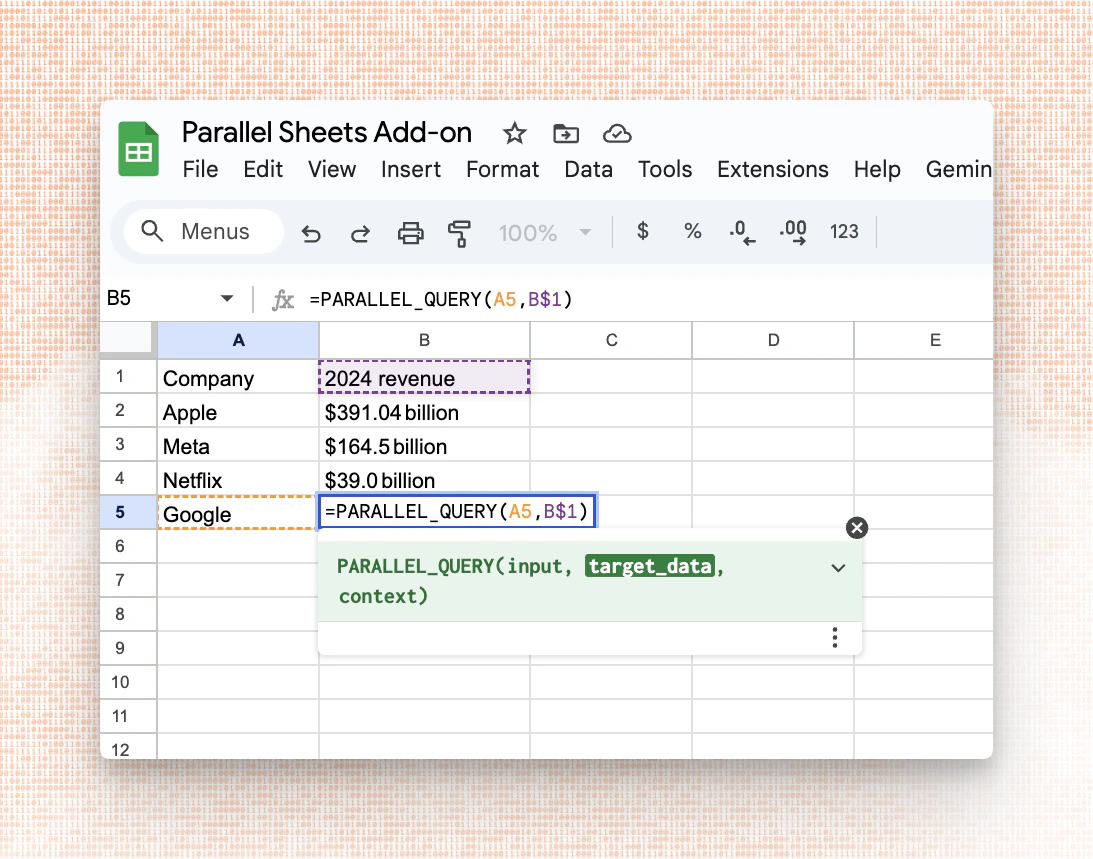 ## Prerequisites
* Get a Parallel API key from [Platform](https://platform.parallel.ai).
* Install the integration on Google Sheets directly from [here](https://workspace.google.com/marketplace/app/parallel_web_systems/528853648934)
or follow these steps:
* Go to `Extensions → Add-Ons → Get add-ons`
* Search for Parallel
* Click on the listing from Parallel Web Systems
* In Google Sheets, open `Extensions → Parallel → Open Sidebar → Paste your API Key → Click Save API Key`
## Function Reference
The integration exposes one function with the following signature:
```
=PARALLEL_QUERY(query, target_data, context)
```
It returns an answer to a query, with optional data targeting and contextual guidance.
* `query` (required): A question or instruction. Accepts either a plain query string or a JSON-encoded structured argument.
* `target_data` (optional, strongly recommended): A cell, range, or column reference to specify the extraction target.
* `context` (optional): Additional information—background, constraints, user intent, or preferences—to tailor the response.
Returns: A concise answer string. When provided, `target_data` and `context` are used to improve relevance and precision.
## Prerequisites
* Get a Parallel API key from [Platform](https://platform.parallel.ai).
* Install the integration on Google Sheets directly from [here](https://workspace.google.com/marketplace/app/parallel_web_systems/528853648934)
or follow these steps:
* Go to `Extensions → Add-Ons → Get add-ons`
* Search for Parallel
* Click on the listing from Parallel Web Systems
* In Google Sheets, open `Extensions → Parallel → Open Sidebar → Paste your API Key → Click Save API Key`
## Function Reference
The integration exposes one function with the following signature:
```
=PARALLEL_QUERY(query, target_data, context)
```
It returns an answer to a query, with optional data targeting and contextual guidance.
* `query` (required): A question or instruction. Accepts either a plain query string or a JSON-encoded structured argument.
* `target_data` (optional, strongly recommended): A cell, range, or column reference to specify the extraction target.
* `context` (optional): Additional information—background, constraints, user intent, or preferences—to tailor the response.
Returns: A concise answer string. When provided, `target_data` and `context` are used to improve relevance and precision.
 * **LangChain**: Build AI agents with Parallel's web research capabilities using the LangChain framework
* **Vercel AI SDK**: Add real-time web research to your Next.js and React applications
* **Zapier**: Connect Parallel to 6,000+ apps with no-code automation workflows
* **n8n**: Self-host automation workflows with Parallel's APIs
* **Google Sheets**: Import web research results directly into spreadsheets
Get started with our [integration guides](/integrations/gsuite).
* **LangChain**: Build AI agents with Parallel's web research capabilities using the LangChain framework
* **Vercel AI SDK**: Add real-time web research to your Next.js and React applications
* **Zapier**: Connect Parallel to 6,000+ apps with no-code automation workflows
* **n8n**: Self-host automation workflows with Parallel's APIs
* **Google Sheets**: Import web research results directly into spreadsheets
Get started with our [integration guides](/integrations/gsuite).
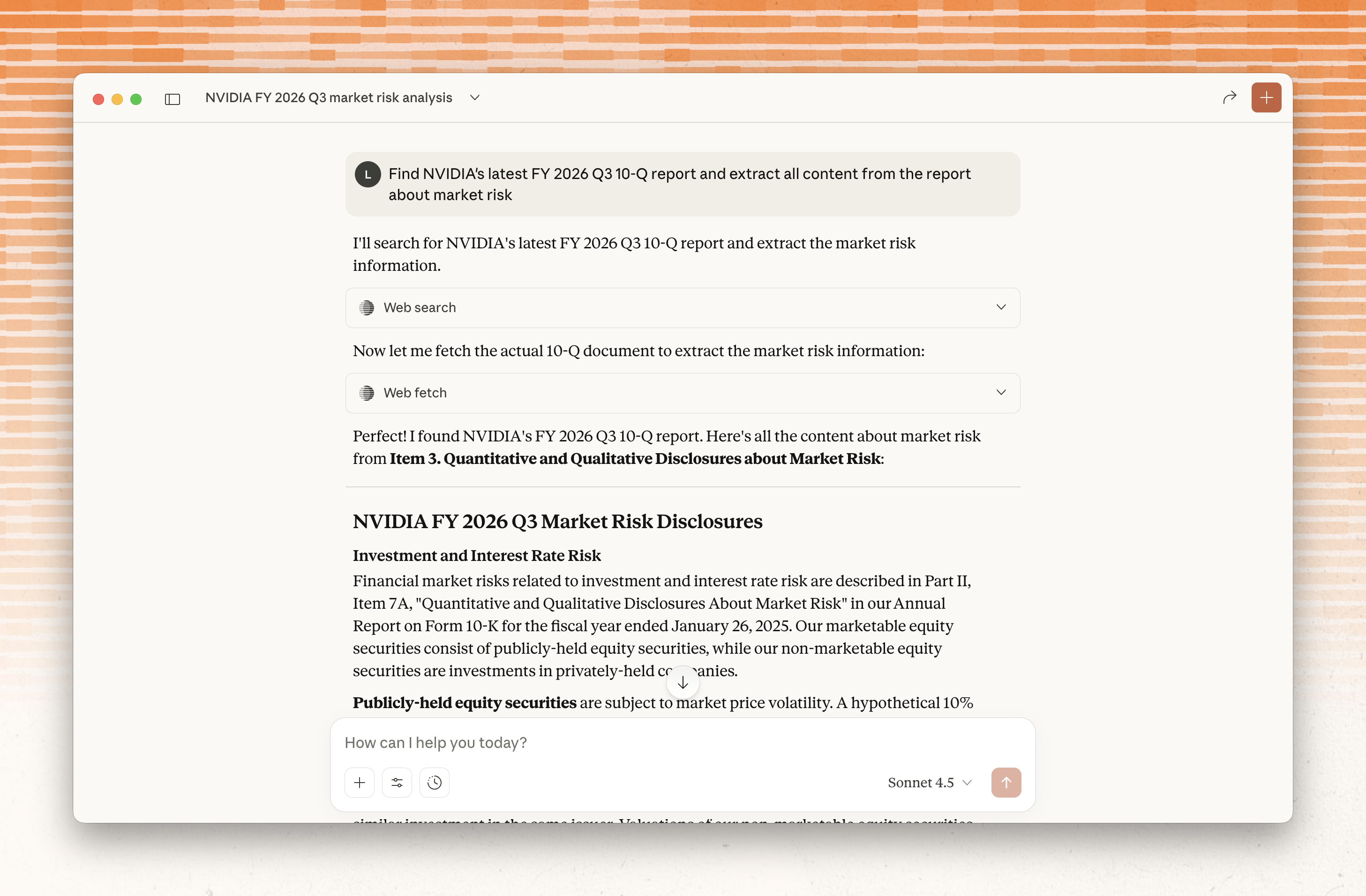 By granting agents access to Parallel Extract, they gain the option to view entire page contents as needed when conducting research, or if explicitly requested by an end user.
Extract supports two modes:
* Compressed excerpts: Semantically filtered content based on search objective
* Full content extraction: Complete page contents in markdown format
To learn more about Extract, read the launch [blog](https://parallel.ai/blog/introducing-parallel-extract).
By granting agents access to Parallel Extract, they gain the option to view entire page contents as needed when conducting research, or if explicitly requested by an end user.
Extract supports two modes:
* Compressed excerpts: Semantically filtered content based on search objective
* Full content extraction: Complete page contents in markdown format
To learn more about Extract, read the launch [blog](https://parallel.ai/blog/introducing-parallel-extract).
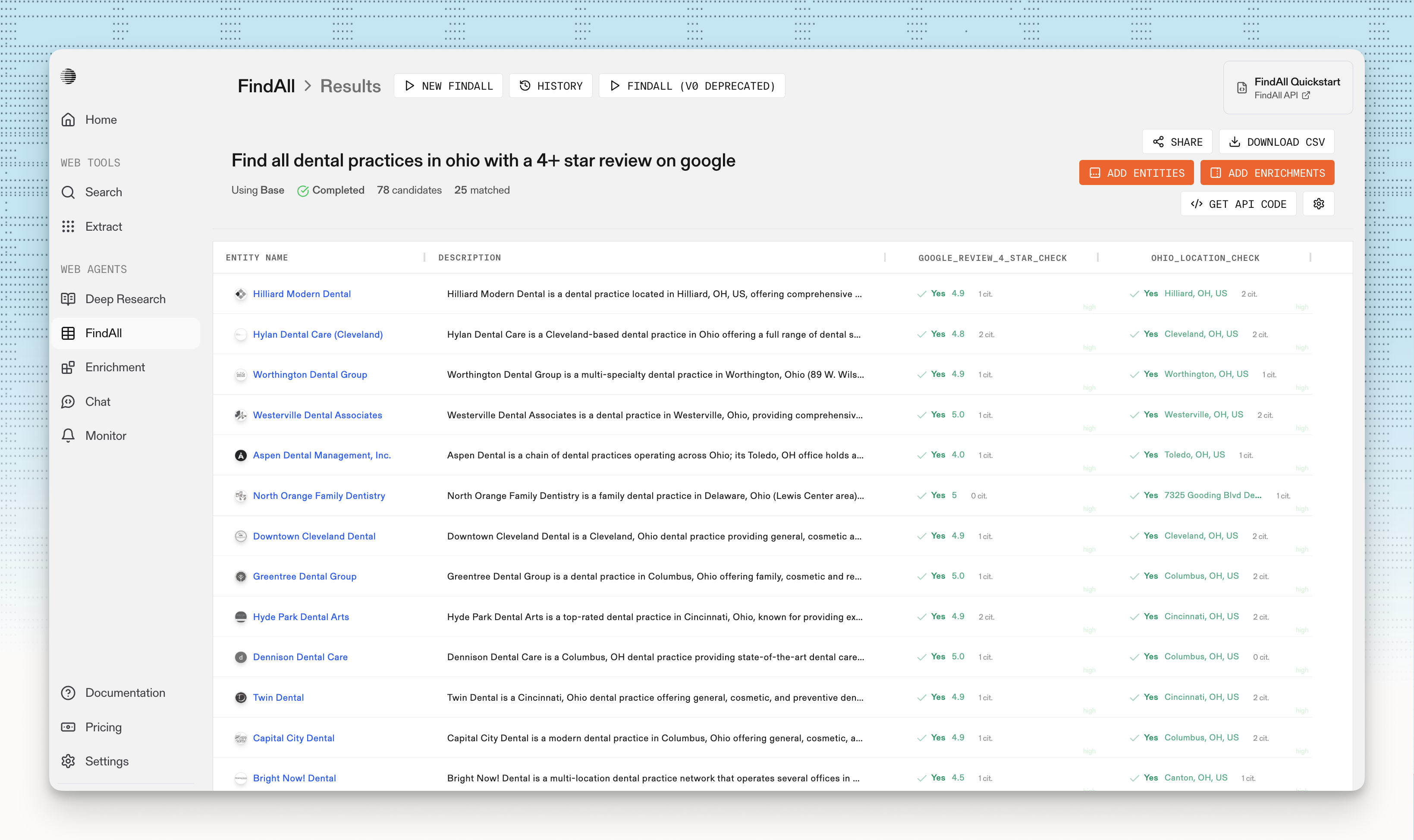 FindAll finds any set of entities (companies, people, events, locations, houses, etc.) based on a set of match criteria. For example, with FindAll, you can run a natural language query like "Find all dental practices located in Ohio that have 4+ star Google reviews."
Here's how it works:
* Finds entities (companies, people, events, locations) matching specified criteria
* Evaluates candidates against match conditions using multi-hop reasoning
* Enriches matched entities with structured data via Task API
* Returns results with citations, reasoning, excerpts, and confidence scores via Basis framework
To learn more about FindAll, read the launch [blog](https://parallel.ai/blog/introducing-findall-api).
FindAll finds any set of entities (companies, people, events, locations, houses, etc.) based on a set of match criteria. For example, with FindAll, you can run a natural language query like "Find all dental practices located in Ohio that have 4+ star Google reviews."
Here's how it works:
* Finds entities (companies, people, events, locations) matching specified criteria
* Evaluates candidates against match conditions using multi-hop reasoning
* Enriches matched entities with structured data via Task API
* Returns results with citations, reasoning, excerpts, and confidence scores via Basis framework
To learn more about FindAll, read the launch [blog](https://parallel.ai/blog/introducing-findall-api).
 Parallel Monitor allows you track changes on the web 24/7, with hourly, daily, or weekly cadence. The Monitor API currently supports:
* **Webhooks**: Receive updates when events are detected or when monitors finish a scheduled run
* **Events history**: Retrieve updates from recent runs or via a lookback window (e.g., 10d)
* **Lifecycle management**: Update cadence, webhook, or metadata; delete to stop future runs
Learn more in the announcement [blog](https://parallel.ai/blog/monitor-api).
Parallel Monitor allows you track changes on the web 24/7, with hourly, daily, or weekly cadence. The Monitor API currently supports:
* **Webhooks**: Receive updates when events are detected or when monitors finish a scheduled run
* **Events history**: Retrieve updates from recent runs or via a lookback window (e.g., 10d)
* **Lifecycle management**: Update cadence, webhook, or metadata; delete to stop future runs
Learn more in the announcement [blog](https://parallel.ai/blog/monitor-api).
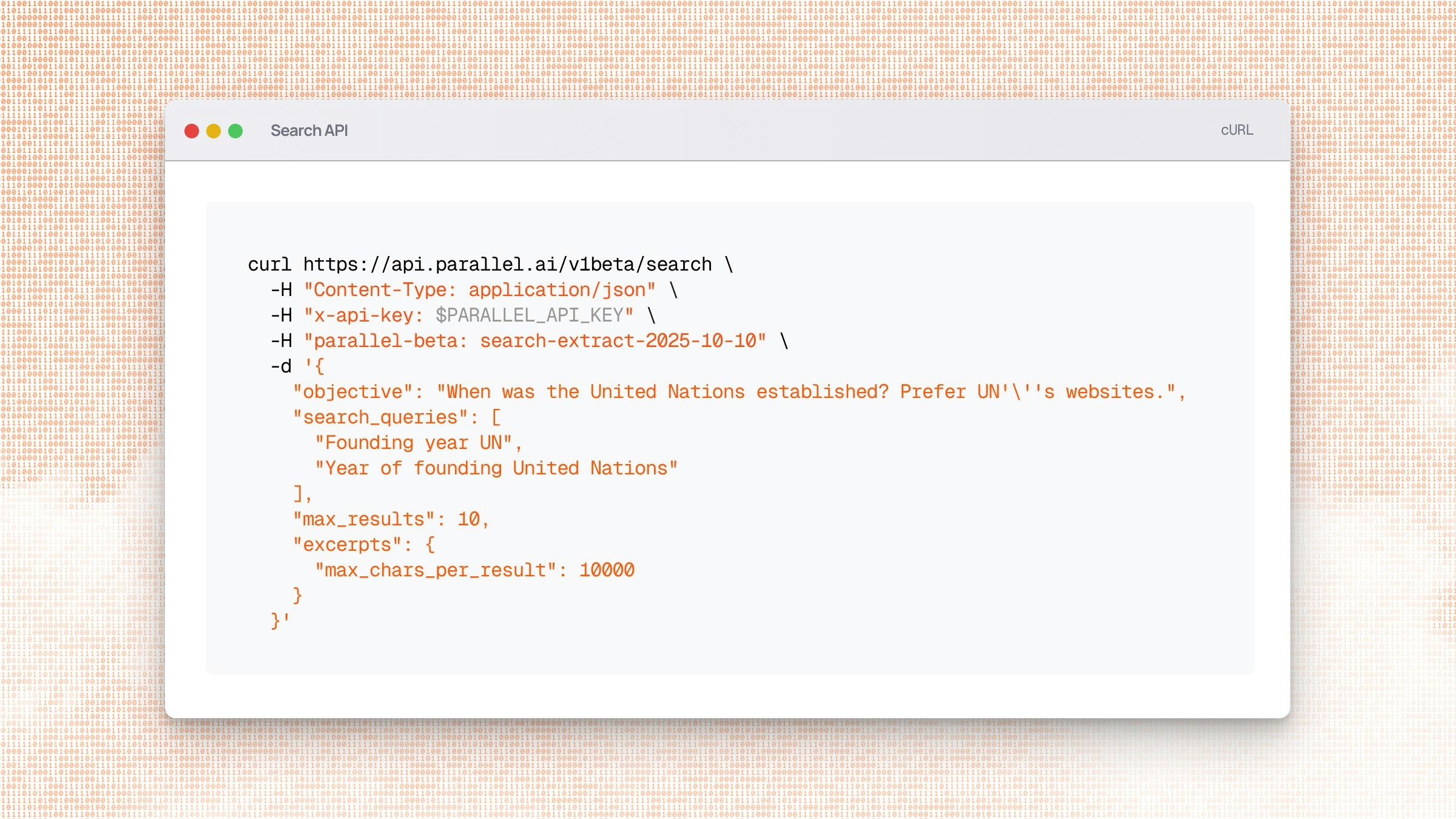 Parallel Search achieves state-of-the-art scoring on benchmarks as a result of LLM-first design and feature-set:
* **Semantic objectives** that capture intent beyond keyword matching, so agents can specify what they need to accomplish rather than guessing at search terms
* **Token-relevance ranking** to prioritize webpages most directly relevant to the objective, not pages optimized for human engagement metrics
* **Information-dense excerpts** compressed and prioritized for reasoning quality, so LLMs have the highest-signal tokens in their context window
* **Single-call resolution** for complex queries that normally require multiple search hops
To see the full benchmarks and learn more, read the announcement [blog](https://parallel.ai/blog/introducing-parallel-search).
Parallel Search achieves state-of-the-art scoring on benchmarks as a result of LLM-first design and feature-set:
* **Semantic objectives** that capture intent beyond keyword matching, so agents can specify what they need to accomplish rather than guessing at search terms
* **Token-relevance ranking** to prioritize webpages most directly relevant to the objective, not pages optimized for human engagement metrics
* **Information-dense excerpts** compressed and prioritized for reasoning quality, so LLMs have the highest-signal tokens in their context window
* **Single-call resolution** for complex queries that normally require multiple search hops
To see the full benchmarks and learn more, read the announcement [blog](https://parallel.ai/blog/introducing-parallel-search).
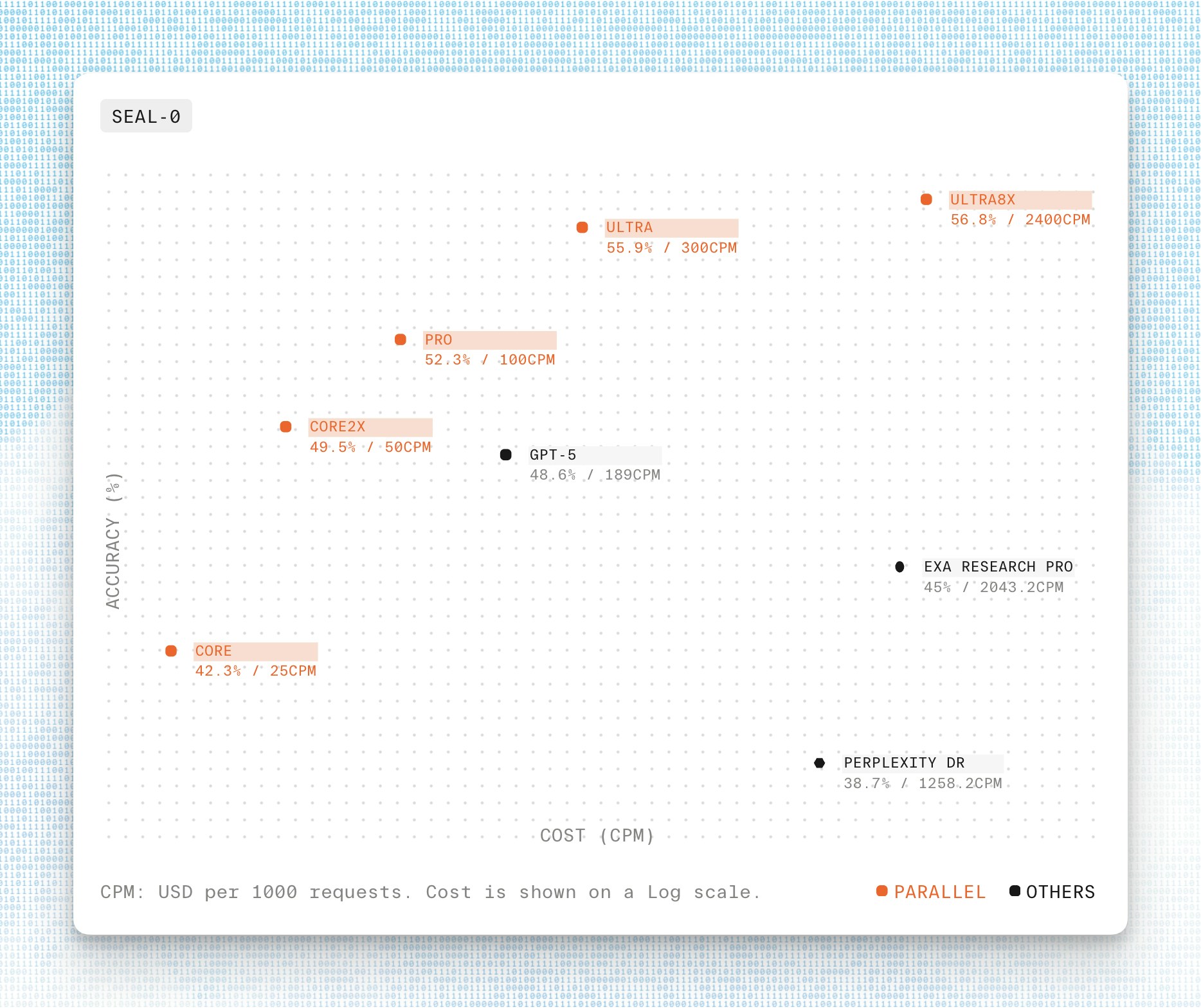 The Parallel Task API Processors outperformed commercial alternatives across all price tiers, with the Ultra8x Processor achieving 56.8% accuracy on SEAL-0 at 2400 CPM and 70.1% accuracy on SEAL-HARD at the same cost. At the value tier, the Pro Processor delivered 52.3% accuracy on SEAL-0 at 100 CPM, significantly outperforming competitors like Perplexity and Exa Research.
For more information on SealQA or the Task API, read the [blog](https://parallel.ai/blog/benchmarks-task-api-sealqa).
The Parallel Task API Processors outperformed commercial alternatives across all price tiers, with the Ultra8x Processor achieving 56.8% accuracy on SEAL-0 at 2400 CPM and 70.1% accuracy on SEAL-HARD at the same cost. At the value tier, the Pro Processor delivered 52.3% accuracy on SEAL-0 at 100 CPM, significantly outperforming competitors like Perplexity and Exa Research.
For more information on SealQA or the Task API, read the [blog](https://parallel.ai/blog/benchmarks-task-api-sealqa).
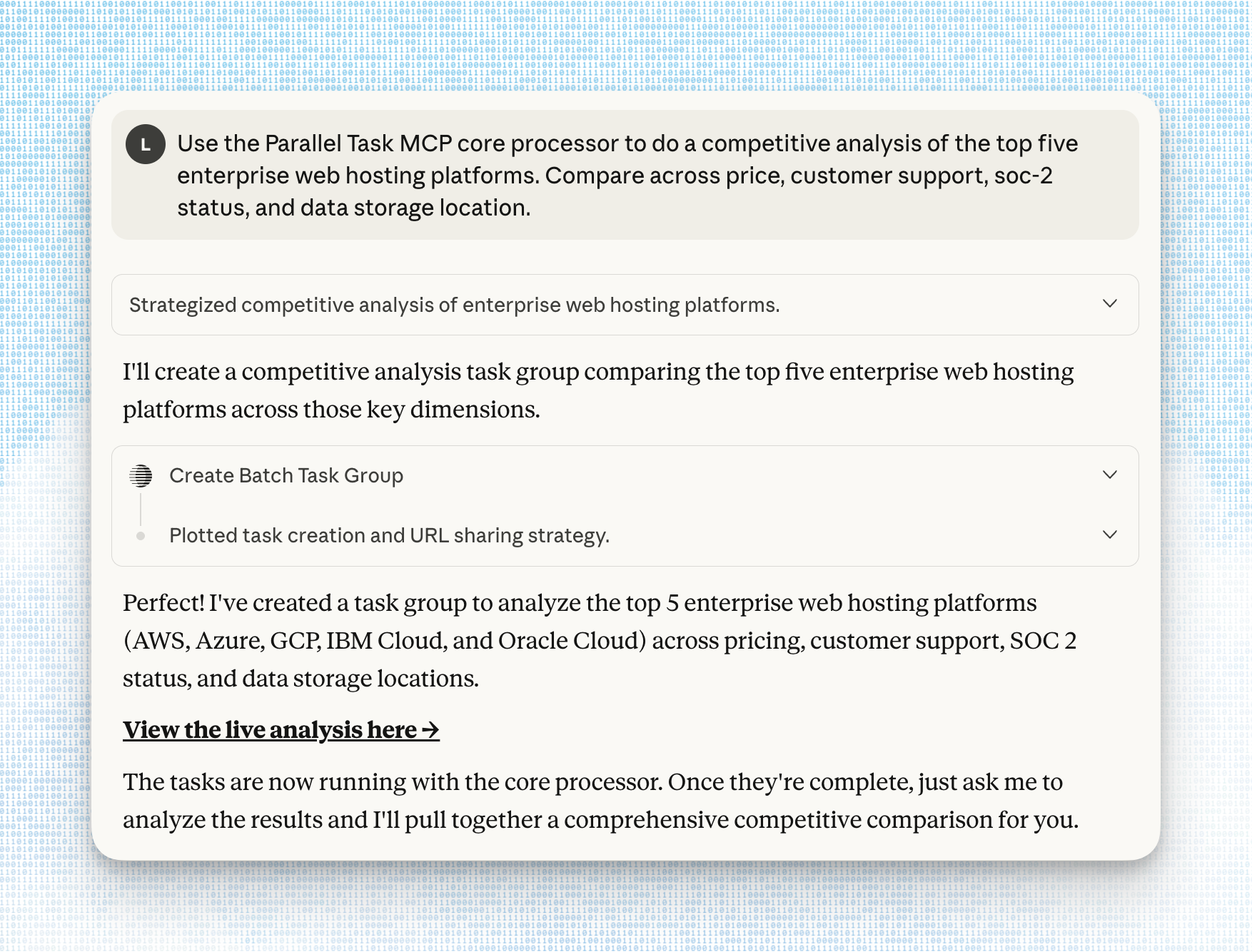 The Task MCP Server can be useful for professionals who want to bring the power of Parallel's Tasks to their preferred MCP client, or for developers who are building with Parallel Tasks.
Learn more in the release [blog](https://parallel.ai/blog/parallel-task-mcp-server).
The Task MCP Server can be useful for professionals who want to bring the power of Parallel's Tasks to their preferred MCP client, or for developers who are building with Parallel Tasks.
Learn more in the release [blog](https://parallel.ai/blog/parallel-task-mcp-server).
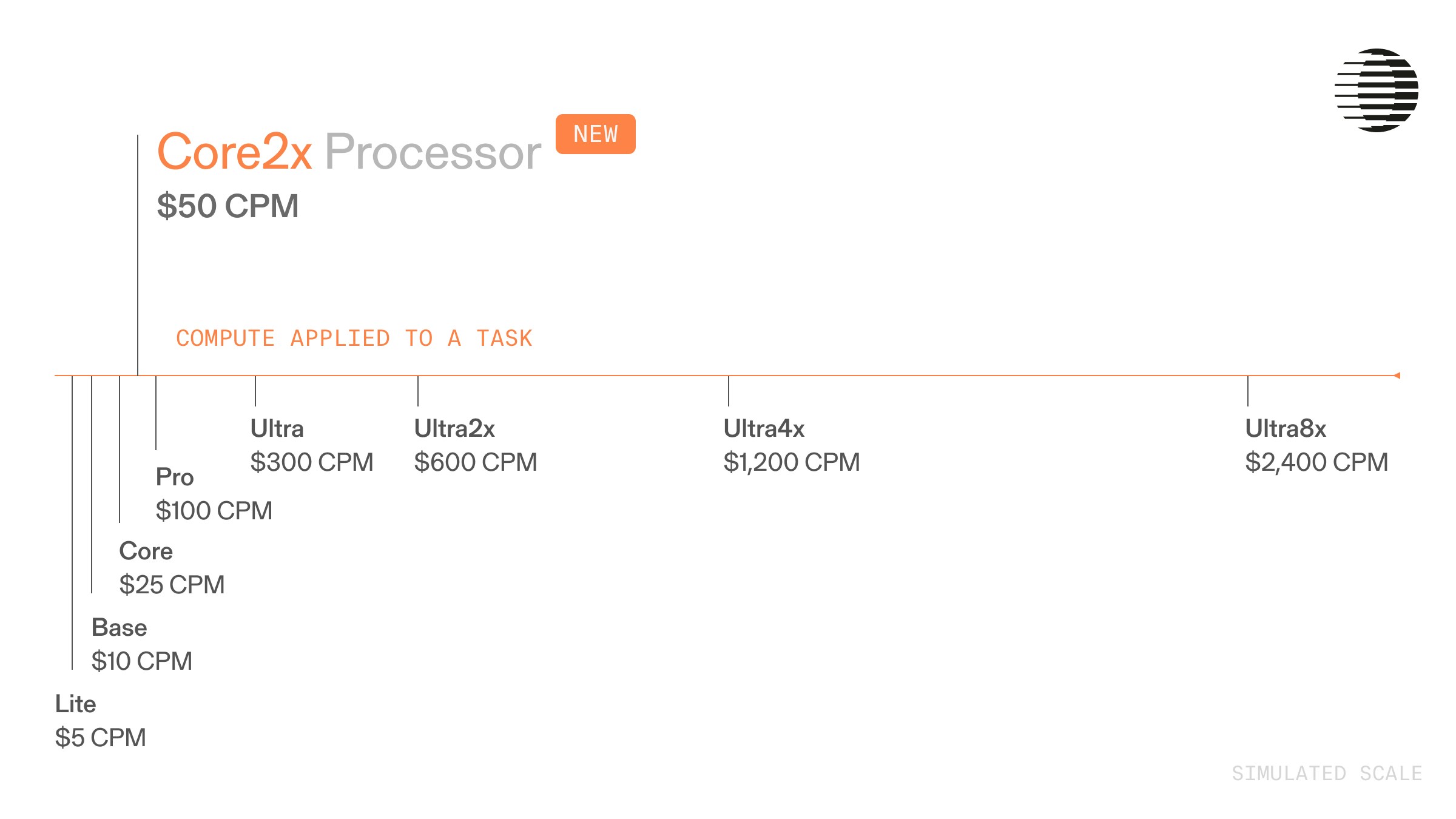 Use Core2x for:
* Cross-validation across multiple sources without deep research level exploration
* Moderately complex synthesis where Core might fall short
* Structured outputs with 10 fields requiring verification
* Production workflows where Pro's compute budget exceeds requirements
Learn more in the release [blog](https://parallel.ai/blog/core2x-processor).
Use Core2x for:
* Cross-validation across multiple sources without deep research level exploration
* Moderately complex synthesis where Core might fall short
* Structured outputs with 10 fields requiring verification
* Production workflows where Pro's compute budget exceeds requirements
Learn more in the release [blog](https://parallel.ai/blog/core2x-processor).
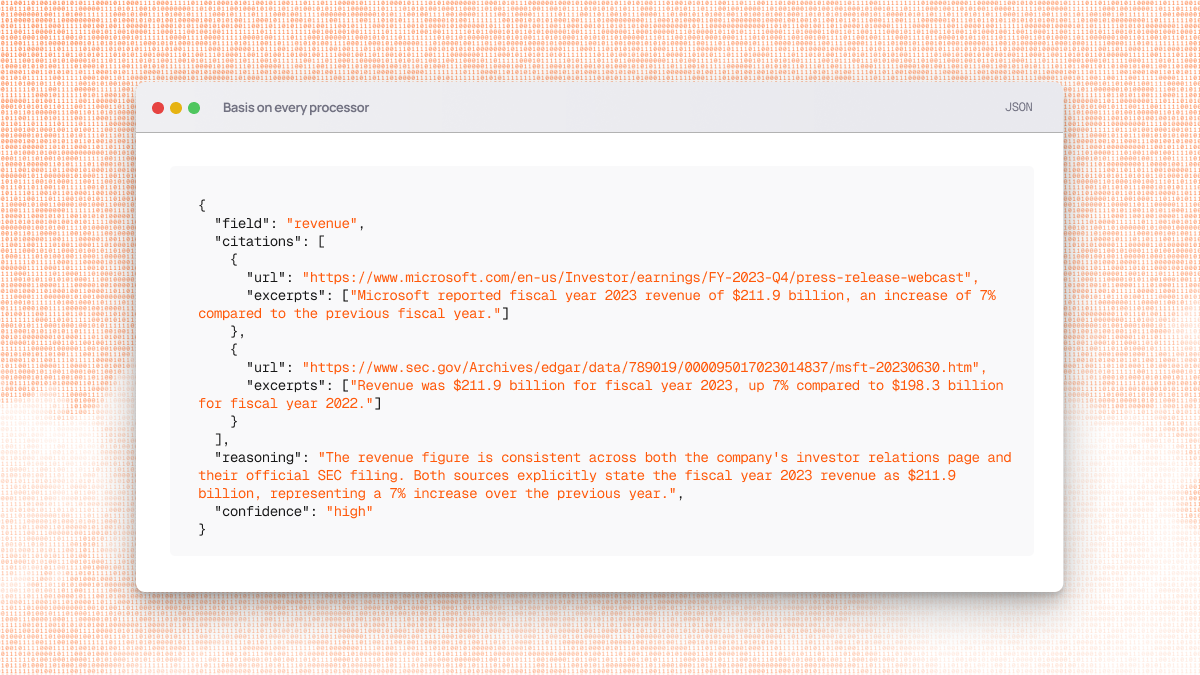 With this update, even the most cost-effective `lite` processor now returns:
* **Citations**: Web URLs linking to source materials
* **Reasoning**: Detailed explanations for each output field
* **Confidence**: Calibrated reliability ratings (high/medium/low)
* **Excerpts**: Relevant text snippets from citation sources
This improvement supports more effective hybrid AI/human review workflows at every price point.
Learn more in the release [blog](https://parallel.ai/blog/full-basis-framework-for-task-api).
With this update, even the most cost-effective `lite` processor now returns:
* **Citations**: Web URLs linking to source materials
* **Reasoning**: Detailed explanations for each output field
* **Confidence**: Calibrated reliability ratings (high/medium/low)
* **Excerpts**: Relevant text snippets from citation sources
This improvement supports more effective hybrid AI/human review workflows at every price point.
Learn more in the release [blog](https://parallel.ai/blog/full-basis-framework-for-task-api).
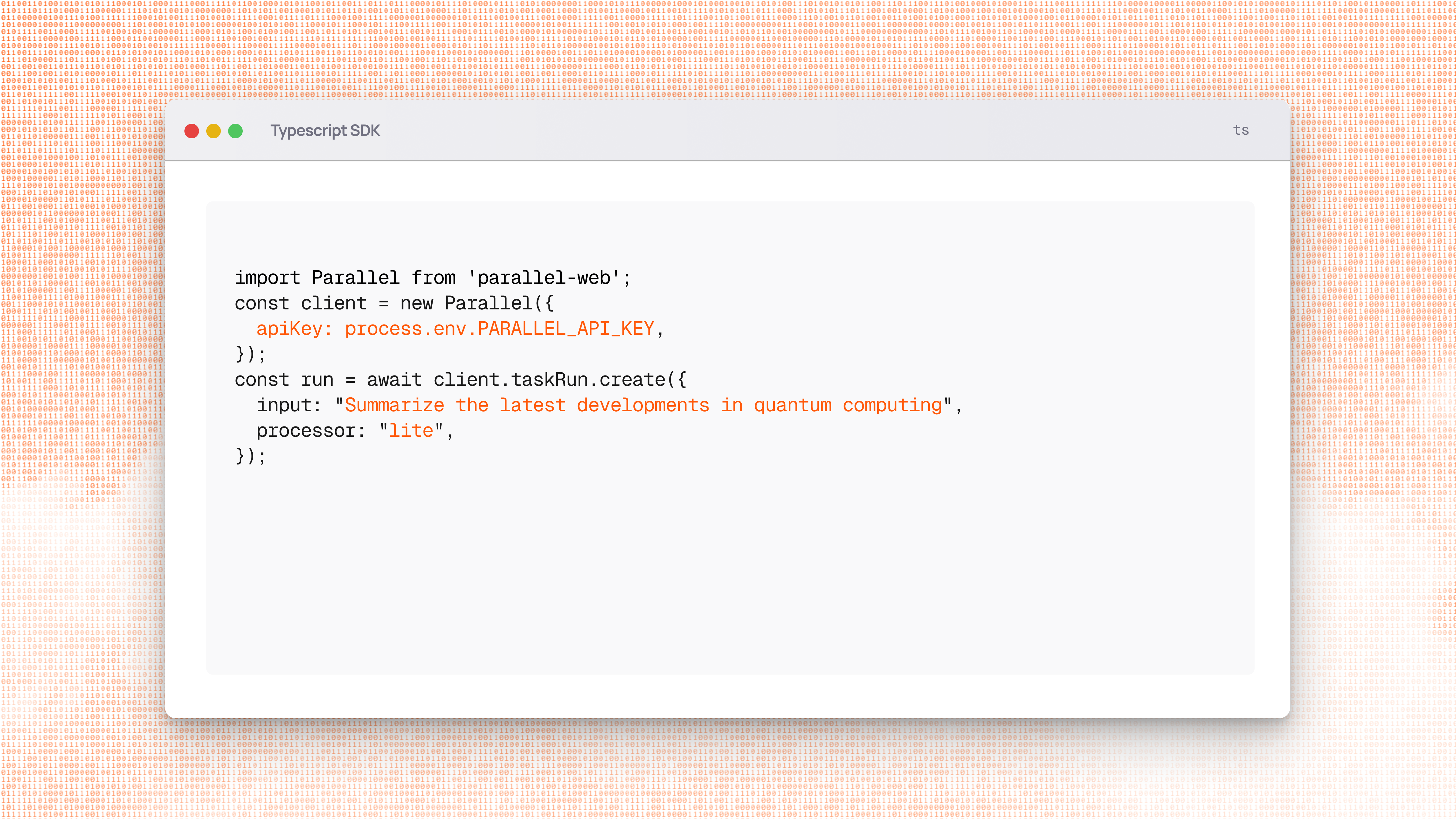
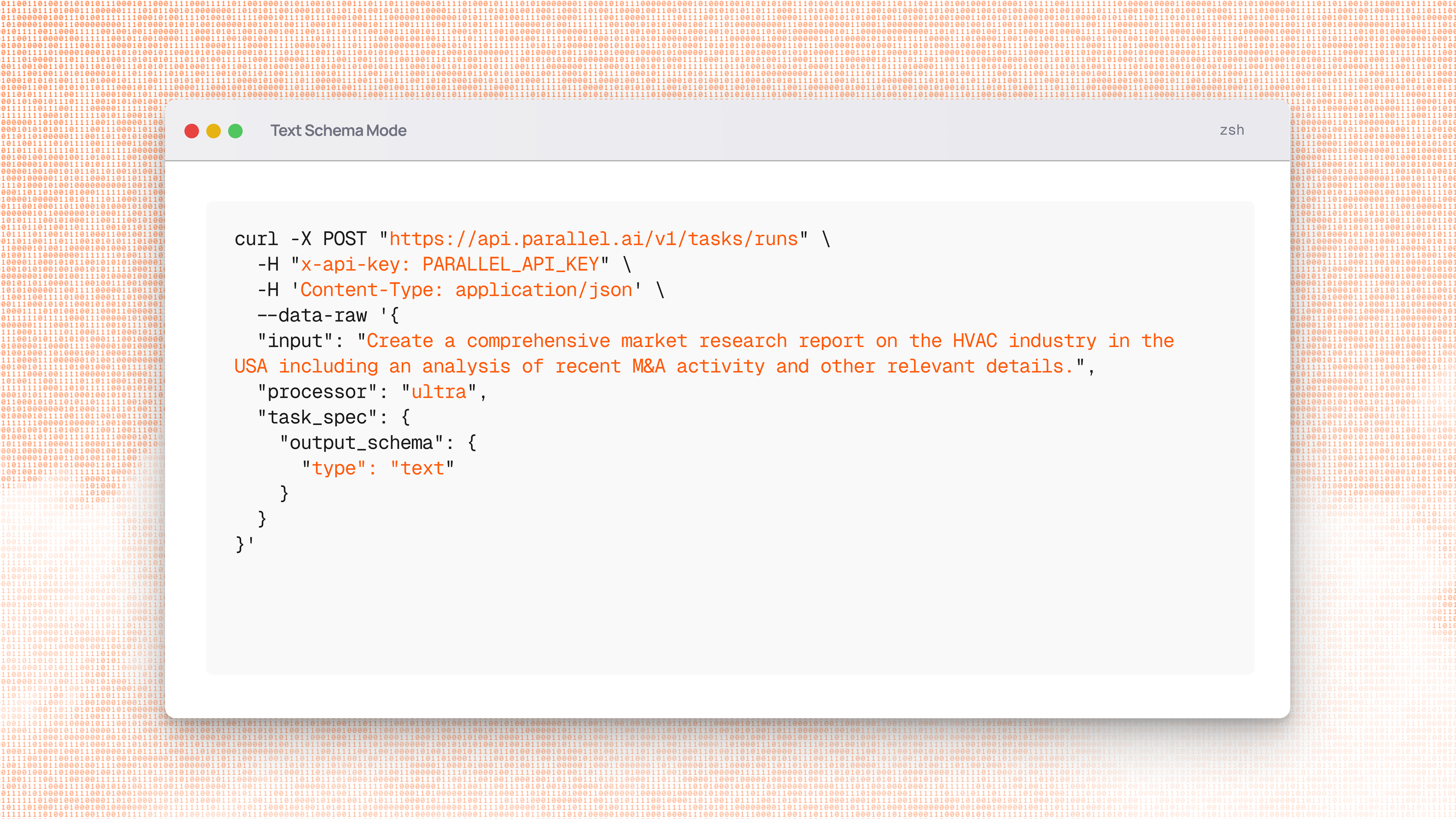
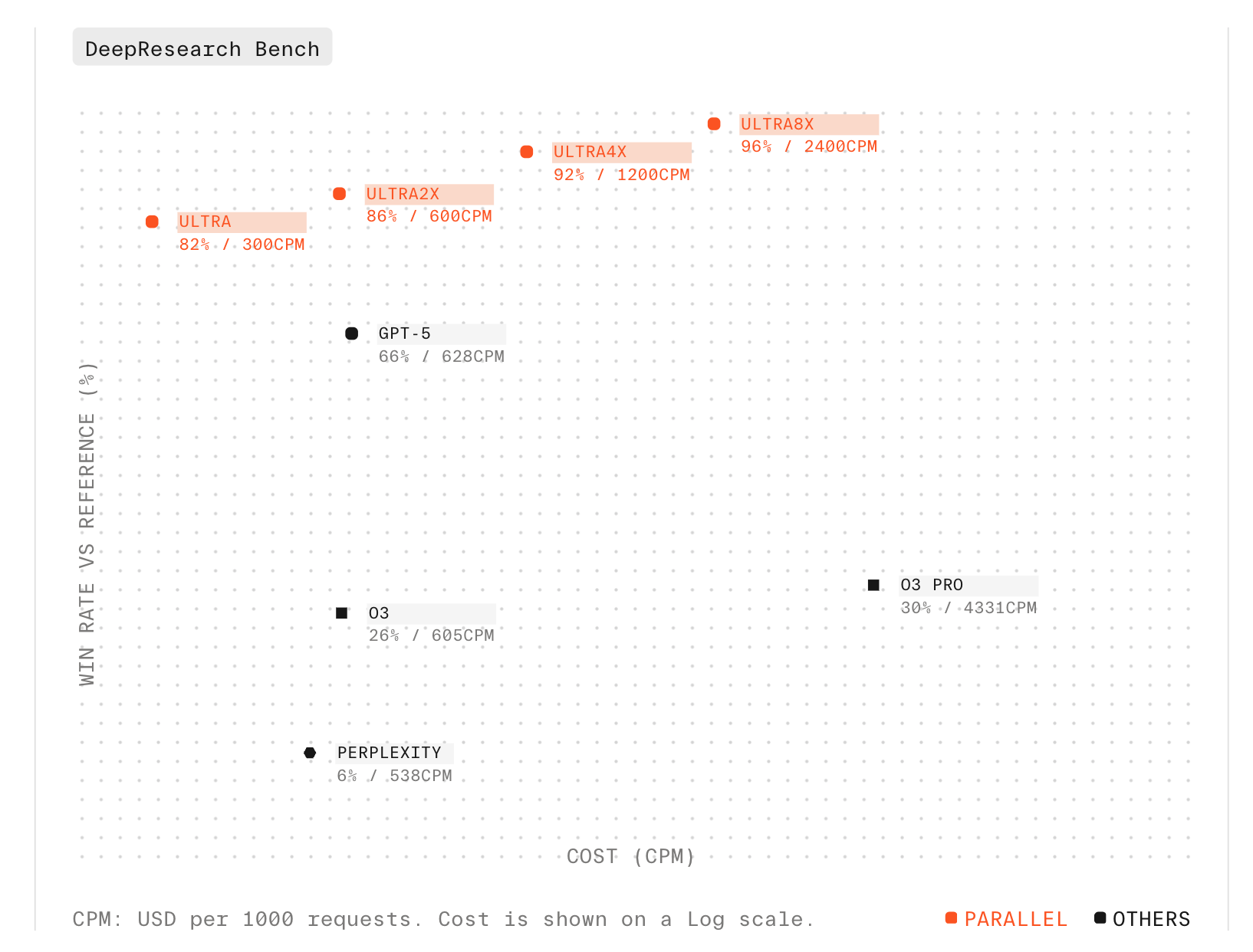
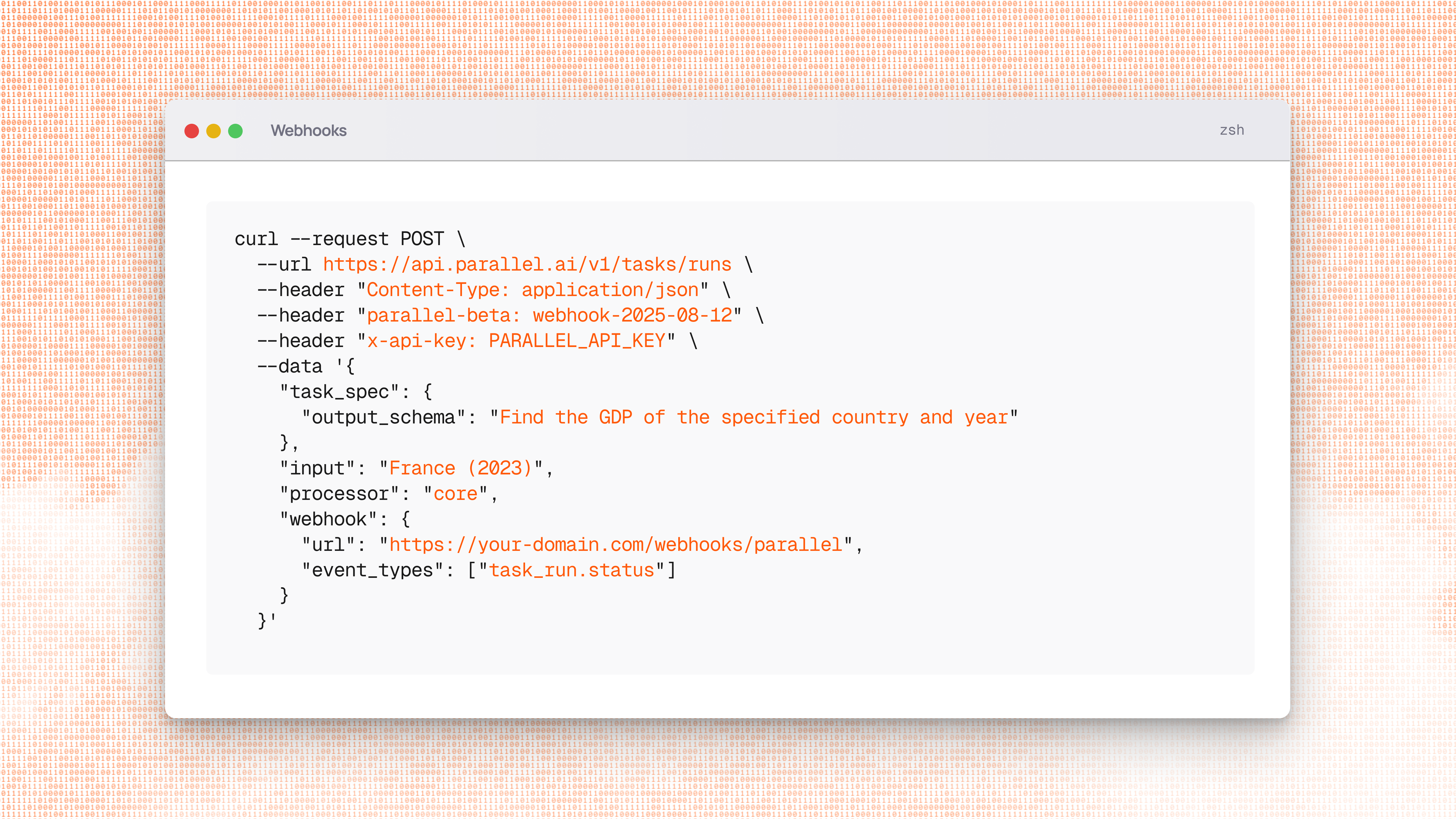
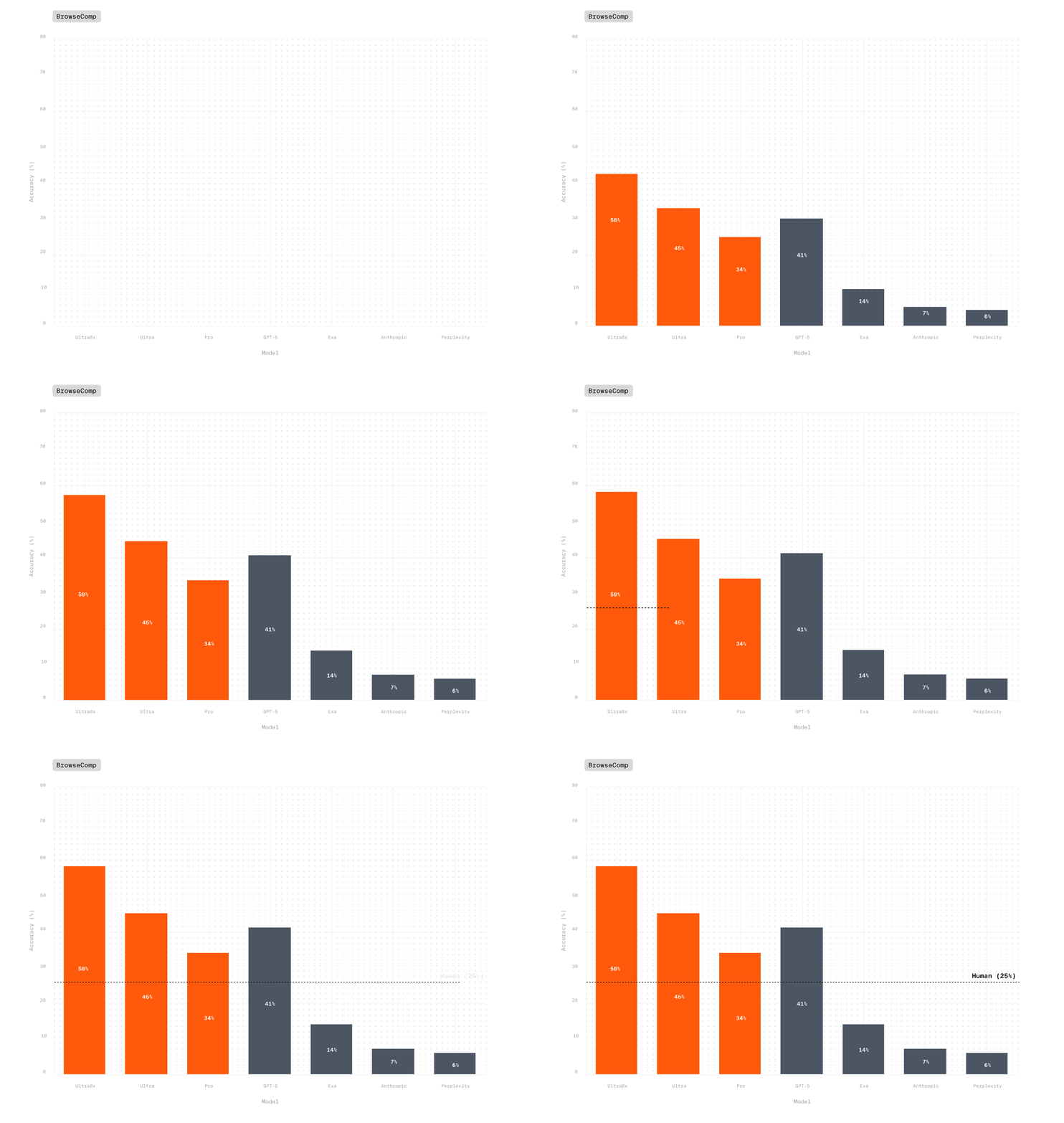
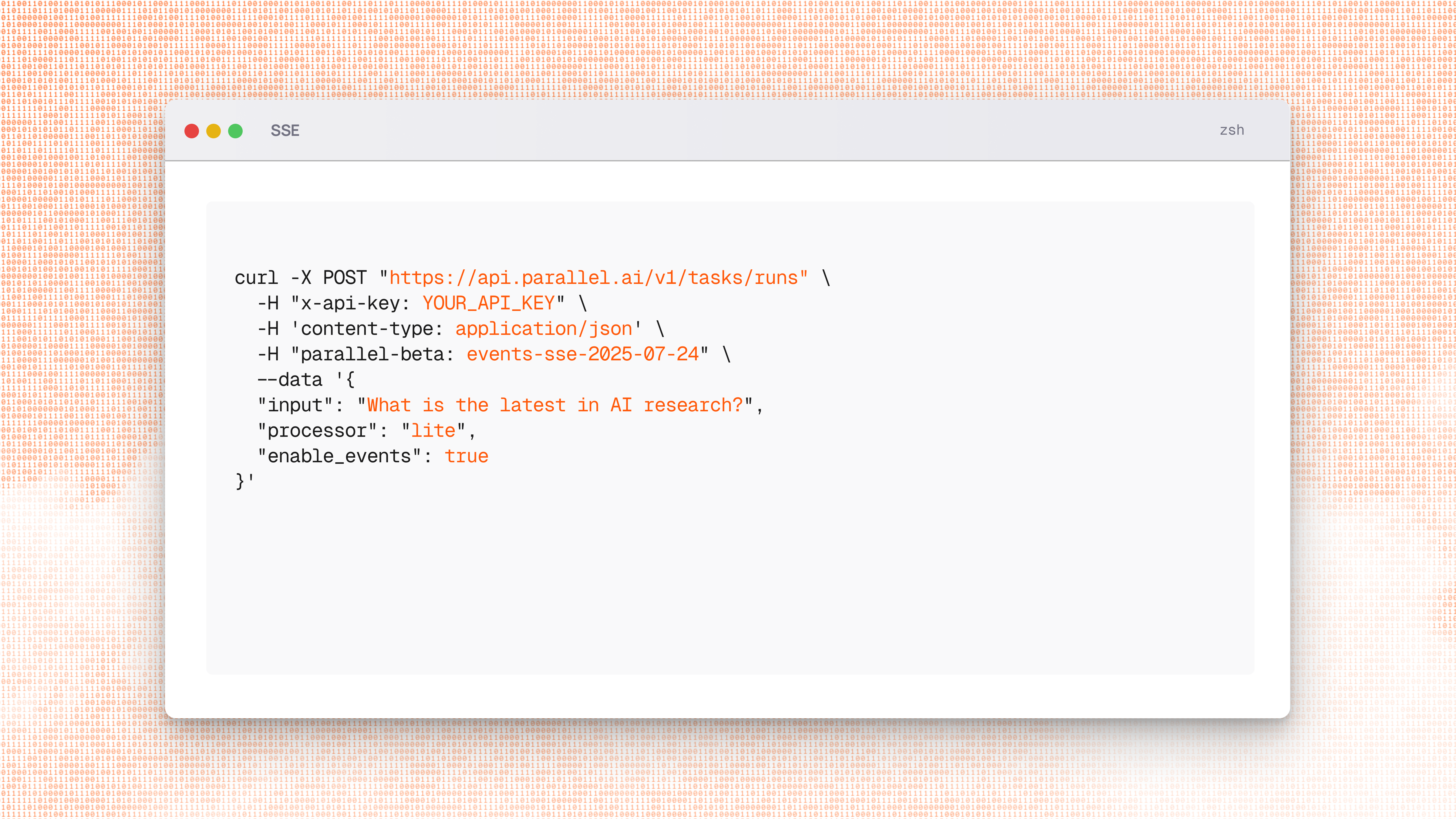

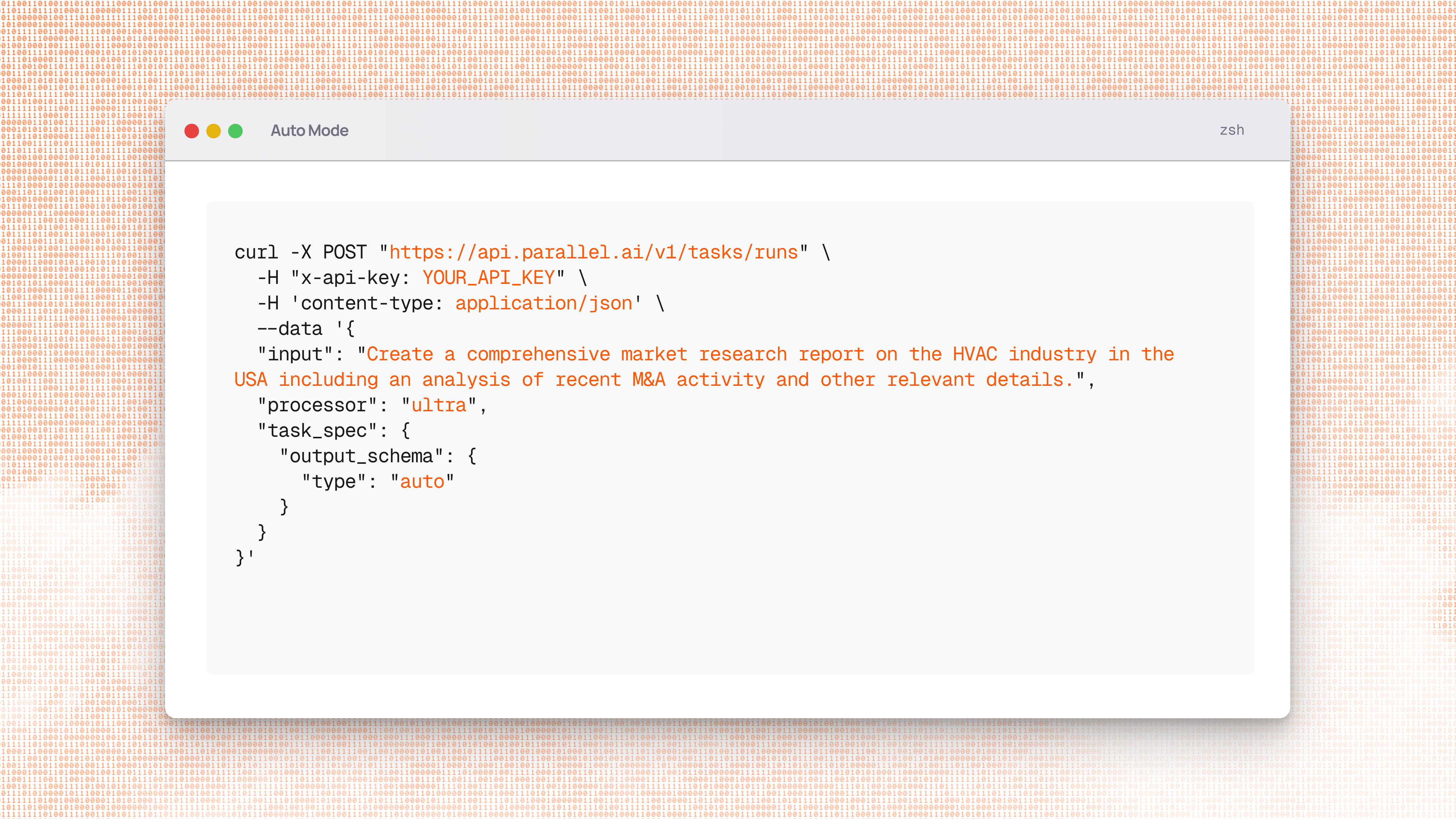
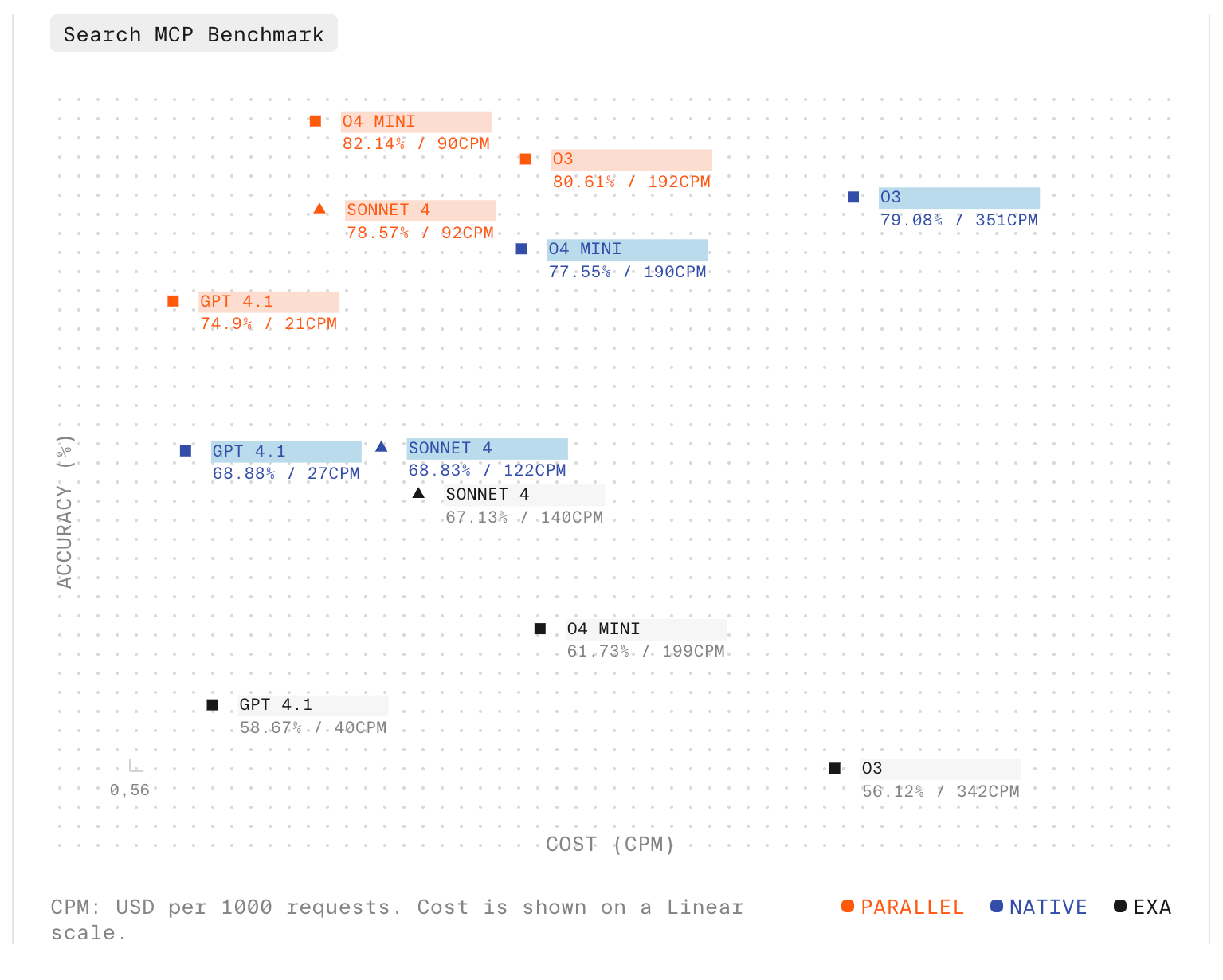 ## Parallel Web Tools MCP server in Devin
The Parallel Web Tools MCP Server is now live in [Devin’s MCP Marketplace](https://docs.devin.ai/work-with-devin/mcp), bringing high quality web research capabilities directly to the AI software engineer. With a web-aware Devin, you can ask Devin to search online forums to debug code, linear from online codebases, and research APIs. Learn more in our latest [blog](https://parallel.ai/blog/parallel-search-mcp-in-devin).
## Parallel Web Tools MCP server in Devin
The Parallel Web Tools MCP Server is now live in [Devin’s MCP Marketplace](https://docs.devin.ai/work-with-devin/mcp), bringing high quality web research capabilities directly to the AI software engineer. With a web-aware Devin, you can ask Devin to search online forums to debug code, linear from online codebases, and research APIs. Learn more in our latest [blog](https://parallel.ai/blog/parallel-search-mcp-in-devin).